
AIRSEE AB_987
AIRSEE Sound Machine User Manual
Model: AB_987 | Brand: AIRSEE
Introduction
This manual provides detailed instructions for the AIRSEE Sound Machine, designed to enhance sleep and relaxation for all ages with its diverse soundscapes and convenient features.
Safety Information
Handle with care. Keep out of reach of children when not in use.
Product Overview
The AIRSEE Sound Machine is a compact and versatile device offering a wide range of soothing sounds and a gentle night light to create an ideal sleep environment.

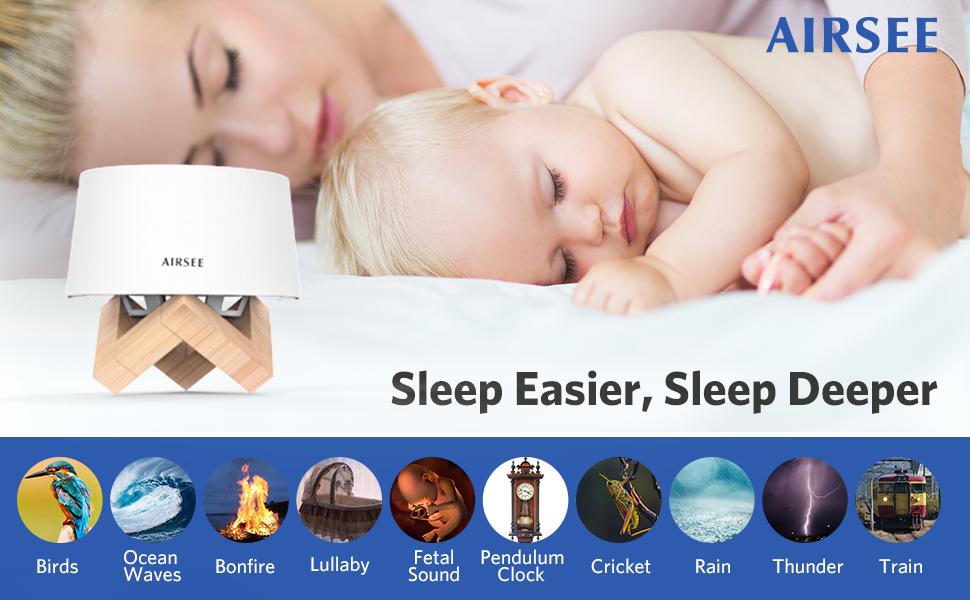
A white, cylindrical sound machine with a control panel on top, resting on a wooden stand. The device features a minimalist design.
Key Features
- 31 High Quality Sounds (White Noise, Nature, Fan, Lullabies, Life Scenes)
- Soft Night Light (Constant and Breathing Modes)
- Portable Design with 2000mAh Rechargeable Battery (up to 72 hours playback)
- 32-level Volume Control
- 30, 60, 120-minute Timer and Memory Function
- Headphone Jack (3.5mm)

An annotated image showing the top control panel with buttons for sound categories (White Noise, Nature Sounds, Fan Sounds, Lullabies), volume control, night light, and timer. The side view highlights the headphone jack and USB charging port.
Setup Guide
- Unboxing: Carefully remove the sound machine and its accessories from the packaging.
- Charging: Before first use, fully charge the device using the provided USB cable. The device can be used while charging.
- Placement: Place the sound machine on a stable, flat surface, ideally near the sleeping area. The included wooden stand can be used for optimal light dispersion.
Operating Instructions
Power On/Off
Press the central power button to turn the device on or off.
Sound Selection
The sound machine offers 31 high-quality sounds across various categories. Use the dedicated buttons on the control panel to switch between sound types.

A graphic illustrating the diverse sound library, categorized into White Noise, Fan Sounds, and Nature Sounds, with examples like rain, ocean waves, birds, and lullabies.
Official product video demonstrating various sound options of the AIRSEE Sound Machine, including white noise, nature sounds like rain and ocean waves, fan sounds, and lullabies, highlighting the immersive audio experience.
Official product video demonstrating the AIRSEE Sound Machine's features for baby sleep, showcasing its soothing sounds and night light in a nursery setting.
Volume Control
Use the '+' and '-' buttons on the control panel to adjust the volume to your preferred level. There are 32 levels of volume control.
Night Light Function
The integrated night light offers two modes: constant light and two breathing light modes (fast and slow). Press the light bulb button to cycle through the modes.

Multiple images show the sound machine's night light in use, providing soft illumination for night care, relaxation, and better sleeping.
A detailed view of the sound machine emphasizing its comforting night light, which can be set to a steady glow or a gentle breathing effect.
Timer Function
Set a timer for 30, 60, or 120 minutes using the timer button. The device will automatically turn off after the selected duration. You can also choose continuous play.

This image visually explains the timer settings, allowing users to choose how long the sound machine plays before automatically shutting off, or to set it for continuous operation.
Headphone Jack
For private listening, plug 3.5mm headphones into the headphone jack located on the side of the device.
Maintenance
Cleaning
Wipe the device with a soft, dry cloth. Do not use liquid cleaners or abrasive materials.
Storage
Store the sound machine in a cool, dry place when not in use.
Troubleshooting
| Problem | Solution |
|---|---|
| Device does not turn on | Ensure the battery is charged. Connect the USB cable and try again. |
| Sound cuts out or device shuts off unexpectedly | Check the charging cable connection; a loose connection can cause interruptions. Ensure the battery is fully charged for continuous wireless use. |
| Loud screeching noise or unable to charge after some use | This may indicate a hardware issue. Refer to the Warranty and Support section for assistance. |
| Sound quality is poor | Adjust the volume level. Ensure the device is placed on a stable surface away from obstructions. |
Specifications
| Feature | Detail |
|---|---|
| Product Dimensions | 4.92 x 6 x 4.72 inches |
| Item Model Number | AB_987 |
| Batteries | 1 Lithium Ion battery (included) |
| Power Source | Battery Powered |
| Item Weight | 13.7 ounces |
| Color | White |
| Sound Options | 31 (White Noise, Nature, Fan, Lullabies, Life Scenes) |
| Playback Time | Up to 72 hours (on full charge) |
| Volume Control | 32 levels |
| Timer Options | 30, 60, 120 minutes, Continuous |
Warranty and Support
AIRSEE offers a free return and fast unconditional refunds within 45 days of purchase. A free replacement for product quality issues is provided within 6 months.
For any problems or inquiries, please contact AIRSEE customer support. You will receive a 24-hour reply.
Visit the AIRSEE Store for more information and support.Ask a question about this manual
Ask about setup, troubleshooting, compatibility, parts, safety, or missing instructions. Manuals+ will review the question and use this page’s manual context to help answer it.