Introduction
Thank you for purchasing the LEXiBOOK Cyber Arcade Mini Handheld Game Console. This manual provides essential information for the safe and efficient use of your device. Please read it thoroughly before operation and retain it for future reference.

Image: Front view of the LEXiBOOK Cyber Arcade Mini handheld game console, showing the screen, directional pad, and action buttons.
Package Contents
- 1 x LEXiBOOK Cyber Arcade Mini Handheld Game Console (Model JL1890)
- 1 x User Manual

Image: The LEXiBOOK Cyber Arcade Mini handheld game console in its retail packaging, highlighting the "8-in-1" games and 1.8" LCD screen.
Setup
1. Battery Installation
The LEXiBOOK Cyber Arcade Mini requires 3 x LR03/AAA alkaline batteries (not included) for operation.
- Locate the battery compartment cover on the back of the console.
- Using a small screwdriver, carefully unscrew the battery compartment cover.
- Insert 3 new LR03/AAA alkaline batteries, ensuring correct polarity (+/-).
- Replace the battery compartment cover and secure it with the screw.
Important: Do not mix old and new batteries. Do not mix alkaline, standard (carbon-zinc), or rechargeable (nickel-cadmium) batteries. Remove batteries if the device will not be used for an extended period.
Operating Instructions
1. Power On/Off
- To power on the console, press the Power button (usually marked with a circle and a vertical line) located on the top left of the console.
- To power off the console, press and hold the Power button until the screen turns off.
2. Game Selection
- Once powered on, the main menu will display a list of available games.
- Use the Directional Pad (D-Pad) on the left side of the console to navigate through the game list.
- Press the START button or a designated action button (e.g., 'A' or 'B') to select and launch a game.
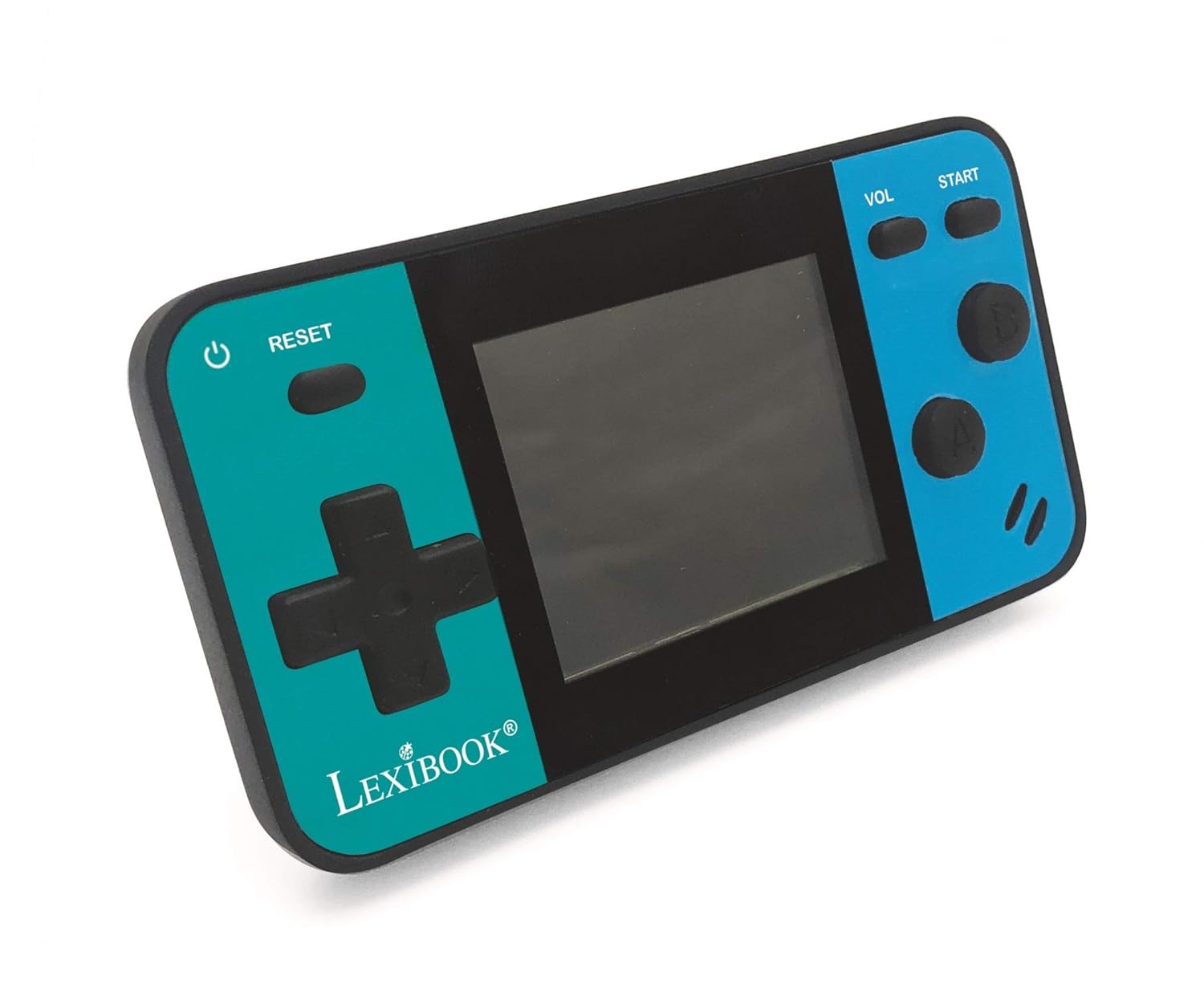
Image: A person holding the LEXiBOOK Cyber Arcade Mini, actively playing one of the built-in games on its 1.8-inch color LCD screen.
3. Gameplay Controls
- Directional Pad (D-Pad): Used for movement and navigation within games.
- Action Buttons (A, B, etc.): Used for jumping, shooting, interacting, and other in-game actions. Specific functions vary by game.
- START Button: Typically used to start games, pause, or confirm selections.
- VOL Button: Adjusts the volume level of the built-in speaker.
- RESET Button: Resets the current game or returns to the main menu.
4. Volume Adjustment
Press the VOL button repeatedly to cycle through different volume levels or mute the sound.
Maintenance
- Keep the console dry. Avoid exposure to moisture or liquids.
- Clean the console with a soft, dry cloth. Do not use abrasive cleaners or solvents.
- Store the console in a cool, dry place away from direct sunlight and extreme temperatures.
- Do not attempt to disassemble or modify the console, as this will void the warranty and may cause damage.
Troubleshooting
| Problem | Possible Cause | Solution |
|---|---|---|
| Console does not power on. | Batteries are dead or incorrectly installed. | Replace batteries with new LR03/AAA alkaline batteries, ensuring correct polarity. |
| Screen is blank or flickering. | Low battery power; internal connection issue. | Replace batteries. If the problem persists, contact customer support. |
| No sound or low volume. | Volume is muted or set too low. | Press the VOL button to increase volume or unmute. |
| Game freezes or crashes. | Software glitch. | Press the RESET button to restart the game or return to the main menu. If frequent, replace batteries. |
Specifications
- Model: JL1890
- Screen: 1.8" (4.5 cm) Color LCD
- Games: 8 built-in games (8-bit graphics)
- Power Supply: 3 x LR03/AAA batteries (not included)
- Dimensions: Approximately 3.7 x 2.01 x 0.91 inches (9.4 x 5.1 x 2.3 cm)
- Weight: Approximately 0.08 kg (0.18 lbs)
- Material: Plastic
- Recommended Age: 3+ years
Warranty and Support
For warranty information or technical support, please refer to the contact details provided on the product packaging or visit the official LEXiBOOK website. Keep your purchase receipt as proof of purchase.
Online Support: www.lexibook.com


