
SHARE SUNSHINE Wireless Charger
SHARE SUNSHINE 3-in-1 Wireless Charging Station User Manual
Model: Wireless Charger
1. Introduction
Thank you for purchasing the SHARE SUNSHINE 3-in-1 Wireless Charging Station. This device is designed to simplify your charging experience by allowing you to charge your iPhone, Apple Watch, and AirPods simultaneously. Its compact and sleek design helps reduce cable clutter and is ideal for home, office, or travel use.
This charging station is Qi-certified and incorporates multiple safety features to protect your devices during charging.
2. Product Overview
2.1. Key Features
- 3-in-1 Charging: Simultaneously charges iPhone, Apple Watch, and AirPods.
- Clutter-Free Design: Reduces the need for multiple charging cables, keeping your space tidy.
- Travel-Friendly: Compact and portable for convenient charging on the go.
- Intelligent Protection: Built-in safeguards against overcurrent, overvoltage, and temperature fluctuations.
- Case Friendly: Charges Qi-enabled phones with cases up to 5mm thick.
- Qi Certified: Ensures safe and efficient wireless charging.
- Versatile Placement: Supports both vertical and horizontal charging for phones.
2.2. Package Contents
- 1x SHARE SUNSHINE 3-in-1 Wireless Phone Charger Stand
- 1x User Manual (this document)
- 1x 3.3ft/1m 2A USB-A to USB-C Cable
Note: A power adapter is not included in the package. Please use a compatible USB power adapter (e.g., 9V/2A or higher) for optimal charging performance.
2.3. Product Diagram
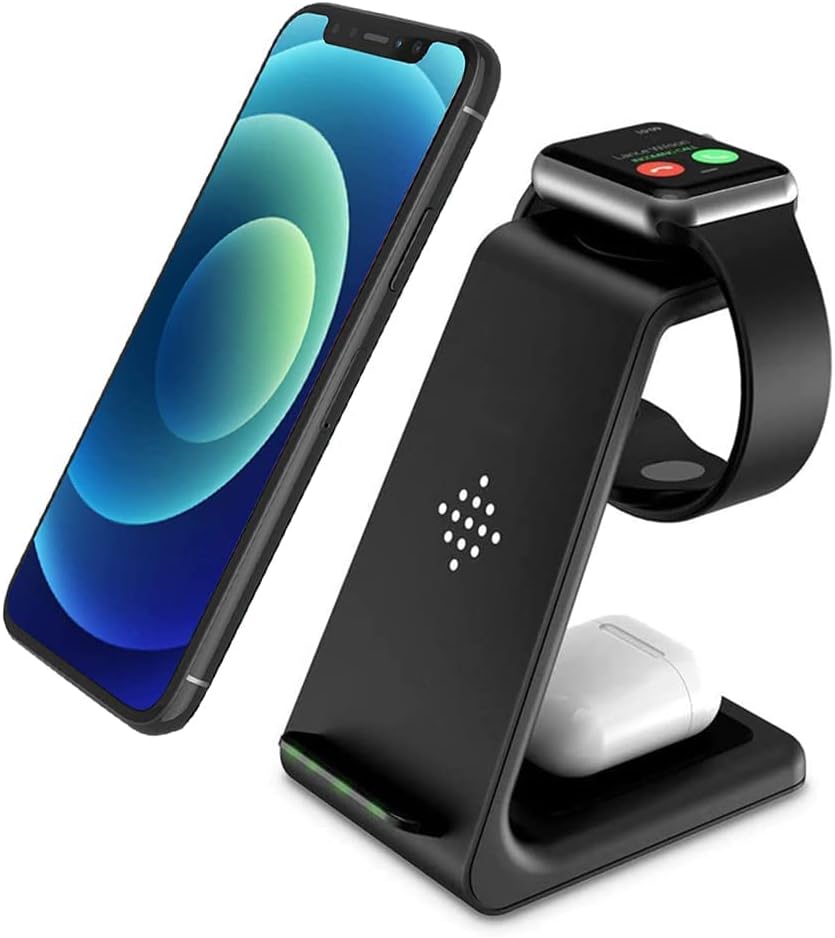
Figure 1: Front view of the SHARE SUNSHINE 3-in-1 Wireless Charging Station, showing designated areas for iPhone, Apple Watch, and AirPods.
3. Setup
- Unpack: Carefully remove all components from the packaging.
- Connect Power: Insert the USB-C end of the provided cable into the charging port on the back of the charging station. Connect the USB-A end of the cable to a compatible USB power adapter (not included).
- Power On: Plug the power adapter into a wall outlet. The indicator lights on the charging station may briefly illuminate, indicating it is ready for use.
- Placement: Place the charging station on a flat, stable surface, such as a desk or bedside table.
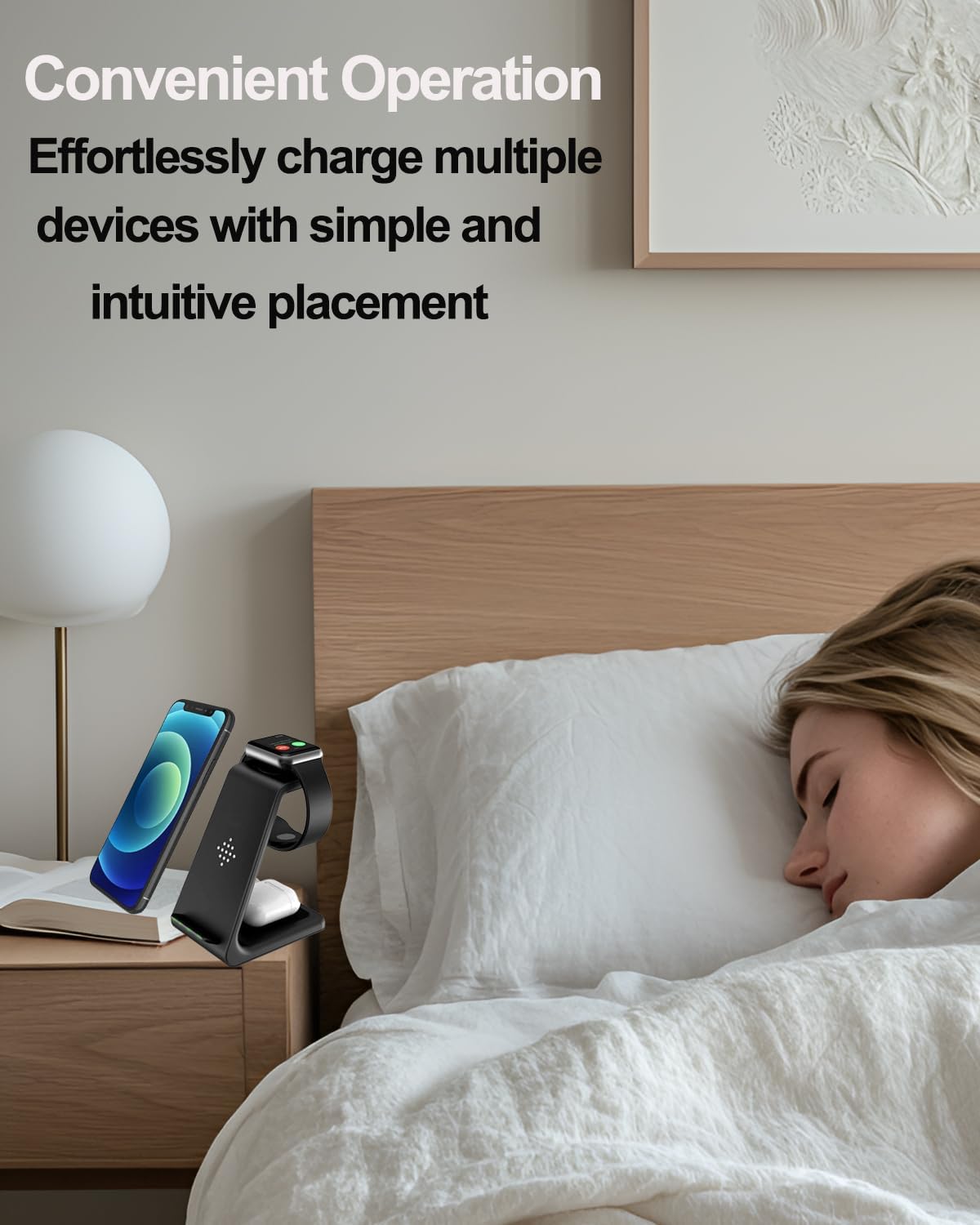
Figure 2: The charging station is designed for convenient placement in various settings, including bedside tables.
4. Operating Instructions
4.1. Charging Your iPhone (or other Qi-enabled smartphone)
- Place your Qi-enabled smartphone on the vertical charging pad of the station.
- Ensure the phone is centered on the charging area. The phone can be placed vertically or horizontally.
- A charging indicator light will illuminate, and your phone's screen will show it is charging.
- For optimal charging, remove any thick cases (over 5mm) or cases with metal attachments, credit cards, or grips.

Figure 3: The charging station supports both vertical and horizontal phone placement for charging.
4.2. Charging Your Apple Watch
- Place your Apple Watch on the magnetic charging area located at the top of the station.
- Ensure the watch is properly aligned and magnetically attaches to the charging module.
- Your Apple Watch screen will indicate that it is charging.
4.3. Charging Your AirPods (or other wireless charging earbuds)
- Place your AirPods charging case (or other compatible wireless charging earbuds case) on the flat charging pad at the base of the station.
- Ensure the case is centered on the charging area.
- The indicator light on the charging station will confirm charging.
4.4. Compatibility
The SHARE SUNSHINE 3-in-1 Wireless Charging Station is compatible with a wide range of devices:
- Apple Watch: Ultra/8/SE/7/6/5/4/3/2
- AirPods: 3/Pro/2 (wireless charging cases)
- iPhone: 16/16 Plus/16 Pro/16 Pro Max/15/15 Pro/15 Pro Max/14/14 Pro/14 Pro Max/13/13 Pro/13 Pro Max, 12, 12 Pro, 12 Pro Max, 11, 11 Pro, 11 Pro Max, X, XS, XS Max, XR, 8, 8 Plus.
- Samsung: Galaxy Buds Live / Buds Live+/ Buds / Buds+; Galaxy S21/S20/S20+/S20 Ultra, S10/S10+, S9/S9+, S8/S8+, S7/S7 Edge, S6 Edge Plus, Note 10/10+, Note 9, Note 8, Note 7, Note 5, Note FE, W2017(SM-W2017), Kelly(SM-W2018), Galaxy S Lite(SM-G8750) and more.
- LG: G7, V30, V35, V40, G2, G3, G6, Lucid2(VS870), Optimus F5(AS870), Vu3, Spectrum2, Optimus G Pro, Optimus Vu II, Optimus LTE 2.
- Google: Pixel 3, Pixel 3XL, NEXUS 4, NEXUS 5, NEXUS 6.
- Sony: Xperia Z3v(D6708), XZ2, XZ2 Premium, XZ3.

Figure 4: Visual representation of device compatibility with the charging station.
Video 1: Demonstration of the SHARE SUNSHINE 3-in-1 Wireless Charging Station in various daily scenarios, highlighting its ease of use and versatility.
5. Maintenance
- Cleaning: Use a soft, dry cloth to wipe the surface of the charging station. Do not use abrasive cleaners or immerse the device in water.
- Storage: When not in use for extended periods, disconnect the power cable and store the device in a cool, dry place.
- Handling: Avoid dropping or subjecting the charging station to strong impacts.
6. Troubleshooting
| Problem | Possible Cause | Solution |
|---|---|---|
| Device not charging. |
|
|
| Slow charging. |
|
|
| Device or charger getting warm. |
|
|
| LED lights are too bright at night. | Design characteristic. | Position the charger away from direct line of sight or cover the LEDs with a small piece of opaque tape if desired. |
7. Specifications
| Attribute | Detail |
|---|---|
| Model Number | Wireless Charger |
| Brand | SHARE SUNSHINE |
| Product Dimensions | 4 x 3 x 2 inches |
| Item Weight | 9.2 ounces |
| Connectivity Technology | Wireless, USB |
| Connector Type | USB Type C |
| Input Voltage | 9 Volts |
| Mounting Type | Tabletop Mount |
| Color | Black |
| Manufacturer | SHARE SUNSHINE |
| Country of Origin | China |
8. Warranty and Support
The SHARE SUNSHINE 3-in-1 Wireless Charging Station comes with a 12-month worry-free warranty from the date of purchase.
Additionally, a 30-day money-back guarantee is offered if you are not satisfied with the product.
For any questions, concerns, or after-sales service, please contact SHARE SUNSHINE customer support. We aim to provide a satisfactory response within 24 hours.
Please refer to your purchase platform or the manufacturer's official website for specific contact details.
Ask a question about this manual
Ask about setup, troubleshooting, compatibility, parts, safety, or missing instructions. Manuals+ will review the question and use this page’s manual context to help answer it.