
Introduction
Welcome to the Instax Mini 11 Instant Camera user manual. This guide provides essential information for setting up, operating, and maintaining your camera. The Instax Mini 11 is designed for ease of use, featuring automatic exposure and a dedicated selfie mode, allowing you to capture and print instant photos effortlessly.

Figure 1: Instax Mini 11 Instant Camera (Blue)
Package Contents
Ensure all items are present in your package:
- Instax Mini 11 Camera Body
- Hand Strap
- Shutter Button Accessories (Glow-in-the-dark and Jewel-like)
- AA Batteries (x2)
- User Manual (this document)
Setup
1. Inserting Batteries
- Open the battery compartment cover located on the side of the camera.
- Insert two AA batteries, ensuring correct polarity (+/-).
- Close the battery compartment cover securely.
2. Loading Instax Mini Film
- Open the film compartment cover on the back of the camera.
- Align the yellow mark on the film pack with the yellow mark on the camera.
- Insert the film pack straight into the compartment. Do not press down on the film pack.
- Close the film compartment cover. The film counter will display "S" (Start).
- Press the shutter button once to eject the black film cover. The film counter will then show "10".

Figure 2: Rear view with film compartment
Important: Never open the film compartment cover after loading film until all 10 exposures are used, as this will expose the remaining film to light and render it unusable.
Operating Instructions
1. Turning On/Off
- To turn on: Press the power button located next to the lens. The lens will extend, and the flash lamp will charge.
- To turn off: Push the lens back into the camera body.
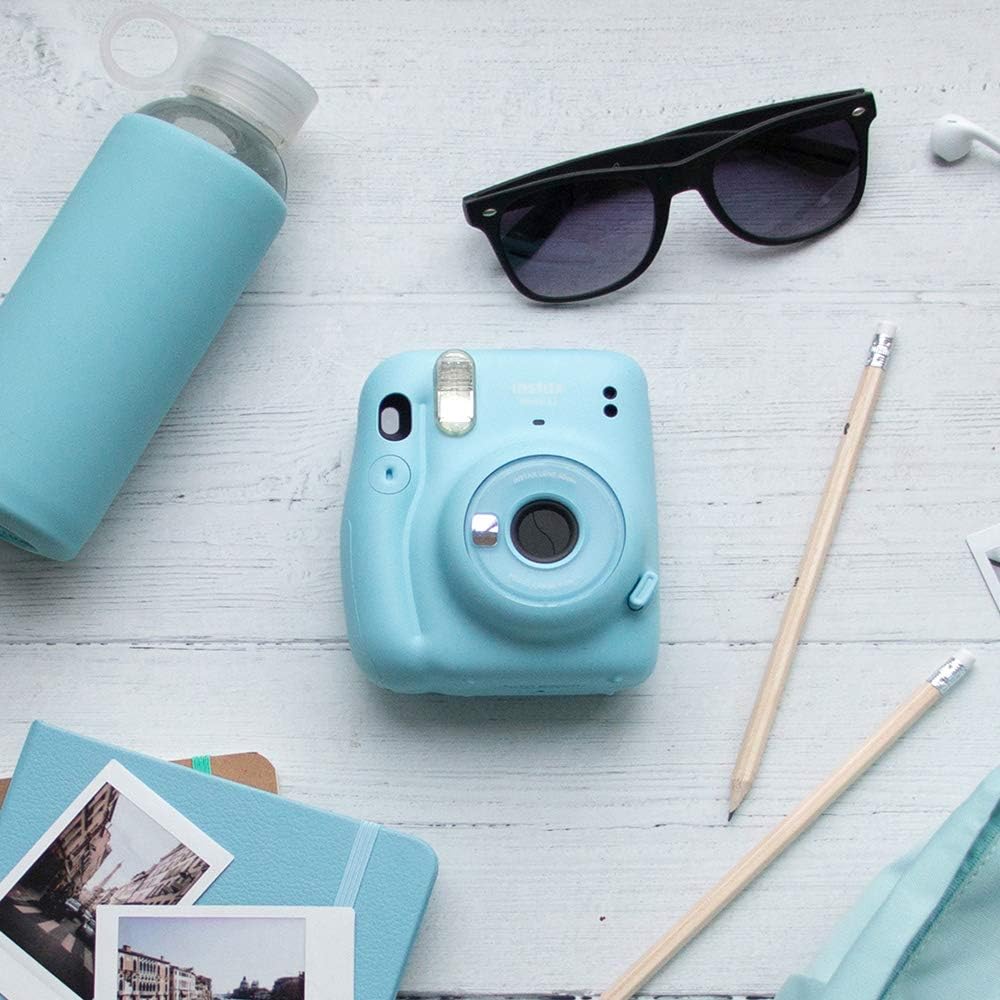
Figure 3: Front view with extended lens
2. Taking a Photo
- Turn on the camera.
- Hold the camera firmly, ensuring your fingers do not block the flash, light sensor, or film ejection slot.
- Look through the viewfinder to frame your shot.
- Press the shutter button. The photo will automatically eject from the film slot.
The Instax Mini 11 features automatic exposure, adjusting shutter speed and flash output based on ambient light conditions.
3. Selfie Mode & Close-Up Shots
- To activate Selfie Mode: Pull the front rim of the lens barrel outwards until the "SELFIE ON" mark appears.
- For selfies: Use the small mirror next to the lens to check your framing.
- For close-up shots: In Selfie Mode, you can take photos of subjects between 30 cm and 50 cm away for enhanced detail.
- To exit Selfie Mode: Push the lens barrel back into the camera body.

Figure 4: Side view showing selfie mirror
Maintenance
- Cleaning the Lens: Use a soft, dry cloth to gently wipe the lens. Avoid using chemical cleaners.
- Cleaning the Viewfinder: Use a soft, dry cloth.
- Storing the Camera: When not in use, store the camera in a cool, dry place away from direct sunlight and high humidity. Remove batteries if storing for extended periods.
- Film Handling: Store film in a cool, dry place. Do not expose film to high temperatures or direct sunlight.
Troubleshooting
| Problem | Possible Cause | Solution |
|---|---|---|
| Camera does not turn on. | Batteries are dead or incorrectly inserted. | Replace with new AA batteries, ensuring correct polarity. |
| Film does not eject. | Film pack is empty or incorrectly loaded. | Check film counter. If "0", replace film pack. Re-insert film pack correctly. |
| Photos are too dark/light. | Flash or light sensor blocked. Extreme lighting conditions. | Ensure nothing blocks the flash or light sensor. The camera has automatic exposure, but extreme conditions (e.g., very dark room without flash, very bright backlight) can affect results. |
| Film counter shows "S" after taking photos. | Film compartment was opened mid-pack. | This indicates the film pack was exposed to light. The remaining film is likely unusable. Replace the film pack. |
Specifications
| Feature | Detail |
|---|---|
| Film Format | INSTAX Mini Instant Film |
| Film Size | 86mm x 54mm |
| Picture Size | 62mm x 46mm |
| Lens | 2 components, 2 elements, f = 60 mm, 1:12.7 |
| Viewfinder | Real image finder, 0.37x, with target spot |
| Shooting Range | 0.3m and beyond (0.3m to 0.5m in Selfie Mode) |
| Shutter Speed | 1/2 to 1/250 sec. (automatic exposure control) |
| Exposure Control | Automatic, Lv 5.0 to 14.5 (ISO 800) |
| Film Ejection | Automatic |
| Flash | Constant firing flash (automatic light adjustment) |
| Power Supply | Two AA-size alkaline batteries (LR6) |
| Dimensions (Depth x Width x Height) | 6.7 cm x 10.7 cm x 12.1 cm |
| Self-timer | No |
| Image Stabilization | None |
| Model Number | 87010 |
| Manufacturer | FUJIFILM |
Warranty Information
This Instax Mini 11 camera comes with a 1-year manufacturer's warranty from the date of purchase. Please retain your proof of purchase for warranty claims. The warranty covers manufacturing defects but does not cover damage caused by misuse, accidents, or unauthorized repairs.
Support
For further assistance, technical support, or to inquire about repairs, please contact Instax customer service. You can find contact information on the official Instax website for your region.
Official Instax Website: www.instax.com


