Introduction
The Bell+Howell Bionic Spotlight is a solar-powered LED light designed for outdoor use. It features motion-sensing technology, automatically activating when movement is detected within its range. This spotlight requires no external wiring or batteries, utilizing solar energy for illumination. Its durable, weather-resistant construction ensures reliable performance across various seasons.
Important Safety Information
- Ensure the solar panel is positioned to receive maximum direct sunlight for optimal charging.
- Do not submerge the unit in water. While waterproof, prolonged submersion may cause damage.
- Avoid placing the spotlight near heat sources or flammable materials.
- Keep out of reach of children.
- Do not attempt to open or modify the unit, as this may void the warranty and pose a safety risk.
Package Contents
Verify that all components are present in your package:
- Bionic Spotlight Unit (with integrated solar panel and LED light head)
- Wall Mounting Base
- Ground Stake (multi-part assembly)
- Mounting Screws and Wall Anchors

Figure 1: The Bell+Howell Bionic Spotlight unit, showcasing its compact design and integrated solar panel.
Setup and Installation
The Bionic Spotlight offers versatile installation options: wall mounting or ground staking.
Choosing a Location
Select a location that receives ample direct sunlight throughout the day to ensure optimal charging of the solar panel. The motion sensor should have a clear line of sight to the area you wish to monitor.
Installation Steps
- Assemble the Unit: Attach the solar panel to the light head using the provided adjustment knob. Ensure it is securely fastened but allows for future angle adjustments.
- Select Mounting Method:
- Ground Stake: Connect the two parts of the ground stake. Attach the assembled stake to the bottom of the spotlight unit. Firmly push the stake into soft ground in your desired location.
- Wall Mount: Secure the wall mounting base to a suitable surface (e.g., wall, fence post) using the provided screws and anchors. Once the base is secure, attach the spotlight unit to the base.
- Adjust Solar Panel: Angle the solar panel to face the direction that receives the most direct sunlight. This is crucial for efficient charging.
- Adjust Light Head: Position the light head to illuminate the desired area. The adjustable ball joint allows for flexible aiming.
- Activate: Locate the On/Off/Sensor mode switch, typically on the back of the solar panel or main unit. Slide it to the 'Sensor' position for automatic operation.

Figure 2: Visual guide showing how the Bionic Spotlight can be mounted on a wall or staked into the ground.
Video 1: This video demonstrates the unboxing and basic setup of the Bionic Spotlight, including how to attach the mounting base and adjust the solar panel. It also shows the light activating in sensor mode.
Operating Instructions
The Bionic Spotlight is designed for simple, automatic operation.
Automatic On/Off and Motion Sensing
- During daylight hours, the integrated solar panel charges the internal battery. The light will remain off.
- At dusk, the light automatically enters motion-sensing mode.
- When motion is detected within approximately 25 feet, the bright LED light will turn on.
- The light will remain on for approximately 30 seconds after motion is no longer detected, then automatically turn off to conserve power.
Manual On/Off Switch
A switch is located on the unit, typically on the back of the solar panel. This switch allows you to select between 'Off' and 'Sensor' modes. For automatic motion-activated lighting, ensure the switch is set to 'Sensor'.

Figure 3: A night view of the Bionic Spotlight activated by motion, providing bright illumination over a wide area.
Video 2: A real-time demonstration of the Bionic Spotlight's performance during both day and night, showcasing its motion activation and illumination capabilities in an outdoor setting.
Video 3: This video highlights the solar charging and motion detection features of the Bionic Spotlight, demonstrating its ability to detect movement up to 25 feet and provide illumination.
Maintenance
To ensure the longevity and optimal performance of your Bionic Spotlight, follow these maintenance guidelines:
- Clean Solar Panel: Regularly wipe the solar panel with a soft, damp cloth to remove dust, dirt, and debris. A clean panel ensures efficient sunlight absorption and charging.
- Clear Obstructions: Ensure no leaves, branches, or other objects are blocking the solar panel or the motion sensor.
- Weather Resistance: The unit is designed to be weather-resistant (waterproof, heat-resistant up to 120°F, and cold-resistant below freezing temperatures). However, extreme weather conditions may temporarily affect performance.
- Storage: If storing the unit for an extended period, ensure it is fully charged and stored in a cool, dry place.
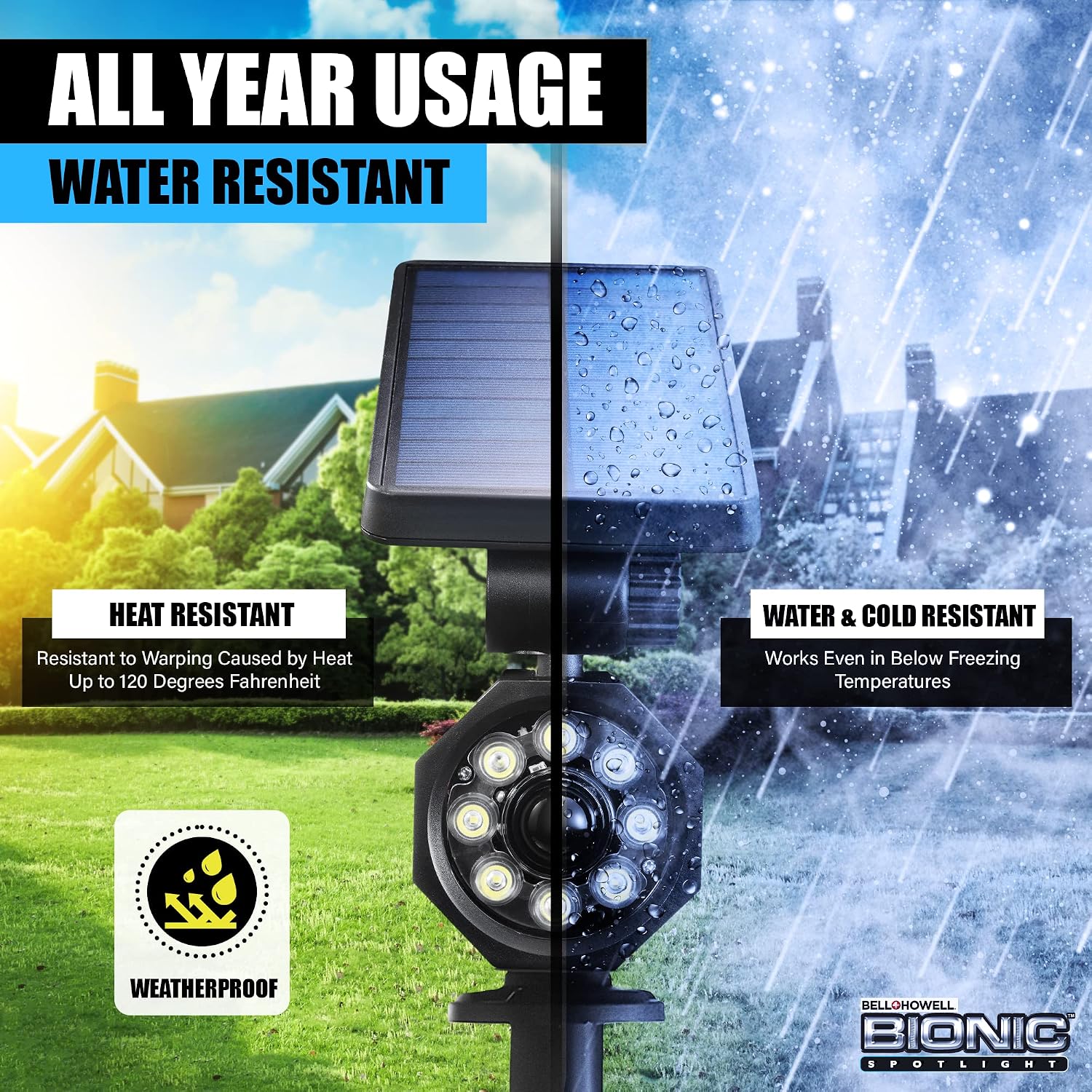
Figure 4: The Bionic Spotlight shown in various weather conditions, emphasizing its heat and cold resistance, and waterproof design.
Troubleshooting
| Problem | Possible Cause | Solution |
|---|---|---|
| Light does not turn on at night. | Insufficient solar charge. | Ensure the solar panel receives 6-8 hours of direct sunlight daily. Clean the solar panel. |
| Light does not turn on when motion is detected. | Switch is in 'Off' position. | Slide the switch to the 'Sensor' position. |
| Light stays on for a very short period or not at all. | Low battery charge. | Allow the unit to charge for a full day in direct sunlight. |
| Motion sensor range is reduced. | Obstructions or extreme temperatures. | Clear any objects blocking the sensor. Performance may vary slightly in extreme cold. |
Specifications
| Feature | Detail |
|---|---|
| Brand | Bell+Howell |
| Model Number | 080313072475 |
| Power Source | Solar Powered |
| Light Source Type | LED |
| Brightness | 250 Lumens |
| Motion Sensor Range | Up to 25 feet |
| Automatic Shut-off | 30 seconds after motion ceases |
| Indoor/Outdoor Usage | Outdoor |
| Water Resistance Level | Waterproof |
| Material | Acrylonitrile Butadiene Styrene (Plastic) |
| Product Dimensions | 6.5"L x 4"W x 4.75"H |
| Item Weight | 2.71 Pounds |

Figure 5: An image detailing the physical dimensions and core features of the Bionic Spotlight.
Warranty and Support
For warranty information or technical support, please refer to the product packaging or contact the manufacturer, Emson, directly. Keep your purchase receipt for any warranty claims.


