Introduction
The Bell+Howell Bionic Spotlight is an advanced outdoor lighting solution designed for enhanced security and convenience. This solar-powered LED spotlight features motion-sensing technology, automatically illuminating areas up to 600 square feet when movement is detected. Its durable, weather-resistant construction ensures reliable performance across all seasons, making it ideal for gardens, lawns, patios, and pathways without the need for complex wiring or frequent battery replacements.

Figure 1: The Bell+Howell Bionic Spotlight, highlighting its solar-powered functionality and ability to illuminate outdoor spaces.
Package Contents
Please ensure all components are present before proceeding with installation:
- Bionic Spotlight Unit (with integrated solar panel and LED array)
- Ground Stake (multi-part for adjustable height)
- Wall Mounting Hardware (screws and wall anchors)
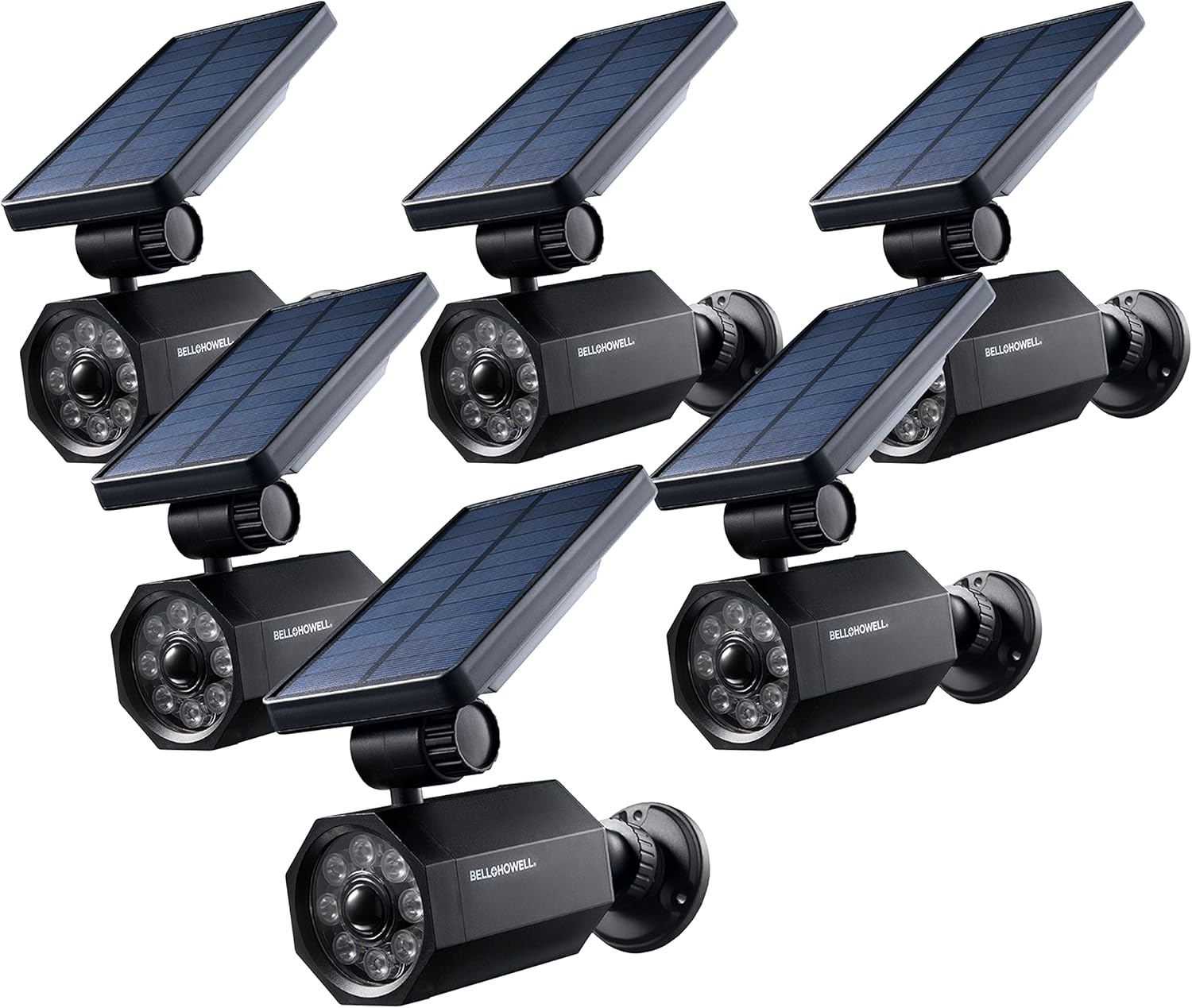
Figure 2: A typical package includes multiple Bionic Spotlight units, ready for deployment.
Setup and Installation
The Bionic Spotlight offers versatile installation options: ground-mounted with a stake or wall-mounted with screws.
1. Choosing an Installation Location:
Select a location that receives direct sunlight for most of the day to ensure optimal charging of the solar panel. The spotlight should also be positioned to cover the desired area for motion detection and illumination.

Figure 3: Examples of suitable installation locations for the Bionic Spotlight, including backyard, garage, and pathway areas.
2. Ground Stake Installation:
- Assemble the multi-part ground stake by securely connecting the sections.
- Attach the Bionic Spotlight unit to the top of the assembled stake.
- Firmly insert the stake into the ground in your chosen location, ensuring the solar panel faces the sun.
- Adjust the angle of the solar panel and the spotlight head to maximize sun exposure and light coverage.

Figure 4: Illustrates the simple process of assembling and inserting the ground stake for garden or lawn placement.
3. Wall Mounting Installation:
- Identify the desired wall mounting location. Ensure it allows for adequate sunlight exposure for the solar panel.
- Use the provided wall mounting hardware (screws and anchors) to securely attach the spotlight unit to the wall.
- Adjust the angle of the solar panel and the spotlight head to maximize sun exposure and light coverage.

Figure 5: The Bionic Spotlight unit, which can be attached to a wall using the provided mounting hardware.
The spotlight head and solar panel are independently adjustable to optimize both charging and illumination angles.

Figure 6: Components and adjustability of the Bionic Spotlight, including the solar panel, adjustable base, and motion sensor.
Operating Instructions
The Bell+Howell Bionic Spotlight is designed for automatic, hands-free operation.
- Charging: During daylight hours, the integrated solar panel absorbs sunlight and converts it into energy, which is stored in the internal battery. Ensure the solar panel is clean and free from obstructions for efficient charging.
- Activation: The spotlight features motion-sensing technology that detects movement up to 25 feet away. When motion is detected within its range, the super bright LED lights will automatically turn on.
- Illumination: The powerful LED light is capable of illuminating approximately 600 square feet of space. The light will remain on as long as motion is detected within its sensor range.
- Automatic Shut-off: Approximately 60 seconds after movement is no longer detected within the sensor range, the light will automatically shut off to conserve energy.
- Security Feature: A small red blinking light on the unit indicates that the motion sensor is active, providing a visual deterrent.
- Power Switch: Locate the physical On/Off slider switch, typically covered with a silicone skin for weather protection, to manually control the unit's power.

Figure 7: The motion activation feature of the Bionic Spotlight, demonstrating its detection range and coverage area.
Maintenance
To ensure the longevity and optimal performance of your Bell+Howell Bionic Spotlight, follow these maintenance guidelines:
- Cleaning: Periodically wipe the solar panel and LED lens with a soft, damp cloth to remove dust, dirt, or debris that may hinder charging efficiency or light output. Avoid abrasive cleaners.
- Weather Resistance: The Bionic Spotlight is designed to be weather-resistant for all-season use. Its heat-resistant casing prevents sun-induced warping or discoloration.
- Winter Care: In regions with prolonged freezing temperatures, it is recommended to remove the spotlight for the winter months to prevent potential damage from extreme cold. Store it in a dry, protected area.
- Secure Mounting: Regularly check the mounting hardware (stake or screws) to ensure the unit remains securely in place. Loose mounting can lead to instability or damage.

Figure 8: The Bionic Spotlight is built to withstand various weather conditions throughout the year.
Troubleshooting
If you encounter issues with your Bionic Spotlight, refer to the following common problems and solutions:
| Problem | Possible Cause | Solution |
|---|---|---|
| Light does not turn on at night. | Insufficient solar charging; Power switch is OFF. | Ensure solar panel receives 6-8 hours of direct sunlight daily. Clean the solar panel. Check that the power switch is in the ON position. |
| Motion detection is inconsistent or not working. | Obstructions blocking sensor; Unit positioned too high or low; Sensor dirty. | Clear any obstructions from the sensor's path. Adjust the unit's height and angle for optimal detection. Clean the motion sensor lens. |
| Light is dim or does not stay on long. | Inadequate charging; Battery degradation over time. | Verify optimal solar panel placement and cleanliness. Ensure the unit is not in a shaded area. If the issue persists after prolonged use, the internal battery may be reaching the end of its lifespan. |
| Physical damage to the mounting joint. | Excessive force during adjustment; Environmental stress (e.g., strong winds, freezing). | Handle the adjustable joints carefully. Ensure the unit is securely mounted to minimize movement from external factors. Consider bringing units indoors during severe weather. |
Specifications
| Feature | Detail |
|---|---|
| Brand | Bell+Howell |
| Model Number | 080313071119 |
| Color | Black |
| Material | Plastic |
| Power Source | Solar Powered |
| Light Source Type | LED |
| Special Feature | Motion Sensor |
| Motion Detection Range | Up to 25 feet |
| Illumination Coverage | Approx. 600 square feet |
| Automatic Shut-off Time | 60 seconds after no motion |
| Water Resistance Level | Water Resistant |
| Product Dimensions (L x W x H) | 3.58" x 3.58" x 4.72" |
| Installation Type | Floor Mounted / Wall Mounted |
Warranty and Support
This product is covered by a manufacturer's warranty. For specific details regarding warranty coverage, claims, or technical support, please refer to the documentation included with your purchase or contact Bell+Howell customer service directly. Keep your proof of purchase for warranty validation.


