
Introduction
Thank you for choosing the BoxWave Wall Charger Direct (15W). This charger is designed to provide efficient and rapid charging for your compatible devices, such as the Digiland DL1016 Tablet. It features a built-in 3-foot Micro USB cable for convenience and durability. Please read this manual carefully to ensure proper use and maintenance of your charger.
Product Overview
The BoxWave Wall Charger Direct (15W) is a compact and powerful charging solution. Key features include:
- 15W Rapid Charging: Delivers power quickly to minimize charging time.
- Built-in 3-foot Micro USB Cable: Eliminates the need for separate cables and ensures a secure connection.
- Reinforced Strain Relief: Designed to prevent kinking and tearing at the cable connection points, enhancing durability.
- Universal Voltage Compatibility: Adaptive circuitry works with North American and international voltage standards (100-240V AC), making it ideal for travel.
- Charging Indicator: Provides visual confirmation when your device is charging.
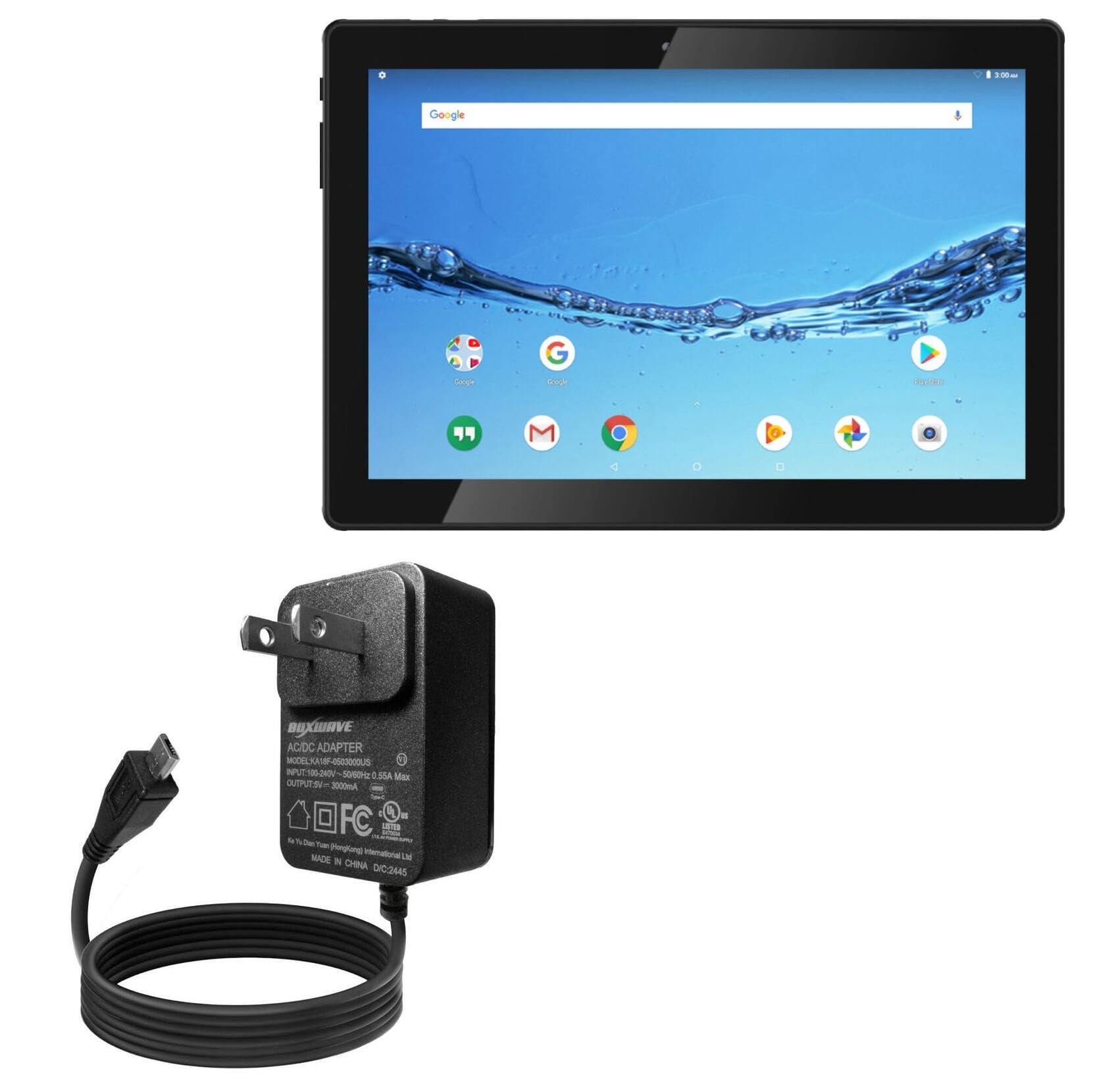
Image: The BoxWave Wall Charger Direct (15W) with its integrated Micro USB cable. This shows the compact wall adapter and the coiled 3-foot cable ending in a Micro USB connector.

Image: A graphic highlighting the key features of the charger: built-in cable, rapid 15W charging, reinforced strain relief, and simple setup.
Setup
Setting up your BoxWave Wall Charger Direct is a simple plug-and-play process:
- Locate a standard AC wall outlet (100-240V).
- Plug the wall adapter of the BoxWave charger into the AC outlet.
- Connect the Micro USB end of the built-in cable to the charging port of your Digiland DL1016 Tablet or other compatible device.
- Ensure the connection is secure. The charging indicator on your device or the charger (if present) should activate, indicating that charging has begun.

Image: The BoxWave Wall Charger Direct with its built-in cable, illustrating its simple plug-and-play functionality. The charger is shown next to a notebook, emphasizing ease of use.
Operating Instructions
Once connected, the charger will automatically begin charging your device. No additional steps are required.
- Charging Status: Monitor your device's screen for charging status or battery level. The charger itself may have a small LED indicator to show it is powered on and charging.
- Optimal Charging: For best results, charge your device when its battery level is low. Avoid completely draining the battery regularly.
- Disconnecting: Once your device is fully charged, disconnect the Micro USB cable from your device and then unplug the charger from the wall outlet.

Image: A smartphone screen showing "95% Charged" with a lightning bolt icon, indicating fast charging. The phone is connected to the BoxWave Wall Charger Direct, which is plugged into a wall outlet.
Maintenance
To ensure the longevity and safe operation of your BoxWave Wall Charger Direct, follow these maintenance guidelines:
- Cleaning: Disconnect the charger from the power outlet before cleaning. Use a soft, dry cloth to wipe the exterior. Do not use liquid cleaners or aerosols.
- Storage: Store the charger in a cool, dry place away from direct sunlight and extreme temperatures. Avoid tightly coiling the cable to prevent damage.
- Handling: Always grasp the plug when inserting or removing the charger from an outlet. Do not pull on the cable.
- Inspection: Periodically inspect the cable and adapter for any signs of damage, such as cuts, frayed wires, or bent pins. If damage is found, discontinue use immediately.

Image: A close-up view of Micro USB connectors, highlighting the reinforced strain relief design. This feature helps prevent cable damage from bending and pulling.
Troubleshooting
If you encounter issues with your BoxWave Wall Charger Direct, please refer to the following common solutions:
- Device Not Charging:
- Ensure the charger is securely plugged into a working wall outlet.
- Verify that the Micro USB cable is firmly connected to your device's charging port.
- Try plugging another device into the same outlet to confirm the outlet is functional.
- Check if your device's charging port is clean and free of debris.
- Slow Charging:
- Ensure your device is not in heavy use while charging, as this can slow down the process.
- Confirm that your device is compatible with 15W charging.
- Charger Overheating:
- It is normal for chargers to become slightly warm during operation. However, if the charger becomes excessively hot, disconnect it immediately and contact customer support.
If these steps do not resolve the issue, please contact BoxWave customer support for further assistance.
Specifications
| Model Number | BW-WCD |
| Input Voltage | 100-240 Volts (AC) |
| Output Voltage | 5 Volts (DC) |
| Output Current | 3 Amps |
| Wattage | 15 Watts |
| Connector Type | Micro USB |
| Cable Length | 3 feet (built-in) |
| Compatible Devices | Tablets (e.g., Digiland DL1016 Tablet) |
| Special Feature | Charging Indicator |
| Item Weight | 2.3 ounces |
| Package Dimensions | 4.4 x 3.2 x 0.9 inches |
Warranty and Support
BoxWave products are designed for quality and reliability. For information regarding product warranty, please refer to the documentation included with your purchase or visit the official BoxWave website. If you require technical assistance or have questions about your charger, please contact BoxWave customer support.
Contact Information: Please visit www.boxwave.com/support for the most up-to-date support resources and contact details.