
1. Introduction
The ALIEN PRO L15 is an active, compact audio system designed for excellent performance in open spaces. This system features a robust design with a high-density wooden cabinet and convenient storage for satellite speakers. It offers versatile connectivity options including USB and Bluetooth, making it suitable for various audio applications.
This manual provides essential information for the safe and efficient use of your ALIEN PRO L15 Audio System. Please read it thoroughly before operating the device and retain it for future reference.
2. Safety Information
Always follow these basic safety precautions when using your audio system:
- Power Source: Ensure the power supply matches the voltage requirements (127V 60Hz). Do not overload power outlets.
- Ventilation: Do not block any ventilation openings. Install in accordance with the manufacturer's instructions.
- Water and Moisture: Do not expose the unit to rain, moisture, dripping, or splashing. Do not place objects filled with liquids, such as vases, on the apparatus. The product is not waterproof.
- Heat: Do not install near any heat sources such as radiators, heat registers, stoves, or other apparatus (including amplifiers) that produce heat.
- Cleaning: Clean only with a dry cloth.
- Servicing: Do not attempt to service this product yourself. Refer all servicing to qualified service personnel.
- Placement: Ensure the system is placed on a stable surface to prevent tipping.
- Hearing Protection: Avoid prolonged listening at high volume levels to prevent hearing damage.
3. Package Contents
Carefully unpack your ALIEN PRO L15 Audio System and ensure all items are present:
- 1 x Main Unit (Subwoofer)
- 2 x Satellite Speakers
- 1 x Power Cable
- 1 x Remote Control
- 1 x User Manual (this document)
If any items are missing or damaged, please contact your retailer immediately.
4. Product Overview
The ALIEN PRO L15 system consists of a main subwoofer unit and two satellite speakers, designed for powerful and clear audio output.
4.1 Main Unit (Subwoofer)
The main unit houses the 15-inch subwoofer, amplifier, control panel, and various input/output ports. It also features a compartment for storing the satellite speakers during transport.
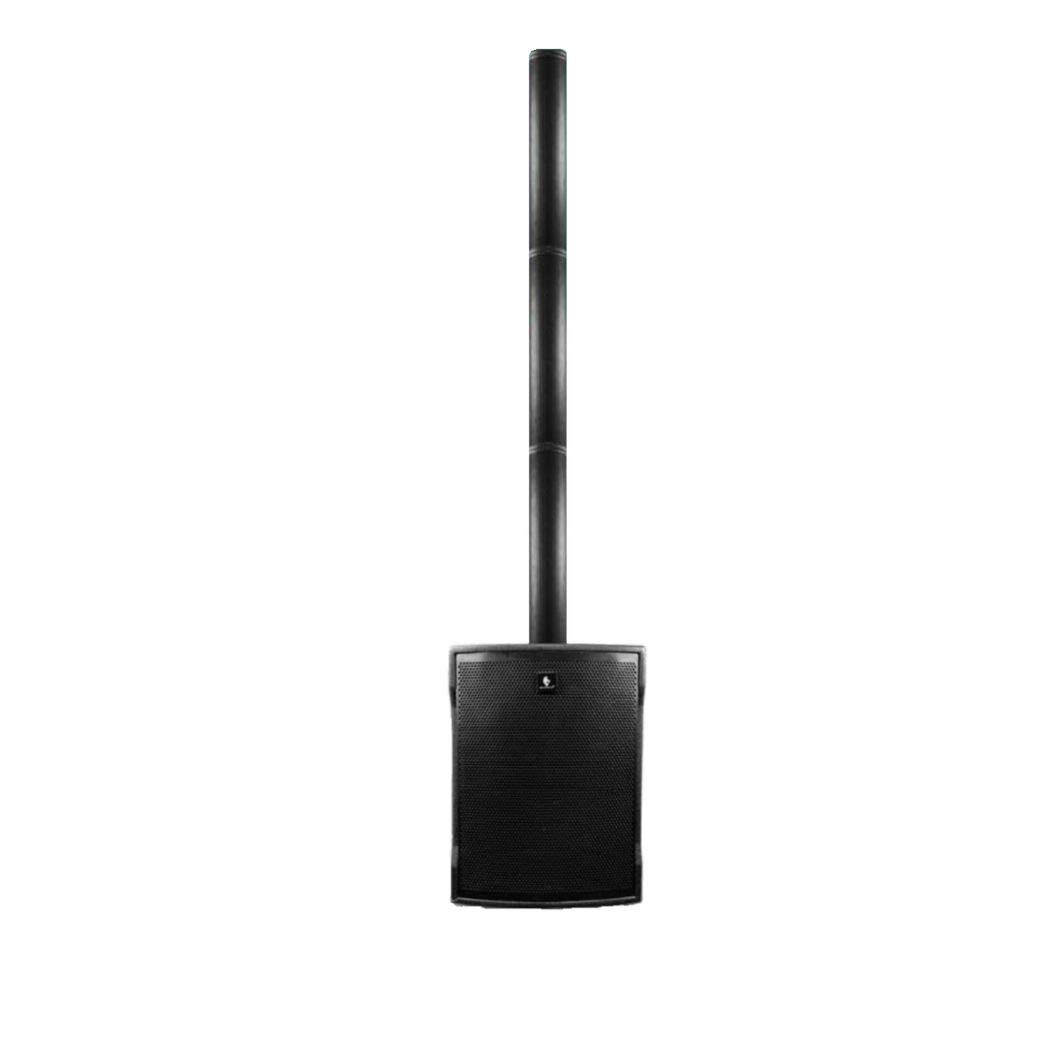
Image 1: ALIEN PRO L15 Audio System showing the main subwoofer unit with a pole-mounted satellite speaker and additional components. This image illustrates the overall design and some features of the system.
4.2 Satellite Speakers
The two satellite speakers feature 2 x 10-inch woofers and 8 x 2.75-inch tweeters, providing balanced mid-range and high-frequency sound. They connect to the main subwoofer unit.

Image 2: Close-up view of an ALIEN PRO L15 satellite speaker, highlighting its design and speaker configuration. This image provides a clearer view of the satellite unit.
5. Setup
Follow these steps to set up your ALIEN PRO L15 Audio System:
- Placement: Choose a stable, flat surface for the main subwoofer unit. Ensure adequate ventilation around the unit.
- Satellite Speaker Connection:
- Remove the satellite speakers from their storage compartment within the main unit.
- Connect the satellite speakers to the designated outputs on the main subwoofer unit using the provided cables. Ensure connections are secure.
- For optimal sound dispersion, place the satellite speakers at an appropriate height and distance from the main unit, typically elevated and spread apart.
- Power Connection: Connect the power cable to the main unit's power input and then to a standard 127V 60Hz electrical outlet.
- Initial Power On: Turn on the main unit using the power switch. The display should illuminate.
6. Operation
The ALIEN PRO L15 offers multiple playback modes and controls.
6.1 Control Panel and Remote Control
The main unit features a control panel with buttons and a digital display. A remote control is also provided for convenient operation from a distance. Refer to the markings on the unit and remote for specific functions (e.g., Volume, Mode, Play/Pause, Track Skip).
6.2 Bluetooth Connectivity
- Turn on the ALIEN PRO L15 system.
- Press the "Mode" button on the control panel or remote until "Bluetooth" mode is selected. The display will show "BT" or a similar indicator.
- On your mobile device (smartphone, tablet, laptop), enable Bluetooth and search for available devices.
- Select "ALIEN PRO L15" from the list of devices. Once paired, the system will indicate a successful connection.
- You can now play audio from your device through the ALIEN PRO L15 system.
6.3 USB/TF Card Playback
- Insert a USB flash drive or TF (MicroSD) card containing MP3 audio files into the respective port on the main unit.
- The system should automatically switch to USB or TF mode and begin playing audio. If not, press the "Mode" button to select the correct input.
- Use the control panel or remote to play, pause, skip tracks, and adjust volume.
6.4 FM Radio
- Press the "Mode" button until "FM" radio mode is selected.
- Press the "Play/Pause" button (or a dedicated scan button) to initiate an automatic scan for available FM stations. The system will save detected stations.
- Use the "Previous/Next" buttons to navigate through the saved FM stations.
6.5 Digital DSP Equalizer
The system features a Digital DSP Equalizer. Use the EQ button on the control panel or remote to cycle through preset equalizer modes (e.g., Pop, Rock, Jazz, Classic) to optimize sound for different music genres.
7. Maintenance
Proper maintenance ensures the longevity and optimal performance of your ALIEN PRO L15 Audio System.
- Cleaning:
- Always unplug the system from the power outlet before cleaning.
- Use a soft, dry cloth to wipe down the exterior surfaces of the main unit and satellite speakers.
- Do not use liquid cleaners, abrasive pads, or chemical solvents, as these can damage the finish.
- Storage:
- When not in use for extended periods, store the system in a cool, dry place.
- Utilize the integrated compartment in the main unit to store the satellite speakers securely.
- Cable Management: Ensure all cables are neatly organized and not kinked or pinched to prevent damage.
8. Troubleshooting
If you encounter issues with your ALIEN PRO L15, refer to the following common problems and solutions:
| Problem | Possible Cause | Solution |
|---|---|---|
| No power | Power cable not connected; Power outlet not active; Power switch off. | Ensure power cable is securely connected. Check if the power outlet is working. Turn on the power switch. |
| No sound | Volume too low; Incorrect input mode; Satellite speakers not connected; Mute function active. | Increase volume. Select the correct input mode (Bluetooth, USB, FM). Verify satellite speaker connections. Deactivate mute. |
| Bluetooth pairing failure | Device too far; Bluetooth not enabled on source device; System not in pairing mode. | Ensure device is within range. Enable Bluetooth on your device. Set the ALIEN PRO L15 to Bluetooth mode. Forget and re-pair the device. |
| USB/TF card not playing | Incorrect file format; Corrupted card/drive; Card/drive not inserted correctly. | Ensure files are in MP3 format. Try a different USB drive/TF card. Reinsert the card/drive firmly. |
| Distorted sound | Volume too high; Source audio quality poor; Loose connections. | Reduce volume. Check source audio. Secure all cable connections. |
If the problem persists after trying these solutions, please contact customer support.
9. Specifications
Detailed technical specifications for the ALIEN PRO L15 Audio System:
- Model: L15
- Brand: ALIEN PRO
- Power Input: 127V, 60Hz
- Output Power: 500W RMS (Max 500 Watts)
- Speaker Configuration:
- Subwoofer: 1 x 15-inch
- Satellite Woofers: 2 x 10-inch (per satellite)
- Satellite Tweeters: 8 x 2.75-inch (per satellite)
- Connectivity: Bluetooth, USB, TF Card, FM Radio
- Audio Output Mode: Stereo
- Control Method: Button, Remote Control
- Cabinet Material: High-density wood
- Special Features: Digital DSP Equalizer, Satellite speaker storage compartment
- Recommended Uses: Outdoor events, Laptops, Smartphones, Tablets, Televisions
- Color: Black
- Waterproof: No
10. Warranty & Support
The ALIEN PRO L15 Audio System comes with a Limited Warranty. Please refer to the warranty card included in your package for specific terms and conditions regarding coverage and duration.
For technical support, service, or warranty claims, please contact your authorized ALIEN PRO retailer or visit the official ALIEN PRO website for contact information.
Manufacturer: ALIEN PRO
ASIN: B0855L524M


