

1. Introduction
The Moen Flo Smart Water Leak Detector is designed to help protect your home from potential water damage by detecting leaks, excess humidity, and extreme temperatures. This device provides 24/7 monitoring and sends alerts directly to your smartphone via the Moen Smart Water Network App. It can be used as a standalone monitoring device or integrated with the Flo Smart Water Monitor and Shutoff system for comprehensive home protection.
2. Package Contents
Before beginning installation, verify that all components are present:
- Moen Flo Smart Water Leak Detector
- CR123A Battery (pre-installed or included separately)
- Remote Sensing Disc with 48-inch Extension Cable
- Self-Adhesive Wall Mount Sticker
- Wall Mount Base
- Wall Mount Screw
3. Setup and Installation
3.1. Battery Installation
The device requires one CR123A battery. If not pre-installed, open the battery compartment and insert the battery, ensuring correct polarity. The device will power on automatically.
3.2. App Download and Device Pairing
- Download the Moen Smart Water Network App from your device's app store.
- Create an account or log in.
- Follow the in-app instructions to add a new device. Ensure your smartphone is connected to a 2.4 GHz Wi-Fi network during the pairing process, as the detector is compatible only with this frequency band.
- The app will guide you through connecting the detector to your home Wi-Fi network.
3.3. Placement and Mounting
Place the detector in areas prone to water leaks, such as basements, laundry rooms, near water heaters, under sinks, or next to dishwashers. The remote sensing disc and 48-inch extension cable allow for placement in tight or hard-to-reach spaces.
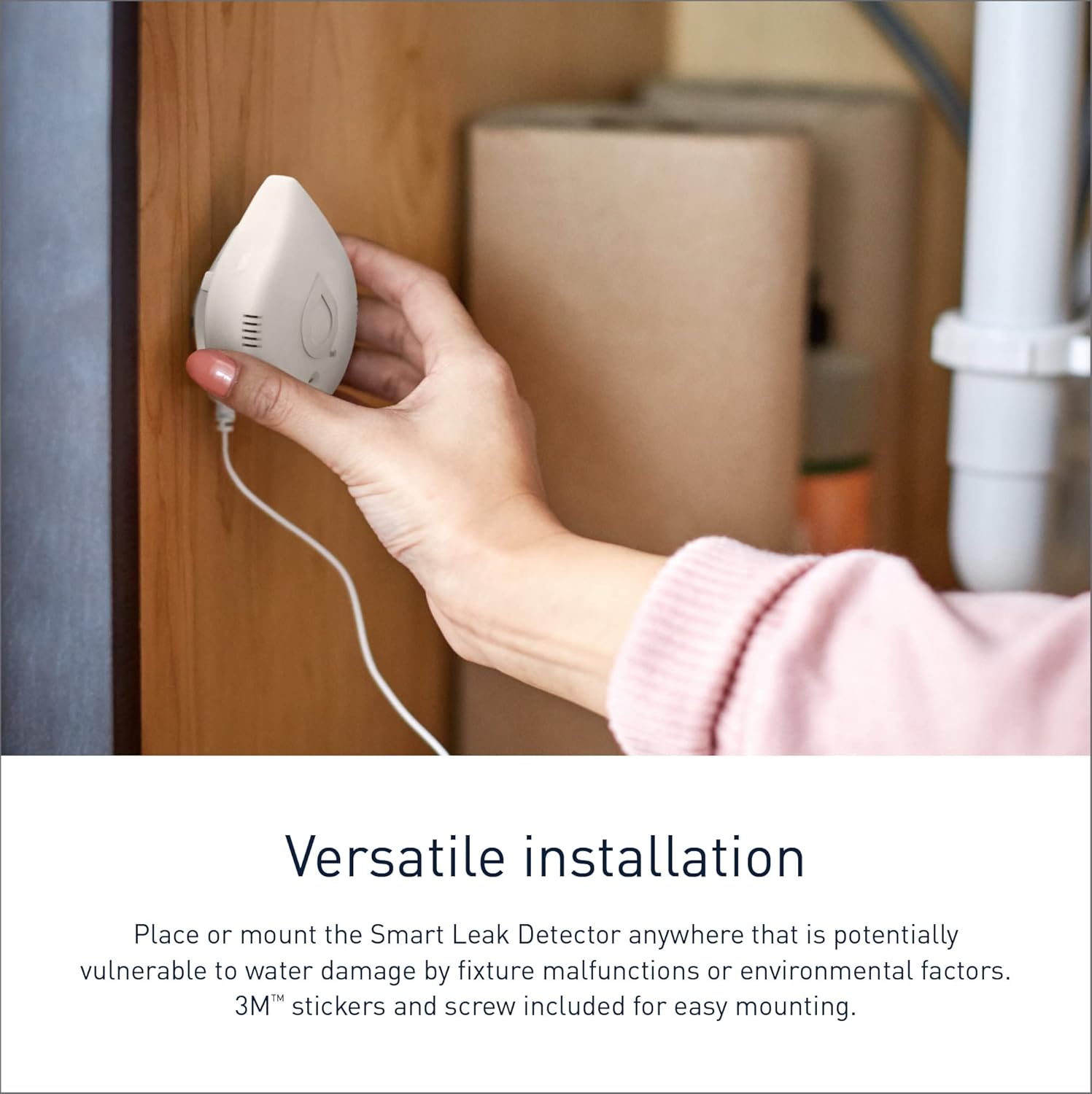
Image: A hand placing the Moen Flo Smart Water Leak Detector on a surface, demonstrating its compact size and ease of placement.

Image: The Moen Flo Smart Water Leak Detector with its remote sensing disc positioned under a kitchen sink, illustrating a typical installation location.
You can mount the main detector unit using the provided self-adhesive wall mount sticker or the wall mount base and screw. Ensure the remote sensing disc is positioned directly where water might accumulate.
4. Operation
4.1. Detection and Alerts
The detector continuously monitors for:
- Water Leaks: Detected by the main unit or the remote sensing disc.
- Excess Humidity: Monitors ambient humidity levels.
- Extreme Temperatures: Detects temperatures outside a safe range, which can indicate freezing pipes or other issues.
Upon detection of an anomaly, the device will:
- Emit an audible alarm.
- Flash its LED indicator.
- Send real-time notifications to your smartphone via the Moen Smart Water Network App.
4.2. Moen Smart Water Network App
The app provides a centralized interface for managing your detector(s). You can:
- Receive and review alerts.
- Monitor current moisture levels, humidity, and temperature.
- Customize notification settings.
- Connect multiple detectors for whole-home monitoring.

Image: A smartphone screen displaying the Moen Smart Water Network app, showing alerts for high temperature, high humidity, and low temperature, along with a list of connected devices.
4.3. Whole-Home Integration
For enhanced protection, the Smart Leak Detector can be integrated with the Flo Smart Water Monitor and Shutoff (sold separately). This combination allows for automatic water shutoff in the event of a detected leak, providing an additional layer of security.

Image: An illustration of the Moen Smart Water Network, showcasing various smart home devices including the leak detector, smart sump pump monitor, and smart faucet, all connected via the mobile app.
5. Maintenance
5.1. Battery Replacement
The CR123A battery typically lasts between 6 months to 1 year, depending on usage and environmental conditions. The app will notify you when the battery level is low. To replace the battery, open the compartment, remove the old battery, and insert a new CR123A battery.
5.2. Cleaning
Wipe the detector and remote sensing disc with a soft, dry cloth as needed. Avoid using harsh chemicals or abrasive cleaners. Ensure the sensing contacts on the disc are clean and free of debris for optimal performance.
5.3. Drying After Detection
If the detector or remote sensing disc has been submerged or has detected water, it may take some time to dry completely even after the water source is removed. The device will continue to report a leak until it is fully dry. Ensure thorough drying before repositioning or retesting.
6. Troubleshooting
- Device Offline Alerts: If you frequently receive 'Device Offline' notifications, check your Wi-Fi connection. Ensure the detector is within range of your 2.4 GHz Wi-Fi network. Some Wi-Fi routers may require specific settings for smart home devices.
- Difficulty Connecting to Wi-Fi: Confirm your router is broadcasting a 2.4 GHz network. During setup, ensure your phone is also connected to the 2.4 GHz network. If issues persist, try restarting your router and the detector.
- Short Battery Life: Frequent alerts or poor Wi-Fi signal can drain the battery faster. Ensure the device has a strong Wi-Fi connection. Consider using high-quality CR123A batteries.
- False Leak Detections: Ensure the sensing disc and main unit are completely dry. High humidity levels can sometimes trigger alerts; adjust app sensitivity settings if available.
- No Audible Alarm: Check battery level. Ensure the device is not obstructed.
- App Not Available in Your Region: The Moen Smart Water Network App may have regional availability restrictions. Verify app availability in your country's app store before purchase.
7. Specifications
| Feature | Detail |
|---|---|
| Model Number | 920-004 |
| Dimensions (L x W x H) | 2.64 x 1.5 x 3.25 inches |
| Item Weight | 4.5 ounces |
| Power Source | Battery Powered |
| Battery Type | 1 x CR123A (Lithium) |
| Control Method | App (Moen Smart Water Network) |
| Wireless Connectivity | Wi-Fi (2.4 GHz only) |
| Noise Level | 51 dB (audible alarm) |
| Maximum Range (Extension Cable) | 48 Inches |
| Sensor Technology | Electronic Sensor |
| Mounting Type | Tabletop Mount, Wall Mount |

Image: A diagram illustrating the dimensions of the Moen Flo Smart Water Leak Detector: Length 2.64", Height 3.28", Off-the-wall depth 1.46".
8. Warranty Information
The Moen Flo Smart Water Leak Detector comes with a 1-Year Limited Warranty from the date of purchase. For detailed warranty terms and conditions, please refer to the documentation included with your product or visit the official Moen website.
9. Support
For technical assistance, product inquiries, or warranty claims, please contact Moen Customer Support:
- Phone: 1-800-BUY-MOEN (1-800-289-6636)
- Website: Visit www.moen.com for support resources, FAQs, and contact options.
Moen's customer service team is available to assist you with any questions or issues you may encounter.

Image: A smartphone screen displaying Moen's customer support and service page, with contact numbers for assistance.


