
1. Introduction
This manual provides instructions for the safe and efficient operation of your LUXPRO LP1512 Rechargeable Dual-Power LED Lantern. Please read this manual thoroughly before using the product and retain it for future reference.

Image: The LUXPRO LP1512 Rechargeable Dual-Power LED Lantern, highlighting its key features like USB power bank, waterproof rugged build, and 1000 lumen output.
2. Key Features
- Dual Power Source: Operates on a built-in rechargeable Lithium-Ion battery or 3 C-Cell alkaline batteries (not included).
- High Brightness: Up to 1100 lumens with a variable dimming knob.
- Extended Runtime: Up to 150 hours of continuous use on the lowest setting with C-Cell batteries.
- Integrated Power Bank: 2,000 mAh USB output for charging external devices.
- Durable Design: IPX4 water-resistant and rugged construction for outdoor use.
- 360° BROADBEAM™ LED: Provides wide area illumination.
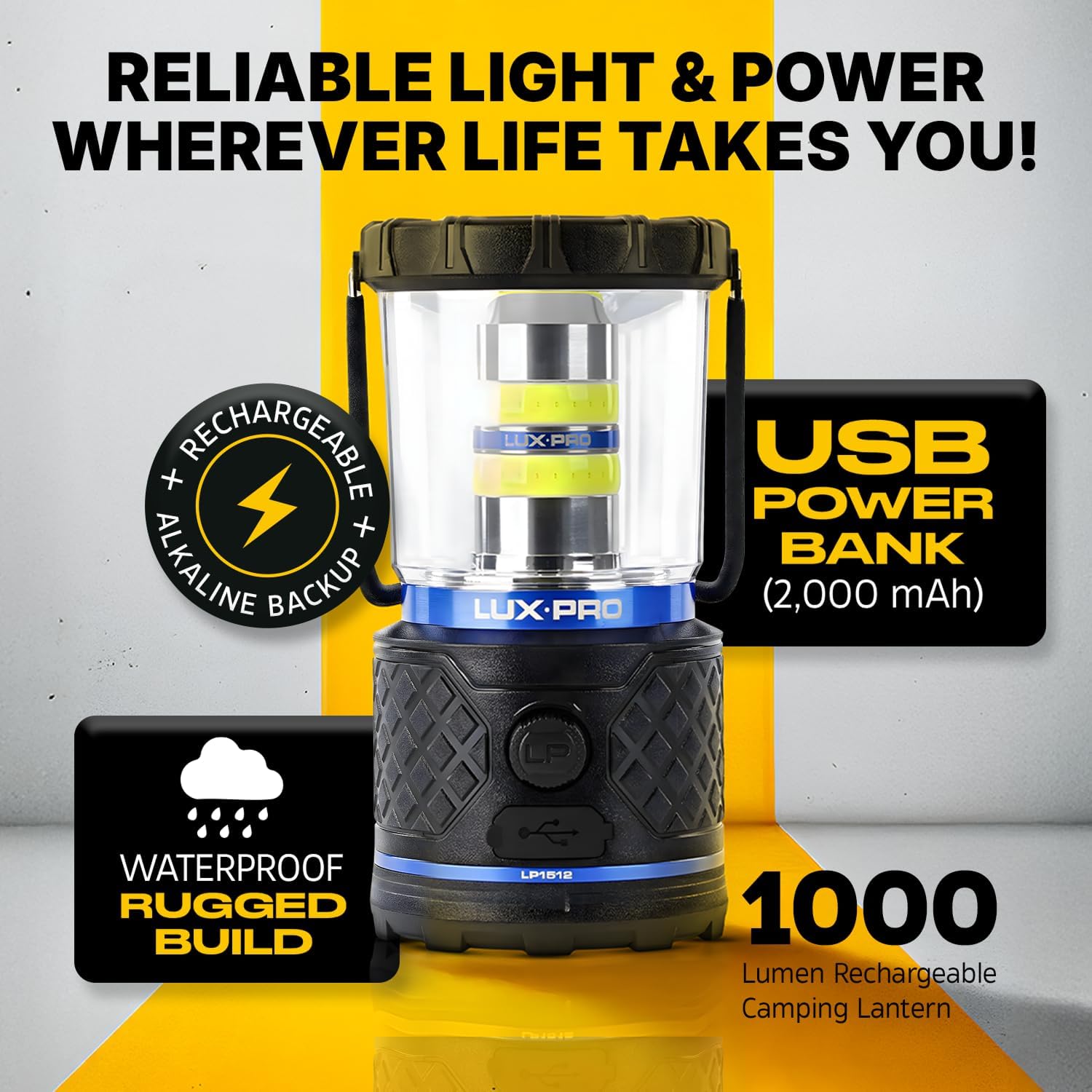
Image: Infographic detailing the LUXPRO LP1512's brightness levels (1100/75 lumens), runtimes (1h 45m/10h for rechargeable, 5h 30m/151h for C-cells), beam distances (36m/8m), shockproof, and waterproof features.
3. Setup
3.1 Initial Charging
- Locate the micro-USB charging port on the side of the lantern.
- Connect the included micro-USB cable to the lantern and to a compatible USB power source (e.g., wall adapter, computer USB port).
- The charging indicator light will illuminate. A full charge typically takes approximately 4 hours.
3.2 Installing C-Cell Batteries (Optional Backup Power)
- Unscrew the base of the lantern by turning it counter-clockwise.
- Insert 3 C-Cell alkaline batteries into the battery compartment, ensuring correct polarity (+/-).
- Replace the base by screwing it clockwise until secure.
Video: An official LUXPRO video demonstrating the dual power capabilities, including charging via micro-USB and installing C-cell batteries.
4. Operating Instructions
4.1 Turning On/Off and Adjusting Brightness
- To turn the lantern on, rotate the variable dimming knob clockwise.
- Continue rotating the knob clockwise to increase brightness (up to 1100 lumens).
- Rotate the knob counter-clockwise to decrease brightness (down to 75 lumens).
- To turn the lantern off, rotate the knob fully counter-clockwise until it clicks.
4.2 Using as a Power Bank
- Locate the USB output port on the side of the lantern.
- Connect your device's charging cable to the USB output port on the lantern.
- The lantern will begin charging your device.

Image: The LUXPRO LP1512 lantern connected via USB to a smartphone, demonstrating its power bank functionality.
5. Maintenance
- Keep the lantern clean by wiping it with a soft, damp cloth. Do not use abrasive cleaners.
- Ensure the USB and micro-USB ports are covered when not in use to maintain water resistance.
- If using C-Cell batteries, remove them if the lantern will not be used for an extended period to prevent leakage.
- Store the lantern in a cool, dry place away from direct sunlight.

Image: The LUXPRO LP1512 lantern in a rainy outdoor setting, illustrating its IPX4 water-resistant, drop-resistant, and all-weather design.
6. Troubleshooting
| Problem | Possible Cause | Solution |
|---|---|---|
| Lantern does not turn on. | Low battery or incorrect C-Cell battery installation. | Charge the internal battery via micro-USB. Check C-Cell battery polarity and ensure they are fresh. |
| Device not charging via USB output. | Lantern battery is low or cable is faulty. | Ensure the lantern is sufficiently charged. Try a different USB cable. |
| Brightness is inconsistent. | Knob not fully rotated or battery is low. | Rotate the dimming knob fully. Charge the internal battery or replace C-Cell batteries. |
7. Specifications
| Feature | Detail |
|---|---|
| Model Number | LP1512 |
| Light Source Type | LED (360° BROADBEAM™) |
| Brightness | 75 - 1100 Lumens (Variable) |
| Power Source | Rechargeable Lithium-Ion Battery, 3 C-Cell Alkaline Batteries (not included) |
| Battery Life (Max) | Up to 150 Hours (on low setting with C-Cell batteries) |
| Power Bank Output | 2,000 mAh USB |
| Water Resistance | IPX4 (Waterproof) |
| Material | Plastic (Matte Finish) |
| Dimensions (L x W x H) | 7.87" x 3.5" x 4.09" |
| Weight | 0.5 Kilograms |
8. Warranty Information
All LUXPRO products bearing a "lifetime warranty" and purchased through an authorized LUXPRO dealer or distributor come with a limited lifetime manufacturer warranty which covers manufacturing defects in materials and workmanship for the life of the product to the original purchaser. Products bearing a specific warranty period (e.g., "1-year warranty") and purchased through an authorized LUXPRO dealer or distributor come with the same warranty coverage for the specified period.
A copy of the original receipt may be required for warranty repair or replacement. This warranty is the sole and exclusive warranty for LUXPRO products and is in lieu of any and all other warranties expressed or implied. LUXPRO is the only authorized seller on any online marketplace such as Amazon.com. Any warranty claims for products purchased online from a marketplace will require proof of purchase showing "LUXPRO Flashlights", "LUX-PRO", or "LUXPRO" as the seller or shipper.
9. Support
For further assistance, product registration, or to view additional products, please visit the official LUXPRO website or contact customer support through your point of purchase.
You can also visit the LUXPRO Store on Amazon for more information.
