Introduction
Thank you for purchasing the OneDer V3 Portable Bluetooth Speaker. This manual provides essential information for setting up, operating, and maintaining your speaker. Please read it thoroughly before use to ensure optimal performance and longevity of your device.

Image: The OneDer V3 Portable Bluetooth Speaker, red in color, shown alongside a smartphone playing music, illustrating its primary function as a portable audio device.
Package Contents
Verify that all items are present in your package:
- OneDer V3 Portable Bluetooth Speaker
- USB Charging Cable
- AUX Cable
- User Manual

Image: An exploded view of the OneDer V3 speaker package, clearly showing the speaker, its retail box, a USB charging cable, an AUX cable, and the user manual.
Product Overview
The OneDer V3 speaker features a robust design with advanced audio technology for an immersive listening experience.

360° Stereo HiFi Sound: Experience rich, immersive audio from all directions.
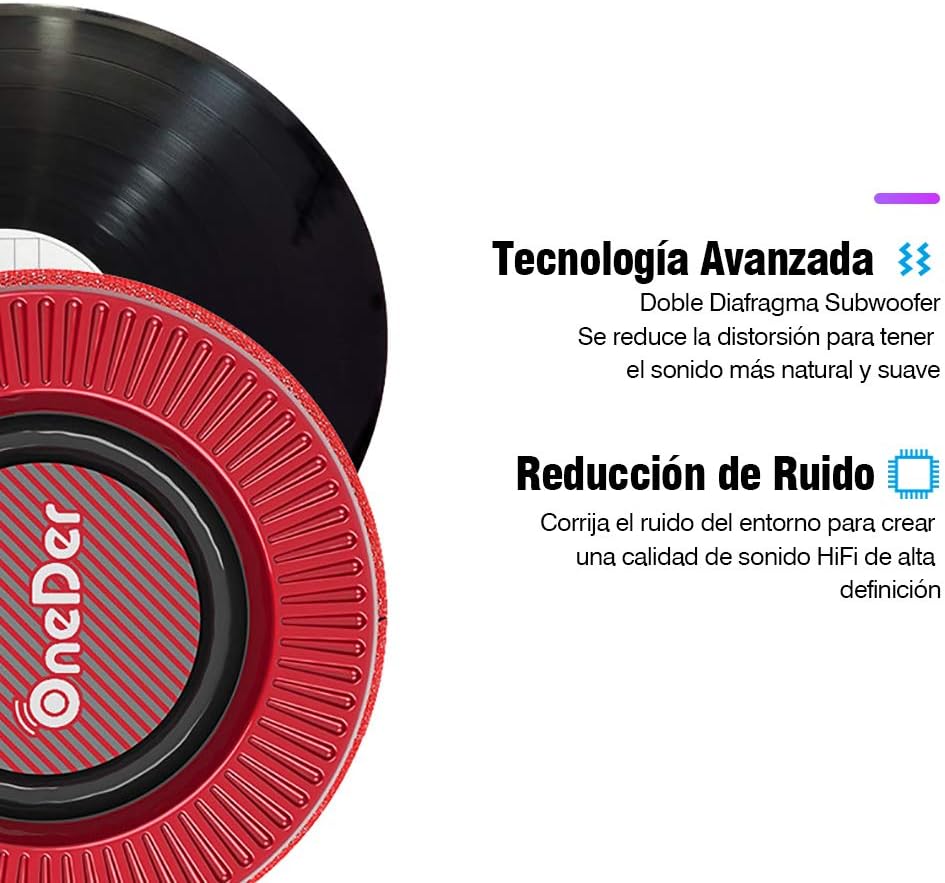
Advanced Audio Technology: Features a dual diaphragm subwoofer for natural sound and noise reduction for high-definition audio.

Durable and Elegant Design: Crafted with quality fabric material for a comfortable touch and dust resistance.

Compact Design with Hidden Ports: All ports and buttons are discreetly designed for protection and a clean visual aesthetic.
Controls and Ports
Familiarize yourself with the speaker's controls and connection ports:

Image: A detailed diagram showing the location and function of each button and port on the OneDer V3 speaker. These include the DC 5V charging port, USB port, TF card slot, AUX input, Volume -/Previous, Play/Pause, Mode/Next, Volume +/Next, and Power ON/OFF buttons.
- DC 5V Port: For charging the speaker.
- USB Port: For playing music from a USB flash drive.
- TF Card Slot: For playing music from a TF (MicroSD) card.
- AUX Port: For connecting external audio devices via a 3.5mm audio cable.
- Volume - / Previous: Short press for previous track, long press to decrease volume.
- Play / Pause: Press to play or pause music.
- Mode / Next: Short press to change modes (Bluetooth, USB, TF, AUX), long press for next track.
- Volume + / Next: Short press for next track, long press to increase volume.
- ON / OFF: Power button to turn the speaker on or off.
Setup
Charging the Speaker
Before first use, fully charge the speaker. Connect the supplied USB charging cable to the DC 5V port on the speaker and the other end to a USB power adapter (not included) or a computer's USB port. The charging indicator light will illuminate during charging and turn off when fully charged.
Powering On/Off
Press and hold the ON/OFF button to turn the speaker on or off.
Operating Instructions
Bluetooth Mode (Wireless Connection)
- Turn on the speaker. It will automatically enter Bluetooth pairing mode, indicated by a flashing LED light.
- Enable Bluetooth on your smartphone, tablet, or laptop.
- Search for available devices and select "OneDer V3" (or similar name) from the list.
- Once paired, the speaker will emit a confirmation tone, and the LED light will stop flashing.
- You can now play audio from your device through the speaker.

Image: The OneDer V3 speaker shown next to a smartphone displaying an incoming call, illustrating its hands-free calling capability via Bluetooth 4.2.
Hands-Free Calling
When connected via Bluetooth, the speaker supports hands-free calling:
- Answer Call: Press the Play/Pause button once.
- End Call: Press the Play/Pause button once during a call.
- Reject Call: Press and hold the Play/Pause button.
USB/TF Card Mode
Insert a USB flash drive or TF (MicroSD) card into the corresponding port. The speaker will automatically detect the storage device and begin playing audio files. Use the Mode button to switch between input sources if needed.
AUX Mode (Wired Connection)
Connect one end of the 3.5mm AUX cable to the speaker's AUX port and the other end to the audio output of your device. The speaker will automatically switch to AUX mode. If not, press the Mode button to select AUX input.
Volume Control
Long press the Volume + button to increase volume. Long press the Volume - button to decrease volume.
Track Navigation
Short press the Volume + button for the next track. Short press the Volume - button for the previous track.
Maintenance
- Keep the speaker away from water, moisture, and extreme temperatures.
- Clean the speaker with a soft, dry cloth. Do not use abrasive cleaners or solvents.
- Avoid dropping or subjecting the speaker to strong impacts.
- When not in use for extended periods, store the speaker in a cool, dry place and charge it periodically to maintain battery health.
Troubleshooting
| Problem | Possible Cause | Solution |
|---|---|---|
| Speaker does not turn on. | Low battery. | Charge the speaker fully. |
| Cannot pair via Bluetooth. | Bluetooth not enabled on device; speaker not in pairing mode; too far from device. | Ensure Bluetooth is on. Restart speaker to enter pairing mode. Move speaker closer to device (within 10 meters). |
| No sound. | Volume too low; incorrect mode selected; audio cable not connected properly. | Increase volume on speaker and connected device. Press Mode button to select correct input. Reconnect audio cable securely. |
| Poor sound quality. | Low battery; interference; device too far. | Charge speaker. Move away from other electronic devices. Move speaker closer to connected device. |
Specifications
- Brand: OneDer
- Model: V3 Portable Bluetooth Speaker
- Bluetooth Version: 4.2
- Speaker Output Power: 5 Watts
- Power Source: Battery
- Battery Life: Approximately 6 hours
- Connectivity: Bluetooth, AUX, USB, TF Card
- Audio Output Mode: Stereo
- Special Features: Hands-free calling, 360° HiFi Stereo Sound, Noise Reduction, Dual Diaphragm Subwoofer
- Compatible Devices: Smartphones, Tablets, Laptops
- Dimensions (Package): 16.6 x 12.6 x 12 cm
- Weight (Package): 730 g
Warranty and Support
For warranty information or technical support, please refer to the contact details provided with your purchase or visit the official OneDer website. Keep your proof of purchase for warranty claims.


