1. Important Safety Instructions
Please read these instructions carefully before using the appliance and keep them for future reference. Incorrect use can lead to electric shock, fire, or serious injury.
- Electrical Safety: Ensure the voltage indicated on the appliance matches your local mains voltage before connecting. Do not immerse the appliance, cord, or plug in water or any other liquid.
- Hot Surfaces: Surfaces of the toaster become hot during use. Always use handles or knobs. Allow the appliance to cool down completely before cleaning or storing.
- Children: This appliance is not intended for use by persons (including children) with reduced physical, sensory or mental capabilities, or lack of experience and knowledge, unless they have been given supervision or instruction concerning use of the appliance by a person responsible for their safety. Children should be supervised to ensure that they do not play with the appliance.
- Foreign Objects: Never insert metal objects, such as knives or forks, into the toaster slots as this may cause electric shock.
- Overheating: Do not cover the toaster while it is operating. Do not place the toaster near or on heat sources.
- Power Cord: Regularly inspect the power cord for damage. If the supply cord is damaged, it must be replaced by the manufacturer, its service agent, or similarly qualified persons in order to avoid a hazard.
- Unplugging: Always unplug the toaster from the power outlet when not in use, before cleaning, and before moving.
- Ventilation: Ensure adequate ventilation around the toaster during operation.
2. Product Overview
The Girmi TP11 Electric Toaster is designed for efficient and convenient toasting of bread slices and stuffed toasts. It features multiple browning levels and functions for defrosting and reheating.

Figure 1: Front view of the Girmi TP11 Electric Toaster.
Key Features:
- Wide slots for cooking stuffed toasts.
- Timer with 6 adjustable browning levels.
- Three functions: Defrost, Reheat, and Cancel.
- Automatic shut-off mechanism.
- Includes 2 stainless steel tongs for safe food handling.
- Removable crumb tray for easy cleaning.
- 800W power for quick and even toasting.
3. Components
Familiarize yourself with the parts of your Girmi TP11 toaster:
- Toasting Slots: Two wide slots for bread slices or stuffed toasts.
- Browning Control Dial: Adjusts the toasting level from 1 (lightest) to 6 (darkest).
- Defrost Button: For toasting frozen bread.
- Reheat Button: For warming up already toasted bread without further browning.
- Cancel Button: Stops the toasting cycle immediately.
- Carriage Lever: Lowers and raises the bread into the toasting slots.
- Removable Crumb Tray: Located at the bottom for collecting crumbs.
- Stainless Steel Tongs: Two tongs for safely removing hot toast.

Figure 2: Control panel with browning dial and function buttons.

Figure 3: Included stainless steel tongs.
4. Setup
Before first use, follow these steps:
- Unpacking: Carefully remove the toaster and all accessories from the packaging. Retain packaging for future storage or disposal.
- Placement: Place the toaster on a stable, flat, heat-resistant surface, away from flammable materials and at least 10 cm from walls or cabinets. Ensure there is enough space above the toaster for heat to escape.
- First Use (Burn-off): Before toasting food for the first time, operate the toaster without bread for a few minutes on the highest browning setting (level 6). This will burn off any manufacturing residues and eliminate initial odors. Ensure the area is well-ventilated during this process.
- Power Connection: Plug the power cord into a suitable AC 230V 50Hz power outlet.
5. Operating Instructions
Follow these steps to operate your Girmi TP11 toaster:
Toasting Bread:
- Ensure the toaster is plugged in.
- Place one or two slices of bread or stuffed toasts into the toasting slots.
- Select your desired browning level using the browning control dial (1 for light, 6 for dark).
- Press the carriage lever down until it locks into place. The toasting cycle will begin, and the indicator light will illuminate.
- Once the selected browning level is reached, the toast will automatically pop up, and the toaster will switch off.
- Carefully remove the toast using the provided stainless steel tongs.
Using Defrost Function:
To toast frozen bread:
- Place frozen bread into the toasting slots.
- Select your desired browning level.
- Press the carriage lever down.
- Press the Defrost button. The indicator light for Defrost will illuminate, and the toaster will automatically adjust the toasting time.
Using Reheat Function:
To warm up cold toast:
- Place the cold toast into the toasting slots.
- Press the carriage lever down.
- Press the Reheat button. The indicator light for Reheat will illuminate, and the toaster will warm the bread for a short period without further browning.
Using Cancel Function:
To stop the toasting cycle at any time, simply press the Cancel button. The toast will pop up, and the toaster will switch off.
6. Maintenance and Cleaning
Regular cleaning ensures optimal performance and extends the life of your toaster.
- Always unplug the toaster from the power outlet and allow it to cool completely before cleaning.
- Crumb Tray: Pull out the removable crumb tray from the front of the toaster. Discard crumbs and wipe the tray clean with a damp cloth. Ensure it is dry before reinserting.
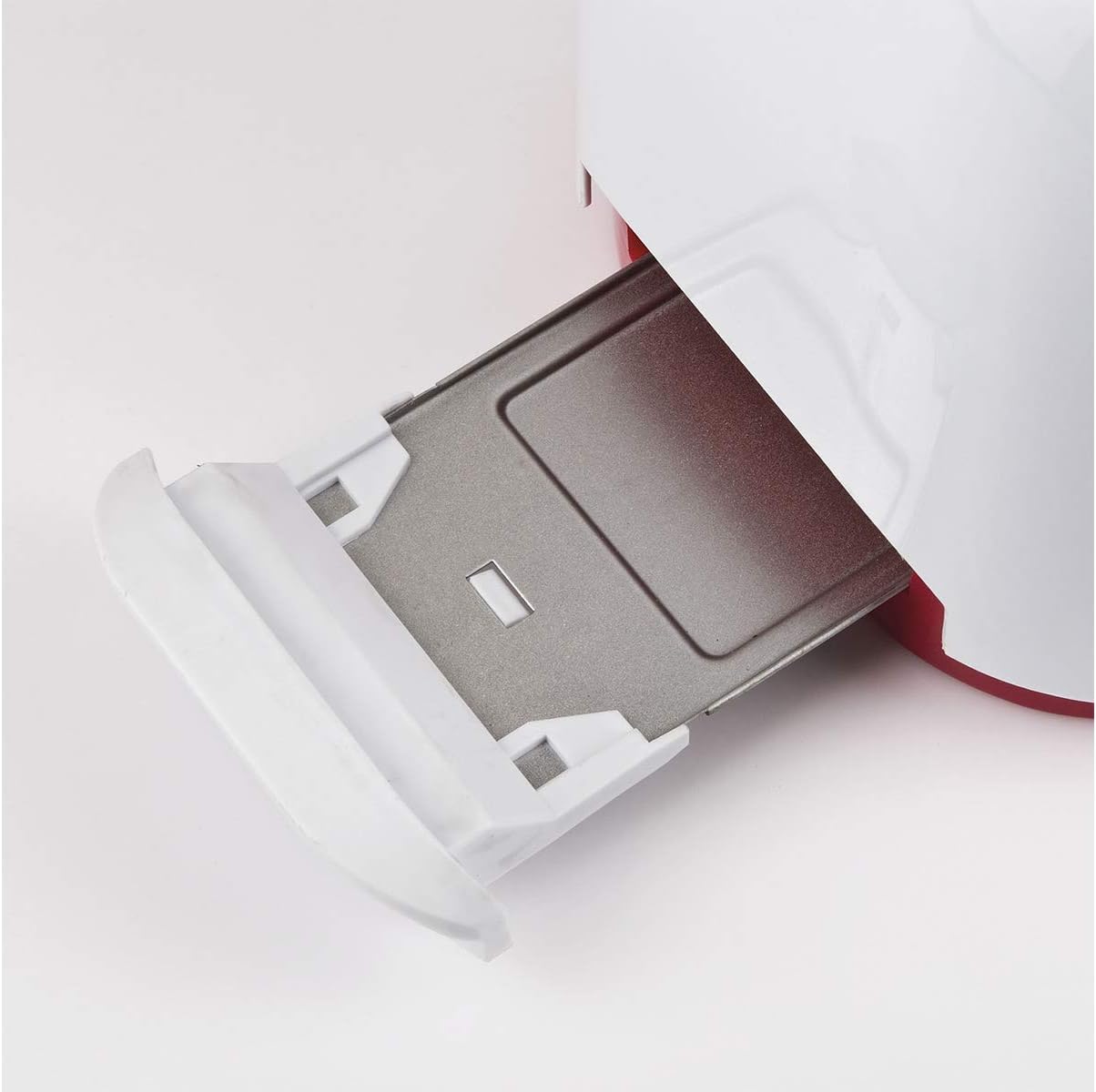
Figure 4: Removable crumb tray for easy cleaning.
- Exterior: Wipe the exterior of the toaster with a soft, damp cloth. Do not use abrasive cleaners or scouring pads, as these can damage the surface.
- Toasting Slots: Never insert fingers or metal objects into the toasting slots. If bread becomes jammed, unplug the toaster and carefully remove the bread after it has cooled.
- Storage: When not in use, store the toaster in a clean, dry place.
7. Troubleshooting
If you encounter issues with your toaster, refer to the following common problems and solutions:
| Problem | Possible Cause | Solution |
|---|---|---|
| Toaster does not turn on. | Not plugged in; power outage; faulty outlet. | Check power plug and outlet. Try a different outlet. |
| Bread does not pop up. | Bread is stuck; mechanism fault. | Unplug the toaster. Carefully remove the bread once cooled. If problem persists, contact support. |
| Uneven toasting. | Inconsistent bread thickness; crumb buildup. | Ensure bread slices are of uniform thickness. Clean the crumb tray regularly. |
| Smoke coming from toaster. | Food stuck inside; excessive crumbs; high browning setting. | Immediately press Cancel and unplug. Allow to cool, then clean crumb tray and check for stuck food. Reduce browning setting. |
If the problem persists after trying these solutions, please contact Girmi customer support.
8. Specifications
Technical details for the Girmi TP11 Electric Toaster:
- Model Number: TP1101
- Brand: Girmi
- Power: 800W
- Power Supply: AC 230V 50Hz
- Product Dimensions (L x W x H): Approximately 27 x 18 x 17 cm
- Product Weight: Approximately 1.12 kg
- Material: Plastic (body), Stainless Steel (tongs)
- Browning Levels: 6
- Functions: Toast, Defrost, Reheat, Cancel
- Dishwasher Safe: No
- Included Components: Toaster, 2 stainless steel tongs, instruction manual, warranty information.

Figure 5: Girmi TP11 Toaster dimensions.
9. Product Video
Watch this official product video for a visual overview of the Girmi TP11 toaster's features and operation.
Video 1: Product Summary for Girmi TP11 Toaster. This video highlights the main features and design of the toaster.
10. Warranty and Support
The Girmi TP11 Electric Toaster comes with a 2-year warranty from the date of purchase, covering manufacturing defects under normal household use. Please retain your proof of purchase for warranty claims.
For technical assistance, warranty claims, or any questions regarding your product, please contact Girmi customer support through their official website or the retailer where the product was purchased. Refer to the contact information provided in your purchase documentation.


