
1. Product Overview
The FLEXISPOT EN1 is an electric height-adjustable standing desk designed for home and office use. It features a durable one-piece desktop and a robust steel frame, allowing for seamless transitions between sitting and standing positions.
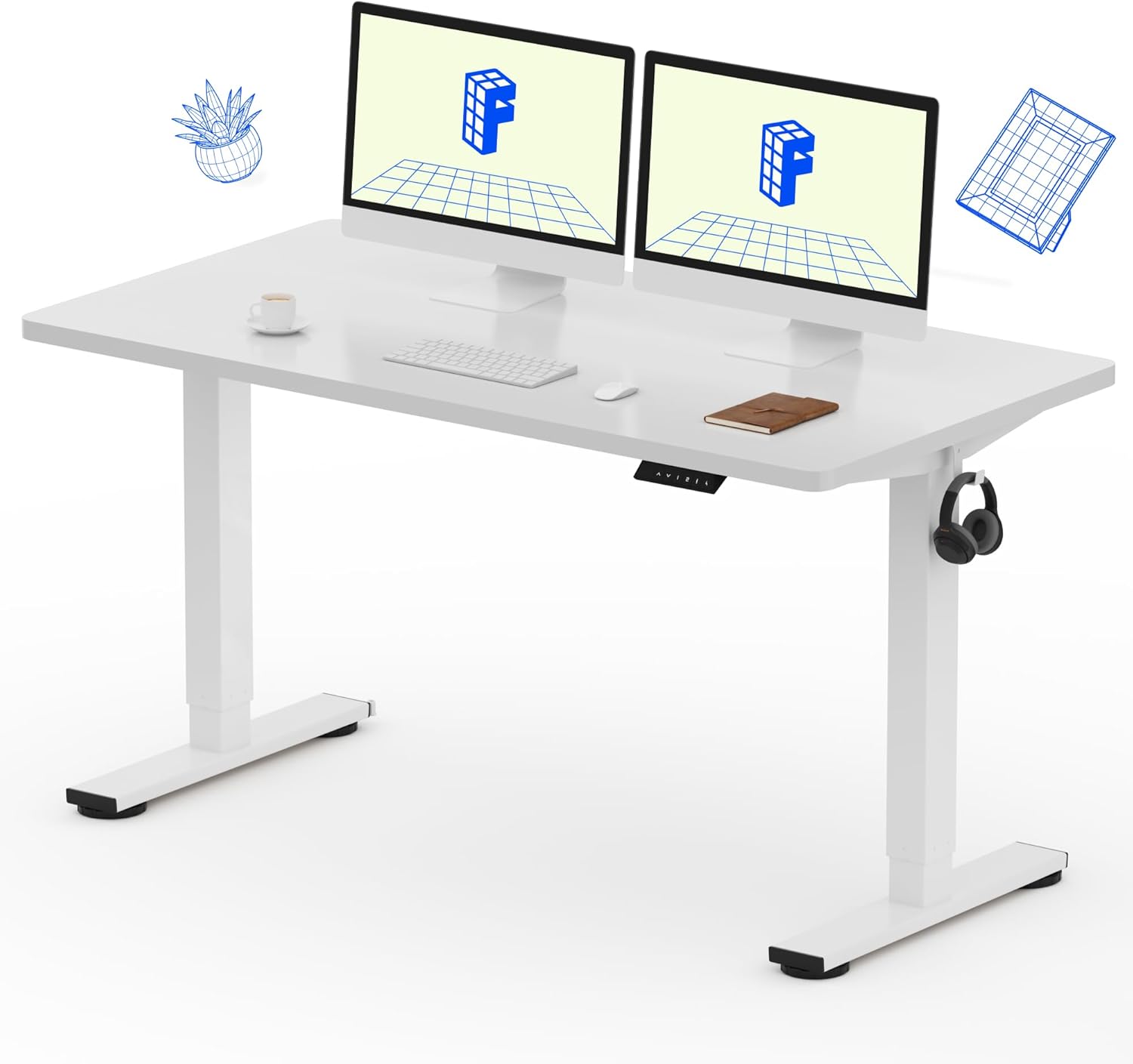
Image: The FLEXISPOT EN1 standing desk in white, showcasing its spacious one-piece desktop and dual monitors.
Key Features:
- One-Piece Desktop: 1-inch thick, FSC-Certified wood desktop for a smooth and stable surface.
- Electric Height Adjustment: Smooth and quiet motor for height changes from 28.1" to 45.7" (excluding desktop thickness).
- 4 Memory Presets: Programmable settings to save preferred sitting and standing heights.
- Sturdy Construction: Industrial-grade steel frame supports up to 176 lbs.
- Quiet Operation: Motor noise level below 50 dB.
2. Safety Information
Please read and understand all safety instructions before assembly and use to prevent injury or damage to the product.
- Always use the desk within its maximum weight limit of 176 lbs.
- Exercise caution when adjusting the electric height to prevent injury from moving parts.
- Consider taking regular breaks if using the standing position for extended periods to avoid discomfort.
- Ensure the desk is placed on a stable, level surface and is properly anchored if necessary to prevent tipping.
- Keep children and pets away from the desk during height adjustments.
- Do not place hands or objects near the lifting mechanism during operation.
3. Setup and Assembly
The FLEXISPOT EN1 desk is designed for straightforward assembly. Assembly tools and detailed instructions are included in the package. It is recommended to have assistance during assembly due to the weight of the components.
Assembly Steps:
- Unpack Components: Carefully unpack all parts and verify against the included parts list.
- Assemble Frame: Follow the provided diagrams to assemble the desk frame. Pay close attention to the orientation of parts.
- Attach Legs: Securely attach the lifting columns (legs) to the crossbeam. Ensure the transmission rod is correctly inserted and aligned. If unevenness occurs, turn the transmission rod counter-clockwise for both legs to achieve the shortest maximum length, then re-insert.
- Mount Desktop: Carefully place the one-piece desktop onto the assembled frame. Align the pre-drilled holes and secure the desktop using the provided screws. Note: Some screw holes for the middle of the crossbeam may need to be created by applying pressure with self-driving screws.
- Install Control Panel: Attach the control panel to the underside of the desktop in the designated location.
- Connect Cables: Connect all motor and control panel cables to the control box as per the instructions. Ensure all connections are secure.
- Cable Management: Use the included cable ties or clips to manage and secure cables, preventing them from interfering with desk movement.

Image: An illustrative diagram detailing the assembly process of the desk frame and attachment of the desktop.
For visual guidance, it is recommended to search for assembly videos of the FLEXISPOT EN1 or similar models online.
4. Operating Instructions
The FLEXISPOT EN1 desk features an intuitive control panel for height adjustment and memory presets.

Image: The programmable control panel, showing the LED display, up/down arrows, and four memory preset buttons.
Control Panel Functions:
- Up/Down Arrows (▲ / ▼): Press and hold to continuously adjust the desk height. Release to stop at the desired height.
- LED Display: Shows the current desk height in inches.
- Memory Presets (1, 2, 3, 4): To save a height, adjust the desk to your desired position, then press the 'M' button (or similar 'Set' button if present) followed by the desired number (1-4). To recall a saved height, simply press the corresponding number button.
Height Adjustment Range:
The desk can be adjusted from a minimum height of 28.1 inches to a maximum height of 45.7 inches (excluding the 1-inch desktop thickness).

Image: The desk transitioning between its lowest and highest settings, illustrating the electric height adjustment feature.
5. Maintenance
Regular maintenance ensures the longevity and optimal performance of your FLEXISPOT EN1 standing desk.
- Cleaning: Wipe the desktop and frame with a soft, damp cloth. Avoid abrasive cleaners or harsh chemicals that could damage the finish.
- Check Connections: Periodically inspect all electrical connections and cables to ensure they are secure and undamaged.
- Tighten Fasteners: Over time, screws and bolts may loosen. Periodically check and tighten all fasteners to maintain desk stability.
- Weight Distribution: Distribute weight evenly across the desktop to prevent undue stress on the lifting mechanism.
6. Troubleshooting
If you encounter issues with your FLEXISPOT EN1 desk, refer to the following common troubleshooting tips:
- Desk Not Moving:
- Check if the power cord is securely plugged into both the desk and a working wall outlet.
- Ensure all cables connecting the control panel, motors, and control box are properly connected.
- The motor has a built-in protection mechanism. If the desk stops moving after approximately 2 minutes of continuous operation, it may be in rest mode to prevent overheating. Allow it to cool down for about 15 minutes before attempting to operate it again.
- Uneven Desk Height:
- If the desk legs appear uneven, this can sometimes occur during assembly if the transmission rod is not fully seated or if one leg is adjusted independently. To remedy this, turn the transmission rod counter-clockwise for both legs until they reach their lowest possible point, then re-insert the rod and ensure both legs are fully retracted before operating.
- Perform a reset: Consult your specific manual for the reset procedure, which typically involves holding down certain buttons on the control panel until the desk fully lowers and then slightly raises.
- Wobbling:
- Ensure all assembly screws and bolts are tightened.
- Verify the desk is on a level surface. Adjust the leveling feet if necessary.
- Avoid exceeding the maximum weight capacity.
- Error Codes on Display: If an error code appears on the LED display, refer to the specific error code section in your detailed manual or contact customer support.
7. Specifications
| Attribute | Detail |
|---|---|
| Brand | FLEXISPOT |
| Model Number | EC1 |
| Desktop Dimensions | 55"W x 28"D |
| Desktop Thickness | 1 inch |
| Color | White |
| Desktop Material | Engineered Wood (FSC-Certified) |
| Base Material | Alloy Steel |
| Height Adjustment Range | 28.1" - 45.7" (excluding desktop) |
| Maximum Weight Capacity | 176 lbs |
| Noise Level | Below 50 dB |
| Special Features | One-Piece Desktop, 4 Memory Presets, Headphone Hook |

Image: A technical drawing illustrating the desktop dimensions (55"x28") and the adjustable height range of the desk frame (28.1"-45.7").
8. Warranty and Support
The FLEXISPOT EN1 standing desk comes with a limited warranty. Please refer to the warranty documentation included with your purchase for specific terms and conditions.
For any questions during assembly, operation, or if you require technical assistance, please do not hesitate to contact FLEXISPOT customer support. Contact information can typically be found on the manufacturer's website or in the packaging materials.
Note: No seller-created product videos were found in the provided data to embed in this manual.


