
1. Introduction
Thank you for choosing the Callez USB PC Headset W502U. This manual provides essential information for setting up, operating, and maintaining your headset to ensure optimal performance and a clear communication experience. This headset is designed for use with PCs, Macs, and various UC platforms, making it ideal for business, call centers, and online communication.
2. What's in the Box
- Callez USB Headset (Model W502U)
- User Manual
3. Product Overview
The Callez W502U USB PC Headset is engineered for comfort and clarity, featuring an adjustable design and intuitive controls for a seamless user experience.

Figure 3.1: Callez USB PC Headset in use.
Key Features:
- Adjustable Design: Flexible headband fits various head sizes.
- Noise-Cancelling Microphone: Reduces background noise for clear voice transmission.
- Flexible Boom Arm: 330° rotatable microphone can be positioned for optimal voice capture.
- Ergonomic Earpiece: 360° slight adjustment for personalized comfort.
- Lightweight Construction: Weighs only 57g (1.97oz) for extended wear comfort.
- Plug-and-Play: No drivers required for Windows PC or Mac.
- In-line Controls: Easy access to volume adjustment, microphone mute, and speaker mute.

Figure 3.2: Headset features including adjustable headband, soft ear cushions, noise-cancelling microphone, and flexible boom arm.

Figure 3.3: Detail of the soft ear cushion for comfort.
4. Setup
The Callez USB PC Headset is designed for simple plug-and-play functionality, requiring no additional drivers for most operating systems.
4.1 Connecting the Headset
- Locate an available USB port on your computer (PC or Mac).
- Plug the USB connector of the headset into the USB port.
- Your operating system will automatically detect and install the necessary drivers. This process may take a few moments.
- Once installed, the headset will be ready for use. You may need to select it as the default audio input/output device in your system's sound settings or within your communication application (e.g., Skype, Zoom, Microsoft Teams).

Figure 4.1: Connecting the USB headset to a laptop.
4.2 Adjusting for Comfort
- Headband: Gently extend or retract the headband to fit your head comfortably.
- Microphone Boom: Bend the flexible microphone boom arm to position the microphone approximately 1-2 inches from your mouth for optimal voice clarity. The boom arm can rotate 330 degrees.
- Earpieces: The earpieces have a 360-degree slight adjustment to conform to your ears.
5. Operation
The in-line controls on your Callez USB PC Headset provide convenient access to essential audio functions.
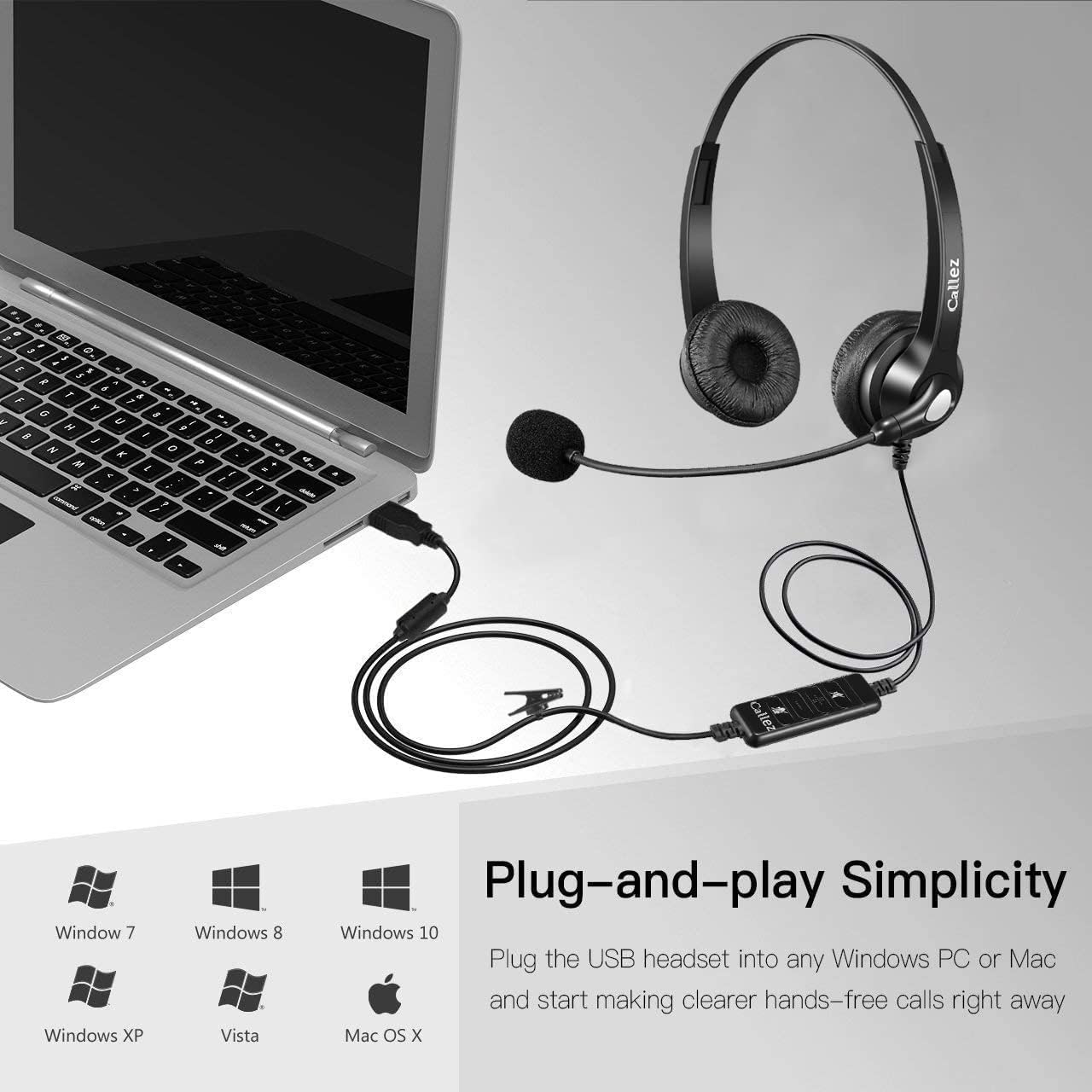
Figure 5.1: In-line audio controls.
5.1 In-line Control Functions:
- Speaker ON/OFF (Mute Speaker): Press this button to mute or unmute the headset speakers. A blue indicator light typically shows the status.
- VOL+ (Volume Up): Press to increase the listening volume.
- VOL- (Volume Down): Press to decrease the listening volume.
- Mic ON/OFF (Mute Microphone): Press this button to mute or unmute the microphone. A red indicator light typically shows the microphone mute status.
- Power Indicator: A blue light indicates the headset is powered on and connected.
This video demonstrates how to use the in-line controls to adjust volume and mute the microphone and speakers, showing the corresponding indicator lights.
5.2 Usage Scenarios
The Callez W502U headset is versatile for various applications:
- Conference Calls: Participate in virtual meetings with clear audio and voice.
- Online Courses/Webinars: Engage in educational content and presentations.
- Skype/UC Platforms: Enjoy clear conversations on communication software.
- Business and Call Centers: Professional-grade audio for customer service and office environments.

Figure 5.2: Various applications of the Callez USB PC Headset.
6. Troubleshooting
If you encounter issues with your Callez USB PC Headset, please refer to the following common solutions:
| Problem | Solution |
|---|---|
| No sound from headset |
|
| Microphone not working |
|
| Sound quality is poor or distorted |
|
| Headset not recognized by computer |
|
7. Specifications
Detailed technical specifications for the Callez USB PC Headset W502U:
| Feature | Detail |
|---|---|
| Brand | Callez |
| Model Name | W502U |
| Color | Black |
| Connectivity Technology | Wired (USB) |
| Headphone Jack | USB |
| Ear Placement | On-Ear |
| Form Factor | Supra-Aural |
| Impedance | 32 Ohms |
| Noise Control | Sound Isolation (Noise-Cancelling Microphone) |
| Frequency Range | 20 Hz - 20,000 Hz |
| Driver Size | 30 Millimeters |
| Compatible Devices | Mac, Computer, Laptop, PC |
| Special Features | Adjustable Headband, Volume Control, Noise Isolation, Lightweight, Microphone Included |
| Material | Plastic |
| Country of Origin | China |
8. Warranty and Support
Your Callez USB PC Headset W502U comes with a comprehensive warranty and support to ensure your satisfaction.
8.1 Warranty Information
The product includes a 30-day money-back guarantee and a 1-year warranty from the date of purchase. This warranty covers manufacturing defects and ensures the product performs as described under normal use. Please retain your proof of purchase for warranty claims.
8.2 Customer Support
For technical assistance, troubleshooting, or warranty inquiries, please contact Callez customer support through the retailer where you purchased the product or visit the official Callez website for contact details. Our support team is dedicated to providing prompt and effective solutions.