
1. Introduction
The ACETECH AC6000MKIII BT is an advanced airsoft chronograph designed for accurately measuring the muzzle velocity (FPS/m/s), rate of fire (RPS), and energy (Joules) of airsoft BBs. This device features a high-visibility color display, intuitive controls, and Bluetooth connectivity for seamless integration with the AceSoft mobile application. It is an essential tool for airsoft enthusiasts to ensure their replicas comply with field regulations and for tuning performance.

Image 1.1: The ACETECH AC6000MKIII BT Airsoft Chronograph, showcasing its display and controls.
2. Package Contents
Please verify that all items listed below are included in your package:
- ACETECH AC6000MKIII BT Chronograph
- Chronograph Bag (Exclusive Edition only)
- User Manual

Image 2.1: Contents of the ACETECH AC6000MKIII BT package, including the chronograph and carrying bag.
3. Setup
3.1 Battery Installation
The AC6000MKIII BT Chronograph requires 4 AA alkaline batteries (not included). Locate the battery compartment on the device, open it, and insert the batteries according to the polarity indicators. Close the compartment securely.
3.2 Powering On/Off
To power on the device, press and hold the power button (usually marked with a power symbol) until the display illuminates. To power off, press and hold the power button again until the display turns off.
3.3 Initial Configuration
Upon first use or after battery replacement, you may need to set the desired BB weight and measurement units (FPS/m/s, Joules). Use the navigation buttons to access the settings menu and adjust these parameters. The device supports multiple BB weights for accurate readings.
4. Operating Instructions
4.1 Taking a Measurement
- Ensure the chronograph is powered on and placed on a stable surface.
- Select the correct BB weight in the settings menu to ensure accurate energy calculations.
- Aim your airsoft replica through the measuring tube, ensuring the BB passes cleanly through the center without touching the sides.
- Fire a shot. The chronograph will instantly display the measurement results.
4.2 Understanding the Display
The high-visibility color display provides comprehensive shooting data:
- SN: Shot Number
- RPS: Rounds Per Second (Rate of Fire)
- m/s or FPS: Muzzle Velocity in meters per second or feet per second
- Joule: Muzzle Energy
- MAX: Maximum recorded value
- MIN: Minimum recorded value
- AVG: Average recorded value

Image 4.1: Example of the AC6000MKIII BT display showing shot data, including velocity, rate of fire, and statistical values.
4.3 Bluetooth Connectivity and AceSoft Application
The AC6000MKIII BT features Bluetooth connectivity, allowing you to connect the chronograph to your mobile device via the AceSoft application. This application enables you to monitor, record, and save shooting data, providing a more detailed analysis of your airsoft replica's performance.
- Download the AceSoft app from your mobile device's app store.
- Ensure Bluetooth is enabled on your mobile device and the chronograph.
- Open the AceSoft app and follow the on-screen instructions to pair with your AC6000MKIII BT.
- Once connected, you can view real-time data, record sessions, and manage settings directly from your phone.
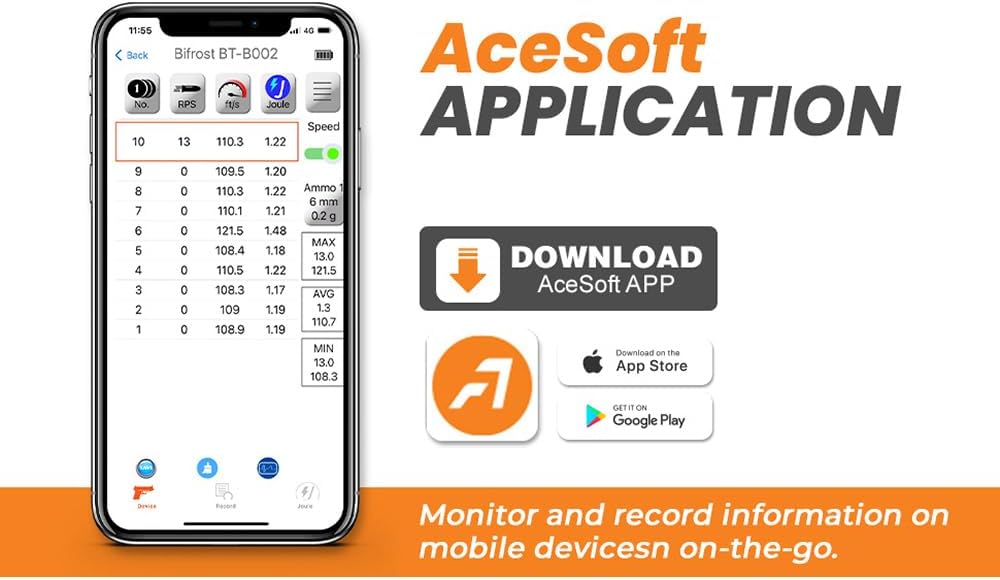
Image 4.2: Screenshot of the AceSoft mobile application interface, demonstrating data monitoring and recording capabilities.
5. Maintenance
5.1 Cleaning
To maintain optimal performance, keep the chronograph clean. Use a soft, dry cloth to wipe the exterior. For the measuring tube, gently use a cotton swab or soft brush to remove any dust or debris that might obstruct the sensors. Avoid using harsh chemicals or abrasive materials.
5.2 Storage
When not in use, store the chronograph in a dry, cool place, away from direct sunlight and extreme temperatures. If storing for an extended period, remove the AA batteries to prevent leakage and potential damage to the device.
6. Troubleshooting
6.1 No Reading or Inaccurate Readings
- Check BB Path: Ensure the BB passes directly through the center of the measuring tube without touching the sides.
- Lighting Conditions: While designed for various conditions, extreme lighting (too dark or too bright direct light) can sometimes affect sensor performance. Try adjusting the environment.
- Battery Level: Low batteries can lead to inconsistent performance. Replace the AA batteries if the battery indicator is low.
- BB Weight Setting: Verify that the correct BB weight is selected in the device settings.
6.2 Bluetooth Connection Issues
- Enable Bluetooth: Ensure Bluetooth is active on both the chronograph and your mobile device.
- Restart Devices: Try restarting both the chronograph and your mobile device.
- Re-pair: Unpair the device from your phone's Bluetooth settings and then attempt to pair again through the AceSoft app.
- App Version: Ensure you have the latest version of the AceSoft application installed.
7. Specifications
| Feature | Specification |
|---|---|
| Dimensions (L x W x H) | 130 x 108 x 61 mm |
| Weight (Product) | 642 g |
| Weight (w/o battery, Exclusive) | 317 g |
| Battery Type | 4 x AA Alkaline Batteries (not included) |
| Charger Port | USB-C (for power only, not charging internal batteries) |
| Measuring Tube Diameter | 36 mm |
| Rate of Fire (ROF) Range | 100 ~ 5000 Rounds/min |
| Speed Range | 30 ~ 400 m/s |
| Tripod Screw Thread | 1/4-20 UNC |
| Material Type (Shooting Tube) | Aluminum (Exclusive Edition) |
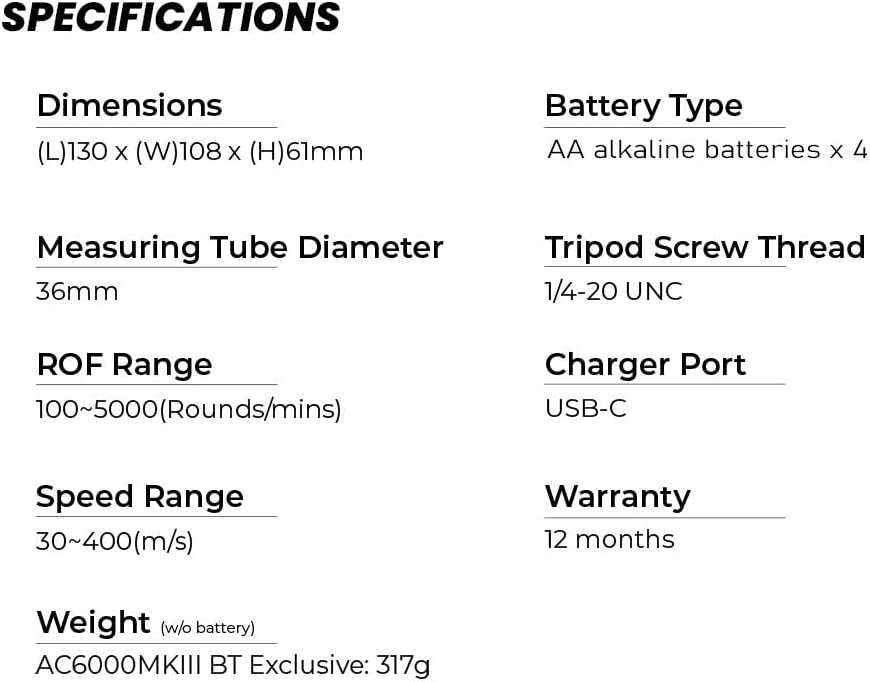
Image 7.1: Detailed specifications of the ACETECH AC6000MKIII BT Chronograph.
8. Warranty and Support
8.1 Warranty Information
The ACETECH AC6000MKIII BT Chronograph comes with a 12-month warranty from the date of purchase. This warranty covers manufacturing defects under normal use. Please retain your proof of purchase for warranty claims.
8.2 Customer Support
For technical assistance, troubleshooting beyond this manual, or warranty inquiries, please contact ACETECH customer support through their official website or the retailer from whom you purchased the product. Provide your product model number and a detailed description of the issue to facilitate support.

