
Introduction
The KINGJOY VS1047B Glidecam Video Stabilizer is engineered from high-strength aviation aluminum, featuring a durable rubber grip for comfortable and secure handling. Its design facilitates stable video shooting across various scenarios. The stabilizer offers a compact form factor and straightforward operation. Additionally, the extended balance pole can function as a monopod, enhancing its versatility.
Product Overview
The VS1047B stabilizer is designed for dynamic balance and ease of use. Key components and features include:
- Extended and Thickened Loading Plate: Equipped with a non-slip security knob for rapid and secure camera attachment.
- High Precision Bearing and Low Friction Gimbal: Ensures optimal dynamic balance for smooth footage.
- Extended Balance Pole: Can be utilized as a monopod for additional shooting flexibility.
- Knob-Style Counterweight: Provides quick and convenient installation and adjustment.
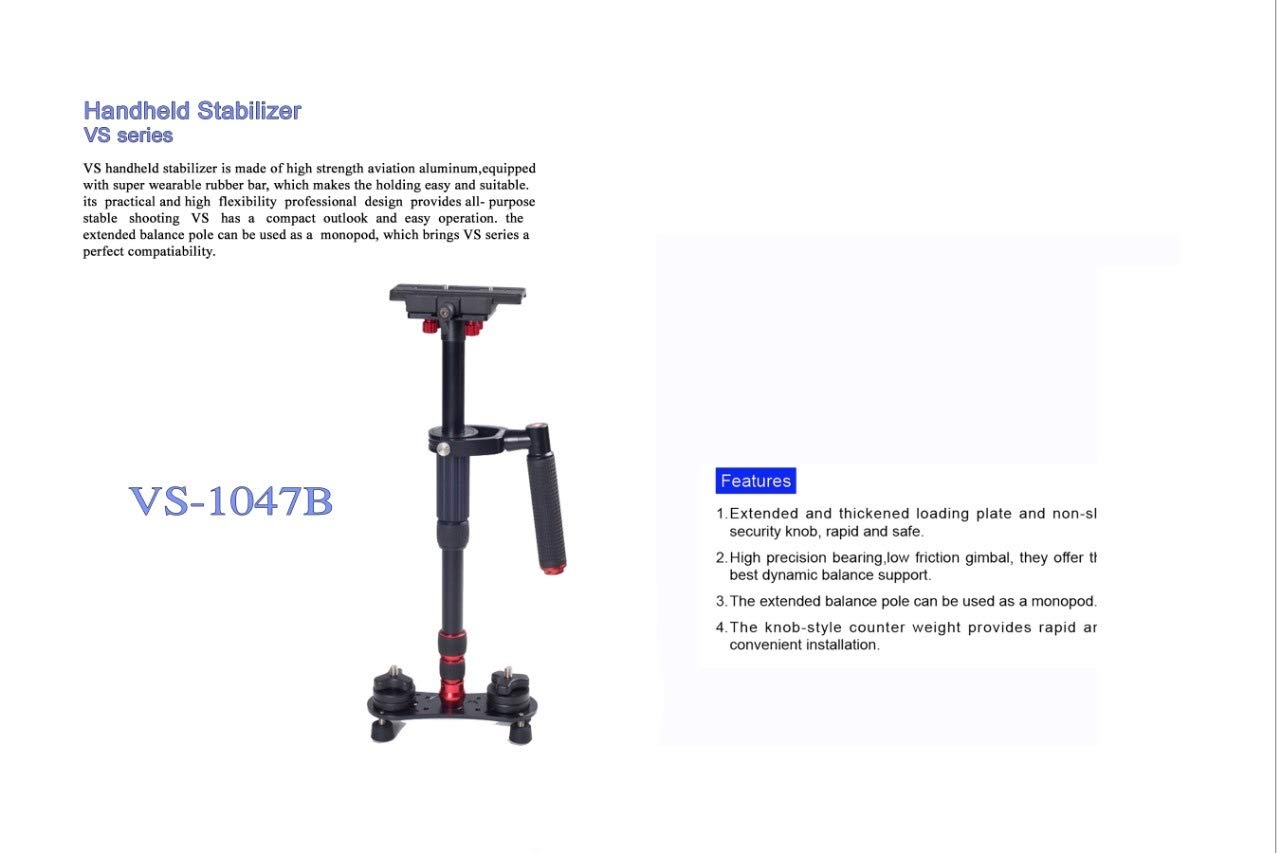
Image: The KINGJOY VS1047B Glidecam Video Stabilizer, showcasing its overall structure and design.
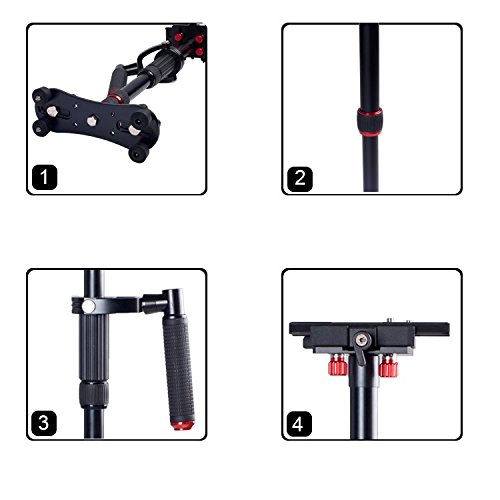
Image: Detailed views of the stabilizer components.
- Base Plate with Counterweights: The adjustable base for balancing the stabilizer.
- Adjustable Pole Section: Allows for height adjustments of the stabilizer.
- Handle and Gimbal: The ergonomic handle and precision gimbal for smooth movement.
- Camera Mounting Plate: The quick-release plate for attaching your camera securely.
Setup Instructions
Follow these steps to assemble and prepare your KINGJOY VS1047B Glidecam for use:
- Unpack Components: Carefully remove all parts from the packaging. Ensure all components are present.
- Attach Camera Mounting Plate: Secure the camera mounting plate to your camera's tripod socket. Ensure it is tightened firmly.
- Mount Camera to Stabilizer: Slide the camera with the attached mounting plate onto the stabilizer's top platform. Use the security knob to lock it in place.
- Adjust Balance Pole: Extend or retract the balance pole to achieve the desired height. Lock the pole securely using the adjustment rings.
- Attach Counterweights: Adjust the position and number of counterweights on the base plate until the stabilizer achieves a neutral balance. The camera should remain level when held freely.
- Fine-Tune Balance: Perform small adjustments to the camera's position on the mounting plate and the counterweights until the stabilizer is perfectly balanced. The drop time (time it takes for the camera to swing from horizontal to vertical) should be approximately 2-3 seconds.
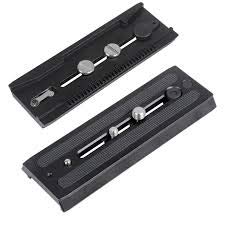
Image: Quick release plates for secure camera attachment to the stabilizer.
Operating Instructions
Once balanced, the KINGJOY VS1047B Glidecam is ready for operation:
- Holding the Stabilizer: Grip the handle firmly but gently. Avoid gripping the main pole, as this will interfere with the gimbal's movement.
- Walking Technique: Walk with a smooth, gliding motion, bending your knees slightly to absorb shocks. Keep your body relaxed.
- Panning and Tilting: Use your wrist to gently guide the handle for panning (horizontal movement) and tilting (vertical movement). Avoid abrupt movements.
- Low Angle Shots: The stabilizer can be inverted for low-angle shots. Ensure the camera remains balanced in this configuration.
- Monopod Function: To use as a monopod, extend the balance pole fully and lock it. This provides a stable base for static shots.
Maintenance
Proper maintenance ensures the longevity and performance of your stabilizer:
- Cleaning: Wipe down the stabilizer with a soft, dry cloth after each use. For stubborn dirt, use a slightly damp cloth and dry thoroughly.
- Gimbal Care: Keep the gimbal free from dust and debris. Do not apply lubricants unless specifically recommended by the manufacturer, as this can attract dirt.
- Storage: Store the stabilizer in a clean, dry place, preferably in its carrying bag, to protect it from dust and physical damage.
- Inspection: Periodically check all screws and knobs to ensure they are tight. Inspect the rubber grip for wear and tear.
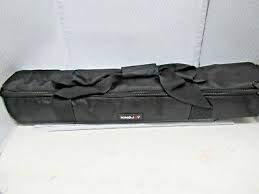
Image: The carrying bag for the KINGJOY VS1047B Glidecam, ideal for storage and transport.
Troubleshooting
If you encounter issues with your KINGJOY VS1047B Glidecam, refer to the following common problems and solutions:
| Problem | Possible Cause | Solution |
|---|---|---|
| Unstable footage | Improper balance; Incorrect holding technique | Re-balance the stabilizer carefully. Ensure you are holding the handle gently and walking smoothly. |
| Gimbal sticking or rough movement | Dust or debris in gimbal; Damaged bearing | Clean the gimbal area thoroughly. If the issue persists, contact customer support. |
| Camera not securely attached | Mounting plate loose; Security knob not tightened | Ensure the camera mounting plate is firmly attached to the camera and the stabilizer's security knob is fully tightened. |
Specifications
Technical details for the KINGJOY VS1047B Glidecam Video Stabilizer:
- Brand: KINGJOY
- Model Number: VS 1047B
- Manufacturer: CHINA
- Package Dimensions: 57.15 x 14.48 x 14.48 cm
- Batteries Required: No
- ASIN: B084Z4J3P7
- First Available Date: 19 February 2020
Warranty Information
The KINGJOY VS1047B Glidecam Video Stabilizer comes with a 1 Year Warranty from the date of purchase. This warranty covers manufacturing defects under normal use. Please retain your proof of purchase for warranty claims. For specific terms and conditions, refer to the warranty card included with your product or contact KINGJOY customer support.
Support
For further assistance, technical support, or warranty inquiries, please contact KINGJOY customer service through their official website or the contact information provided in your product packaging. Always refer to your model number (VS1047B) when seeking support.
