
Tek Styz GT-810
PRO Stylus + Pen User Manual
Model: GT-810
Introduction
This manual provides comprehensive instructions for the PRO Stylus + Pen, designed for use with Acer GT-810 devices. This high-precision 2-in-1 stylus is compatible with both Capacitive (touch) and Resistive (pressure-only) screens, offering versatility for various applications.
Please read this manual thoroughly before using the product to ensure optimal performance and longevity.
Product Features
- Dual Functionality: Combines a high-sensitivity stylus for touchscreens and a black ink pen for traditional writing.
- High Sensitivity Touch: Provides precise and responsive interaction with capacitive touchscreens.
- Universal Compatibility: Works with both capacitive and resistive screen types.
- Durable Construction: Features metal material and a stainless steel tip for long-lasting use.
- Portable Design: Slim and lightweight, with a clip for easy carrying.
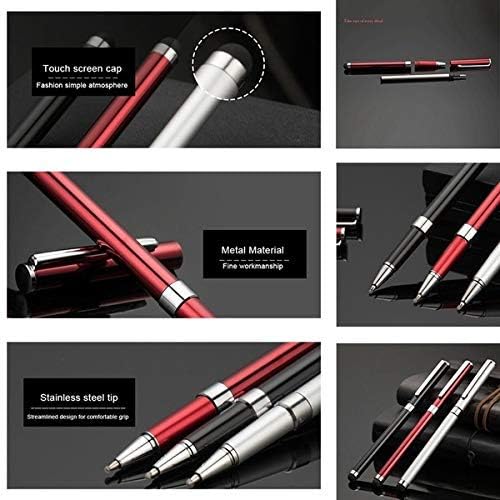
Image: Detailed view highlighting the stylus's touch screen cap, durable metal body, and precise stainless steel tip.
Setup
The PRO Stylus + Pen requires no complex setup. It is ready for use right out of the packaging.
- For Stylus Function: Simply touch the rubber tip of the stylus to your device's touchscreen. No pairing or power is required.
- For Pen Function: Remove the cap from the opposite end to reveal the black ink pen. Replace the cap when not in use to prevent ink drying.
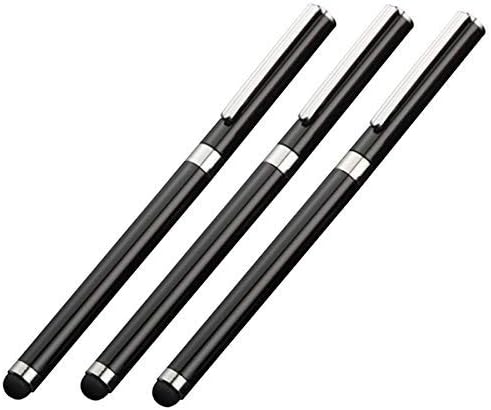
Image: A set of three PRO Stylus + Pens, ready for immediate use.
Operating Instructions
Using the Stylus
The stylus end is designed for precise interaction with touchscreens. It can be used for navigation, drawing, writing, and selecting items on your device.
- Navigation: Gently tap or swipe the stylus across the screen as you would with your finger.
- Drawing/Writing: Apply light pressure for smooth lines and accurate input in drawing or note-taking applications.
- Selecting: Tap firmly on icons or text to select them.
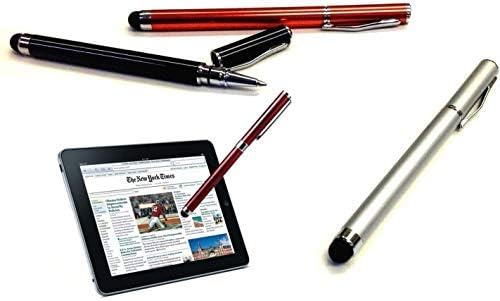
Image: The stylus in use on a tablet, demonstrating its application for screen interaction.
Using the Pen
The ballpoint pen provides a smooth writing experience for traditional paper use.
- Writing: Hold the pen comfortably and apply normal writing pressure.
- Ink Refill: The pen uses standard black ink refills. To replace, unscrew the pen barrel and insert a new refill.

Image: A user demonstrating the pen function by writing in a notebook.
Maintenance
- Cleaning: Wipe the stylus tip and pen body with a soft, dry cloth to remove dust or smudges. Do not use abrasive cleaners.
- Storage: Store the stylus in a cool, dry place away from direct sunlight and extreme temperatures. Always cap the pen when not in use.
- Tip Care: Avoid pressing the stylus tip excessively hard on the screen, as this can cause premature wear.
Troubleshooting
| Problem | Possible Cause | Solution |
|---|---|---|
| Stylus not responding on screen. | Screen protector too thick; dirty screen/stylus tip; incompatible screen type. | Ensure screen is clean. Clean stylus tip. Verify device screen type (Capacitive/Resistive). |
| Pen ink not flowing. | Ink cartridge is dry or empty; pen tip clogged. | Replace ink cartridge. Gently clean pen tip. |
| Stylus tip appears worn. | Normal wear and tear; excessive pressure during use. | Reduce pressure when using. Consider replacing the stylus if performance is significantly degraded. |
Specifications
- Product Name: PRO Stylus + Pen
- Model: GT-810
- Brand: Tek Styz
- Compatibility: Acer GT-810 (Capacitive and Resistive screens)
- Functions: High Sensitivity Stylus, Black Ink Ballpoint Pen
- Material: Metal body, Stainless Steel pen tip, Rubber stylus tip
- Color: Black (as per product title, though images show other colors, the specific product is 3-pack black)
- UPC: 746558784428
Warranty and Support
For warranty information and customer support, please refer to the contact details provided with your purchase or visit the official Tek Styz website.
Manufacturer: Tek Styz
ASIN: B084YZ6TSQ
Date First Available: April 6, 2022
Ask a question about this manual
Ask about setup, troubleshooting, compatibility, parts, safety, or missing instructions. Manuals+ will review the question and use this page’s manual context to help answer it.