
THE CIMPLE CO CMP-TOOL-COAXMAP-4W
THE CIMPLE CO 4-Port Coax Cable Tester User Manual
Model: CMP-TOOL-COAXMAP-4W
Brand: THE CIMPLE CO
Introduction
This manual provides comprehensive instructions for the operation and maintenance of your THE CIMPLE CO 4-Port Coax Cable Tester. This device is designed to accurately test, trace, tone, and map multi-run coaxial cable applications terminated with BNC, RCA, or "F" connectors. Please read this manual thoroughly before use to ensure proper and safe operation.
What's Included

The image displays the complete package contents: the main Coax Cable Tester unit, four color-coded remote ID locators (red, blue, orange, green), and a black zippered carrying case. The remote ID locators are designed to be stored within the base of the main tester unit for convenience.
- 1 x Coax Cable Tester (also known as coaxial mapper or tracker)
- 4 x Unit Locators (stored in base compartment)
- 1 x 9-volt Battery (included)
- 1 x Cable Tester Case
Product Overview and Dimensions

This image shows the front of the Coax Cable Tester with its four color-coded remote ID caps detached and laid out. The tester features LED indicators for Red (1), Blue (2), Orange (3), and Green (4) corresponding to the remote IDs, along with indicators for SHORT, OPEN, and TONE. A large "TEST" button is visible on the right side. The remote ID caps are designed to be plugged into the ends of coaxial cables for identification.
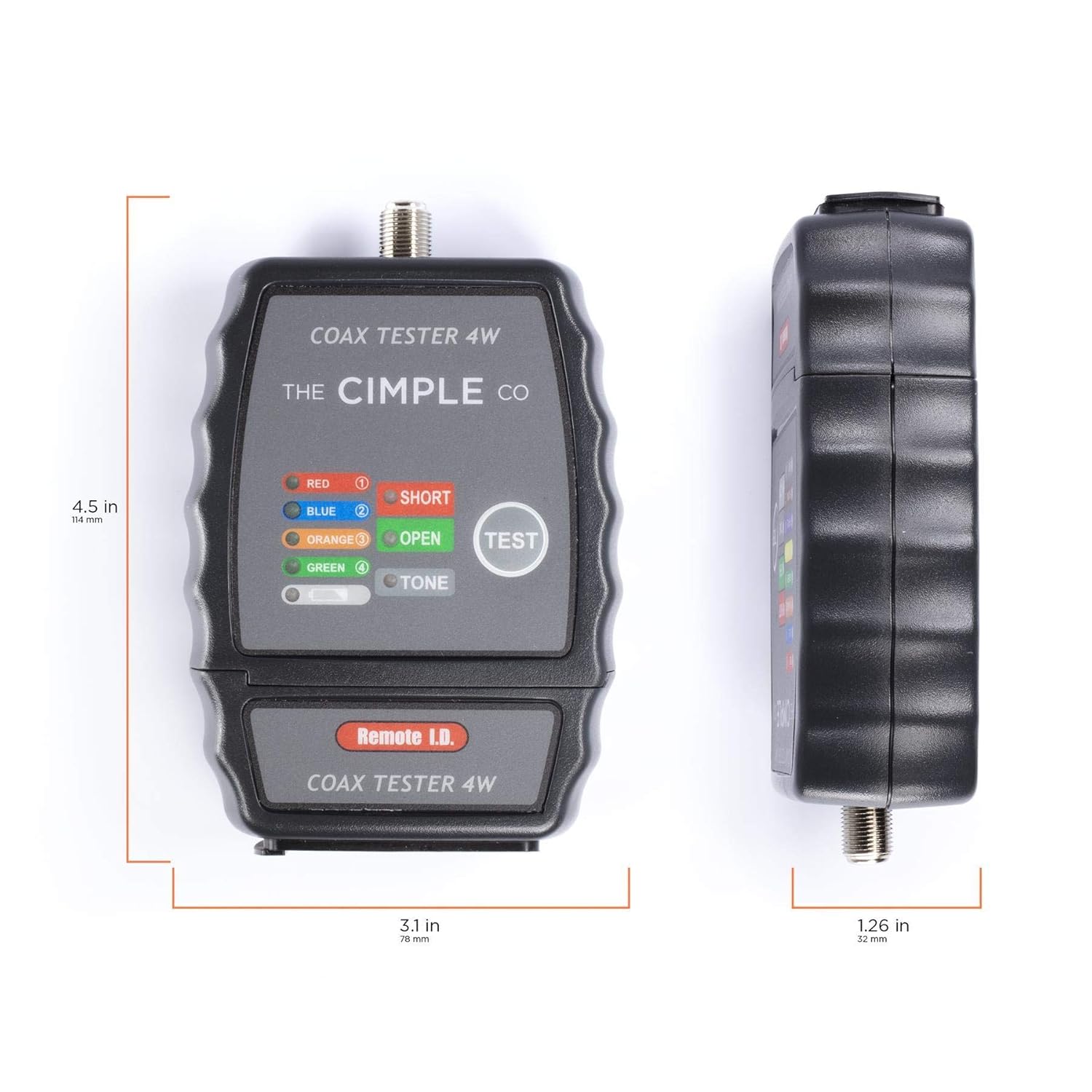
The image illustrates the physical dimensions of the Coax Cable Tester. The device measures approximately 4.5 inches (114 mm) in height, 3.1 inches (78 mm) in width, and 1.26 inches (32 mm) in depth. These compact dimensions make the tester easy to handle and transport for various testing scenarios.
Setup
Battery Installation
The Coax Cable Tester requires one 9-volt battery for operation. The battery compartment is located on the back of the unit. Use a small Philips screwdriver to open the battery compartment cover. Insert the 9-volt battery, ensuring correct polarity, then replace the cover and secure it with the screw.
Storing Remote ID Locators

This image demonstrates how the four color-coded remote ID locators are stored within the base of the main tester unit. The bottom section of the tester slides open to reveal individual slots for each locator, ensuring they are kept organized and are readily accessible when needed.
The four color-coded remote ID locators are designed to be stored conveniently within the base of the main tester unit. To access them, slide open the bottom compartment. When finished, ensure all locators are returned to their respective slots and the compartment is securely closed to prevent loss.
Operating Instructions
Cable Mapping and Identification

This diagram illustrates the three-step process for mapping coaxial cables within a building. Step 1 shows plugging in all colored ID caps to wall plates in different rooms. Step 2 indicates testing each open side individually at a central junction point. Step 3 advises labeling each identified line, demonstrating how the tester helps trace and organize multiple cable runs.
- Preparation: Identify all coaxial cable outlets you wish to map.
- Connect Remote IDs: Plug one of the four color-coded remote ID locators (Red, Blue, Orange, Green) into each coaxial wall plate or the end of the cable you want to identify. Ensure a secure connection.
- Connect Tester: At the central distribution point (e.g., wiring closet, splitter location), connect the main Coax Cable Tester unit to one of the unlabeled coaxial cables.
- Test: Press the "TEST" button on the main unit. The LED indicators will illuminate to show the status of the cable.
- If a colored LED (Red, Blue, Orange, Green) illuminates, it indicates continuity with the corresponding remote ID locator connected at the other end of the cable.
- If the "SHORT" LED illuminates, it indicates a short circuit in the cable.
- If the "OPEN" LED illuminates, it indicates an open circuit or no connection.
- Identify and Label: Once a colored LED illuminates, you have identified the cable connected to that specific remote ID. Label the cable at the distribution point accordingly (e.g., "Living Room - Red ID").
- Repeat: Disconnect the tester and repeat steps 3-5 for all remaining unlabeled cables until all desired cables are mapped.
Tone Generation (Tracing)

This image shows a hand holding the Coax Cable Tester, with a green remote ID locator connected to the main unit via a short coaxial cable. This setup demonstrates how the tone generation feature can be used to trace a specific cable. The tone signal is sent through the cable, allowing it to be identified with a tone probe (not included) at the other end.
The tone generation feature allows you to send an audible signal through a coaxial cable, which can then be detected using a tone probe (not included) at the other end. This is useful for tracing a specific cable within a bundle.
- Connect Tester: Connect the main Coax Cable Tester unit to the coaxial cable you wish to trace.
- Activate Tone: Press the "TONE" button on the tester. The "TONE" LED will illuminate, indicating that a tone signal is being sent through the cable.
- Trace Cable: Use a compatible tone probe (not included) to scan the other ends of coaxial cables at the remote location. The cable emitting the tone is the one connected to your tester.
Note: The tester will automatically power down after a period of inactivity to conserve battery life.
Maintenance
Cleaning
Wipe the unit with a soft, dry cloth. Do not use abrasive cleaners or solvents. Keep the connectors clean and free of debris.
Battery Replacement
When the LED indicators become dim or the unit does not power on, it's time to replace the 9-volt battery. Follow the battery installation steps outlined in the "Setup" section. Always dispose of old batteries responsibly according to local regulations.
Storage
When not in use, store the tester and its accessories in the provided carrying case in a cool, dry place, away from direct sunlight and extreme temperatures. Remove the battery if storing for extended periods to prevent leakage.
Troubleshooting
| Problem | Possible Cause | Solution |
|---|---|---|
| Tester does not power on. | Dead or improperly installed battery. | Replace the 9-volt battery, ensuring correct polarity. |
| No LED illuminates during test. | No connection, open circuit, or remote ID not properly connected. | Ensure all connections are secure. Check if the remote ID is firmly plugged into the other end of the cable. |
| "SHORT" LED illuminates. | Short circuit in the cable. | Inspect the cable for damage, kinks, or improperly terminated connectors. Re-terminate if necessary. |
| "OPEN" LED illuminates. | Open circuit in the cable or no remote ID connected. | Ensure the cable is not broken and that a remote ID is properly connected at the far end. |
| Tone signal is weak or undetectable. | Low battery, long cable run, or interference. | Replace battery. Ensure tone probe is compatible and used correctly. Note that very long cable runs can attenuate the signal. |
Specifications
| Feature | Detail |
|---|---|
| Model Number | CMP-TOOL-COAXMAP-4W |
| Product Dimensions | 4.5 x 3.1 x 1.2 inches |
| Item Weight | 7.36 Ounces |
| Power Source | Battery Powered (1 x 9V battery included) |
| Supported Connectors | F-connectors, RCA connectors, BNC connectors (using adapters) |
| Tracing Capability | Traces up to 4 wires simultaneously |
| Key Features | Bright LED display, built-in short detector, tone generator, 4 color-coded ID finders, automatic power-down |

This image presents a comparison table detailing various models of THE CIMPLE CO coax testers. It lists specifications such as battery type, whether the battery is included, presence of a short detector, number of wires traced simultaneously, tone generator capability, inclusion of a case, and replacement end part numbers. This table helps users understand the features of different models, including the CMP-TOOL-COAXMAP-4W which traces 4 wires.
Warranty and Support
THE CIMPLE CO products are backed by a manufacturer's warranty and a satisfaction guarantee. For specific warranty details, customer assistance, or technical support, please refer to the contact information provided with your product packaging or visit the official THE CIMPLE CO website. Our customer support is US-based and available to assist with any inquiries.
Manufacturer: THE CIMPLE CO
Ask a question about this manual
Ask about setup, troubleshooting, compatibility, parts, safety, or missing instructions. Manuals+ will review the question and use this page’s manual context to help answer it.