
1. Introduction
Thank you for choosing the Oris Divers Sixty-Five Automatic Stainless Steel Blue Dial Date Men's Watch. This manual provides essential information for the proper setup, operation, and maintenance of your timepiece. Please read it carefully to ensure optimal performance and longevity of your watch.

Image 1.1: Front view of the Oris Divers Sixty-Five Automatic watch, showcasing its blue dial, luminous markers, and stainless steel bracelet.
2. Setup
2.1. Unboxing and Initial Inspection
Your Oris watch comes in its original packaging. Carefully remove the watch and inspect it for any visible damage. Ensure all protective films are removed before use.

Image 2.1: The Oris watch presented within its dedicated packaging box.
2.2. Winding the Watch
This watch features an automatic mechanical movement. It is powered by the motion of your wrist. If the watch has stopped or its power reserve is low, it can be manually wound:
- Unscrew the crown (if it is a screw-down crown) by turning it counter-clockwise.
- In position 1 (normal position, unscrewed), turn the crown clockwise approximately 20-30 times. This will provide sufficient power reserve to start the watch.
- The watch will then continue to wind itself through normal wrist movement.
2.3. Setting Time and Date
To set the time and date:
- Unscrew the crown (if applicable) and pull it out to position 2.
- Turn the crown clockwise or counter-clockwise to set the date. Avoid setting the date between 9 PM and 3 AM, as this can damage the movement.
- Pull the crown out to position 3. The seconds hand will stop (hacking feature).
- Turn the crown to set the hour and minute hands. Ensure the AM/PM is correctly set by observing if the date changes when passing midnight.
- Once the time is set, push the crown back into position 1 and screw it down tightly (if applicable) to ensure water resistance.

Image 2.2: Detailed view of the watch dial and crown, illustrating the components used for time and date adjustment.
3. Operating Your Watch
3.1. Uni-directional Rotating Bezel
Your Oris Divers Sixty-Five features a uni-directional rotating bezel, designed for dive timing. It rotates only counter-clockwise to prevent accidental extension of dive time.
- Before a dive, align the triangle marker on the bezel with the minute hand.
- The minute hand will then indicate the elapsed time on the bezel's minute scale.

Image 3.1: Angled perspective of the Oris Divers Sixty-Five, highlighting the uni-directional rotating bezel and the screw-down crown.
3.2. Water Resistance
The watch is water-resistant up to 100 meters (330 feet) or 10 BAR. This makes it suitable for swimming and snorkeling. However, it is not recommended for scuba diving unless explicitly stated for higher depths.
- Always ensure the crown is fully screwed down before exposing the watch to water.
- Do not operate the crown or pushers while the watch is submerged in water.
- Avoid exposing the watch to extreme temperature changes, which can affect water resistance.
4. Maintenance
4.1. Cleaning
To maintain the appearance of your watch:
- Wipe the case and bracelet with a soft, dry cloth regularly.
- For stainless steel, a soft brush and mild soapy water can be used, followed by thorough rinsing with fresh water and drying. Ensure the crown is screwed down before cleaning with water.
- Avoid using harsh chemicals or abrasive materials.
4.2. Regular Servicing
Like any precision instrument, your Oris watch requires periodic professional servicing to ensure its accuracy and longevity. It is recommended to have your watch serviced by an authorized Oris service center every 3-5 years.
4.3. Storage
When not wearing your watch for an extended period, store it in a cool, dry place, away from direct sunlight and strong magnetic fields. The original watch box is ideal for storage.
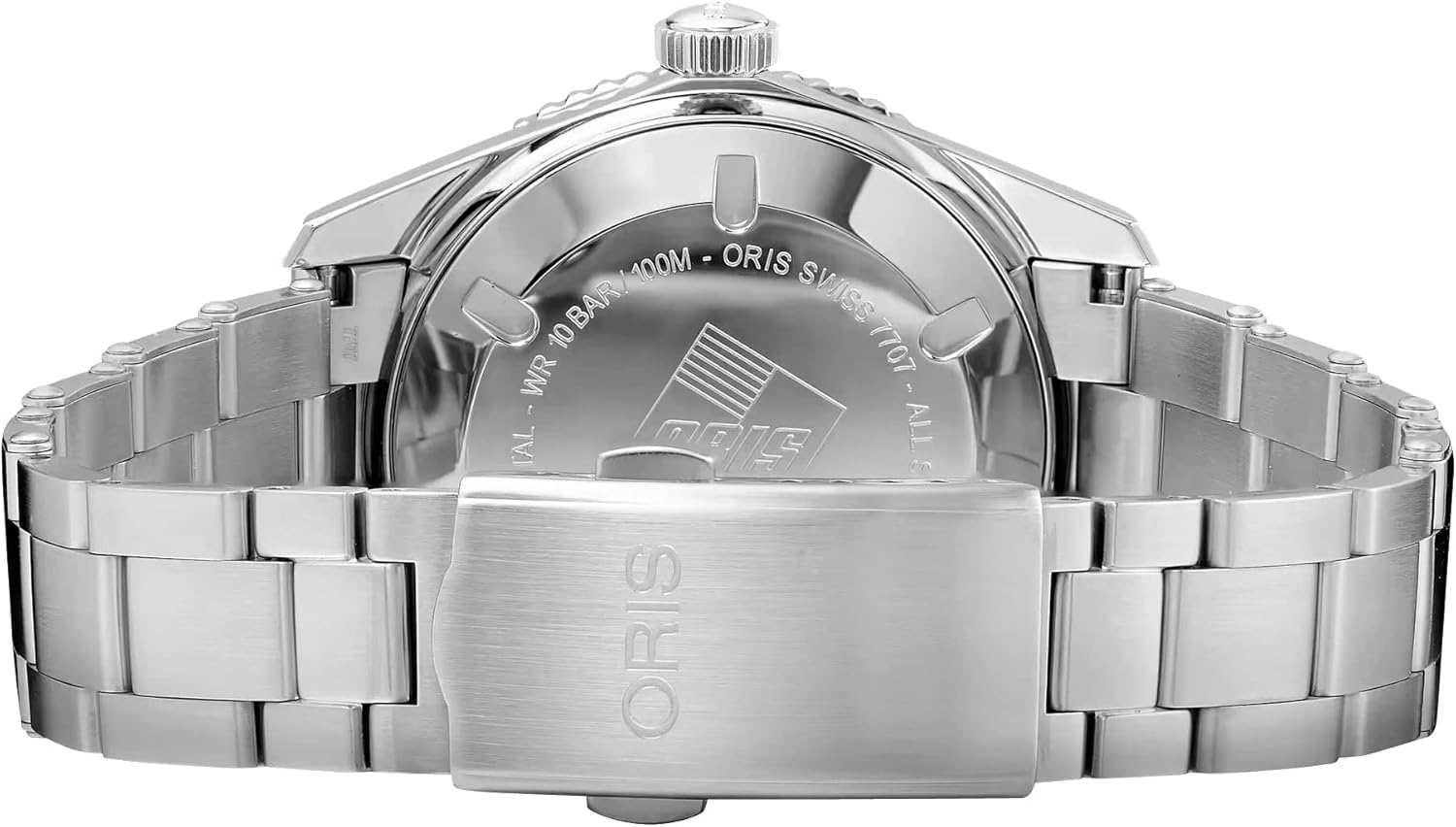
Image 4.1: Rear view of the Oris Divers Sixty-Five, displaying the engraved case back and the folding clasp of the stainless steel bracelet.
5. Troubleshooting
- Watch Not Running: If your automatic watch has stopped, it likely needs to be wound. Manually wind it by turning the crown clockwise 20-30 times in position 1 (unscrewed). If it still does not run after winding and wearing, it may require professional inspection.
- Date Not Changing: Ensure the time is set correctly, passing through 12 AM for the date to advance. Avoid setting the date manually between 9 PM and 3 AM. If the issue persists, consult an authorized service center.
- Condensation Under Crystal: A small amount of condensation that dissipates quickly is usually not a concern. However, if persistent or significant, it indicates a loss of water resistance and requires immediate professional attention to prevent damage to the movement.
6. Specifications
| Feature | Detail |
|---|---|
| Model Number | 01 733 7707 4055-07 8 20 18 |
| Movement | Calibre 733 Swiss Automatic (based on SW200-1) |
| Power Reserve | Approximately 38 hours |
| Case Material | Stainless Steel |
| Case Diameter | 40 mm |
| Dial Color | Blue |
| Crystal | Domed Sapphire, anti-reflective coating inside |
| Bezel | Uni-directional Rotating, Black Minutes Scale Top Ring |
| Water Resistance | 10 BAR / 100 meters (330 feet) |
| Bracelet Material | Stainless Steel |
| Clasp Type | Folding Clasp with Push-Button Release |
| Functions | Hours, Minutes, Central Seconds, Date at 6 o'clock |
7. Warranty Information
Oris watches are manufactured to the highest standards and come with a manufacturer's warranty against defects in materials and workmanship. The specific terms and duration of your warranty are detailed in the warranty card provided with your watch. Please retain your proof of purchase and warranty card for any claims.
For detailed warranty terms and conditions, please refer to the official Oris website or contact an authorized Oris dealer.
8. Support and Service
For any questions, service requests, or technical support regarding your Oris watch, please contact an authorized Oris service center or your original point of purchase. Authorized service centers are equipped with genuine Oris parts and trained technicians to ensure proper care for your timepiece.
You can find a list of authorized service centers on the official Oris website: www.oris.ch/en/service
9. Related Videos
Video 9.1: An overview of the Oris watch collection, presented by Bob's Watches. This video showcases various Oris models and highlights the brand's heritage and craftsmanship.