
1. Introduction
This manual provides detailed instructions for the proper use and maintenance of your Tek Styz PRO Stylus + Pen. This 2-in-1 device is designed for high precision interaction with Alcatel OneTouch 3075 devices, supporting both capacitive (touch) and resistive (pressure only) screens. Please read this manual thoroughly before using the product.
2. Product Overview
The Tek Styz PRO Stylus + Pen combines the functionality of a precise stylus for touchscreens and a traditional black ink pen for writing on paper. It features a durable metal construction and a sleek design.
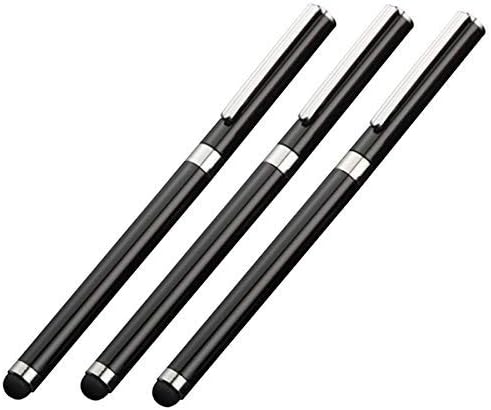
Figure 2.1: A set of three black Tek Styz PRO Stylus + Pens, showcasing their sleek design and stylus tips.
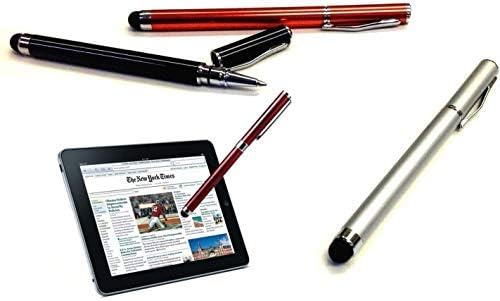
Figure 2.2: A Tek Styz PRO Stylus + Pen interacting with a tablet screen, demonstrating its digital input capability. Other pens in various colors are also visible.
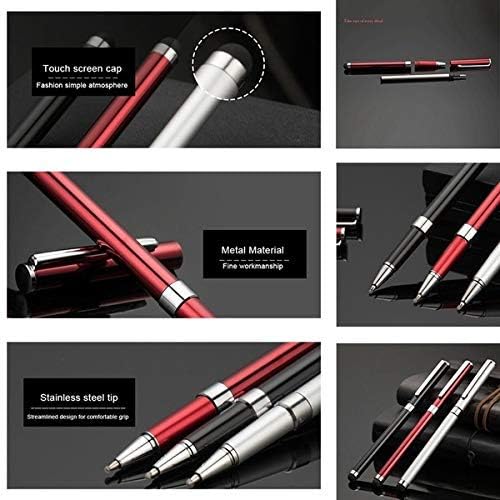
Figure 2.3: Detailed view highlighting the soft, rounded stylus tip for touchscreen interaction and the fine ballpoint pen tip for traditional writing.
3. Setup
The Tek Styz PRO Stylus + Pen requires minimal setup. It is ready for use directly out of the packaging.
- Unpack: Carefully remove the stylus + pen from its packaging.
- Inspect: Check for any visible damage. If damaged, do not use and contact support.
- Ready for Use: The stylus tip is immediately functional for touchscreen devices. To use the pen function, simply twist the barrel to extend the ballpoint tip.
4. Operating Instructions
4.1 Using the Stylus Function
The stylus tip is designed for precise interaction with your Alcatel OneTouch 3075 device's screen.
- Touchscreen Interaction: Gently touch the stylus tip to the screen for navigation, drawing, or writing. The high sensitivity ensures accurate input.
- Compatibility: This stylus is compatible with both capacitive (most common touchscreens) and resistive (pressure-sensitive) screens. For capacitive screens, a light touch is sufficient. For resistive screens, apply slightly more pressure as required by the device.
- Screen Protection: The soft, rounded tip helps prevent scratches and smudges on your device's screen.
4.2 Using the Pen Function
The integrated ballpoint pen allows for traditional writing on paper.
- Extend/Retract Pen Tip: To extend the pen tip, twist the upper barrel of the pen clockwise. To retract it, twist counter-clockwise.
- Writing: Use the pen as you would any standard ballpoint pen for writing on paper. The pen uses black ink.
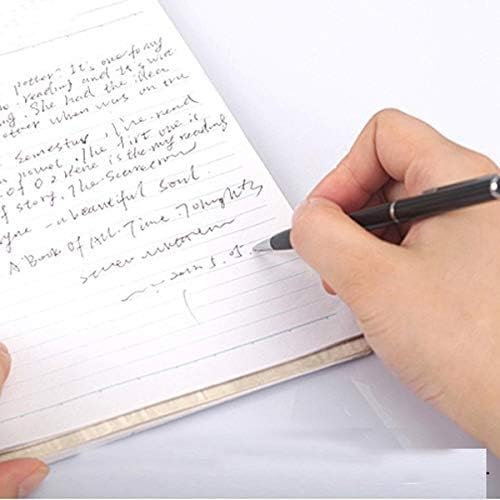
Figure 4.1: A hand using the ballpoint pen function of the Tek Styz PRO Stylus + Pen to write on a notebook, demonstrating its dual functionality.
5. Maintenance
Proper care will ensure the longevity and performance of your Tek Styz PRO Stylus + Pen.
- Cleaning the Stylus Tip: If the stylus tip becomes dirty or less responsive, gently wipe it with a soft, lint-free cloth. Do not use harsh chemicals or abrasive materials.
- Cleaning the Pen Body: Wipe the pen body with a soft, dry cloth to remove dust or smudges.
- Ink Refill: When the ink runs out, the pen cartridge can be replaced. Twist the pen open at the middle to access the ink cartridge. Ensure to use compatible D1 mini ballpoint pen refills.
- Storage: Store the stylus + pen in a clean, dry place away from extreme temperatures and direct sunlight. Avoid dropping the pen, as this may damage the internal mechanism or the stylus tip.
6. Troubleshooting
If you encounter issues with your Tek Styz PRO Stylus + Pen, refer to the following common solutions:
- Stylus not responding on screen:
- Ensure the screen of your Alcatel OneTouch 3075 device is clean and free of smudges or debris.
- Gently wipe the stylus tip with a clean, dry cloth.
- Verify that your device's screen is functioning correctly with finger input.
- For resistive screens, ensure adequate pressure is applied.
- Pen ink not flowing:
- Ensure the pen tip is fully extended by twisting the barrel.
- Try writing on a scrap piece of paper to prime the ink flow.
- Check if the ink cartridge is empty and replace it if necessary.
- Pen tip not retracting/extending smoothly:
- Check for any foreign objects or debris obstructing the twisting mechanism.
- Avoid applying excessive force when twisting.
If problems persist after attempting these solutions, please contact Tek Styz customer support.
7. Specifications
| Feature | Detail |
|---|---|
| Product Name | PRO Stylus + Pen |
| Brand | Tek Styz |
| Compatibility | Alcatel OneTouch 3075 (Capacitive & Resistive Screens) |
| Functionality | 2-in-1 Stylus and Ballpoint Pen |
| Ink Color | Black |
| Material | Metal (as per product images) |
| UPC | 746558822670 |
8. Warranty and Support
Tek Styz products are manufactured with quality in mind. For specific warranty information, please refer to the product packaging or the official Tek Styz website. For technical support or inquiries, please contact your retailer or the manufacturer directly.