
1. Product Overview
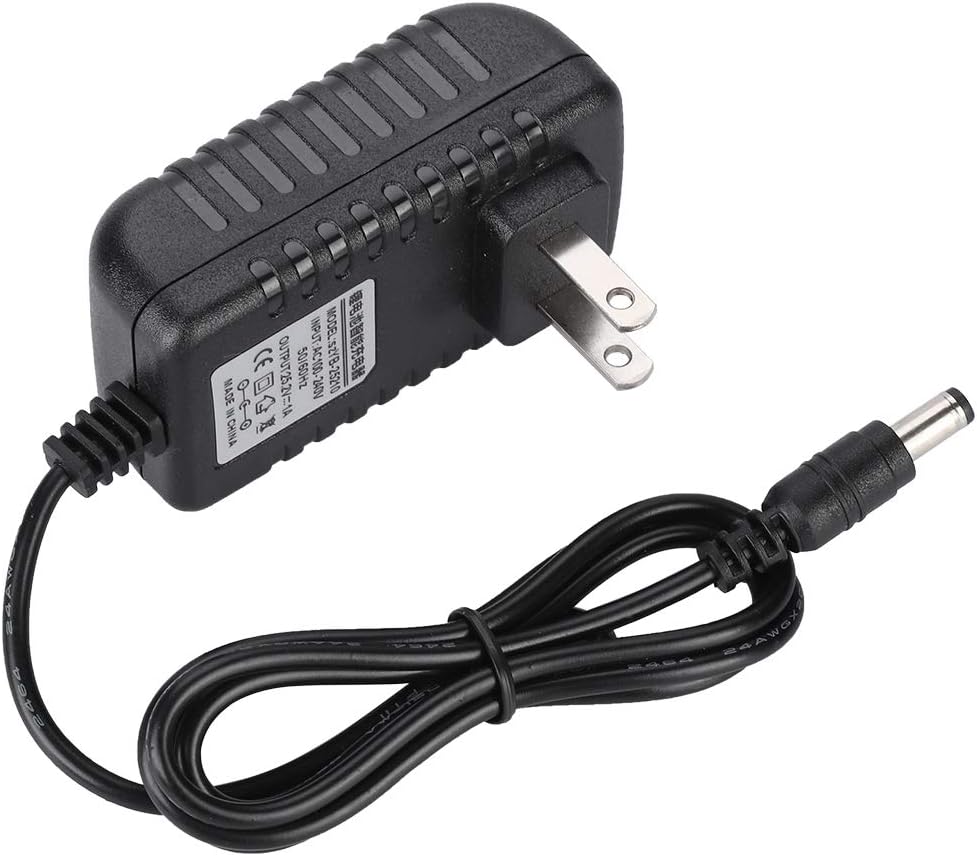
The Ciglow Li-ion Charger Adapter (Model: sZYB-25210) is designed for fast and efficient charging of lithium-ion batteries. It features a 25.2V/1A output and incorporates multi-level protections to ensure safe operation. This adapter is suitable for various devices requiring a 25.2V power input with a 5.5*2.5mm port.
Key Features:
- Fast Charging: Delivers 25.2V/1A output for quick battery replenishment.
- Durable Construction: Made from fire-proof PC engineering plastic alloy, offering heat resistance and longevity.
- Multi-Level Protections: Includes safeguards against over-voltage, short-circuit, and over-current to protect both the charger and your device.
- Wide Voltage Input: Supports 100-240V 50HZ/60HZ input, making it suitable for use in various regions (US plug variant).
- Copper Core: Ensures stable performance and extended operational life.

2. Setup Instructions
2.1 Unpacking
Carefully remove the charger adapter from its packaging. Verify that all components are present. The package typically includes:
- 1 x Lithium Battery Charger Adapter
2.2 Connecting to Power
- Ensure the charger adapter is placed on a stable, dry, and well-ventilated surface.
- Plug the US plug of the charger adapter into a standard 100-240V AC wall outlet.

2.3 Connecting to Device
- Locate the charging port on your device. Ensure it is compatible with a 5.5*2.5mm DC connector.
- Insert the DC output connector of the charger adapter firmly into your device's charging port.

3. Operating Instructions
3.1 Charging Your Device
Once the charger is connected to both the power outlet and your device, the charging process will begin automatically. The charger is designed to provide a stable 25.2V/1A output to compatible lithium-ion batteries.
3.2 Charging Indicators
This charger adapter does not feature an external LED indicator. Please refer to your device's own charging indicator for the charging status. Disconnect the charger once your device indicates a full charge to prevent overcharging, although the charger includes internal protections.
3.3 Safety Precautions
- Do not expose the charger to water, moisture, or extreme temperatures.
- Avoid dropping or subjecting the charger to strong impacts.
- Do not attempt to open or modify the charger. This will void the warranty and may cause damage or injury.
- Use only with devices that require a 25.2V input and have a compatible 5.5*2.5mm charging port. Using with incompatible devices may cause damage.
- Unplug the charger from the wall outlet when not in use.
4. Maintenance
4.1 Cleaning
To clean the charger adapter, disconnect it from both the power outlet and your device. Use a soft, dry cloth to wipe the exterior. Do not use liquid cleaners or abrasive materials.
4.2 Storage
When not in use, store the charger in a cool, dry place, away from direct sunlight and extreme temperatures. Avoid wrapping the cable too tightly around the adapter to prevent damage to the cable or connectors.
5. Troubleshooting
5.1 Charger Not Working
- Check Power Connection: Ensure the charger is securely plugged into a working wall outlet. Try a different outlet if necessary.
- Check Device Connection: Verify that the DC connector is fully inserted into your device's charging port.
- Device Compatibility: Confirm that your device requires a 25.2V input and has a 5.5*2.5mm port. Incompatible devices will not charge.
- Inspect for Damage: Check the charger cable and adapter for any visible signs of damage. If damaged, discontinue use immediately.
5.2 Slow Charging
- Device Usage: Charging speed may be affected if the device is in heavy use during charging. Try charging the device while it is turned off or in standby mode.
- Battery Condition: The condition of your device's battery can affect charging speed. Older or damaged batteries may charge slower.
If issues persist after following these steps, please contact customer support.
6. Technical Specifications
| Specification | Detail |
|---|---|
| Product Type | Lithium Battery Charger Adapter |
| Model | sZYB-25210 |
| Material | ABS (Fire-proof PC engineering plastic alloy) |
| Input Voltage | AC 100-240V, 50HZ/60HZ |
| Output Voltage/Current | 25.2V / 1A |
| Output Port | 5.5*2.5mm DC Connector |
| Plug Type | US Plug |
| Product Dimensions | Approx. 7.4 x 4.3 x 5.1 cm (2.91 x 1.69 x 2.01 inches) |
| Item Weight | Approx. 69g (2.4 ounces) |
| Special Feature | Fast Charging, Multi-Level Protections |
7. Warranty and Support
7.1 Warranty Information
This product comes with a standard manufacturer's warranty. Please retain your proof of purchase for any warranty claims. The warranty typically covers defects in materials and workmanship under normal use. Damage resulting from misuse, unauthorized modification, or improper installation is not covered.
7.2 Customer Support
For technical assistance, troubleshooting, or warranty inquiries, please contact your retailer or the manufacturer directly. Refer to the product packaging or the retailer's website for specific contact details.