
1. Important Safety Instructions
Please read these instructions carefully before using your Pifco P51003 Pedestal Fan. Retain this manual for future reference.
- Ensure the voltage indicated on the rating label matches your mains supply.
- Do not immerse the fan, plug, or cord in water or other liquids.
- Unplug the fan from the power outlet when not in use, before cleaning, or before moving.
- Keep fingers, pencils, or any other objects out of the fan grille when it is operating.
- Do not operate the fan with a damaged cord or plug, or after the fan malfunctions or has been dropped or damaged in any manner.
- Place the fan on a stable, level surface to prevent tipping.
- Do not use the fan near windows, in bathrooms, or in areas with high humidity.
- This appliance is not intended for use by persons (including children) with reduced physical, sensory or mental capabilities, or lack of experience and knowledge, unless they have been given supervision or instruction concerning use of the appliance by a person responsible for their safety.
- Children should be supervised to ensure that they do not play with the appliance.
2. Product Overview
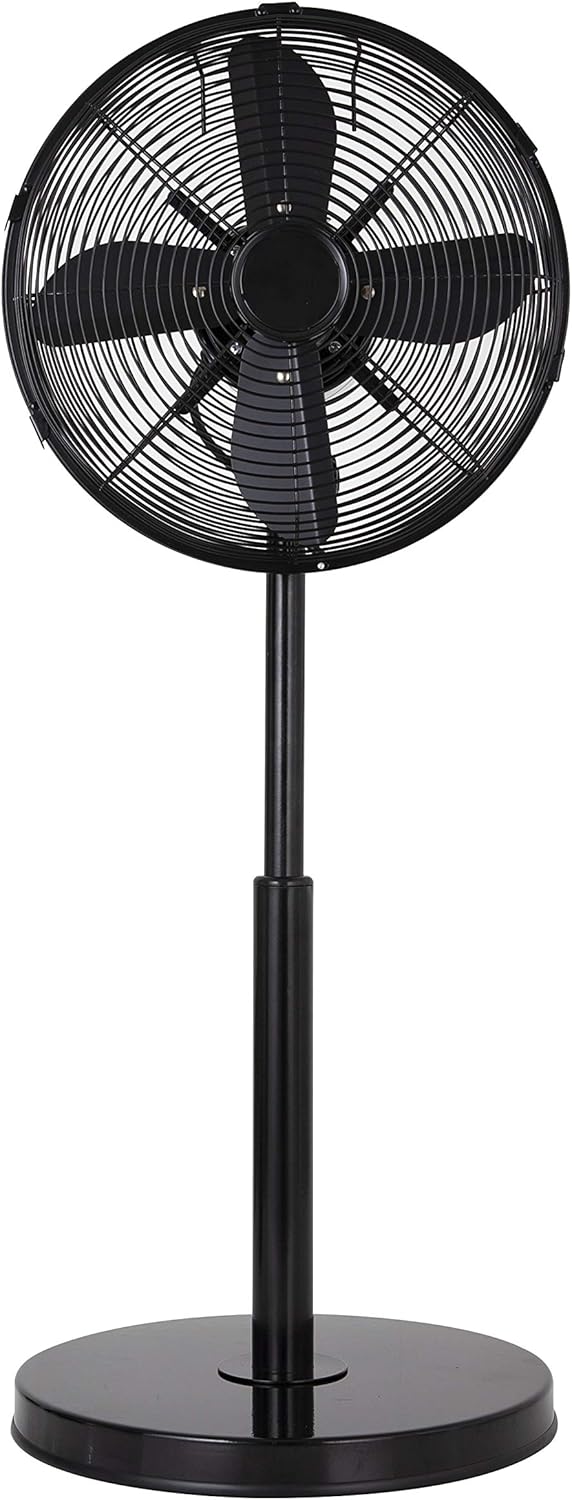
The Pifco P51003 Pedestal Fan is designed to provide a consistent breeze with adjustable settings for optimal comfort. It features a robust design and multiple functionalities.

Key Features:
- 3 Speed Levels: Choose between low, medium, or high airflow.
- Adjustable Tilt: Pivot the fan head vertically to direct airflow.
- Rotary Oscillation: Distributes air across a 90-degree angle or remains fixed.
- Height Adjustments: Set the fan height to your preferred level.
- Portable Design: Integrated handle for easy carrying.
3. Assembly Instructions
Follow these steps to assemble your pedestal fan. It is recommended to lay out all components on a flat, clean surface before beginning.
- Assemble the Base: Attach the main pole to the circular base. Secure it firmly using the provided screws or knob. Ensure the base is stable.
- Attach the Adjustable Pole: Insert the adjustable upper pole into the main pole. Do not tighten the height adjustment knob yet.
- Mount the Fan Motor Unit: Secure the fan motor unit to the top of the adjustable pole. Ensure it is seated correctly and tighten any securing screws or knobs.
- Install the Rear Grille: Place the rear grille onto the motor unit, aligning it with the mounting points. Secure it with the provided fasteners.
- Attach the Fan Blades: Carefully slide the fan blades onto the motor shaft. Ensure they are fully seated and secure them with the retaining cap or nut, usually by turning clockwise.
- Install the Front Grille: Place the front grille over the fan blades and align it with the rear grille. Secure both grilles together using the clips or screws provided around the circumference. Ensure the grilles are tightly closed to prevent access to the blades.

4. Operating Instructions
Once assembled, your Pifco P51003 Pedestal Fan is ready for use.
4.1 Powering On/Off and Speed Settings
- Plug the power cord into a suitable electrical outlet.
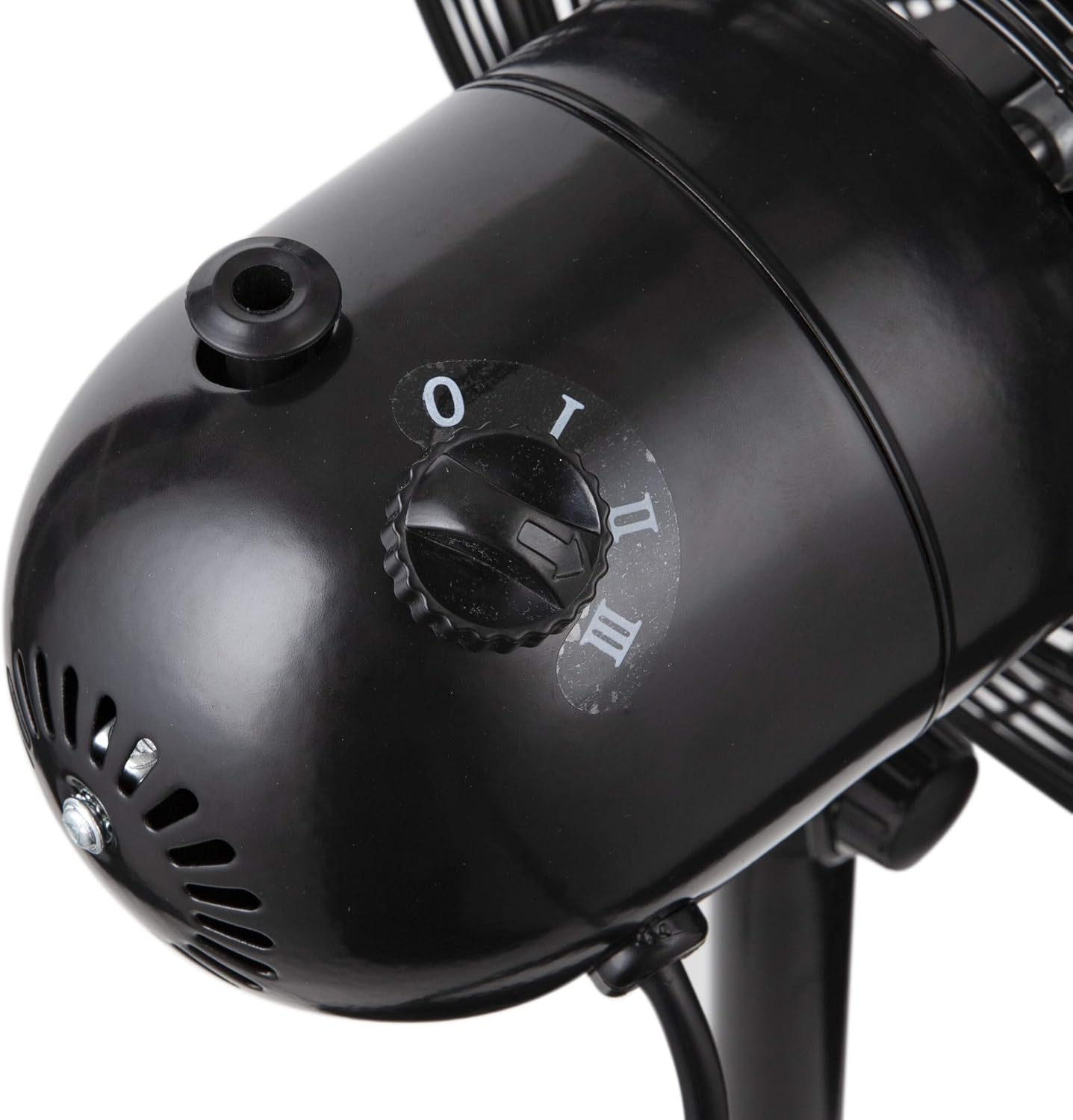
- Locate the control dial on the rear of the fan motor unit.
- Turn the dial to select your desired speed: 'I' for low, 'II' for medium, or 'III' for high.
- To turn the fan off, turn the dial to '0'.
4.2 Oscillation Function
- To activate the oscillation feature, press down the oscillation pin located on top of the motor housing. The fan head will begin to rotate from side to side, distributing air across a 90-degree angle.
- To stop oscillation and fix the fan in one direction, pull up the oscillation pin.
4.3 Adjusting Tilt
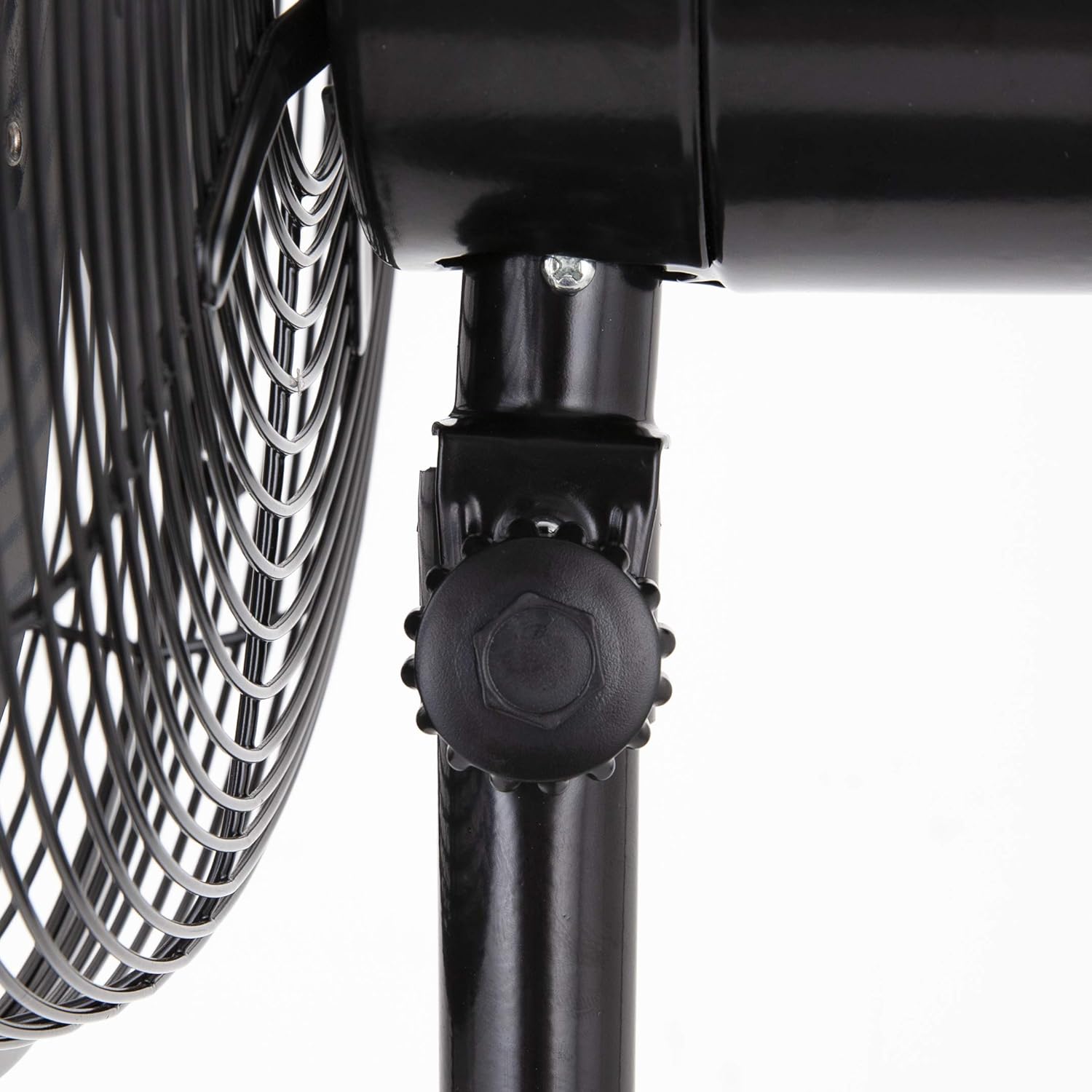
- To adjust the vertical angle of the fan head, loosen the tilt adjustment knob located on the side of the fan motor unit's neck.
- Carefully tilt the fan head up or down to your desired position.
- Tighten the tilt adjustment knob firmly to secure the fan head in place.

4.4 Adjusting Height
- To adjust the fan's height, loosen the height adjustment knob located on the main pole.
- Carefully raise or lower the adjustable pole to your desired height.
- Tighten the height adjustment knob firmly to secure the pole in position.
5. Maintenance and Cleaning
Regular cleaning will help maintain your fan's performance and extend its lifespan.
- Always unplug the fan from the power outlet before cleaning.
- Use a soft, damp cloth to wipe the exterior surfaces of the fan. Do not use abrasive cleaners or solvents.
- To clean the fan blades, you may need to carefully remove the front grille. Refer to the assembly instructions for reverse steps. Wipe the blades with a soft, damp cloth. Ensure blades are completely dry before reattaching the grille.
- Do not allow water to drip into the motor housing.
- For storage, clean the fan thoroughly and store it in a cool, dry place, preferably in its original packaging.

6. Troubleshooting
If you encounter issues with your fan, refer to the following common problems and solutions:
- Fan does not turn on:
- Check if the power cord is securely plugged into a working electrical outlet.
- Ensure the control dial is set to a speed setting (I, II, or III), not '0'.
- Check the household fuse or circuit breaker.
- Weak airflow:
- Ensure the fan grilles and blades are clean and free from dust or obstructions.
- Increase the speed setting using the control dial.
- Fan is noisy:
- Ensure all assembly screws and knobs are tightened securely.
- Check for any loose parts or obstructions within the fan grilles.
- Ensure the fan is placed on a stable, level surface.
- Oscillation not working:
- Ensure the oscillation pin on top of the motor housing is pressed down.
7. Specifications
| Feature | Specification |
|---|---|
| Brand | PIFCO |
| Model Number | P51003 |
| Color | Black |
| Electric Fan Design | Floor Fan |
| Power Source | Corded Electric |
| Number of Speeds | 3 |
| Number of Blades | 4 |
| Control Method | Button Control (Dial) |
| Material | Plastic |
| Special Features | 1.7 Meter Cable, 3 Speed Settings, 90 Degree Oscillation, Adjustable Height, Copper Motor |
| Mounting Type | Portable, Pedestal Fan |
| Manufacturer | Pifco |
| Global Trade Identification Number | 05056032962859 |
8. Warranty and Customer Support
For information regarding warranty coverage or if you require technical assistance, please refer to the warranty card included with your purchase or contact Pifco customer support directly. Contact details can typically be found on the manufacturer's official website or on the product packaging.