
Introduction
Thank you for choosing the Yato YT-07291 Ratchet Handle. This manual provides essential information for the safe and effective use, setup, operation, and maintenance of your new tool. Please read this manual thoroughly before using the product and retain it for future reference.
The Yato YT-07291 is a high-quality ratchet handle designed for professional and DIY applications, featuring durable CrV Chromium Steel construction and a 72-tooth mechanism for fine adjustments.
Safety Information
- Always wear appropriate personal protective equipment (PPE), such as safety glasses, when using hand tools.
- Ensure the correct size socket is used for the fastener to prevent damage to both the fastener and the tool.
- Do not use the ratchet handle if it is damaged or appears to be malfunctioning.
- Avoid applying excessive force beyond the tool's intended capacity.
- Keep the tool clean and free from grease or oil to maintain a secure grip.
- Store the tool in a dry, secure place, out of reach of children.
Product Overview
The Yato YT-07291 Ratchet Handle is a precision-engineered tool designed for efficient tightening and loosening of fasteners. Key features include:
- 1/4 inch Drive: Compatible with standard 1/4 inch drive sockets and accessories.
- 72 Teeth Mechanism: Allows for fine adjustments and operation in confined spaces with minimal handle swing.
- CrV 6140 Chromium Steel: Ensures high durability and resistance to wear and corrosion.
- Quick Release: Facilitates easy and rapid socket changes.
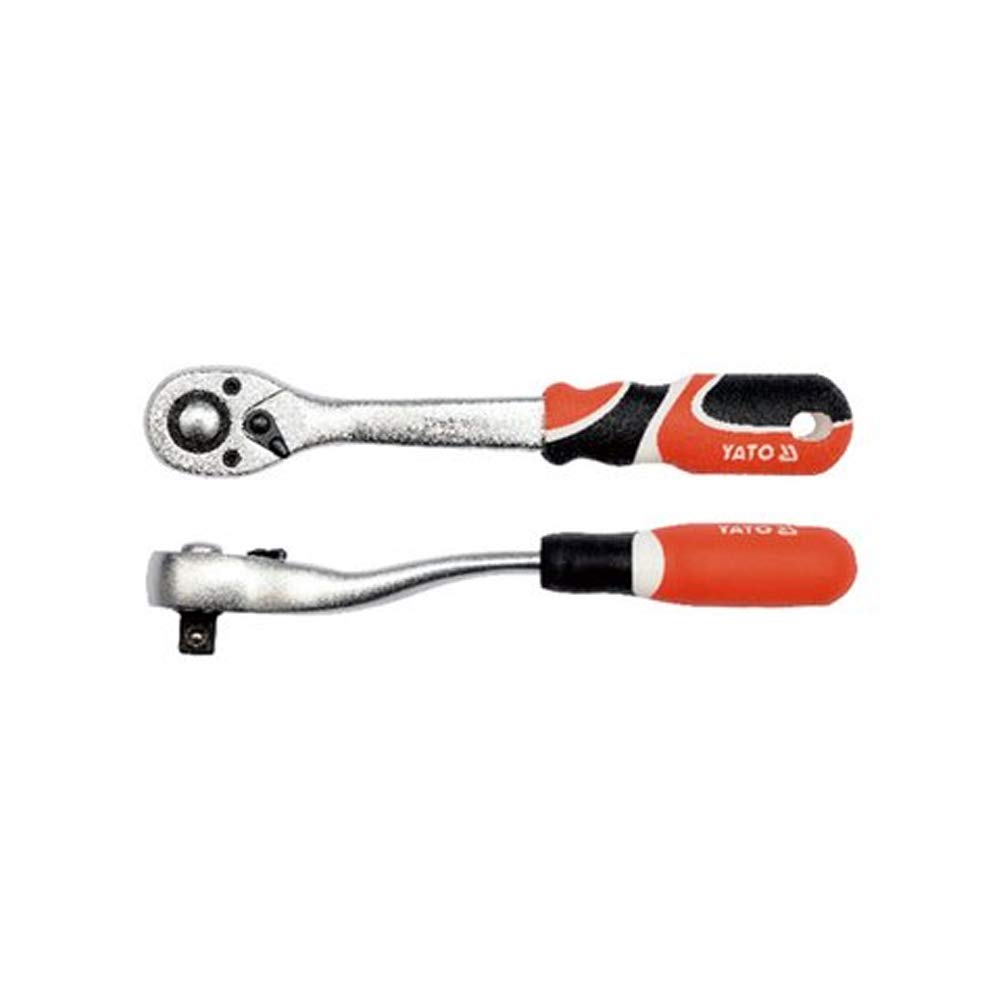
Figure 1: Yato YT-07291 Ratchet Handle, general view.

Figure 2: Key features of the Yato YT-07291 Ratchet Handle, including 1/4 inch drive, DIN 3122 compliance, quick release mechanism, and CrV 6140 material.
Setup
- Inspect the Tool: Before each use, visually inspect the ratchet handle for any signs of damage, wear, or loose parts. Do not use if damage is observed.
- Select the Correct Socket: Choose a socket that matches the size and type of the fastener you intend to work with.
- Attach the Socket: Press the quick-release button (if present) on the ratchet head, then firmly push the socket onto the 1/4 inch square drive until it clicks into place. Ensure the socket is securely seated.
- Verify Direction: Use the directional switch on the ratchet head to select the desired rotation direction (clockwise for tightening, counter-clockwise for loosening).
Operating Instructions
- Position the Socket: Place the attached socket onto the fastener head, ensuring a snug fit.
- Apply Force: Hold the ratchet handle firmly and apply steady, controlled force in the desired direction. The 72-tooth mechanism allows for small arcs of movement, making it suitable for tight spaces.
- Tightening: For tightening, set the directional switch to clockwise rotation. Turn the handle until the fastener is adequately tightened. Avoid over-tightening, which can damage the fastener or the workpiece.
- Loosening: For loosening, set the directional switch to counter-clockwise rotation. Apply force to break the fastener loose, then continue turning until it is removed.
- Changing Direction: To change the direction of rotation, simply flip the directional switch on the ratchet head.
- Removing the Socket: Press the quick-release button and pull the socket off the drive.
Maintenance
- Cleaning: After each use, wipe the ratchet handle clean with a dry cloth to remove dirt, grease, and debris. For stubborn grime, a mild solvent can be used, followed by thorough drying.
- Lubrication: Periodically, apply a small amount of light machine oil to the ratchet mechanism to ensure smooth operation and prevent corrosion. Do not over-lubricate.
- Storage: Store the ratchet handle in a clean, dry environment, away from excessive moisture or corrosive substances. A tool chest or drawer is ideal.
- Inspection: Regularly inspect the ratchet head and handle for any signs of wear, cracks, or deformation. Replace the tool if significant damage is found.
Troubleshooting
| Problem | Possible Cause | Solution |
|---|---|---|
| Ratchet mechanism slips or does not engage. | Worn internal gears; lack of lubrication; debris in mechanism. | Clean and lubricate the mechanism. If slipping persists, the tool may require professional repair or replacement. |
| Socket does not attach securely. | Quick-release button stuck; debris in drive; worn drive square. | Clean the drive square and quick-release mechanism. Ensure the socket is fully pushed on. If the drive is worn, replace the tool. |
| Handle feels stiff or difficult to turn. | Lack of lubrication; internal corrosion. | Apply light machine oil to the mechanism. Store in a dry environment to prevent corrosion. |
Specifications

Figure 3: Yato YT-07291 Ratchet Handle specifications, including model number, drive size, length, and packing quantity.
- Model: YT-07291
- Drive Size: 1/4 inch
- Overall Length: 155 mm
- Number of Teeth: 72T
- Material: CrV 6140 Chrome Vanadium Steel
- Finish: Chrome
- Item Weight: Approximately 300 Grams
- Operation Mode: Mechanical
- Country of Origin: China
Warranty
Yato products are manufactured to high-quality standards. For specific warranty terms and conditions applicable to your YT-07291 Ratchet Handle, please refer to the warranty information provided at the point of purchase or contact Yato customer support directly. Keep your proof of purchase for any warranty claims.
Support
If you encounter any issues or have questions regarding your Yato YT-07291 Ratchet Handle that are not covered in this manual, please contact Yato customer support or your authorized dealer for assistance.
For more information about Yato tools, visit the official Yato website.