
Helix ETHQI2B
Helix Dual Wireless Charger User Manual
Model: ETHQI2B
Brand: Helix
Introduction
The Helix Dual Wireless Charger is designed to provide convenient and efficient wireless charging for up to two Qi-enabled devices simultaneously. Its compact and folding design makes it ideal for both home and travel use, ensuring your devices are powered whenever you need them.
What's in the Box
- Helix Dual Wireless Charging Pad
- USB-C to USB-A Cable
Note: A power adapter (wall charger) is not included and must be supplied separately. For optimal performance, use a power adapter capable of delivering at least 20W (e.g., 5V/4A or 9V/2.22A) to support dual 10W charging.
Product Overview
The Helix Dual Wireless Charger features two independent charging pads, each capable of delivering up to 10W of power. The device is designed to fold for portability and includes a subtle LED indicator for charging status.

Image: The Helix Dual Wireless Charger shown unfolded, revealing two circular charging pads connected by a hinge, with the USB-C cable plugged into one of the pads.
Key Features:
- Dual 10W Wireless Charging: Charge two Qi-enabled devices simultaneously with up to 10 watts of power per pad.
- Compact and Portable Design: Folds neatly for easy storage and transport, fitting into pockets or purses.
- Universal Qi Compatibility: Works with all Qi-enabled smartphones, earbuds, and other compatible devices.
- USB-C Input: Utilizes a modern USB-C port for power input, ensuring broad compatibility with existing cables and adapters.
- Subtle LED Indicator: Provides visual feedback on charging status without being overly bright.

Image: Two smartphones are shown wirelessly charging on the two pads of the Helix Dual Wireless Charger, illustrating its dual charging capability.

Image: A hand is placing the folded Helix Dual Wireless Charger into a purse, demonstrating its compact and portable design.

Image: A smartphone and a pair of wireless earbuds are shown charging on the two pads, emphasizing universal compatibility with various Qi-enabled devices.
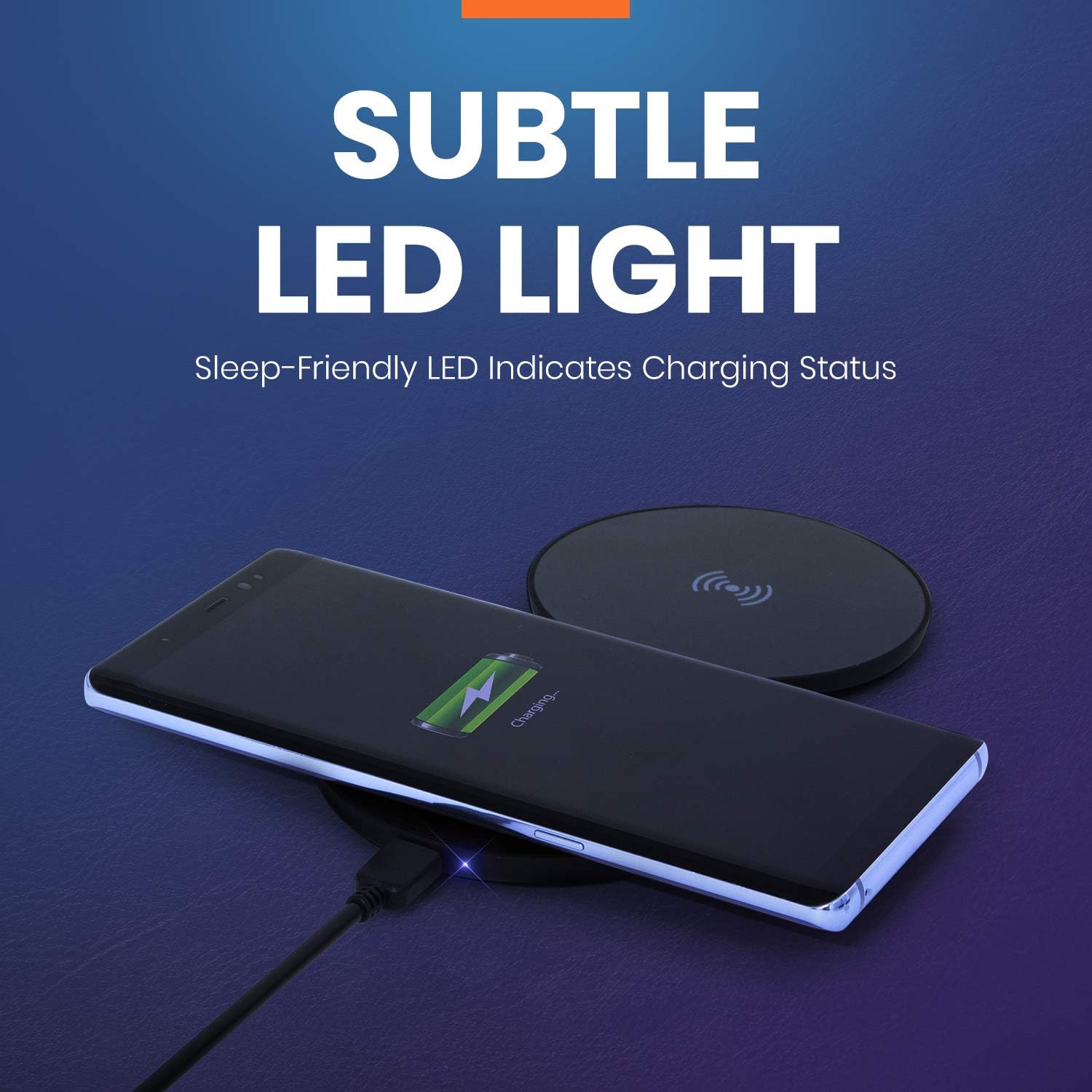
Image: A smartphone is charging on one pad, with a subtle blue LED light indicating charging status, designed to be sleep-friendly.

Image: An infographic highlighting the charger's main features: 10 Watt Dual 10W Charging Pads, Folding Design, and USB-C Input.
Setup Instructions
- Unpack the Charger: Carefully remove the Helix Dual Wireless Charger and the USB-C to USB-A cable from its packaging.
- Connect Power: Insert the USB-C end of the provided cable into the USB-C port on the charging pad. Connect the USB-A end of the cable to a compatible USB power adapter (not included).
- Power Source: Plug the USB power adapter into a wall outlet. Ensure the power adapter provides sufficient output (e.g., 5V/4A or 9V/2.22A) to support 10W charging on both pads.
- Unfold the Charger: Gently unfold the charging pad to its flat position, revealing both charging surfaces.
Operating Instructions
- Place Your Device: Place your Qi-enabled device (e.g., smartphone, wireless earbuds case) directly onto one of the charging pads. Ensure the device is centered on the pad for optimal charging.
- Confirm Charging: The LED indicator on the charger will illuminate to confirm that charging has begun. The color of the LED may vary depending on the charging status (e.g., red for standby, violet for one device charging, blue for two devices charging). Refer to the LED indicator section for details.
- Dual Charging: To charge a second device, place it on the other charging pad, ensuring it is also centered.
- Charging Completion: Your device's screen or indicator will show when charging is complete. Remove the device from the pad once fully charged.
LED Indicator Guide:
- Red: Charger is powered on, no device charging.
- Violet: One device is actively charging.
- Blue: Two devices are actively charging.
- Alternating Red/Blue: Indicates a charging problem (e.g., foreign object detection, misaligned device, incompatible device).
Maintenance
- Cleaning: Disconnect the charger from the power source before cleaning. Use a soft, dry cloth to wipe the surface of the charger. Do not use liquid cleaners or abrasive materials.
- Storage: When not in use, fold the charger and store it in a cool, dry place away from direct sunlight and extreme temperatures.
- Handling: Avoid dropping the charger or subjecting it to strong impacts. Do not disassemble or attempt to repair the charger yourself.
Troubleshooting
| Problem | Possible Cause | Solution |
|---|---|---|
| Device not charging / LED alternating Red/Blue |
|
|
| Slow charging |
|
|
| Charger gets warm during use |
|
|
Specifications
| Model Number | ETHQI2B |
| Input | USB-C (Requires compatible power adapter) |
| Output (Each Pad) | Up to 10W Wireless Charging |
| Total Output | Up to 20W (10W + 10W) |
| Dimensions (Unfolded) | 8.43 x 6.77 x 1.63 inches (approx.) |
| Weight | 6.4 ounces (approx.) |
| Color | Black |
| Compatibility | All Qi-enabled devices (Smartphones, Earbuds, etc.) |
Safety Information
- Keep the charger away from water, moisture, and high humidity.
- Do not expose the charger to extreme temperatures or direct sunlight.
- Avoid placing metallic objects, credit cards, or other foreign materials on the charging pad, as this may interfere with charging or cause overheating.
- Do not use the charger if it has been damaged or modified.
- Keep out of reach of children.
- Ensure proper ventilation around the charger during use.
Warranty and Support
Helix products are designed for reliability and performance. For information regarding warranty coverage, technical support, or customer service, please refer to the official Helix website or contact your retailer.
For further assistance, you may visit the Helix Store online: Helix Official Store
Ask a question about this manual
Ask about setup, troubleshooting, compatibility, parts, safety, or missing instructions. Manuals+ will review the question and use this page’s manual context to help answer it.