
Introduction
Thank you for choosing the WELCARE WC4648I Folding Treadmill. This manual provides essential information for the safe and efficient operation, assembly, and maintenance of your new exercise machine. Please read all instructions carefully before use and retain this manual for future reference.
Important Safety Instructions
- Always consult with a physician before starting any exercise program.
- Keep children and pets away from the treadmill during operation.
- Place the treadmill on a flat, stable surface with adequate clearance around it.
- Ensure the safety key is properly attached before beginning your workout.
- Do not operate the treadmill if it is damaged or malfunctioning.
- Wear appropriate athletic footwear and clothing.
- Maximum user weight capacity: 115 kg. Do not exceed this limit.
- Unplug the treadmill from the power source when not in use or before cleaning/maintenance.
Package Contents
Please check the box for the following items:
- WELCARE WC4648I Treadmill Unit
- User Manual
- Power Cord
- Lubricant (for maintenance)
- Assembly Tools (if applicable, refer to assembly guide)
Setup and Assembly
The WELCARE WC4648I Treadmill is designed for DIY installation. Follow the instructions provided in the separate assembly guide (if included) or refer to the video call assistance for detailed steps.
Key Assembly Points:
- Unpack all components and verify against the package contents list.
- Ensure all bolts and nuts are securely tightened after assembly.
- Place the treadmill on a level surface.
- Connect the power cord to a grounded outlet.
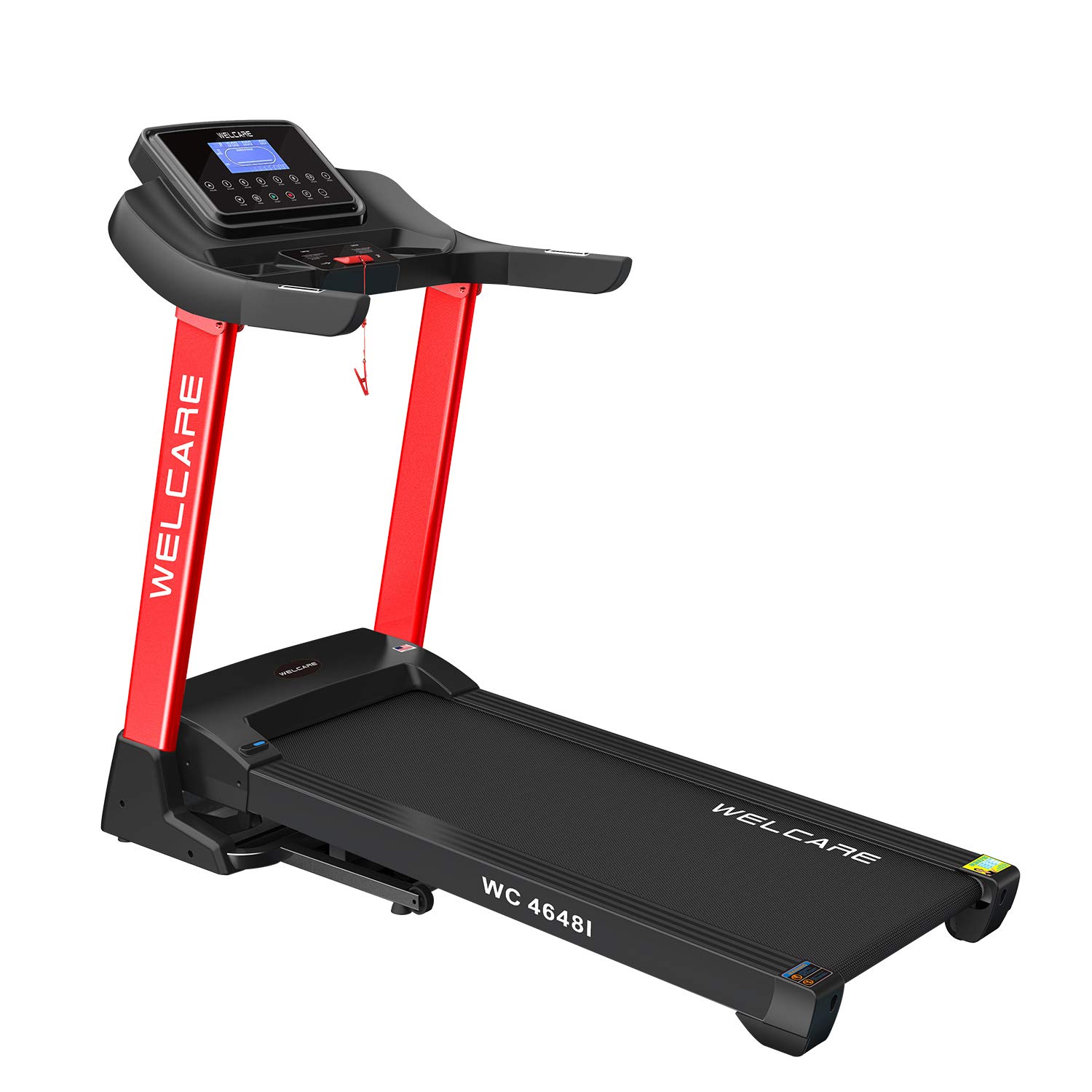
Figure 1: Fully assembled WELCARE WC4648I Treadmill, showcasing its red and black design and control panel.
Operating Instructions
Control Panel Overview

Figure 2: Detailed view of the treadmill's LCD control panel, showing buttons for speed, incline, programs, and display metrics.
The control panel features an LCD screen displaying key workout metrics and buttons for various functions.
Getting Started
- Power On: Connect the power cord and press the main power switch (if available). The LCD screen will illuminate.
- Safety Key: Attach the safety key clip to your clothing. The treadmill will not operate without the safety key in place.
- Start Workout: Press the START button to begin the treadmill belt movement. The speed will gradually increase from a low setting.
Adjusting Settings
- Speed: Use the SPEED + and SPEED - buttons to adjust the running speed from 1 to 16 km/h. Quick speed buttons (e.g., 3, 6, 9, 12) are also available.
- Incline: Use the INCLINE + and INCLINE - buttons to adjust the automatic incline level up to 15 levels. Quick incline buttons (e.g., 3, 6, 9, 12) are also available.
- Programs: Press the PROG button to cycle through the 15 preset workout programs. Select a program and press START to begin.
- Display Metrics: The LCD screen displays distance covered, speed, calories burned, and time.
- Hand Pulse: Grip the hand pulse sensors on the handlebars to monitor your heart rate.
- MP3 Player: Connect your device to the treadmill's MP3 input to play audio through the integrated speakers.
Ending Your Workout
Press the STOP button to gradually slow down and stop the treadmill belt. Remove the safety key to power off the console. Unplug the treadmill from the power outlet when finished.
Maintenance
Regular maintenance ensures the longevity and optimal performance of your WELCARE WC4648I Treadmill.
Lubrication
The treadmill features an easy oil lubrication system. Refer to the specific instructions for applying the provided lubricant to the running belt. Proper lubrication reduces friction and extends the life of the motor and belt.
Cleaning
- Wipe down the treadmill surfaces with a damp cloth after each use to remove sweat and dust.
- Do not use abrasive cleaners or solvents.
- Periodically vacuum underneath the treadmill to prevent dust buildup.
Belt Adjustment
If the running belt becomes misaligned or too loose/tight, consult the assembly guide or contact customer support for instructions on how to adjust it. Incorrect adjustment can damage the treadmill.
Folding and Storage
The WELCARE WC4648I Treadmill features a foldable design for convenient storage.
Folding the Treadmill
- Ensure the treadmill is powered off and unplugged.
- Carefully lift the running deck until it locks into an upright position.
- Confirm the locking mechanism is engaged for safety.
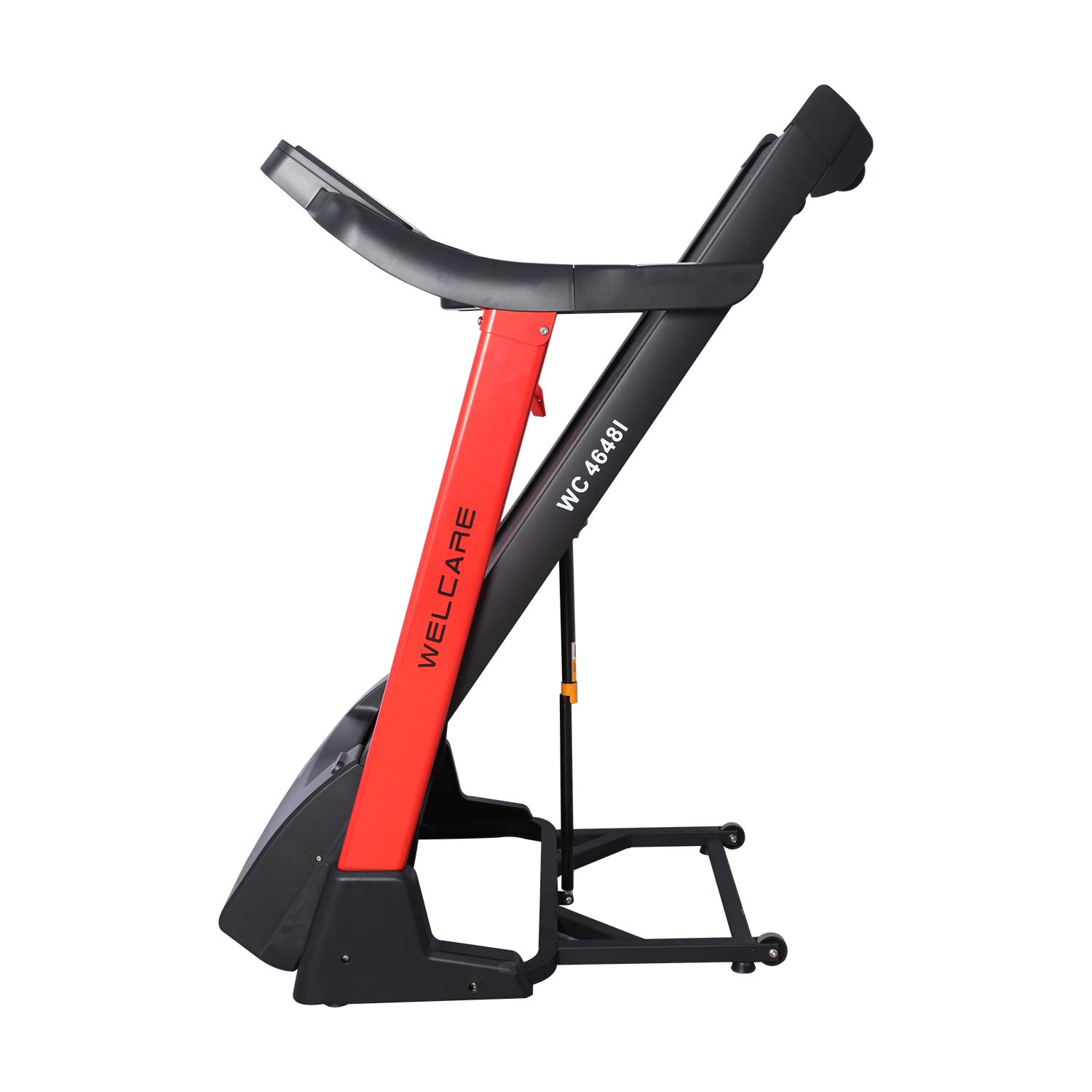
Figure 3: The treadmill in its fully folded, upright position, ready for compact storage.
Moving and Storing
Once folded, the treadmill can be easily moved using its integrated transportation wheels. Store it in a dry, safe place away from direct sunlight and moisture.

Figure 4: Side view illustrating the treadmill's folding mechanism, showing the deck partially raised.

Figure 5: Side view of the treadmill in its fully unfolded, operational position.
Troubleshooting
If you encounter issues with your treadmill, refer to the following common problems and solutions:
- Treadmill does not power on: Ensure the power cord is securely plugged into a working outlet and the main power switch is on. Check the circuit breaker.
- Belt does not move: Verify that the safety key is correctly placed in the console.
- Unusual noise: Check for loose parts. Ensure the belt is properly lubricated and aligned.
- Inconsistent speed: Ensure the power supply is stable. The motor may require servicing if the issue persists.
For problems not listed here or if solutions do not resolve the issue, please contact WELCARE customer support.
Technical Specifications
| Feature | Specification |
|---|---|
| Model | WC4648I |
| Motor | 2 HP (4 HP Peak) DC Motor |
| Running Surface (L x W) | 1300 x 480 mm (52 x 19 inches) |
| Speed Range | 1 - 16 km/h |
| Incline Levels | 15 Level Auto Incline |
| Preset Programs | 15 |
| Maximum User Weight | 115 kg |
| Display Type | LCD (Distance, Speed, Calories, Time) |
| Special Features | Foldable, Easy Oil Lubrication, MP3 Player, Hand Pulse Sensors, Wheels for Easy Transportation |
| Material | Alloy Steel Frame |
| Item Weight | 66 kg |
Warranty and Customer Support
Your WELCARE WC4648I Treadmill comes with the following warranty:
- Frame: Lifetime Warranty
- Motor: 1 Year Warranty
- Parts: 1 Year Warranty
For warranty claims, technical assistance, or any questions regarding your product, please contact WELCARE customer support. Please have your model number (WC4648I) and purchase information ready.
Contact Information: Refer to your purchase documentation or the official WELCARE website for the most current customer support contact details.