
MAXPOWER MXP32
MAXPOWER 18-Inch Breaker Bar User Manual
Model: MXP32
Product Overview
The MAXPOWER 18-Inch Breaker Bar is a robust hand tool designed for applying significant torque to loosen stubborn fasteners. It features a dual-drive flexible head, allowing for versatile use with both 1/2-inch and 3/8-inch sockets.

Image: The MAXPOWER 18-Inch Breaker Bar, showcasing its chrome-plated finish and flexible head.
Key Features
- Dual 1/2-inch and 3/8-inch drive heads for versatile use.
- 360-degree rotating Cr-Mo drive head for access at any angle.
- 3/8-inch drive head delivers up to 202 N.m (149 lb.ft) of torque.
- 1/2-inch drive head delivers up to 512 N.m (378 lb.ft) of torque.
- Constructed from forged and hardened chrome vanadium steel for durability.
- Smoothly contoured, round profile handle for a comfortable and secure grip.
- Spring-loaded ball bearing mechanism to securely retain sockets.
- Effective for breaking loose rusted or stuck nuts and bolts.

Image: An illustration highlighting the 18-inch length of the breaker bar and the dual 1/2-inch and 3/8-inch drive sizes on the flexible head.

Image: Detailed views of the breaker bar's flexible head, showing the spring-loaded ball mechanism that holds sockets in place.

Image: A visual representation of the breaker bar's head rotating 360 degrees, illustrating its flexibility.
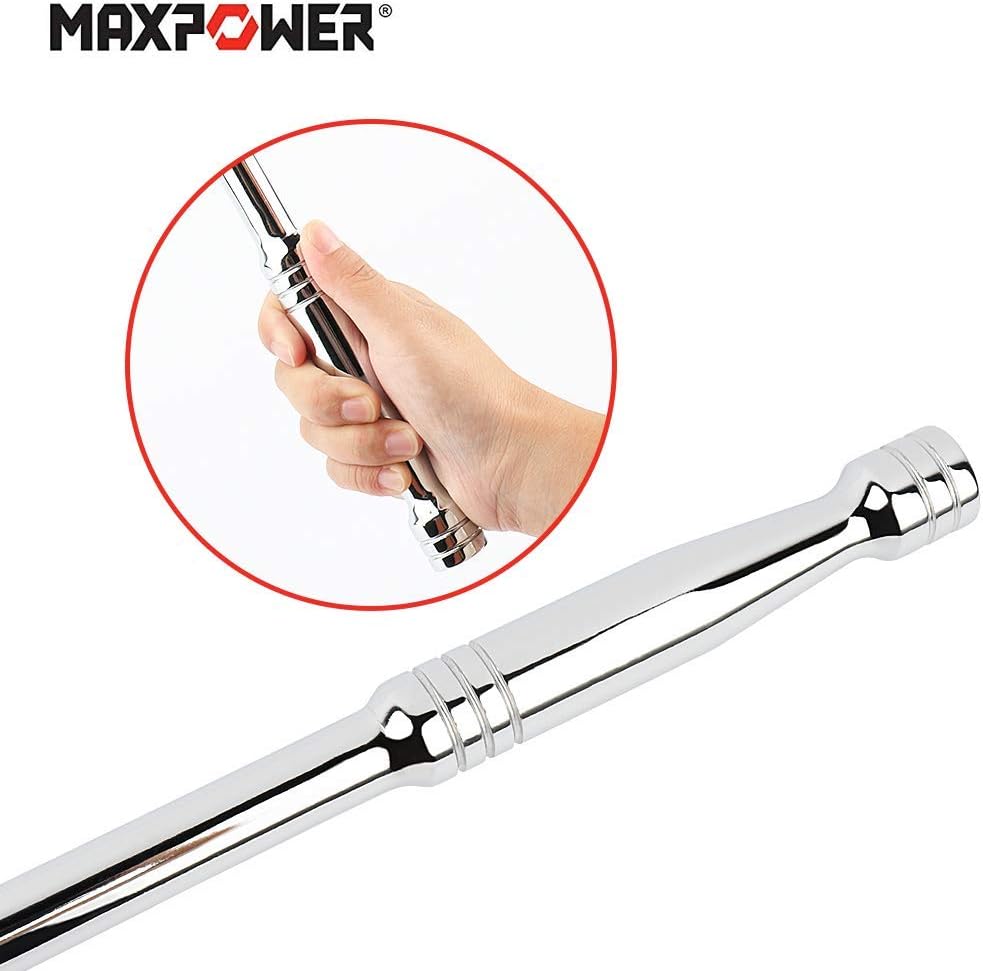
Image: A hand demonstrating the comfortable grip on the breaker bar's handle.
Setup
- Select the Correct Socket: Choose a socket that matches the size of the fastener you intend to loosen. Ensure it is either a 1/2-inch or 3/8-inch drive socket, compatible with the breaker bar's dual head.
- Attach the Socket: Align the square drive of the socket with the appropriate drive size (1/2-inch or 3/8-inch) on the breaker bar's flexible head. Push the socket firmly onto the drive until the spring-loaded ball bearing engages, securing the socket in place.
- Adjust Head Angle: The 360-degree flexible head allows you to pivot the socket to the desired angle for optimal access to the fastener. Adjust the head to ensure a straight and secure connection with the fastener.
Video: This video demonstrates the features of the MAXPOWER Breaker Bar, including its dual-drive capability, flexible head, and comfortable grip, as well as its application in loosening fasteners.
Operating Instructions
- Position the Tool: Place the attached socket onto the fastener, ensuring it is fully seated and not at an angle that could strip the fastener or socket.
- Apply Leverage: Grip the breaker bar firmly with both hands. For maximum leverage, position your hands towards the end of the handle.
- Loosen Fastener: Apply steady, increasing pressure in the counter-clockwise direction (for standard right-hand threads) to loosen the fastener. The long handle of the breaker bar provides significant mechanical advantage, reducing the force required.
- Safety Precaution: Avoid using additional "cheater bars" or pipes over the handle, especially with the 1/2-inch drive head, as this can exceed the tool's design limits and cause damage or injury. The breaker bar is designed to provide sufficient torque on its own.

Image: A person using the MAXPOWER Breaker Bar to loosen a lug nut on a car wheel, demonstrating the application of leverage.
Maintenance
To ensure the longevity and optimal performance of your MAXPOWER Breaker Bar, follow these maintenance guidelines:
- Cleaning: After each use, wipe down the breaker bar with a clean, dry cloth to remove dirt, grease, and debris. For stubborn grime, a mild degreaser can be used, followed by thorough drying.
- Lubrication: Periodically apply a light coat of machine oil or rust preventative to the chrome-plated surfaces and the flexible head mechanism to prevent corrosion and ensure smooth operation.
- Storage: Store the breaker bar in a dry environment, away from excessive moisture or corrosive chemicals. A tool chest or wall-mounted rack is ideal for protection.
- Inspection: Regularly inspect the breaker bar for any signs of wear, damage, or deformation. Pay close attention to the drive heads and the flexible joint. Discontinue use if any damage is observed.
Troubleshooting
- Socket Falls Off:
If the socket does not stay securely on the drive head, check the spring-loaded ball bearing. Ensure it is clean and moves freely. If the ball bearing is worn or damaged, it may not provide sufficient retention. While this is a rare occurrence with quality tools, if it persists, contact customer support.
- Fastener Remains Stuck:
For extremely rusted or seized fasteners, ensure you are applying steady, increasing force. Avoid sudden jerking motions. If the fastener still won't budge, consider applying penetrating oil and allowing it to soak for some time before attempting again. In some cases, heat may be required, but this should only be done by experienced individuals with appropriate safety measures.
- Chrome Plating Peeling/Flaking:
While the chrome plating is designed for durability and corrosion resistance, excessive force or impact can sometimes cause it to chip or flake. This is typically cosmetic and does not affect the structural integrity of the tool unless the underlying metal is also damaged. Ensure proper use and avoid dropping the tool.
Specifications
| Attribute | Value |
|---|---|
| Brand | MAXPOWER |
| Model Number | MXP32 |
| Item Length | 18 Inches |
| Item Weight | 2 Ounces |
| Material | Forged and hardened Chrome Vanadium Steel |
| Head Style | Flex |
| Finish Type | Chrome-plated |
| Operation Mode | Mechanical |
| 3/8-inch Drive Torque | Up to 202 N.m (149 lb.ft) |
| 1/2-inch Drive Torque | Up to 512 N.m (378 lb.ft) |
Note: While some product data may list Aluminum, the primary construction material for this high-torque tool is Forged and hardened Chrome Vanadium Steel, as indicated by its performance capabilities.
Warranty and Support
For warranty information, product support, or to inquire about replacement parts, please refer to the official MAXPOWER website or contact their customer service directly. Keep your purchase receipt as proof of purchase.
Official MAXPOWER Website: Visit MAXPOWER Store on Amazon
Related documentsMXP32

Ask a question about this manual
Ask about setup, troubleshooting, compatibility, parts, safety, or missing instructions. Manuals+ will review the question and use this page’s manual context to help answer it.