
1. Product Overview
The USI WM-BAC-BM-19 is an 802.11ac/an System-in-Package (SiP) module designed for integration into various electronic devices. This compact module provides robust wireless connectivity, adhering to the 802.11ac and 802.11an standards, making it suitable for applications requiring high-speed and reliable Wi-Fi communication.
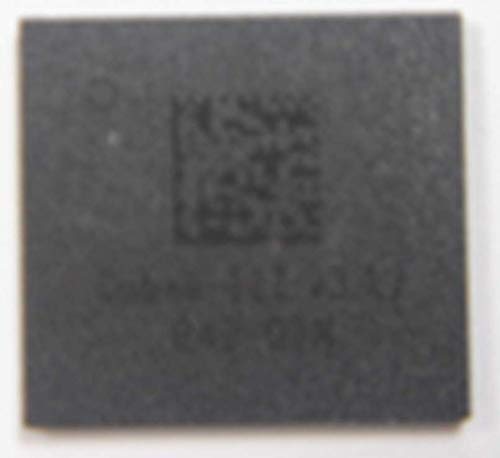
Figure 1: USI WM-BAC-BM-19 SiP Module. This image displays the top surface of the module, highlighting its small, integrated design, which is typical for System-in-Package components.
2. Setup and Integration
This module is intended for integration by qualified engineers into host devices. Proper setup involves careful handling and adherence to soldering guidelines.
2.1. Handling Precautions
- Always handle the module in an Electrostatic Discharge (ESD) safe environment.
- Avoid touching the module's pins or exposed circuitry directly.
- Store in original packaging until ready for use to prevent damage.
2.2. Integration Steps
- Ensure the host PCB design accommodates the module's footprint and pinout.
- Apply solder paste to the designated pads on the host PCB.
- Carefully place the WM-BAC-BM-19 module onto the solder paste.
- Perform reflow soldering according to the recommended temperature profile for the module and solder paste used.
- Conduct a visual inspection to confirm proper soldering and alignment.
3. Operating Principles
Once integrated into a host system, the WM-BAC-BM-19 module operates as a wireless communication interface. Its functionality is primarily controlled by the host processor via its integrated interfaces.
3.1. Power Requirements
The module requires a stable power supply as specified in its detailed datasheet (not provided here, but implied for a technical component). Ensure the host system provides adequate voltage and current to prevent unstable operation.
3.2. Software/Firmware Interaction
The host system's operating system or embedded firmware will typically include drivers to interface with the WM-BAC-BM-19. These drivers manage the Wi-Fi connection, network configuration, and data transmission/reception. Refer to the host system's documentation for specific software setup and configuration.
4. Maintenance
As an embedded System-in-Package (SiP) module, the WM-BAC-BM-19 typically requires no routine user maintenance. Its long-term reliability is dependent on proper integration and the operating environment of the host device.
4.1. Environmental Considerations
- Ensure the host device operates within the specified temperature and humidity ranges for the module.
- Protect the host device from excessive dust, moisture, and corrosive substances.
4.2. Firmware Updates
Any firmware updates for the module would be provided and managed through the host system's update mechanism. Consult the host device manufacturer for information on module firmware updates.
5. Troubleshooting
Troubleshooting issues related to the WM-BAC-BM-19 module primarily involves diagnosing the host system's interaction with the module.
| Problem | Possible Cause | Solution |
|---|---|---|
| Module not detected by host. | Improper soldering; power supply issue; driver not installed. | Verify soldering connections. Check host power supply. Install/update host drivers. |
| Unstable Wi-Fi connection. | Antenna issue; interference; weak signal; outdated firmware. | Check antenna connection. Reduce interference sources. Move closer to access point. Update host firmware. |
| Slow data transfer rates. | Network congestion; distance from access point; incorrect Wi-Fi mode. | Reduce network traffic. Optimize access point placement. Ensure 802.11ac/an mode is active. |
For more complex issues, consult the technical documentation for the host system or contact the manufacturer of the host device.
6. Specifications
Key specifications for the USI WM-BAC-BM-19 module are listed below:
- Model Number: WM-BAC-BM-19
- Wireless Standard: 802.11ac/an
- Manufacturer: USI
- ASIN: B084QCBK1R
- Item Weight: 3.2 ounces (approximate, for the module itself)
- First Available: February 11, 2020
Note: Detailed electrical and environmental specifications are typically found in the full product datasheet provided by USI.
7. Warranty and Support
The USI WM-BAC-BM-19 module is a component designed for integration into larger systems. Warranty and support for the end-product incorporating this module are typically provided by the manufacturer of the host device.
7.1. Product Warranty
For information regarding the warranty of the WM-BAC-BM-19 module itself, please refer to the purchase agreement or contact your supplier. For the warranty of the complete product that uses this module, please consult the documentation provided by the final product manufacturer.
7.2. Technical Support
Technical support for the WM-BAC-BM-19 module is generally provided to original equipment manufacturers (OEMs) and integrators. End-users of products containing this module should direct support inquiries to the manufacturer of their specific device.
For general inquiries about USI products, you may visit the official USI website: www.usiglobal.com