
Introduction and Overview
The Jetson Element Pro Folding Electric Scooter is designed to revolutionize urban mobility. Featuring a powerful 250-Watt hub motor, it can achieve speeds up to 15 mph on 100% electric power. Its lightweight aluminum frame and easy folding system make it convenient for transport and storage. The integrated LCD display provides essential information such as battery life. For enhanced visibility and safety, the scooter is equipped with a bright LED headlight and taillight.
Official product overview video for the Jetson Element Pro Electric Scooter.
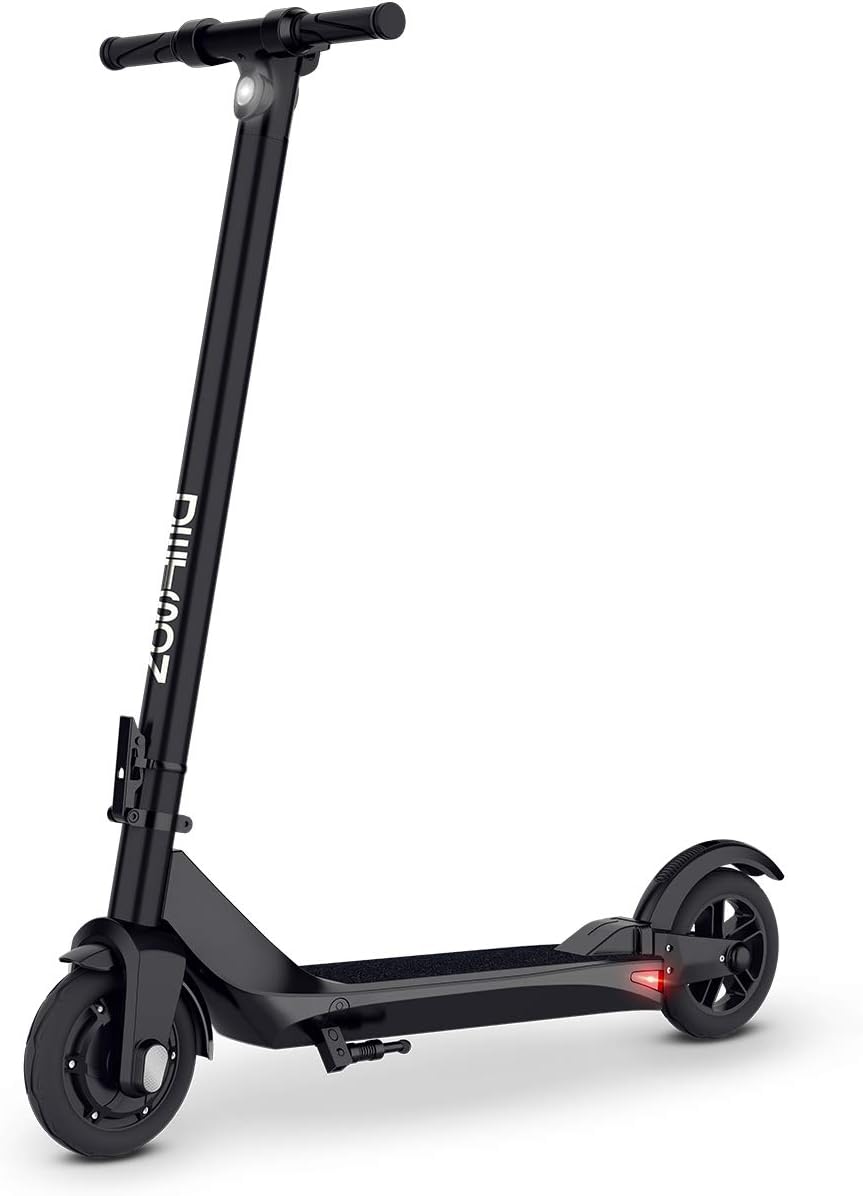
The Jetson Element Pro Electric Scooter, showcasing its sleek black design and ready-to-ride configuration.
Setup and Assembly
Follow these steps to correctly assemble your Jetson Element Pro Electric Scooter:
- Unfold the Scooter: Carefully unfold the scooter from its compact position. Raise the main stem until it locks into place. Secure the latch mechanism firmly.
- Connect Handlebar Wires: Locate the handlebar wires and connect them securely. Ensure the connection is snug to prevent disconnections during operation.
- Insert Handlebar Assembly: Carefully insert the handlebar assembly into the main stem. Align the holes for the screws.
- Secure Handlebar: Use the provided screws to firmly attach the handlebar to the stem. Ensure all screws are tightened to prevent any wobbling.
- Initial Charge: Before first use, fully charge the scooter's battery. The charging port is located on the stem.
Detailed video guide on how to set up and assemble your Jetson Element Pro Electric Scooter.
Operating Instructions
Familiarize yourself with the scooter's controls and functions for a safe and enjoyable ride.
- Power On/Off: Press the power button once to turn the scooter on. To turn off, press and hold the power button.
- Speed Modes: Tap the power button once while the scooter is on to cycle through the available speed modes. The current speed mode will be displayed on the LCD screen.
- Headlight/Taillight: Double-tap the power button to toggle the LED headlight and taillight on or off.
- Acceleration: To accelerate, hold down the black thumb throttle located on the handlebar. For initial movement, push off with your foot to engage the motor.
- Braking: The scooter features an electric brake (E-Brake) controlled by a lever on the handlebar, which cuts power to the motor for a complete stop. Additionally, a physical foot brake is located on the rear fender; press down on it to slow down or stop.

The integrated LCD display and control buttons on the handlebar for easy operation.
Key Features
- Easy Folding Mechanism: The Element Pro features a lightweight aluminum frame and an easy folding system, allowing for convenient portability and storage. This design makes it simple to carry up stairs, place under a desk, or tuck away at home.
- E-Brake and Thumb Throttle: Equipped with an electric brake for responsive stopping power and a thumb throttle for smooth acceleration.
- LED Headlight & Taillight: Bright integrated LED lights enhance visibility and safety during rides, especially in low-light conditions.
- RideJetson App Compatible: Connect your scooter to the RideJetson app for additional features and controls.

The scooter's easy folding mechanism allows for convenient carrying.
Maintenance
Regular maintenance ensures the longevity and optimal performance of your scooter.
- Cleaning: Wipe down the scooter regularly with a damp cloth. Avoid using harsh chemicals or abrasive materials. Do not use high-pressure water jets directly on electrical components.
- Battery Care: Charge the battery fully after each use, especially if storing for extended periods. Avoid completely draining the battery. Store the scooter in a cool, dry place.
- Tire Inspection: Regularly check the tires for wear and tear. Ensure they are free from punctures or damage.
- Brake Check: Periodically inspect the electric and physical brakes for proper function. Ensure the brake lever and foot brake respond effectively.
- General Inspection: Check all screws and fasteners regularly to ensure they are tight. Inspect the folding mechanism for smooth operation and secure locking.
Troubleshooting
If you encounter issues with your scooter, refer to the following common troubleshooting tips:
- Scooter Not Turning On: Ensure the battery is fully charged. Check the power button for any damage or obstruction.
- Motor Not Engaging: Verify that the scooter is powered on and the thumb throttle is being pressed correctly. Ensure the battery has sufficient charge.
- Reduced Speed/Range: This could indicate a low battery charge. Ensure the scooter is fully charged before use. Riding uphill or carrying heavier loads can also reduce speed and range.
- Brakes Not Responding: Check the brake lever and foot brake for any physical damage or obstruction. If the electric brake is not working, ensure the scooter is powered on.
- Unusual Noises: Inspect the wheels and moving parts for any loose components or debris. If noises persist, contact customer support.
Specifications
| Feature | Specification |
|---|---|
| Brand | Jetson |
| Model Name | JELEM2-BLK |
| Color | Black |
| Age Range (Description) | Adult |
| Special Feature | Lights, Lightweight, Foldable |
| Weight Limit | 250 Pounds |
| Number of Wheels | 2 |
| Wheel Material | Aluminum |
| Frame Material | Aluminum |
| Item Weight | 28 Pounds |
| Handlebar Type | Adjustable |
| Wheel Size | 6 Inches |
| Wheel Type | Inline |
| Suspension Type | Rigid |
| Brake Style | Rear Braking, E-Brake |
| Charging Time | 4 Hours |
| Maximum Distance Range | 10 Miles |
| UPC | 811991031207 |
Warranty and Support
The Jetson Element Pro Electric Scooter comes with a 1-Year Limited Warranty from the manufacturer, Jetson Electric Bike. For detailed warranty information, support, or service, please refer to the official user manual or contact Jetson customer support.
For a complete guide and additional information, you can download the official user manual:
