
Della 048-APAC-14
Della 14000 BTU Smart Inverter Portable Air Conditioner
Model: 048-APAC-14
User Instruction Manual
1. Setup and Installation
Carefully unpack all components from the packaging. Ensure all parts are present before beginning installation.
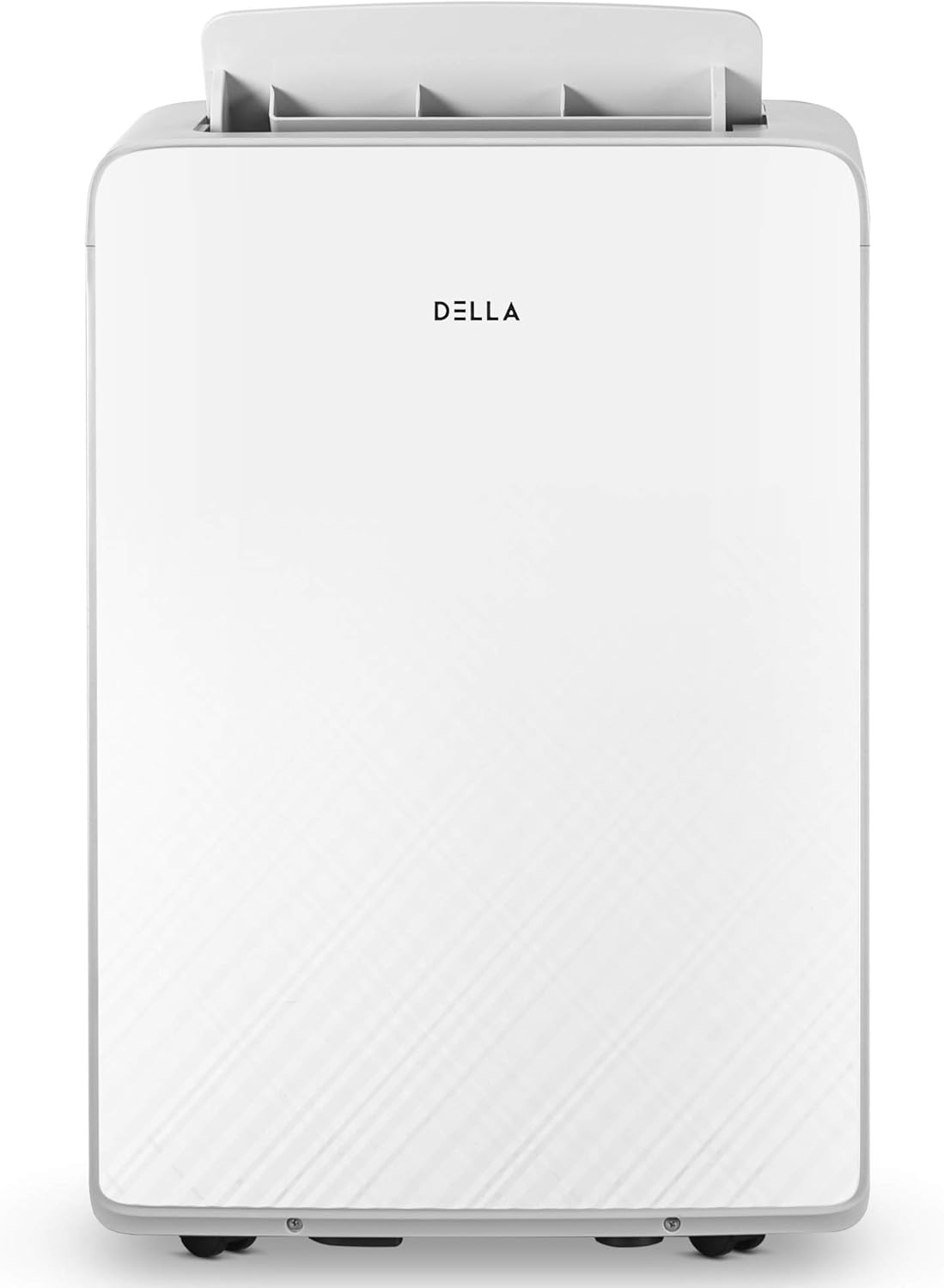
Front view of the Della portable air conditioner unit.

The portable air conditioner positioned in a room with the exhaust hose extending to a window.

Rear view of the unit, highlighting the exhaust port and drain plugs.
1.1 Window Kit Installation
- Assemble the window sealing plate kit according to your window type (horizontal or vertical).
- Insert the exhaust hose into the exhaust port on the back of the unit.
- Extend the other end of the exhaust hose through the opening in the window sealing plate.
- Ensure the window kit is securely fitted and sealed to prevent air leakage.
1.2 Power Connection
Plug the power cord into a grounded electrical outlet. Ensure the voltage matches the unit's requirements (115 Volts).
1.3 Dehumidifier Drain Setup (Optional)
If using the unit primarily as a dehumidifier or for continuous drainage, connect the included drain hose to the continuous drain port located at the lower rear of the unit. Place the other end of the hose into a suitable drain or container.
2. Operating Instructions
The unit can be operated using the control panel on top of the unit or the included remote control.

Digital LED display and control panel.

Remote control for convenient operation.
2.1 Control Panel Functions
- Power Button: Turns the unit on or off.
- Mode Selection: Cycle through Cool, Dry (Dehumidify), Fan, and Heat modes.
- Temperature Adjustment (+/-): Increase or decrease the desired temperature.
- Fan Speed: Adjust fan speed (Low, Medium, High, Auto).
- Timer: Set a 24-hour timer for automatic on/off operation.
- Sleep Mode: Activates a quiet, energy-saving mode for nighttime use.
- Swing: Controls the automatic oscillation of the air louvers.
2.2 Remote Control Usage
Point the remote control directly at the unit's receiver. All functions available on the control panel can be accessed via the remote.
3. Maintenance
Regular maintenance ensures optimal performance and longevity of your air conditioner.

Rear view showing the removable air filter for cleaning.
3.1 Air Filter Cleaning
The air filter should be cleaned every two weeks or more frequently depending on usage and air quality. To clean:
- Unplug the unit from the power outlet.
- Remove the air filter from the rear of the unit.
- Wash the filter with warm, soapy water. Rinse thoroughly.
- Allow the filter to air dry completely before reinserting it into the unit.
3.2 Water Drainage
The unit features self-evaporation technology, reducing the need for frequent manual drainage. However, in high humidity conditions or when using the dehumidifier mode, the internal water tank may fill. The unit will stop operating and display an error code when full. To drain:
- Unplug the unit.
- Place a shallow pan or bucket under the drain plug at the bottom rear of the unit.
- Remove the drain plug to allow water to flow out.
- Once drained, securely replace the drain plug.
3.3 Storage
Before long-term storage, ensure the unit is completely drained of water and the air filter is clean and dry. Store the unit upright in a cool, dry place, away from direct sunlight and extreme temperatures.
4. Troubleshooting
If you encounter issues with your unit, refer to the following common problems and solutions:
| Problem | Possible Cause | Solution |
|---|---|---|
| Unit does not turn on | No power; Power cord not fully plugged in; Circuit breaker tripped | Check power outlet; Ensure cord is fully inserted; Reset circuit breaker |
| Unit not cooling effectively | Air filter dirty; Room too large; Exhaust hose blocked or disconnected; Doors/windows open | Clean air filter; Ensure room size is within specifications (up to 450 sq.ft.); Check exhaust hose connection; Close all doors and windows |
| Water leakage | Drain plug loose or missing; Unit not level; Internal water tank full | Secure drain plug; Place unit on a level surface; Drain water tank if full |
| Noisy operation | Unit not on a level surface; Air filter dirty; Obstruction in fan/air intake | Ensure unit is level; Clean air filter; Check for and remove any obstructions |
For further assistance, please refer to the complete user manual or contact customer support.
5. Specifications
Technical specifications for the Della 14000 BTU Portable Air Conditioner (Model: 048-APAC-14).

Detailed product specifications.
| Feature | Detail |
|---|---|
| Model Number | 048-APAC-14 |
| ASHRAE Cooling Capacity | 13000 BTU |
| SACC | 8000 BTU |
| Temperature Setting Range | 60-90°F |
| Dehumidification (Per Day) | 111 Pint |
| Noise Level | 52 dB |
| Drain Hose | Included |
| Exhaust Hose Length | 10.6" to 59" |
| Power Cord Length / Type | 3×14AWG×9.35ft/UL LCDI |
| Item Weight | 0.01 ounces |
| Product Dimensions | 15.2 x 18.7 x 28 inches |
| Voltage | 115 Volts |
| Wattage | 1350 watts |
| Refrigerant | R 410A |
6. Warranty Information
For detailed warranty information, please refer to the official user manual provided with your product or visit the manufacturer's official website. Warranty terms and conditions may vary.
7. Customer Support
If you require further assistance or have questions not covered in this manual, please contact Della customer support. You may also find additional resources and FAQs on the official Della website.
Official User Manual (PDF): Download PDF
Related documents048-APAC-14


Ask a question about this manual
Ask about setup, troubleshooting, compatibility, parts, safety, or missing instructions. Manuals+ will review the question and use this page’s manual context to help answer it.