
Introduction
This manual provides essential information for the proper use, care, and maintenance of your MCM 2707 004 Eyeglasses. Please read these instructions carefully to ensure the longevity and optimal performance of your eyewear.
Setup
Unboxing and Initial Inspection
Carefully remove your new MCM eyeglasses from their packaging. Inspect the frames and lenses for any visible damage or imperfections. Ensure all components, including the case and cleaning cloth, are present.
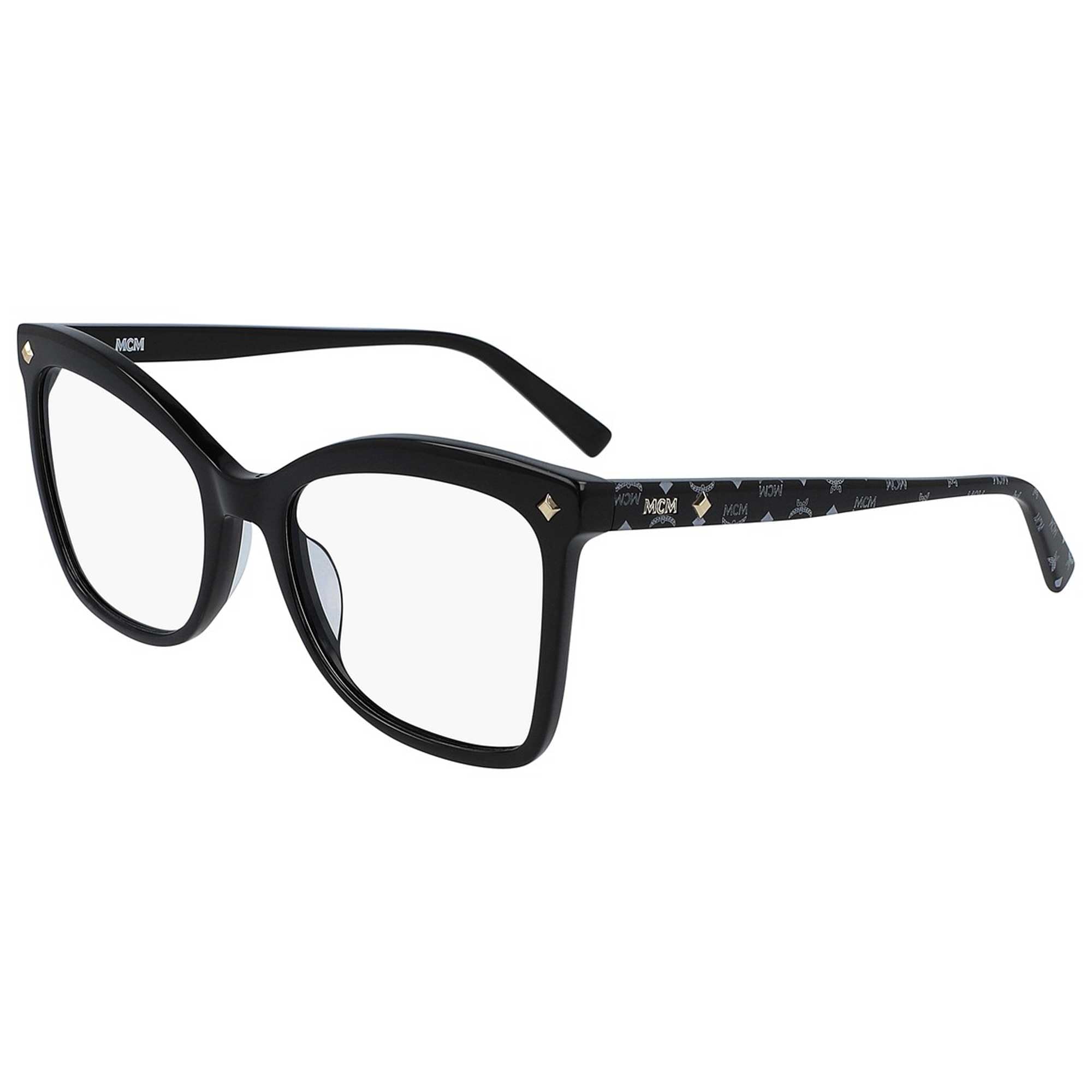
Image: Front view of the MCM 2707 004 eyeglasses, showcasing the black frame and clear lenses.
Fitting
For optimal comfort and vision, it is recommended to have your eyeglasses professionally fitted by an optician. They can adjust the frame and nose pads to suit your facial structure.
Operating (Wearing Your Eyeglasses)
To wear your eyeglasses, gently place them on your face, ensuring the temples rest comfortably over your ears and the nose pads sit securely on your nose bridge. Avoid forcing the frames, as this can cause misalignment or damage.

Image: Side view of the MCM 2707 004 eyeglasses, highlighting the temple design with the MCM logo pattern.
Removing Eyeglasses
Always remove your eyeglasses using both hands, grasping the temples near the hinges. This prevents bending the frame and maintains proper alignment.
Care and Maintenance
Cleaning
- Hand Wash Only: Clean your eyeglasses with lukewarm water and a mild, non-abrasive soap.
- Rinse Thoroughly: Ensure all soap residue is rinsed off.
- Dry Gently: Use the provided microfiber cleaning cloth or a soft, lint-free cloth to gently dry the lenses and frame. Avoid paper towels or rough fabrics, which can scratch the lenses.
- Avoid Harsh Chemicals: Do not use ammonia-based cleaners, window cleaner, or other harsh chemicals, as these can damage lens coatings and frame materials.
Storage
When not in use, always store your MCM eyeglasses in their protective case to prevent scratches, dust accumulation, and accidental damage. Avoid leaving them in direct sunlight or extreme temperatures (e.g., on a car dashboard).

Image: The MCM branded eyeglasses case, designed for secure storage and protection.
Troubleshooting
| Issue | Possible Cause | Solution |
|---|---|---|
| Eyeglasses feel loose or slide down | Frame misalignment, loose screws, or improper fit. | Visit an optician for professional adjustment. Tighten loose screws gently if comfortable. |
| Lenses are scratched | Improper cleaning, abrasive materials, or dropping the eyeglasses. | Scratches are generally permanent. Consider lens replacement by an optician. Always use the provided cleaning cloth. |
| Frame is bent or distorted | Accidental impact or improper handling. | Do not attempt to bend the frame back yourself, as this may cause breakage. Seek professional repair from an optician. |
Product Specifications
| Feature | Detail |
|---|---|
| Model Number | MCM2707 42983 |
| Frame Color | Black Visetos |
| Frame Material | Cellulose (Plastic) |
| Frame Type | Cat Eye, Full Rim |
| Gender | Women |
| Lens Material Type | Customisable |
| Lens Width | 54 mm |
| Bridge Width | 19 mm |
| Arm Length (Temple) | 140 mm |
| Item Weight | 100 Grams (3.53 ounces) |
| Product Dimensions | 6 x 2 x 2 inches |
| Origin | Imported |
Warranty Information
MCM eyewear products typically come with a manufacturer's warranty against defects in materials and workmanship. The specific terms and duration of the warranty may vary by region and retailer. Please retain your proof of purchase and refer to the warranty documentation provided at the time of purchase, or contact your retailer or MCM customer support for detailed information.
Customer Support
For further assistance, product inquiries, or warranty claims, please contact your authorized MCM retailer or visit the official MCM website for customer support contact details. When contacting support, please have your product model number (MCM2707 42983) and proof of purchase readily available.
You can visit the MCM Store on Amazon for more information: MCM Store