
Introduction
Thank you for choosing the Sanford SF64CSI BS Ceramic Steam Iron. This manual provides essential information for the safe and efficient use of your new appliance. Please read these instructions carefully before first use and keep them for future reference.
The Sanford SF64CSI BS 2200W Ceramic Steam Iron is designed to deliver flawless ironing results with its advanced functions and features. It heats up quickly, ensuring efficient garment care. The powerful steam boost function allows for effective vertical steaming and effortless removal of stubborn wrinkles. Its scratch-resistant ceramic soleplate glides smoothly over fabrics and is easy to clean. You can iron delicate fabrics at low temperatures without concern for water droplet stains. The iron features a 390ml water tank capacity.
Important Safety Instructions
When using electrical appliances, basic safety precautions should always be followed to reduce the risk of fire, electric shock, and personal injury.
- Read all instructions before using the iron.
- Do not leave the iron unattended while it is connected to the power supply or on an ironing board.
- To protect against the risk of electric shock, do not immerse the iron in water or other liquids.
- Always turn the iron OFF before plugging or unplugging from the outlet. Never pull on the cord to disconnect from the outlet; instead, grasp the plug and pull to disconnect.
- Keep the iron and its cord out of reach of children when it is switched on or cooling down.
- Do not operate the iron with a damaged cord or if the iron has been dropped or damaged. Contact customer service for examination and repair.
- Use the iron only for its intended purpose.
- Always place the iron on a stable, heat-resistant surface when resting.
- Exercise caution when filling the water tank to avoid spills onto electrical components.
Product Overview
Familiarize yourself with the components of your Sanford steam iron.
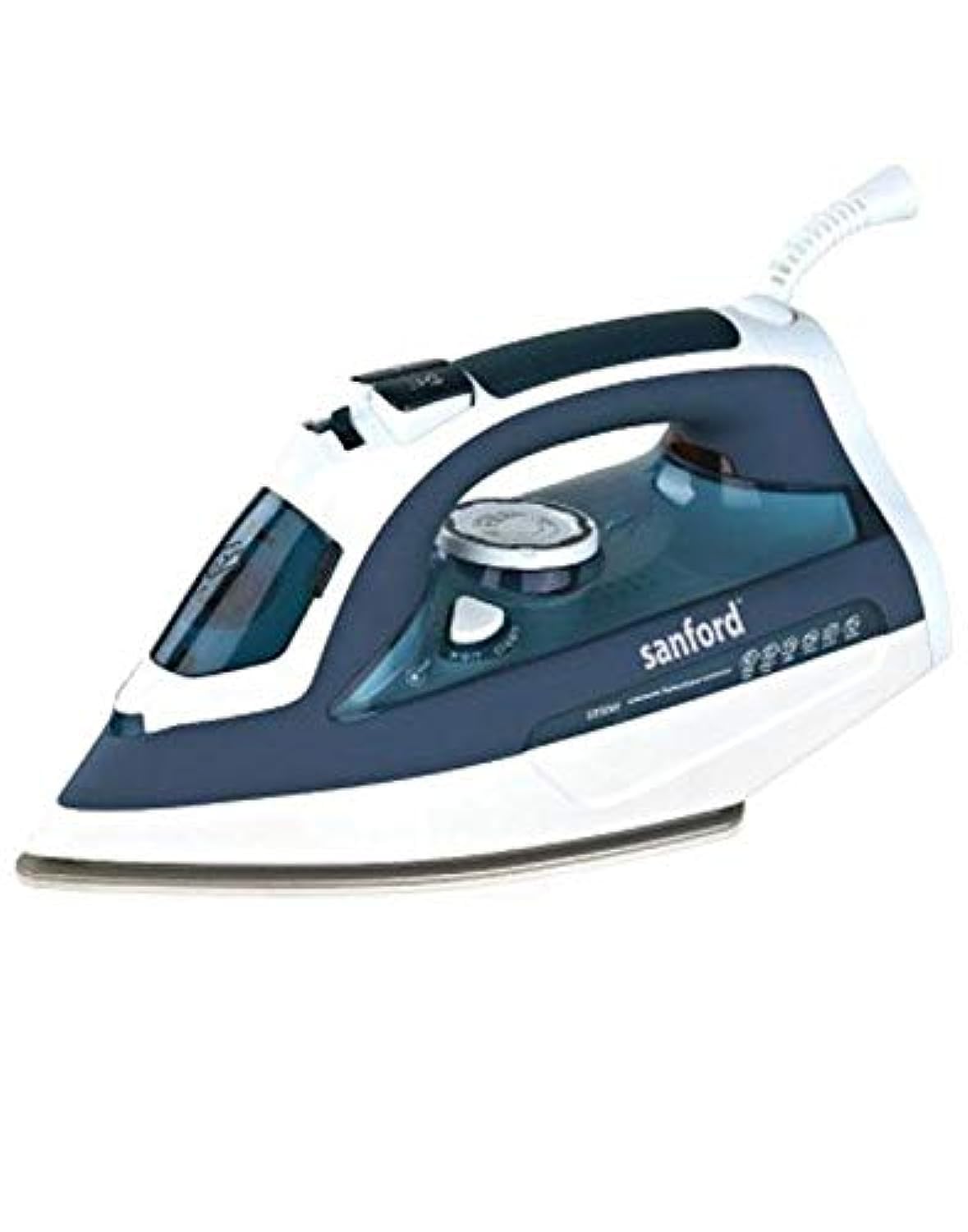
Figure 1: Sanford SF64CSI BS Ceramic Steam Iron. This image displays the overall design of the iron, highlighting its ergonomic handle, ceramic soleplate, and water tank.
Key Components:
- Water Spray Nozzle: For moistening stubborn creases.
- Water Filling Inlet: For adding water to the tank.
- Steam Control Slider: Adjusts steam output or selects dry ironing.
- Spray Button: Activates the water spray function.
- Steam Boost Button: Delivers a powerful burst of steam.
- Temperature Control Dial: Selects the appropriate ironing temperature for different fabrics.
- Indicator Light: Illuminates when the iron is heating and turns off when the set temperature is reached.
- Handle: Ergonomically designed for comfortable grip.
- Water Tank: Transparent tank with 390ml capacity.
- Ceramic Soleplate: Scratch-resistant, non-stick, and glides smoothly.
Setup
Before using your iron for the first time, please follow these steps:
- Unpacking: Remove all packaging materials and labels from the iron.
- First Use Preparation: It is normal for a slight odor or smoke to occur during the first few minutes of use as manufacturing residues burn off. This is harmless and will disappear.
- Filling the Water Tank:
- Ensure the iron is unplugged from the power outlet and the steam control is set to the 'Dry Ironing' position.
- Open the water filling inlet cover.
- Using a measuring cup, carefully pour tap water into the water tank up to the 'MAX' mark. Do not overfill.
- Close the water filling inlet cover securely.
Operating Instructions
Follow these steps for effective ironing:
- Sorting Laundry: Sort items according to fabric type (e.g., linen, cotton, wool, silk, synthetics). This helps in selecting the correct temperature.
- Temperature Selection: Turn the temperature control dial to the desired setting based on the fabric type. Refer to the fabric care labels on your garments.
- Heating Up: Plug the iron into a suitable power outlet. The indicator light will illuminate, indicating the iron is heating. Once the light turns off, the iron has reached the selected temperature.
- Dry Ironing: For dry ironing, ensure the steam control slider is set to the 'Dry Ironing' position.
- Steam Ironing:
- Ensure the water tank is filled.
- Set the temperature control dial to the 'Steam' range (usually indicated by three dots or a steam symbol).
- Once the indicator light turns off, slide the steam control to the desired steam output level.
- Move the iron over the fabric.
- Steam Boost: For stubborn wrinkles, press the steam boost button. This provides an extra burst of steam. Wait a few seconds between bursts to allow the iron to reheat.
- Vertical Steaming: The steam boost function can also be used for vertical steaming of hanging garments, curtains, or drapes. Hold the iron vertically a few centimeters away from the fabric and press the steam boost button.
- Spray Function: To moisten dry areas or stubborn creases, press the spray button. Ensure the water tank has sufficient water.
- After Use: Unplug the iron from the power outlet. Empty any remaining water from the tank once the iron has cooled down.
Maintenance and Cleaning
Proper maintenance ensures the longevity and performance of your iron.
- Cleaning the Soleplate: If the soleplate becomes stained, clean it with a damp cloth and a non-abrasive cleaner. Do not use metallic scouring pads or abrasive cleaners.
- Cleaning the Exterior: Wipe the exterior of the iron with a soft, damp cloth. Do not use harsh chemicals or abrasive materials.
- Descaling: Over time, mineral deposits can build up in the iron. Refer to the self-clean function (if available on your model) or use a commercial descaling solution designed for irons, following its instructions carefully.
- Storage: Once the iron has completely cooled down and the water tank is empty, store it in an upright position in a dry, safe place. Do not wrap the cord tightly around the iron.
Troubleshooting
If you encounter issues with your iron, refer to the following common problems and solutions:
| Problem | Possible Cause | Solution |
|---|---|---|
| Iron does not heat up. | Not plugged in; power outlet fault; temperature dial set to OFF. | Check power connection; try another outlet; turn temperature dial to a setting above OFF. |
| No steam or insufficient steam. | Water tank empty; temperature too low; steam control set to dry ironing. | Fill water tank; set temperature to steam range; adjust steam control slider. |
| Water leaks from soleplate. | Temperature too low for steam; overfilling water tank; steam control set too high for temperature. | Increase temperature; do not overfill; reduce steam output or increase temperature. |
| White flakes or brown stains on clothes. | Mineral deposits in water tank/steam vents. | Perform descaling/self-clean function. Use distilled water if tap water is very hard. |
Specifications
- Brand: Sanford
- Model Number: SF64CSI BS
- Power: 2200 Watts
- Voltage: 220 Volts
- Water Tank Capacity: 390 ml
- Soleplate Material: Ceramic
- Color: Blue/White
- Special Feature: Lightweight
- Item Weight: 1.05 kg
- Included Components: 1 x Sanford SF64CSI BS 2200W Ceramic Steam Iron 390ml, Blue/White
Warranty and Support
Your Sanford SF64CSI BS Ceramic Steam Iron comes with a Sanford Standard Warranty. Please refer to the warranty card included in your product packaging for specific terms and conditions, including the warranty period and coverage details.
For technical support, service, or warranty claims, please contact Sanford customer service through their official website or the contact information provided in your product documentation. Keep your purchase receipt as proof of purchase for warranty purposes.