
1. Introduction
The Promate Concerto is a portable 40W wireless Bluetooth speaker designed to deliver powerful and clear audio. It features a robust sound system with a subwoofer and tweeters, multiple connectivity options including Bluetooth 4.1 and AUX, and a built-in microphone for hands-free calls. This manual provides instructions for setting up, operating, and maintaining your Promate Concerto speaker.
Key Features
- 40W high-performance audio output with 3D subwoofers and two 10W stereo tweeters.
- Dual bass radiator for powerful, distortion-free bass.
- Bluetooth V4.1 for fast and stable wireless connection up to 10 meters.
- 3.5mm AUX input for non-Bluetooth devices.
- Integrated microphone for hands-free calling.
- 2600 mAh rechargeable battery for portable use, offering up to 3 hours of playtime.
- Touch control panel for easy music navigation.
- Waterproof design.
2. Package Contents
Please check that all items are present in the package:
- Promate Concerto Bluetooth Speaker
- USB Charging Cable
- 3.5mm AUX Audio Cable
- User Manual
3. Product Overview
Familiarize yourself with the various parts and controls of your Promate Concerto speaker.

Image: An exploded view illustrating the internal components of the Promate Concerto speaker, highlighting its dual tweeters and subwoofer for superior sound quality.
Control Panel (Top View)
- Power Button: Press and hold to turn the speaker on or off.
- Mode Button: Switch between Bluetooth and AUX modes.
- Play/Pause Button: Play or pause audio playback. Answer or end calls.
- Volume Up (+): Increase volume.
- Volume Down (-): Decrease volume.
- Next Track Button: Skip to the next song.
- Previous Track Button: Go to the previous song.
Ports (Rear View)
- USB Charging Port: Connect the USB cable for charging.
- 3.5mm AUX Input: Connect external audio devices using the AUX cable.
- LED Indicator: Shows power, charging, and Bluetooth status.
4. Setup
4.1. Charging the Speaker
- Connect the small end of the provided USB charging cable to the USB charging port on the back of the speaker.
- Connect the larger end of the USB cable to a USB power adapter (not included) or a computer's USB port.
- The LED indicator will illuminate to show charging status. It will change or turn off once fully charged.
A full charge takes approximately 3-5 hours and provides up to 3 hours of music playback.

Image: The Promate Concerto speaker highlighting its battery life, indicating up to 3 hours of playtime from its 2600mAh rechargeable lithium-ion battery.
4.2. Powering On/Off
- To power on, press and hold the Power button for a few seconds until you hear an audible prompt and the LED indicator lights up.
- To power off, press and hold the Power button again for a few seconds until the LED indicator turns off.
4.3. Bluetooth Pairing
- Ensure the speaker is powered on and in Bluetooth mode (the LED indicator will flash, indicating it's ready for pairing). If not, press the Mode button to switch to Bluetooth mode.
- Enable Bluetooth on your mobile device (smartphone, tablet, laptop, etc.).
- Search for available Bluetooth devices and select "Promate Concerto" from the list.
- Once successfully paired, the speaker will provide an audible confirmation, and the LED indicator will stop flashing and remain solid.
The speaker has a wireless range of approximately 10 meters (33 feet).
4.4. AUX Connection
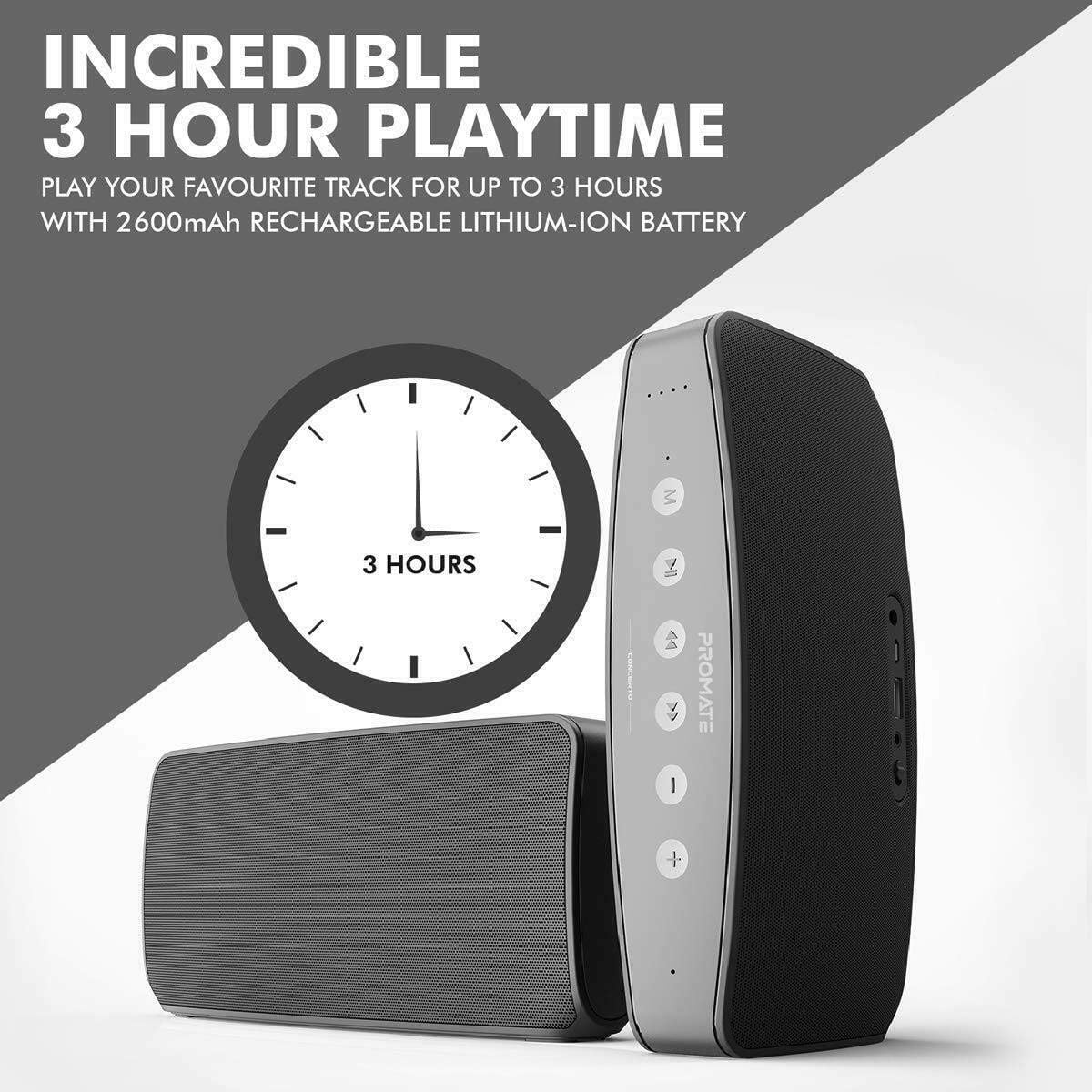
Image: The Promate Concerto speaker illustrating its multiple connectivity options, including a 3.5mm audio jack for wired connections and Bluetooth v4.1 + EDR for wireless pairing.
- Connect one end of the provided 3.5mm AUX audio cable to the AUX input port on the back of the speaker.
- Connect the other end of the AUX cable to the headphone jack or audio output of your external audio device.
- The speaker will automatically switch to AUX mode.
5. Operating Instructions
5.1. Music Playback
- Play/Pause: Press the Play/Pause button once to play or pause the current track.
- Next Track: Press the Next Track button once to skip to the next song.
- Previous Track: Press the Previous Track button once to go back to the beginning of the current song or to the previous song.
5.2. Volume Control
- Increase Volume: Press the Volume Up (+) button.
- Decrease Volume: Press the Volume Down (-) button.
- You can also adjust the volume directly from your connected audio device.
5.3. Hands-Free Calling
When connected via Bluetooth, the Promate Concerto speaker can be used for hands-free calls thanks to its integrated microphone.
- Answer Call: Press the Play/Pause button once when an incoming call rings.
- End Call: Press the Play/Pause button once during a call to hang up.
- Reject Call: Press and hold the Play/Pause button for 2 seconds to reject an incoming call.
6. Maintenance
6.1. Cleaning
- Use a soft, dry, lint-free cloth to clean the speaker's exterior.
- Do not use abrasive cleaners, alcohol, benzene, or other chemical solvents, as these may damage the surface or internal components.
6.2. Storage
- Store the speaker in a cool, dry place away from direct sunlight and extreme temperatures.
- If storing for an extended period, charge the battery periodically to maintain its lifespan.
6.3. Water Resistance
The Promate Concerto is designed to be waterproof. However, to ensure its longevity and proper function:
- Ensure all port covers are securely closed before exposing the speaker to water.
- Avoid prolonged submersion in water.
- After exposure to water, wipe the speaker dry before charging.
7. Troubleshooting
If you encounter any issues with your Promate Concerto speaker, please refer to the following common problems and solutions:
| Problem | Possible Cause | Solution |
|---|---|---|
| Speaker does not power on | Battery is depleted | Charge the speaker fully. |
| Cannot connect via Bluetooth | Speaker not in pairing mode; Device Bluetooth off; Out of range | Ensure speaker is in Bluetooth pairing mode (flashing LED). Turn on Bluetooth on your device. Move device closer to speaker (within 10m). Try unpairing and re-pairing. |
| No sound during playback | Volume too low; Incorrect input mode; Loose cable connection | Increase volume on both speaker and connected device. Ensure correct mode (Bluetooth/AUX) is selected. Check AUX cable connection. |
| Sound is distorted | Volume too high; Low battery; Poor audio source | Reduce volume. Charge the speaker. Try a different audio source or file. |
8. Specifications
Detailed technical specifications for the Promate Concerto speaker:
| Feature | Detail |
|---|---|
| Model Name | Concerto |
| Item Model Number | 4260029482195 |
| Brand | Promate |
| Speaker Type | Subwoofer |
| Maximum Speaker Output Power | 40 Watts |
| Surround Sound Channel Configuration | 3.1 |
| Audio Output Mode | Surround, Stereo |
| Connectivity Technology | Bluetooth |
| Wireless Communication Technology | Bluetooth |
| Bluetooth Version | V4.1 |
| Wireless Range | Up to 10 meters (33 feet) |
| Connections | Bluetooth, AUX (Auxiliary) |
| Special Features | High-Resolution Audio, Bluetooth, Integrated Microphone |
| Power Source | Battery Powered |
| Battery Capacity | 2600 mAh (as per image) |
| Playtime | Up to 3 hours (as per image) |
| Control Method | Touch |
| Waterproof | Yes |
| Mounting Type | Tabletop |
| Recommended Uses | For Music Player |
| Compatible Devices | Mobile Phone, Laptop, Tablet, MP3 Player, Television, Game Console |
9. Warranty and Support
9.1. Warranty Information
The Promate Concerto speaker comes with a standard warranty. Please refer to the warranty card included in your package or visit the official Promate website for detailed warranty terms and conditions.
9.2. Customer Support
For technical assistance, troubleshooting, or any other inquiries, please contact Promate customer support. Contact details can typically be found on the official Promate website or on the product packaging.