
Introduction
This manual provides essential information for the safe and effective operation, maintenance, and troubleshooting of your X-PRO Storm 125 ATV. Please read this manual thoroughly before operating the ATV to ensure your safety and the longevity of the product. Keep this manual for future reference.
Safety Information
WARNING: Operating an ATV can be hazardous. Always follow safety guidelines to prevent serious injury or death.
- Always wear an approved helmet, eye protection, and protective clothing.
- Never operate the ATV under the influence of alcohol or drugs.
- Adult supervision is required for youth riders.
- Do not carry passengers. This ATV is designed for a single rider.
- Always inspect the ATV before each ride.
- This product contains chemicals known to the State of California to cause cancer and birth defects or other reproductive harm (Proposition 65 warning).
Setup and Assembly
Your X-PRO Storm 125 ATV arrives partially assembled. Basic mechanical knowledge and common tools are required for final assembly. Refer to the included hardware list for component identification.
Unpacking
The ATV is shipped in a protective metal crate, which is then enclosed in a cardboard box. Carefully remove the outer packaging and the metal frame.

Image: X-PRO Storm 125 ATV in its shipping box.

Image: X-PRO Storm 125 ATV secured within a metal crate.
Assembly Steps
- Handlebars: Attach the handlebars securely.
- Front Rack: Install the front cargo rack.
- Wheels: Mount all four wheels, ensuring proper torque on lug nuts.
- Battery: Prepare the battery by adding the electrolyte (if not pre-filled) and charge it fully before installation.
- Fluids: Check engine oil and fuel levels. Add fuel as needed.

Image: Assembled X-PRO Storm 125 ATV, front-side view.

Image: Assembled X-PRO Storm 125 ATV, side view.
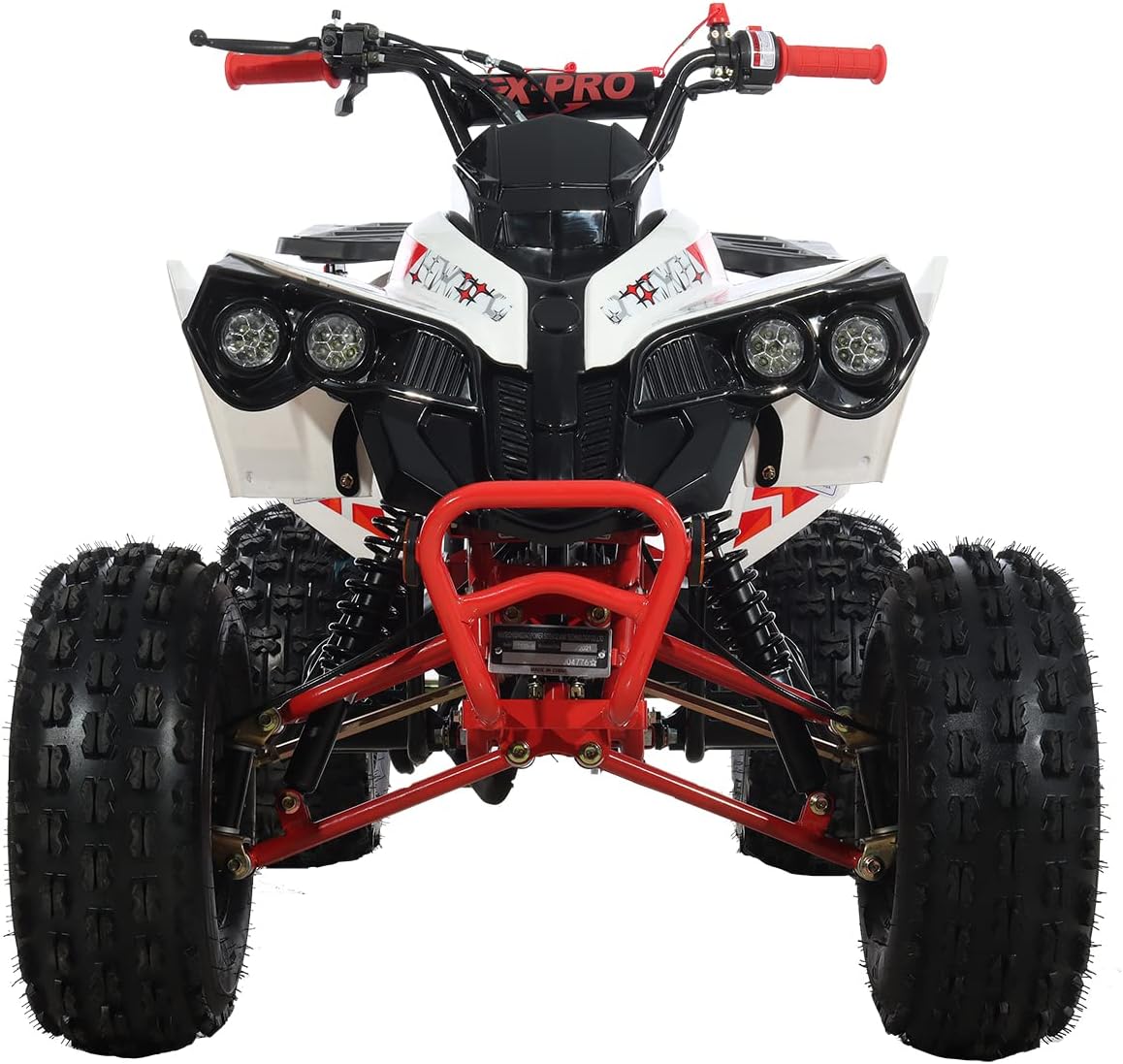
Image: Assembled X-PRO Storm 125 ATV, front view.
Operating Instructions
Pre-Ride Checks
Before each ride, perform the following checks:
- Fuel Level: Ensure adequate fuel. Use high-octane, non-ethanol gasoline.
- Engine Oil: Check oil level and add if necessary.
- Tire Pressure: Verify tires are inflated to recommended pressure.
- Brakes: Test front and rear brakes for proper function.
- Controls: Check throttle, steering, and all switches.
Starting the ATV
- Ensure the transmission is in Neutral.
- Turn the ignition key to the 'ON' position.
- If the engine is cold, apply the choke.
- Press the electric start button.
- Once started, gradually release the choke as the engine warms up.
Controls
- Throttle: Located on the right handlebar. Gently apply to accelerate.
- Brakes: Hand levers for front brakes, foot pedal for rear brake.
- Transmission: Features Forward, Neutral, and Reverse gears for simple operation.
Safety Features
- Remote Cut-Off Switch: Allows an adult to remotely shut off the engine from up to 20 meters away.
- Speed Governor: Located on the right handlebar, this feature allows you to limit the ATV's top speed, adjustable from approximately 5 km/h upwards, to match the rider's skill level.
Maintenance
Regular maintenance is crucial for the performance and longevity of your ATV.
Regular Maintenance Schedule
| Item | Frequency | Action |
|---|---|---|
| Engine Oil | Every 10-20 hours or monthly | Check level, change oil (10W-40 recommended) |
| Air Filter | Every 20 hours or monthly | Clean or replace |
| Spark Plug | Every 50 hours or 3 months | Inspect, clean, or replace |
| Brakes | Before each ride | Inspect for wear, adjust as needed |
| Tires | Before each ride | Check pressure and condition |
| Chain | Every 10 hours or weekly | Inspect tension, lubricate |
Oil Change
Drain old oil completely and refill with approximately 0.8-1.0 liters of 10W-40 ATV-specific engine oil. Always dispose of used oil responsibly.
Battery Care
Keep the battery charged, especially during periods of non-use. If storing the ATV for an extended period, disconnect the battery and store it in a cool, dry place, charging it periodically.
Troubleshooting
This section addresses common issues you might encounter with your X-PRO Storm 125 ATV.
- Engine will not start:
- Check fuel level.
- Ensure battery is charged.
- Verify spark plug is clean and functional.
- Check if the remote cut-off switch is engaged.
- Ensure the transmission is in Neutral.
- Engine bogs down or runs poorly:
- Check for a clogged air filter.
- Inspect the carburetor for blockages or improper adjustment.
- Ensure the fuel tank vent is not obstructed (e.g., by a faulty gas cap).
- Brakes not working effectively:
- Inspect brake pads for wear.
- Check brake fluid level (if applicable).
- Adjust brake cables or hydraulic system as needed.
For issues not covered here, please contact X-PRO customer support.
Specifications
| Feature | Detail |
|---|---|
| Model | ATV-H20 |
| Engine Type | 125cc, 4-Stroke, Single Cylinder |
| Transmission | Automatic with Reverse (F-N-R) |
| Starting System | Electric Start |
| Minimum Turning Radius | 2.25 meters |
| Swing Arm & Spindle | Upgraded Steel Casting |
| Max Rider Weight | 176 lbs (approx.) |
| Safety Features | Remote Engine Kill Switch, Speed Governor |
Warranty and Support
X-PROUSA is committed to providing comprehensive aftermarket support for your vehicle. We maintain a stock of parts and offer technical assistance to ensure your satisfaction.

Image: X-PRO Experienced Aftermarket Service.
For parts, service, or advice, please visit the official X-PRO store or contact our customer support team. Our knowledgeable staff is dedicated to resolving issues and ensuring a hassle-free experience.


