
Tyler TDM-01
Tyler TDM-01 Portable CD Player
User Manual
Product Overview
The Tyler TDM-01 is a versatile portable CD player designed for on-the-go music enjoyment. It supports various disc formats including Compact Disc, CD-R, CD-RW, and CD-MP3. Key features include X-Bass stereo sound, anti-shock protection, and a user-friendly control panel.

Image: The Tyler TDM-01 Portable CD Player, shown with its sleek black and silver design and connected earbuds.
Key Features:
- Anti-Skip Protection: Provides up to 60 seconds of skip-free playback, ensuring uninterrupted music even during movement.
- Multi-Function Control Panel: Features a top-mounted LCD display and buttons for Play, Repeat, Forward, Stop, and Hold.
- Programmable Memory: Store up to 20 of your favorite songs for customized playback sequences.
- Automatic Power Off: The device conserves battery life by automatically turning off when a CD finishes playing.
- X-Bass Stereo Sound: Enhance your audio experience with boosted bass.
- Multiple Power Options: Operates on 2 AA batteries or via Micro USB for home listening.
- Compact and Portable Design: Lightweight and travel-friendly for music anywhere.
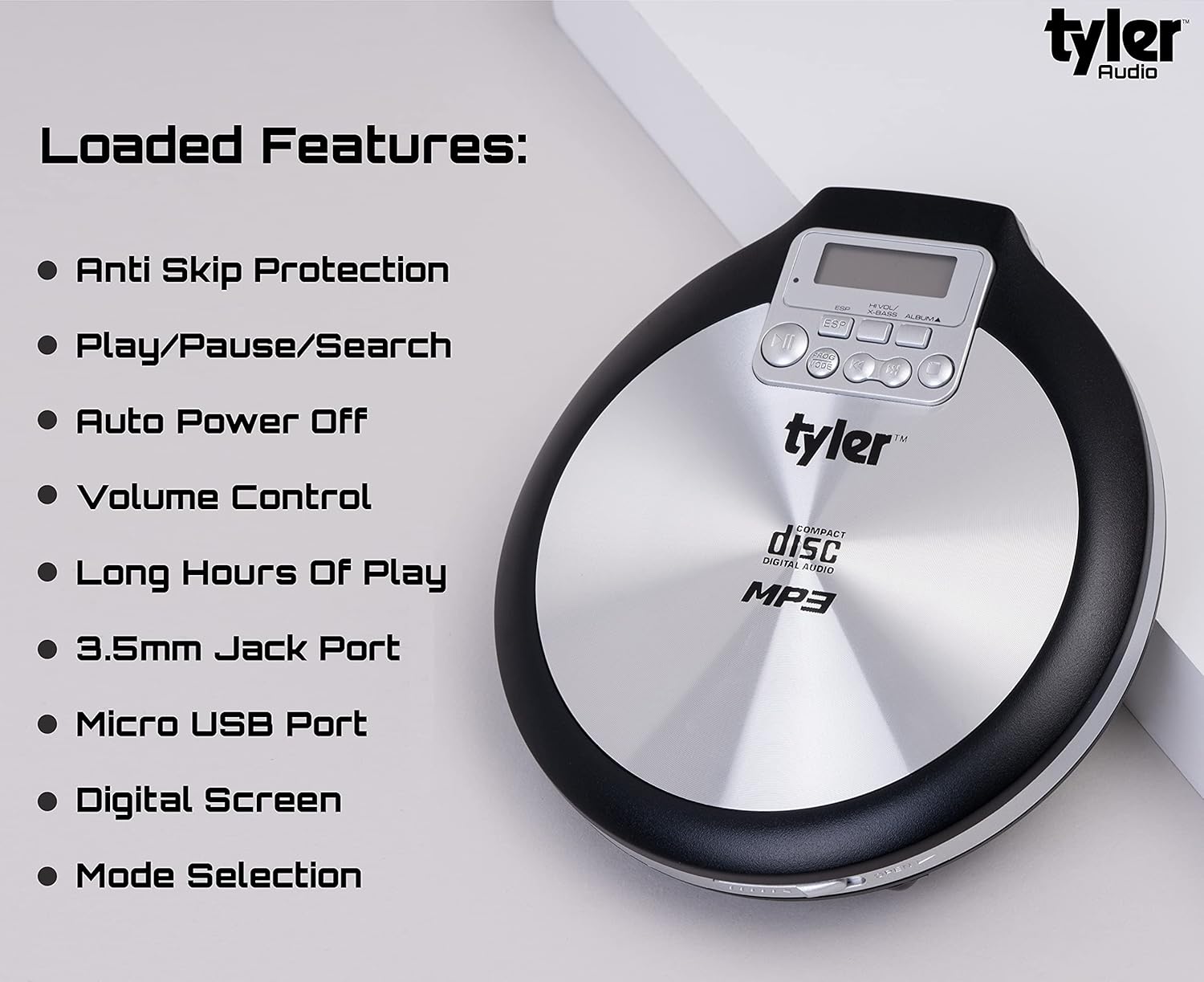
Image: A visual representation of the Tyler TDM-01's loaded features, including Anti Skip Protection, Play/Pause/Search, Auto Power Off, Volume Control, Long Hours Of Play, 3.5mm Jack Port, Micro USB Port, Digital Screen, and Mode Selection.
Setup
Powering the Device:
The TDM-01 can be powered by two (2) AA batteries or via a Micro USB cable (not included) for continuous power from a wall adapter or computer USB port.
- Battery Installation: Open the battery compartment on the bottom of the player. Insert two AA batteries, ensuring correct polarity (+/-). Close the compartment securely.
- Micro USB Power: Connect a Micro USB cable to the Micro USB port on the side of the player and the other end to a compatible USB power source.
Inserting a CD:
- Locate the 'Open Tab' on the side of the player. Gently lift the lid.
- Place the CD onto the center spindle with the label side facing up. Ensure the CD is seated properly.
- Close the lid firmly until it clicks into place.
Connecting Earbuds/Headphones:
Plug the included stereo earbuds or your preferred 3.5mm headphones into the headphone jack located on the side of the player. Ensure the jack is fully inserted for proper audio output.
Operating Instructions

Image: A detailed diagram illustrating the various controls and ports on the Tyler TDM-01 Portable CD Player, including Play/Pause, Stop, Forward/Next, Back/Rewind, Volume Control, On/Off, Micro USB, Headphone Jack, Open Tab, Mode Program, Digital Display, ESP, X-Bass, and Album.
Basic Controls:
- Power On/Off: Use the 'On/Off' switch located on the side of the player.
- Play/Pause (►▮▮): Press to start playback or pause the current track.
- Stop (■): Press to stop playback.
- Forward/Next (►►): Press once to skip to the next track. Press and hold to fast-forward within a track.
- Back/Rewind (◀◀): Press once to go to the beginning of the current track. Press twice to go to the previous track. Press and hold to rewind within a track.
- Volume Control: Adjust the volume using the rotary dial on the side of the player.
- X-Bass: Press the 'X-Bass' button to activate or deactivate the bass enhancement feature.
Playback Modes:
- Repeat 1: Repeats the current track.
- Repeat All: Repeats all tracks on the CD.
- Program Mode: Allows you to program up to 20 tracks in a specific order.
Programming Tracks:
- While the player is stopped, press the 'PROG MODE' button.
- Use the 'Forward/Next' or 'Back/Rewind' buttons to select the desired track number.
- Press 'PROG MODE' again to confirm the selection and move to the next program slot.
- Repeat steps 2 and 3 until all desired tracks are programmed (up to 20).
- Press the 'Play/Pause' button to start playback of the programmed sequence.
Anti-Shock Protection (ESP):
The TDM-01 features Electronic Skip Protection (ESP) to prevent audio interruptions caused by vibrations or shocks. This feature buffers audio data, providing up to 60 seconds of continuous playback even if the disc experiences minor disturbances.

Image: A user enjoying music with the Tyler TDM-01 Portable CD Player in an outdoor setting, demonstrating its portability.
Maintenance
Cleaning the Device:
- Wipe the exterior of the player with a soft, dry cloth.
- Do not use abrasive cleaners or solvents.
- For the optical lens, use a specialized CD lens cleaner if necessary. Avoid touching the lens directly.
Battery Care:
- Remove batteries if the player will not be used for an extended period to prevent leakage.
- Dispose of used batteries responsibly according to local regulations.
Disc Handling:
- Always handle CDs by their edges to avoid fingerprints and scratches.
- Store CDs in their cases when not in use.
- Clean dirty CDs with a soft, lint-free cloth, wiping from the center outwards.
Troubleshooting
| Problem | Possible Cause | Solution |
|---|---|---|
| Player does not power on. | Batteries are dead or incorrectly inserted; Micro USB cable not connected or faulty. | Replace batteries, check polarity. Ensure Micro USB cable is securely connected to a working power source. |
| No sound from earbuds/headphones. | Earbuds not fully plugged in; Volume too low; Faulty earbuds. | Ensure 3.5mm jack is fully inserted. Increase volume using the rotary dial. Test with another pair of earbuds. |
| Disc skipping or not playing. | Dirty or scratched CD; CD not seated properly; Excessive vibration. | Clean the CD. Re-insert the CD, ensuring it is flat on the spindle. Minimize movement during playback. |
| Controls are unresponsive. | HOLD function is active. | Check the 'HOLD' switch on the player and ensure it is in the OFF position. |
| Low volume output. | Volume setting is low; Earbuds impedance mismatch. | Increase the volume using the rotary dial. Consider using earbuds with lower impedance for louder output. |
Specifications
- Model Name: TDM-01
- Brand: Tyler
- Supported Disc Formats: CD, CD-R, CD-RW, CD-MP3
- Anti-Shock Protection: 60 seconds
- Programmable Tracks: Up to 20
- Power Source: 2 x AA Batteries or Micro USB (DC 5V)
- Connectivity: 3.5mm Headphone Jack, Micro USB
- Color: Black and Silver
- Item Weight: Approximately 1.1 pounds (0.5 kg)
- Dimensions (Approximate): 5.5" (W) x 5" (D) x 1" (H)

Image: The Tyler TDM-01 Portable CD Player held in a hand, illustrating its compact size and approximate dimensions of 5.5 inches by 5 inches by 1 inch.
Warranty and Support
For information regarding warranty coverage, product registration, or technical support, please refer to the documentation included with your purchase or visit the official Tyler website. Contact details for customer service are typically provided on the manufacturer's website or within the product packaging.
You can also visit the Tyler Store on Amazon for additional product information and support resources.
Ask a question about this manual
Ask about setup, troubleshooting, compatibility, parts, safety, or missing instructions. Manuals+ will review the question and use this page’s manual context to help answer it.