1. Product Overview
The Polly Pocket Unicorn Party Playset is a magical 2-in-1 toy designed for imaginative play. Shaped like an adorable unicorn piñata, this compact playset opens to reveal a vibrant princess adventure world. It includes micro Polly and Lila dolls, along with over 25 surprise accessories to enhance the play experience. The playset features extendable sparkly wings and a handle for portable fun.

Image: The Polly Pocket Unicorn Party Playset in its closed, portable unicorn piñata form, showcasing its vibrant colors and design.
2. Safety Information
WARNING: CHOKING HAZARD – Contains small parts. Not for children under 3 years.
3. What's in the Box
- 1 x Polly Pocket Unicorn Party Playset (Unicorn Piñata)
- 2 x Micro Dolls (Polly and Lila)
- 25+ Surprise Accessories, including:
- 2 Unicorns and a Carriage
- 1 Dragon figure
- 2 Swings
- 1 Balloon Stand
- 1 Necklace and 1 Ring (some accessories can be worn on these)
- 2 Tiaras
- 2 Princess Skirts
- 2 Lollipops (dolls can hold these)
- Sticker Sheet with Polly Stick technology stickers
4. Setup Instructions
- Unpack the Playset: Carefully remove all components from the packaging.
- Release Surprises: The exciting party fun starts by pulling the tab on the playset. Watch as a colorful stream of confetti and over 25 surprises fall from the Unicorn Party playset! Some surprises are wrapped for later discovery.
- Open the Playset: Gently open the unicorn playset to reveal the detailed interior play areas.
- Apply Polly Stick Stickers: Locate the included sticker sheet. Place the Polly Stick stickers anywhere on the compact playset. Micro dolls can then stick to these stickers, allowing for versatile play and positioning.
5. Operating Your Playset
Explore the various interactive features and play areas within your Polly Pocket Unicorn Party Playset:
- Princess Castle: The charming castle area opens to reveal a throne and a bedroom for your micro dolls.
- Bouncy House: Let your dolls jump and play in the bouncy house area.
- See-Saw: Dolls can enjoy a ride on the see-saw.
- Rainbow Cloud Slide: Slide the rainbow cloud back and forth for dynamic play.
- Unicorn Floatie: Place a doll on the unicorn floatie and glide across the river area.
- Storage Area: Store surprises and accessories in the designated storage area, which features a door that opens.
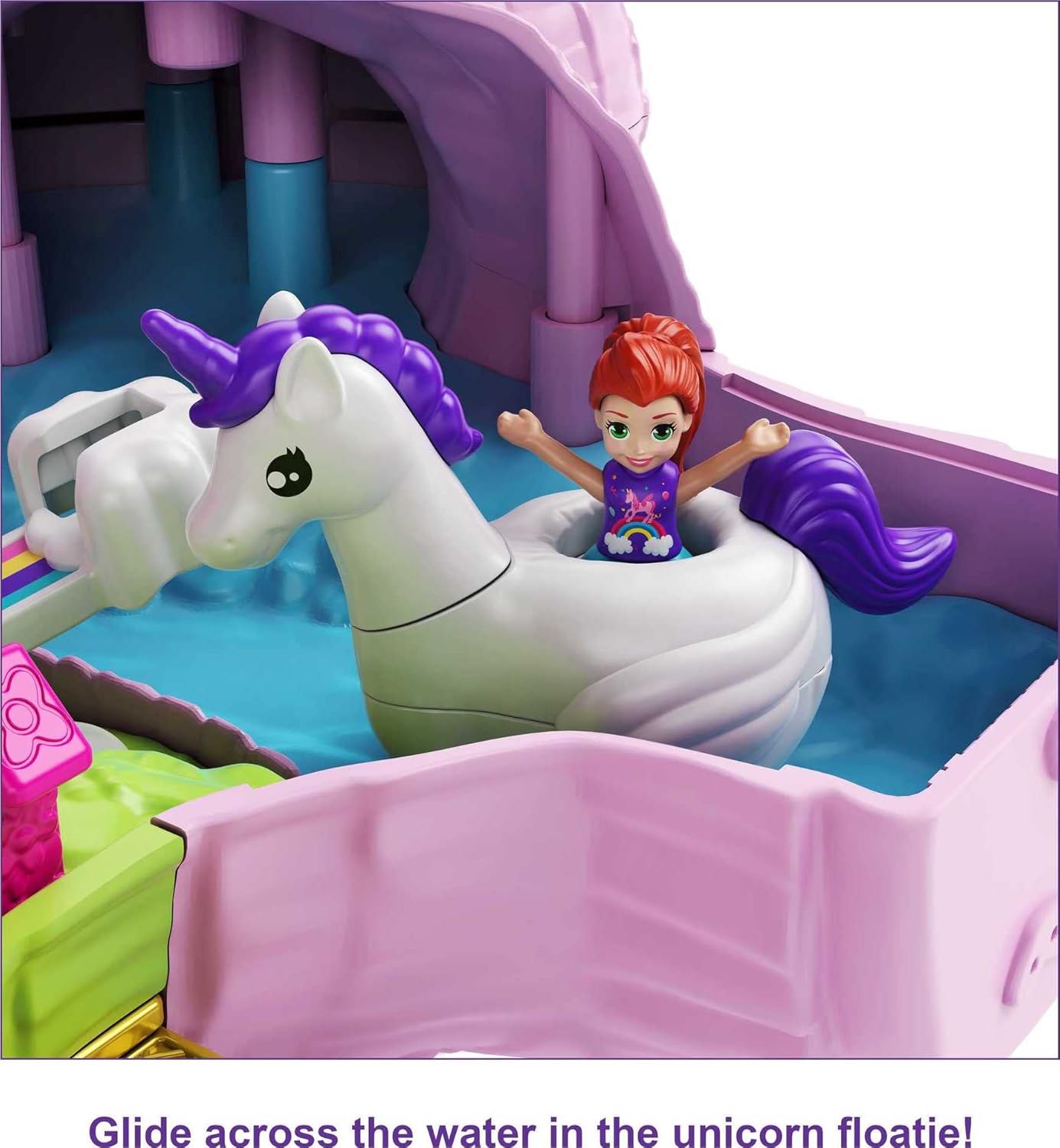
Image: The playset's princess castle interior, featuring a throne and bedroom area for micro dolls.

Image: A micro doll enjoying a ride on a unicorn floatie in the playset's water-themed section.

Image: The playset's storage compartment with its door open, designed to hold small accessories and surprises.
Many of the surprise accessories have a plug-and-play feature, allowing them to be inserted into the playset for customizable play. Accessories can be used both inside and outside of the playset.
Official Product Demonstration
Video: A demonstration of the Polly Pocket Unicorn Party Playset, showcasing its various features and how to interact with the dolls and accessories.
6. Care and Maintenance
- Cleaning: Wipe the playset and accessories with a damp cloth as needed. Avoid harsh chemicals or abrasive cleaners.
- Storage: Ensure all small accessories are securely stored within the playset's compartments or in a separate container to prevent loss. Close the playset securely when not in use.
- Polly Stick Technology: If dolls lose their stickiness, gently wipe the bottom of the dolls and the sticker surface with a damp cloth to remove dust or debris.
7. Troubleshooting
- Difficulty Closing Playset: Ensure all accessories and dolls are properly placed in their designated spots or storage compartments before attempting to close the playset. Some larger accessories may need to be removed or adjusted.
- Lost Small Pieces: Due to the miniature size of many accessories, it is recommended to play on a contained surface to minimize loss. Regularly check play areas for misplaced items.
8. Specifications
| Feature | Detail |
|---|---|
| Product Dimensions | 12.2 x 3.56 x 10 inches |
| Item Weight | 1 pounds |
| ASIN | B084L1HW5P |
| Item Model Number | GKL24 |
| Manufacturer Recommended Age | 4 years and up |
| Manufacturer | Mattel |
| Release Date | May 21, 2020 |
9. Warranty and Support
For warranty information or product support, please refer to the manufacturer's official website or contact their customer service department. Keep your purchase receipt for any warranty claims.


