
DigiPower digipower
DigiPower #GoViral RGB Multi-Mode LED Light User Manual
Model: digipower
Introduction
The DigiPower #GoViral RGB Multi-Mode LED Light is designed to provide professional-grade lighting for your photos and videos. This portable and versatile LED light is ideal for social media content creators, vloggers, and photographers, offering adjustable brightness, color temperature, and a wide range of RGB color effects. Its compact design and long-lasting battery make it perfect for on-the-go use.
Key Features
- Adjustable Brightness: 24 levels of brightness to suit various lighting conditions.
- Color Temperature Control: 25 settings ranging from 3200K to 5600K for warm, cool, or neutral tones.
- RGB Color-Spectrum: 360-degree RGB with 21 preset special effects for creative lighting.
- Long Battery Life: Built-in 4000mAh rechargeable Li-Polymer battery provides up to 14 hours of continuous use.
- Intuitive LCD Display: Shows battery life, brightness levels, color temperature, and RGB settings.
- Universal Compatibility: Compatible with all smartphones and cameras.
- Versatile Mounting: Equipped with a camera shoe mount and two 1/4 inch tripod mounts for horizontal or vertical shooting.
- USB Output: Features a USB 5V OUT port for charging other devices.

Overview of the DigiPower LED light's main features.
Package Contents
- LED Light Panel
- Charging Cable (USB-C)
- Cold Shoe Adaptor

Items included in the DigiPower LED Light package.
Product Overview

Detailed view of the DigiPower LED Light's controls and LCD display.
- Power ON/OFF Switch: Located on the side, used to turn the device on or off.
- Mode Button: Cycles through different lighting modes (e.g., CCT, RGB).
- Color Temperature Adjustment Knob: Adjusts the color temperature in CCT mode.
- Brightness Level Adjustment Knob: Controls the light intensity.
- USB-C Charging Port (IN): For charging the internal battery.
- USB Output Port (OUT): Can be used to charge other devices.
- LCD Display: Provides real-time information on settings and battery status.
Setup
1. Charging the Device
- Locate the USB-C Charging Port (IN) on the side of the LED light.
- Connect the provided USB-C charging cable to the port.
- Plug the other end of the USB-C cable into a compatible USB power adapter (not included) or a computer USB port.
- The LCD display will indicate charging status. A full charge provides up to 14 hours of use.
2. Mounting the LED Light
The DigiPower LED Light offers versatile mounting options:
- Camera Shoe Mount: Attach the included cold shoe adaptor to the 1/4 inch screw hole on the bottom or side of the light. Slide the adaptor into your camera's hot shoe or a compatible camera rig.
- Tripod Mounting: The light features two 1/4 inch tripod mounts (one on the bottom, one on the side) for attaching to standard tripods or light stands. This allows for both horizontal and vertical orientation.

Mounting options for the DigiPower LED Light.
Operating Instructions
1. Power On/Off
Slide the Power ON/OFF Switch to turn the light on or off. The LCD display will illuminate upon power-on.
2. Adjusting Brightness
Use the Brightness Level Adjustment Knob to increase or decrease the light intensity. There are 24 distinct brightness levels. The current brightness level will be shown on the LCD display.
3. Adjusting Color Temperature (CCT Mode)
- Press the Mode Button until the light enters CCT (Correlated Color Temperature) mode.
- Use the Color Temperature Adjustment Knob to select from 25 color temperature settings, ranging from 3200K (warm) to 5600K (cool). The selected temperature will be displayed on the LCD.
4. Using RGB Color Presets
- Press the Mode Button until the light enters RGB mode.
- Use the Color Temperature Adjustment Knob (or a dedicated RGB adjustment knob if available, refer to diagram) to cycle through the 21 preset RGB special effects.
- Adjust the brightness using the Brightness Level Adjustment Knob as desired.
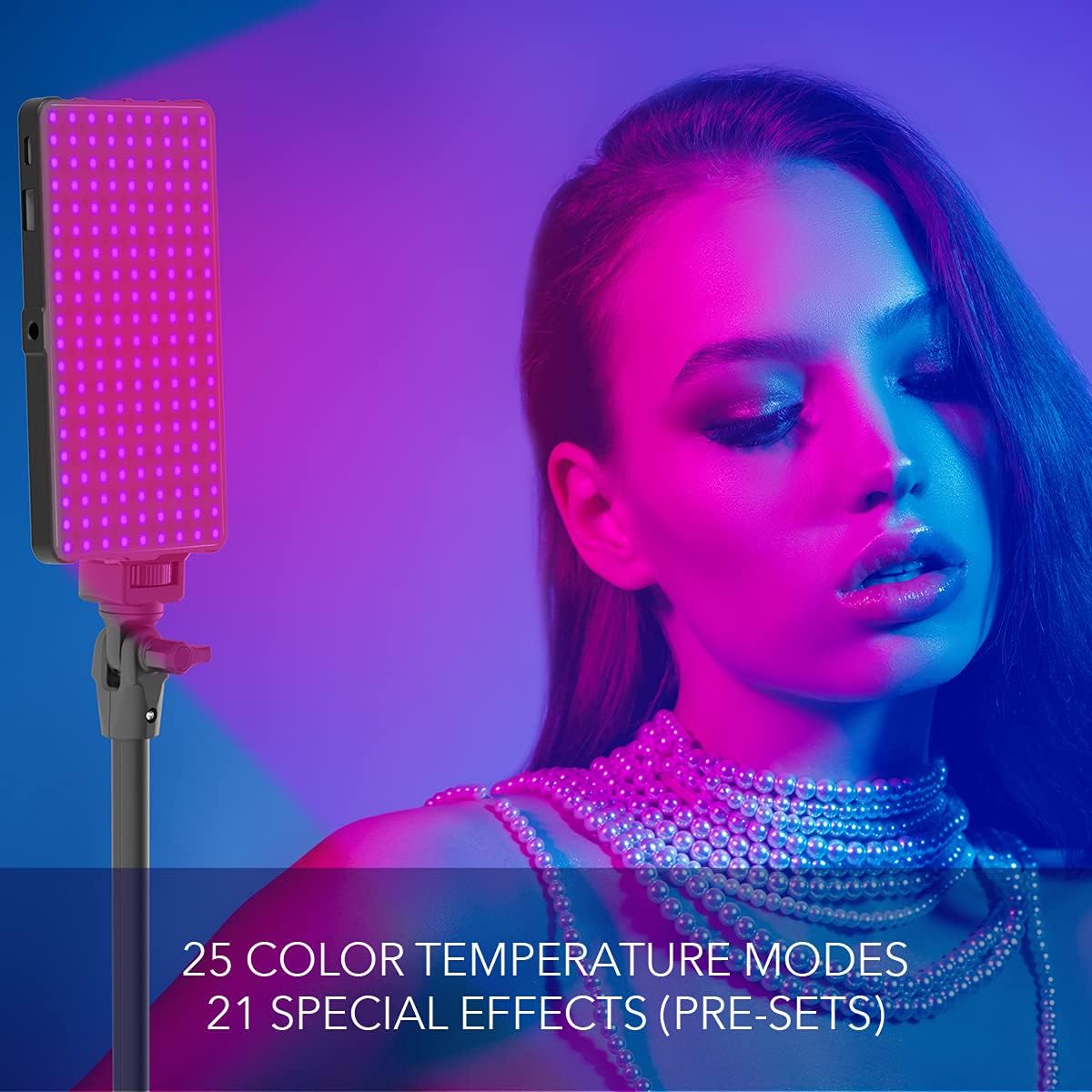
Demonstration of the 25 color temperature modes and 21 special effects.
5. Using the USB Output Port
The USB 5V OUT port can be used to provide power to other small USB-powered devices, such as smartphones or microphones, drawing power from the LED light's internal battery.
Maintenance
- Cleaning: Use a soft, dry cloth to clean the surface of the LED light. Do not use abrasive cleaners or solvents.
- Storage: Store the device in a cool, dry place away from direct sunlight and extreme temperatures.
- Battery Care: To prolong battery life, avoid fully discharging the battery frequently. Charge the device regularly, even if not in use for extended periods.
- Handling: Handle the device with care. Avoid dropping it or subjecting it to strong impacts.
Troubleshooting
| Problem | Possible Cause | Solution |
|---|---|---|
| Light does not turn on. | Battery is depleted. | Charge the device using the provided USB-C cable. |
| Light flickers or is dim. | Low battery or incorrect brightness setting. | Recharge the battery. Adjust brightness using the knob. |
| Cannot change color temperature/RGB mode. | Incorrect mode selected or controls not responding. | Press the Mode Button to cycle through modes. Ensure the device is powered on. If unresponsive, try turning off and on again. |
| Device not charging. | Faulty cable, power adapter, or port. | Try a different USB-C cable or power adapter. Ensure the cable is fully inserted into the USB-C IN port. |
Specifications
- Model: digipower
- Product Dimensions: 7.2 x 6.9 x 3.1 inches
- Light Panel Dimensions: 6" x 3" x 0.5"
- Weight: 10.5 ounces
- Battery: Built-in 4000mAh Li-Polymer
- Battery Life: Up to 14 hours
- Brightness Levels: 24
- Color Temperature: 3200K - 5600K (25 settings)
- RGB Presets: 21 special effects
- Connectivity: USB-C (charging), USB (output)
- Mounting: 1/4 inch tripod mounts, Cold Shoe Mount

Physical dimensions of the DigiPower LED Light panel.
Warranty and Support
For warranty information and customer support, please refer to the official DigiPower website or contact their customer service directly. Keep your purchase receipt for warranty claims.
Visit the official DigiPower Store: DigiPower Store on Amazon