
Zadro B084JF1TM4
Zadro 4" Round LED Makeup Travel Mirror User Manual
Model: B084JF1TM4
Introduction
Thank you for purchasing the Zadro 4" Round LED Makeup Travel Mirror. This compact and portable mirror is designed to provide optimal lighting for makeup application on the go, featuring a built-in rechargeable battery and three color LED light settings. Please read this manual thoroughly before using the product to ensure proper operation and maintenance.
Important Safety Information
To reduce the risk of burns, fire, electric shock, or injury to persons, please observe the following:
- Do not use this product near water, such as a bathtub, washbowl, kitchen sink, or laundry tub, in a wet basement, or near a swimming pool.
- Unplug this product from the power outlet before cleaning.
- Do not operate this product if it has a damaged cord or plug, if it is not working properly, or if it has been dropped or damaged.
- Keep the cord away from heated surfaces.
- Do not drop or insert any object into any opening.
- Do not use outdoors.
- Do not operate where aerosol (spray) products are being used or where oxygen is being administered.
- Always turn off the mirror before storing.
- Use this product only for its intended use as described in this manual.
Package Contents
Please check the package contents to ensure all items are present:
- Zadro 4" Round LED Makeup Travel Mirror
- Micro USB Charging Cord
- Portable Carrying Pouch

Image: The Zadro travel mirror, its micro USB charging cable, and a black carrying pouch, laid out on a white surface.
Setup
Initial Charging
Before first use, fully charge your Zadro LED Travel Mirror. The built-in rechargeable battery provides up to 3 hours of continuous use on a single charge.
- Locate the micro USB charging port on the mirror.
- Connect the provided micro USB charging cord to the mirror.
- Plug the other end of the USB charging cord into a compatible USB power adapter (not included) or a computer USB port.
- Allow the mirror to charge until the charging indicator light (if present) indicates a full charge, or for approximately 2-3 hours.
Operating Instructions

Image: An annotated diagram highlighting the key features of the Zadro travel mirror, including the finger ring grip, LED lighting, and touch control button.
Powering On/Off and Light Control
The mirror features a multi-functional touch button located at the bottom center of the reflective surface.
- To Turn On/Off: Tap the touch button once to turn the LED light on. Tap it again to turn the light off.
- To Change Light Color: While the light is on, tap the touch button repeatedly to cycle through the three color settings:
- Evening (Warm White): Ideal for evening makeup application.
- Office (Cool White): Simulates typical office lighting.
- Daylight (Natural Sunlight): Provides a natural, bright light for outdoor looks.
- To Dim/Brighten: Press and hold the touch button to continuously dim or brighten the LED lighting to your desired intensity. Release the button when the desired brightness is reached.
Using the Finger Ring Grip
The mirror is equipped with a convenient finger ring grip on its back, offering versatile usage options.
- Handheld Use: Insert your finger through the ring to securely hold the mirror, preventing accidental drops.
- Table Stand: Flip out the finger ring grip to use it as a stable stand, allowing for hands-free use on any flat surface.

Image: The Zadro travel mirror positioned on a flat surface, demonstrating how its integrated finger ring can be used as a stand for hands-free operation.
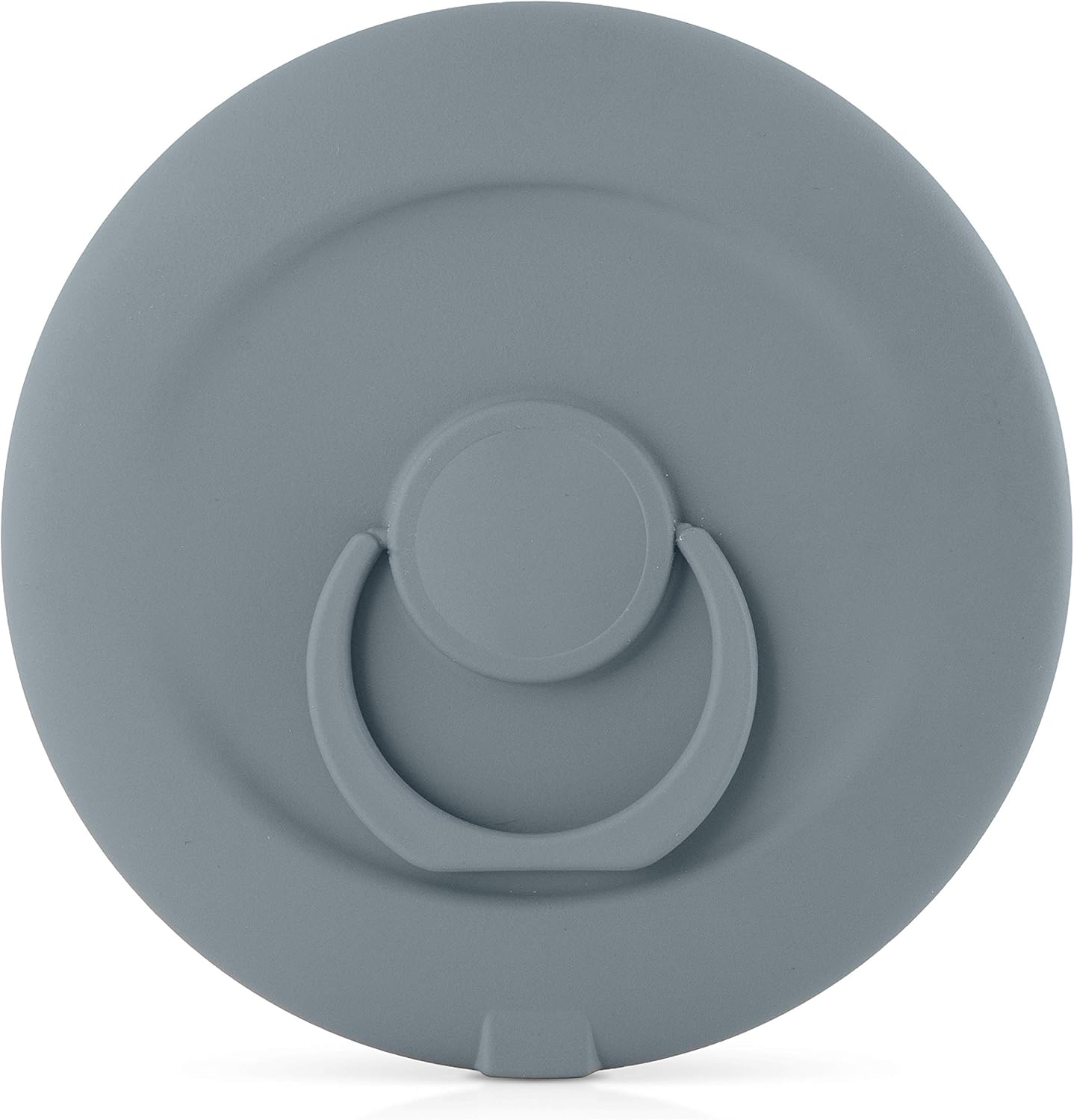
Image: A close-up view of the back of the Zadro travel mirror, clearly showing the finger ring grip in its folded, compact position.
Maintenance
Cleaning
To maintain the clarity and functionality of your mirror:
- Ensure the mirror is turned off and unplugged before cleaning.
- Wipe the mirror surface with a soft, damp cloth. Do not use abrasive cleaners or harsh chemicals, as they may damage the mirror or its finish.
- For the body of the mirror, use a soft, dry cloth.
- Avoid getting water into the charging port or touch button area.
Storage
When not in use, store the mirror in its provided carrying pouch to protect it from scratches and dust. Store in a cool, dry place away from direct sunlight and extreme temperatures.
Troubleshooting
| Problem | Possible Cause | Solution |
|---|---|---|
| Mirror light does not turn on. | Battery is depleted. | Charge the mirror using the provided USB cable. |
| Light is dim or flickers. | Low battery. | Recharge the mirror. |
| Cannot change light color or dim. | Touch button not responding. | Ensure your finger is clean and dry. Try tapping/holding the button firmly. If issue persists, try fully charging the mirror. |
| Mirror not charging. | Faulty cable or power source. | Try a different USB cable or power adapter. Ensure the cable is securely connected to both the mirror and the power source. |
Specifications
| Feature | Detail |
|---|---|
| Model | B084JF1TM4 |
| Brand | Zadro |
| Mirror Diameter | 4 inches (10.16 cm) |
| Reflective Surface Diameter | 3.5 inches (8.89 cm) |
| Lighting | LED with 3 Color Settings (Evening, Office, Daylight) |
| Battery | Rechargeable (up to 3 hours use per charge) |
| Control Type | Multi-functional Touch Button |
| Special Features | Finger Ring Grip (for holding or stand) |
| Frame Material | Plastic |

Image: A visual representation of the Zadro travel mirror with its overall dimensions of 4 inches in width and 4 inches in height clearly indicated.
Warranty and Support
Zadro products are manufactured with quality and care. For information regarding warranty coverage, product support, or to purchase replacement parts, please visit the official Zadro website or contact their customer service directly.
For further assistance, you may visit the Zadro store on Amazon: Zadro Amazon Store
Ask a question about this manual
Ask about setup, troubleshooting, compatibility, parts, safety, or missing instructions. Manuals+ will review the question and use this page’s manual context to help answer it.