
1. Product Overview
This manual provides instructions for the Upstart Components DG31-00005A AC Convection Motor, a replacement part designed for compatibility with various Samsung range models, including FTQ387LWGX/XAA. This motor is crucial for the convection fan operation within your appliance, ensuring even heat distribution during cooking.
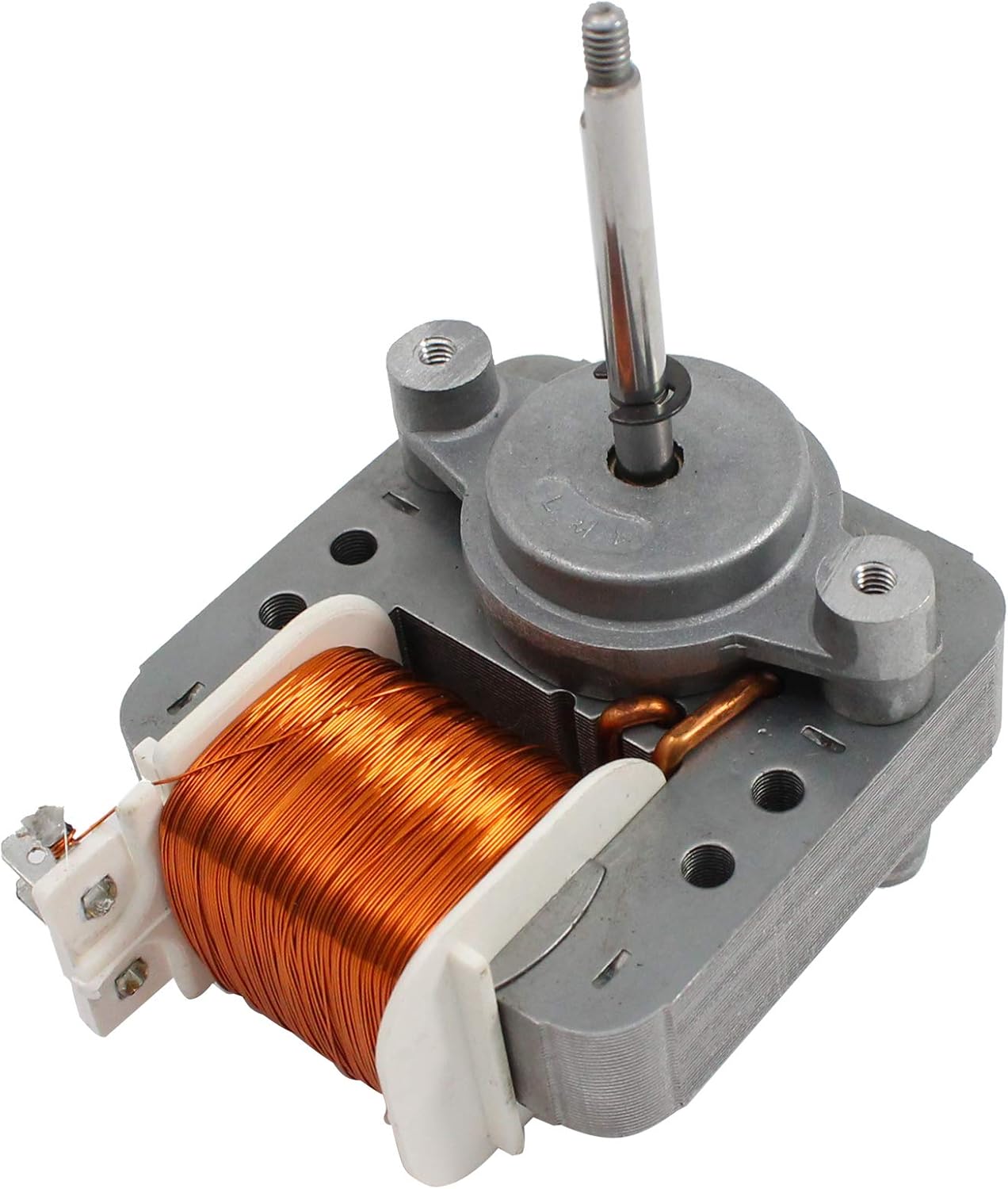
Figure 1: Angled view of the DG31-00005A AC Convection Motor. This image shows the motor's main body, copper coil, and the shaft where the fan blade attaches.
The DG31-00005A motor is engineered for durability and reliable performance, offering an effective solution for restoring the convection function of your range. It is compatible with original part numbers such as AP4338602, 2087455, and PS4240735.
2. Safety Information
WARNING: Before attempting any installation, maintenance, or repair, always disconnect the appliance from its power source to prevent electric shock or injury. Failure to do so can result in serious injury or death.
- Wear appropriate personal protective equipment, such as gloves and safety glasses.
- Ensure the work area is well-lit and clear of obstructions.
- If you are not comfortable performing the installation, seek assistance from a qualified appliance repair technician.
- Handle the motor carefully to avoid damage to its components or personal injury.
3. Setup and Installation
This section outlines the general steps for replacing a convection motor. Specific procedures may vary depending on your appliance model. Always refer to your appliance's service manual for detailed, model-specific instructions.
Required Tools (Typical):
- Screwdrivers (Phillips and flathead)
- Nut drivers or wrenches
- Pliers
- Multimeter (for testing, optional)
Installation Steps:
- Disconnect Power: Unplug the range from the electrical outlet or turn off the circuit breaker supplying power to the appliance. Verify power is off.
- Access the Motor: Depending on your range model, you may need to remove the back panel, oven cavity panels, or other components to gain access to the convection fan motor.
- Remove Fan Blade: Carefully remove the convection fan blade from the motor shaft. This often involves unscrewing a nut or bolt securing the blade.
- Disconnect Wiring: Disconnect the electrical wires connected to the old motor. Note the wiring configuration or take a picture for reference.
- Remove Old Motor: Unscrew or unmount the old convection motor from its housing.
- Install New Motor: Mount the new Upstart Components DG31-00005A motor into the housing, ensuring it is securely fastened.
- Connect Wiring: Reconnect the electrical wires to the new motor, matching the configuration noted earlier. Ensure all connections are secure.
- Reattach Fan Blade: Securely reattach the convection fan blade to the new motor shaft.
- Reassemble Appliance: Reinstall any panels or components that were removed to access the motor.
- Restore Power: Plug the range back into the electrical outlet or turn on the circuit breaker.
- Test Operation: Test the convection function of your range to ensure the new motor operates correctly and the fan spins freely.
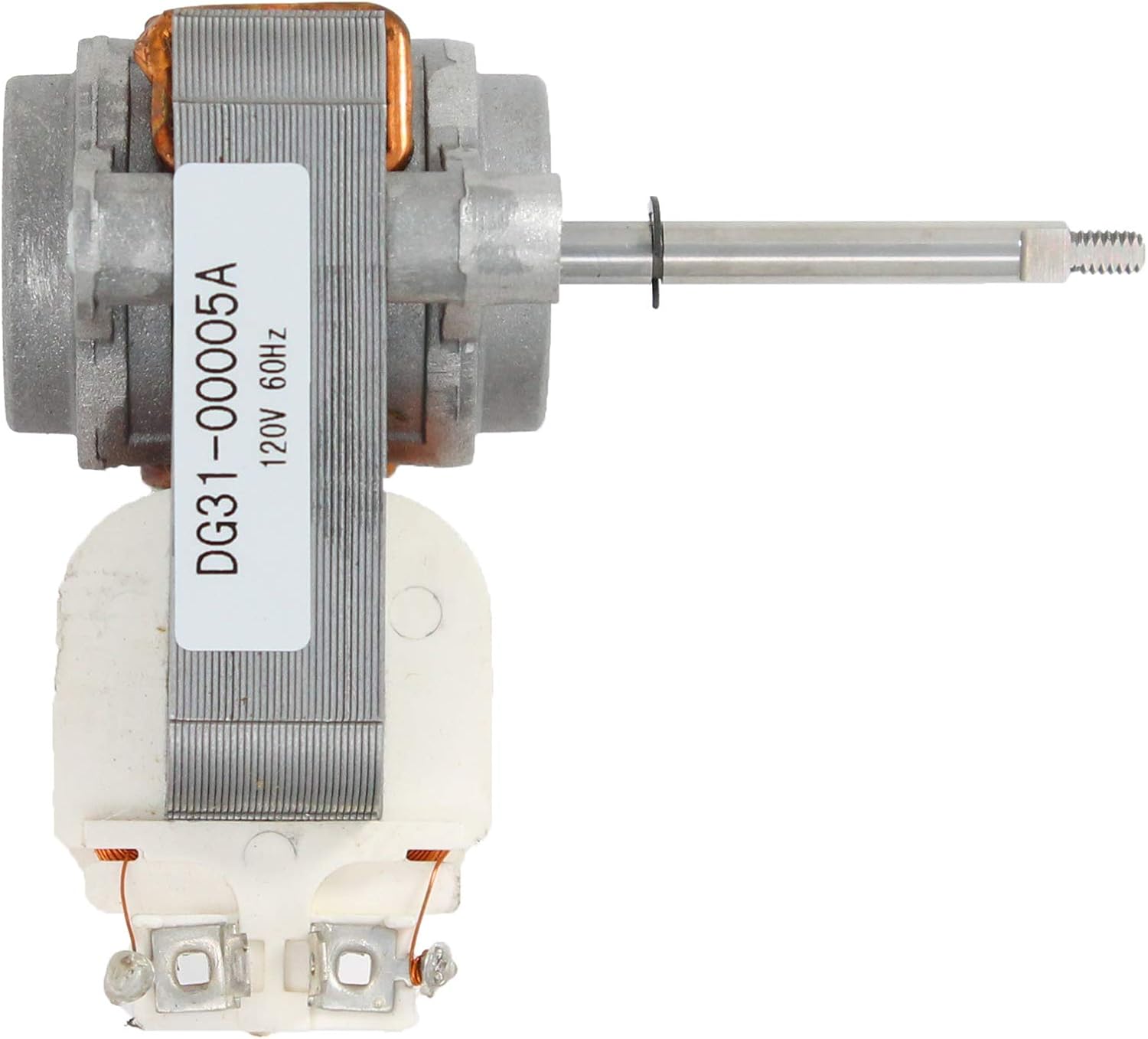
Figure 2: Side view of the DG31-00005A motor, showing the label with model number and electrical specifications. This view is helpful for verifying the part during installation.
4. Operating Instructions
Once properly installed, the Upstart Components DG31-00005A AC Convection Motor operates automatically as part of your range's convection system. When you select a convection cooking mode on your appliance, the motor will activate, spinning the convection fan to circulate hot air within the oven cavity.
- Ensure the oven door is properly closed during convection operation.
- Listen for smooth operation; unusual noises may indicate an issue.
5. Maintenance
The DG31-00005A AC Convection Motor is designed for minimal maintenance. However, periodic inspection can help ensure its longevity and proper function.
- Annual Inspection: Annually, or if you notice reduced convection performance, disconnect power to the range and inspect the motor and fan blade.
- Cleaning: Gently clean any dust or debris that may have accumulated on the motor housing or fan blade. Ensure the fan blade spins freely without obstruction.
- Wiring Check: Verify that all electrical connections to the motor are secure and free from corrosion.
- Avoid Lubrication: The motor is factory-sealed and does not require external lubrication. Attempting to lubricate it may cause damage.
6. Troubleshooting
If you experience issues with your convection fan, consult the following troubleshooting guide. Always disconnect power before inspecting the motor.
| Symptom | Possible Cause | Solution |
|---|---|---|
| Convection fan does not spin | No power to the range Loose wiring connection Motor failure Obstructed fan blade | Check power supply/circuit breaker Inspect and secure wiring Test motor for continuity (if qualified) Remove any obstructions from fan blade |
| Unusual noise from fan | Fan blade hitting obstruction Loose fan blade Motor bearing wear | Inspect for obstructions Tighten fan blade nut/bolt Motor replacement may be necessary |
| Poor convection cooking results | Fan not operating correctly Fan blade damaged | Refer to "Convection fan does not spin" Inspect and replace damaged fan blade |
If troubleshooting steps do not resolve the issue, contact customer support or a qualified technician.
7. Specifications
| Feature | Specification |
|---|---|
| Model Number | DG31-00005A |
| Compatible Part Numbers | AP4338602, 2087455, PS4240735 |
| Material | Plastic, Metal (Copper Coil) |
| Voltage | 120V (Typical for range convection motors) |
| Frequency | 60Hz (Typical for range convection motors) |
| Manufacturer | UpStart Components |

Figure 3: Top-down view of the DG31-00005A AC Convection Motor. This perspective highlights the compact design and the winding of the copper coil.
8. Warranty Information
This Upstart Components replacement part is covered by a warranty offered solely by Upstart Components. This product is not affiliated with any original equipment manufacturer (OEM) brands, and any warranties provided by original manufacturers do not apply to this replacement part. For specific warranty terms and conditions, please refer to the documentation provided with your purchase or contact Upstart Components directly.
9. Customer Support
For further assistance, technical support, or warranty inquiries regarding your Upstart Components DG31-00005A AC Convection Motor, please contact Upstart Components customer service. Have your purchase details and model number ready when contacting support.
Online Resources: You may find additional information or support on the Upstart Battery store page on Amazon: Upstart Battery Store