
Mr. Dj PRO12000
MR.DJ PRO12000 Professional Speaker User Manual
Model: PRO12000
Introduction
Thank you for choosing the MR.DJ PRO12000 Professional Series Speaker. This manual provides essential information for the safe and efficient operation of your new audio equipment. The PRO12000 is a high-performance 3-way loudspeaker designed for professional audio applications, featuring dual 15-inch woofers and a robust construction. Please read this manual thoroughly before installation and use, and retain it for future reference.
Safety Instructions
To ensure safe operation and prevent damage, observe the following precautions:
- Power: Connect the speaker only to an amplifier or power source that matches its impedance and power handling capabilities. Exceeding the speaker's rated power can cause damage.
- Placement: Position the speaker on a stable, level surface to prevent tipping. Ensure adequate ventilation around the speaker.
- Environment: Do not expose the speaker to water, moisture, extreme temperatures, or direct sunlight. Avoid placing it near heat sources.
- Cleaning: Disconnect from power before cleaning. Use a soft, dry cloth. Do not use liquid cleaners or aerosols.
- Servicing: Do not attempt to service this product yourself. Refer all servicing to qualified service personnel. Opening the enclosure may expose you to dangerous voltage or other hazards.
- Hearing Protection: Prolonged exposure to high volume levels can cause permanent hearing damage. Use caution when operating at high volumes.
Package Contents
Please check that all items are present and in good condition upon unpacking.
- MR.DJ PRO12000 Professional Speaker Unit
- User Manual (this document)
Product Overview
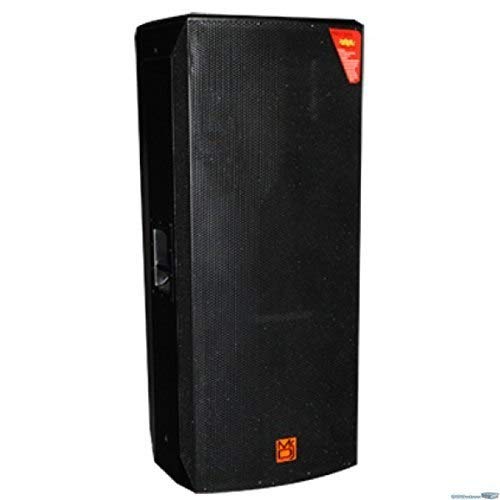
Figure 1: Front view of the MR.DJ PRO12000 professional speaker, showcasing its black cabinet, metal grille, and the Mr. Dj logo at the bottom.
The MR.DJ PRO12000 is a robust 3-way professional loudspeaker designed for powerful and clear audio reproduction. Key components include:
- Dual 15" Woofers: Provide deep and powerful bass response.
- 1.75" Dome Compression Driver: Delivers crisp and clear high frequencies.
- Cabinet: Constructed from durable 18mm MDF with a professional rough paint finish for enhanced durability and acoustic performance.
- Input Connectors: Equipped with 1/4" Phone Jack and Speakon connectors for versatile connectivity to professional audio equipment.
Setup
- Unpacking: Carefully remove the speaker from its packaging. Inspect for any signs of damage during transit.
- Placement: Choose a suitable location for the speaker. Ensure it is on a stable, flat surface or securely mounted if using appropriate speaker stands (not included). Allow sufficient space around the speaker for proper sound dispersion and heat dissipation from connected equipment.
- Connecting to an Amplifier:
- Ensure your amplifier is turned off before making any connections.
- Use high-quality speaker cables with either 1/4" Phone Jack or Speakon connectors.
- Connect one end of the speaker cable to the appropriate output terminal on your amplifier.
- Connect the other end of the speaker cable to either the 1/4" Phone Jack or Speakon input on the rear of the PRO12000 speaker. Ensure a secure connection.
- Verify correct polarity (+ to + and - to -) if using bare wire connections with adapters (not included).
- Power On: Once all connections are secure, you may power on your amplifier and audio source. Start with the amplifier volume at its lowest setting.
Operating
The MR.DJ PRO12000 is a passive speaker, meaning it requires an external amplifier to produce sound.
- Volume Control: Adjust the overall volume using the controls on your connected amplifier or mixer.
- Audio Source: Ensure your audio source (e.g., mixer, media player, instrument) is properly connected to your amplifier.
- Sound Check: Play a low-volume audio signal to confirm that sound is being produced clearly and without distortion. Gradually increase the volume to your desired listening level.
- Equalization: Use the equalization controls on your amplifier or mixer to fine-tune the sound to your preference and acoustic environment.
Note: The PRO12000 speaker itself does not have built-in volume controls, Bluetooth, or radio functions. These features would be managed by your connected audio equipment.
Maintenance
Proper maintenance will help ensure the longevity and performance of your speaker.
- Cleaning: Regularly wipe the exterior of the speaker with a soft, dry, lint-free cloth. Do not use abrasive cleaners, waxes, or solvents.
- Storage: If storing the speaker for an extended period, keep it in a cool, dry place, away from direct sunlight and extreme temperatures. Consider covering it to protect against dust.
- Inspection: Periodically check speaker cables and connectors for any signs of wear or damage. Replace damaged cables immediately.
Troubleshooting
If you encounter issues with your MR.DJ PRO12000 speaker, refer to the following common problems and solutions:
| Problem | Possible Cause | Solution |
|---|---|---|
| No sound from speaker |
|
|
| Distorted or unclear sound |
|
|
| Intermittent sound |
|
|
If the problem persists after trying these solutions, please contact MR.DJ customer support.
Specifications
| Feature | Detail |
|---|---|
| Model Name | PRO12000 |
| Speaker Type | 3-Way Professional Loud Speaker |
| Maximum Peak Power | 12,000 Watts |
| Woofer Configuration | Dual 15" Bass Reflex |
| Voice Coil | 4" |
| Compression Driver | 1.75" Dome / Titanium Dome & Pure Aluminum Flat Wire |
| Cabinet Material | 18mm MDF with Professional Rough Paint Finishing |
| Connectors | 1/4" Phone Jack & Speakon Connectors |
| Item Weight | 10 Pounds (Note: This weight may be a placeholder or refer to shipping weight of a component, as actual speaker weight is typically higher.) |
| Product Dimensions | 5 x 5 x 5 inches (Note: These dimensions appear to be a placeholder and do not reflect the actual size of a dual 15" speaker.) |
| Manufacturer | MR DJ |
| Brand | Mr. Dj |
| UPC | 699961347424 |
Warranty and Support
For warranty information, technical support, or service inquiries regarding your MR.DJ PRO12000 speaker, please contact Mr. Dj customer service.
You can find more information and contact details by visiting the official Mr. Dj Store: Mr. Dj Store on Amazon.
Ask a question about this manual
Ask about setup, troubleshooting, compatibility, parts, safety, or missing instructions. Manuals+ will review the question and use this page’s manual context to help answer it.