
Introduction
Thank you for purchasing the Impex ST 80AN Portable Wireless Speaker. This speaker system is designed to provide a powerful and realistic audio experience with high-quality sound. It features versatile connectivity options and a portable trolley design, making it ideal for various uses. Please read this manual carefully to ensure proper use, optimal performance, and longevity of your device.
Safety Instructions
- Do not expose the unit to rain or moisture to prevent fire or electric shock.
- Do not open the speaker casing. There are no user-serviceable parts inside. Refer all servicing to qualified personnel.
- Place the speaker on a stable, flat surface to prevent it from falling.
- Keep the speaker away from direct sunlight, heat sources, and excessive dust.
- Ensure proper ventilation around the speaker. Do not block any ventilation openings.
- Use only the power adapter supplied with the device.
- Unplug the speaker during lightning storms or when unused for long periods.
Package Contents
Please check the package for the following items:
- Impex ST 80AN Portable Wireless Speaker
- Wireless VHF Microphone
- Remote Control
- Power Adapter
- User Manual
Product Overview
The Impex ST 80AN is a 55W portable wireless multimedia speaker designed for ease of use and powerful sound. It features a trolley design with wheels and a handle for portability.

Figure 1: Overview of the Impex ST 80AN speaker highlighting its portable handle, 12-inch woofer, strong plastic body, sturdy wheels, versatile design, and elegant control panel.
Key Features
- Crystal Clear Sound: Engineered for high-fidelity audio performance.
- 55W Output Power: Delivers robust and clear sound.
- Elegant Control Panel: User-friendly interface for easy operation.
- Power Bass: Enhanced bass for a rich audio experience.
- Equalizer Function: Customize your sound preferences.
- Long Life Li-ion Battery: Extended playback time for portable use.
- Bluetooth Connectivity: Seamless wireless streaming from compatible devices.
- Wheels & Handle Support: Integrated trolley design for easy transport.
- Multiple Inputs: USB, SD Card, AUX, and Microphone inputs.
- FM Radio: Enjoy your favorite radio stations.
- Wireless VHF Microphone: Included for karaoke or public speaking.
- Recording Function: Capture audio directly to connected storage.
- LED Lighting: Dynamic LED panel for visual effects.
- Full-Function Remote Control: Convenient control from a distance.

Figure 2: Key features of the Impex ST 80AN speaker, including sound quality, controls, battery, connectivity, and portability.
Audio Components
- Top-Notch Woofer: Delivers deep and powerful bass.
- High Quality Speaker: Ensures balanced and clear audio output.
- Hi-Fi Tweeter: Provides crisp and detailed high frequencies.
- Bass Reflex Vent: Enhances low-frequency response.

Figure 3: Detailed view of the speaker's audio components and sound controls.
Setup
Charging the Speaker
- Connect the provided power adapter to the DC12V INPUT port on the rear panel of the speaker.
- Plug the other end of the adapter into a suitable power outlet.
- The LED indicator will show the charging status. Charge the speaker fully before first use.
Initial Placement
- Place the speaker on a flat, stable surface. The trolley wheels allow for easy movement.
- Ensure there is adequate space around the speaker for optimal sound dispersion and ventilation.
Operating Instructions

Figure 4: Detailed view of the speaker's control panel and input options.
Power On/Off
- To power on the speaker, locate the POWER switch on the control panel and set it to the 'ON' position.
- To power off, set the POWER switch to the 'OFF' position.
Mode Selection
Press the 'MODE' button on the control panel or remote control to switch between different input modes: Bluetooth, USB, SD Card, AUX, and FM Radio.
Bluetooth Connection
- Turn on the speaker and switch to Bluetooth mode using the 'MODE' button. The speaker will indicate it is ready for pairing.
- Enable Bluetooth on your smartphone, tablet, or other compatible device.
- Search for 'ST 80AN' in your device's Bluetooth list and select it to pair.
- Once paired, you will hear a confirmation sound, and you can start playing music wirelessly.
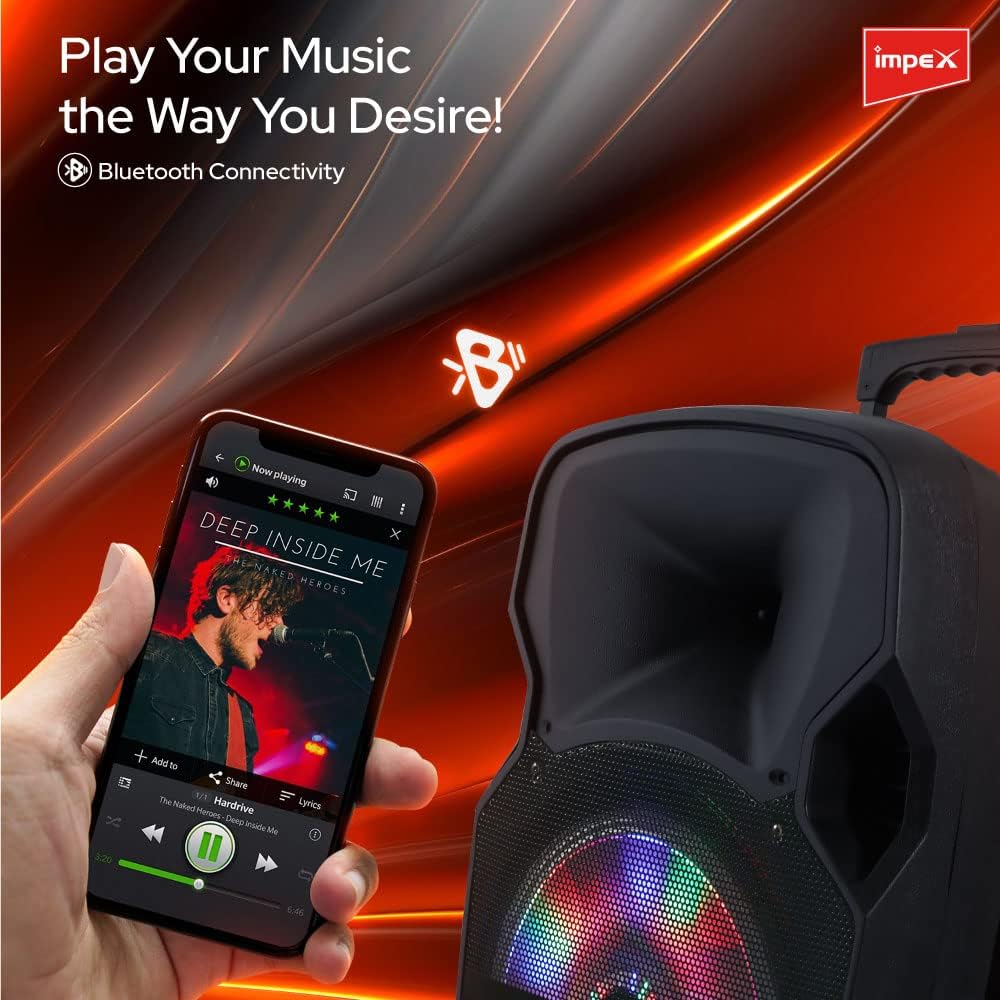
Figure 5: Connecting your device via Bluetooth for wireless music playback.
USB/SD Card Playback
- Insert a USB flash drive or SD card (with MP3 audio files) into the respective port on the control panel.
- The speaker will automatically switch to USB/SD mode and begin playing music. If not, press the 'MODE' button to select the correct input.
- Use the playback controls (Play/Pause, Next, Previous) on the speaker or remote control to manage your music.

Figure 6: Utilizing the USB input for music playback.
AUX Input
- Connect an external audio device (e.g., laptop, MP3 player) to the AUX input port using a 3.5mm audio cable.
- Switch the speaker to AUX mode using the 'MODE' button.
- Control playback from your connected device.
FM Radio
- Switch to FM Radio mode using the 'MODE' button.
- Press the 'Play/Pause' button to auto-scan and save available FM stations.
- Use the 'Next' and 'Previous' buttons to navigate between saved stations.
Microphone Usage & Recording
- Connect the wireless VHF microphone (or a wired microphone to the MIC INPUT).
- Adjust the microphone volume using the 'MIC VOL' knob.
- Adjust echo effect with the 'ECHO' knob.
- To record, ensure a USB drive or SD card is inserted. Press the 'REC' button to start recording. Press again to stop.

Figure 7: Using the wireless microphone for singing or speaking, and the recording function.
Sound Adjustment
- Use the 'VOLUME' knob to control the overall master volume.
- Adjust 'BASS' and 'TREBLE' knobs to fine-tune the low and high frequencies.
- Utilize the 'EQUALIZER' function (if available via remote or specific button) to select preset sound profiles.
LED Lighting
- The speaker features an LED panel for dynamic lighting effects.
- Use the 'LIGHT SWITCH' or dedicated button on the control panel/remote to turn the LED lights on/off or change modes.
Remote Control
The included remote control provides convenient access to all major functions from a distance.

Figure 8: Using the premium remote control for convenient operation.
Maintenance
- Cleaning: Use a soft, dry cloth to clean the exterior of the speaker. Do not use liquid cleaners or abrasive materials.
- Storage: When not in use for extended periods, store the speaker in a cool, dry place, away from direct sunlight and extreme temperatures.
- Battery Care: To prolong battery life, avoid fully discharging the battery frequently. Recharge the speaker regularly, even if not in use.
Troubleshooting
| Problem | Possible Cause | Solution |
|---|---|---|
| No power | Battery is drained; Power switch is off; Power adapter not connected. | Charge the speaker; Turn the power switch ON; Ensure power adapter is securely connected. |
| No sound | Volume is too low; Incorrect input mode selected; Device not connected properly. | Increase volume; Select correct input mode (Bluetooth, USB, AUX); Reconnect device. |
| Bluetooth pairing fails | Speaker not in pairing mode; Bluetooth disabled on device; Device too far. | Ensure speaker is in Bluetooth mode; Enable Bluetooth on your device; Move device closer to speaker (within 10m). |
| Microphone not working | Microphone not turned on; MIC VOL is low; Battery in wireless mic is low. | Turn on microphone; Increase MIC VOL; Replace batteries in wireless microphone. |
| Remote control not working | Batteries are low or incorrectly inserted; Obstruction between remote and speaker. | Replace remote control batteries; Ensure clear line of sight to the speaker's IR receiver. |
Specifications
| Feature | Detail |
|---|---|
| Model Number | ST 80AN |
| Brand | Impex |
| Output Power | 55 Watts |
| Audio Input | Microphone |
| Recommended Uses | Smartphones, Tablets |
| Connectivity Technology | Wired/Wireless (Bluetooth, USB, AUX) |
| Color | Black |
| Compatible Devices | Tablet, Laptop, Smartphone |
| Mounting Type | Floor Standing |
| Power Source | Corded Electric |
| Connector Type | USB, AUX |
| Material | Plastic, Metal |
| Item Weight | 9.1 kg |
| Product Dimensions (L x W x H) | 39 x 58.5 x 30 cm |
| Country of Origin | China |
Warranty and Support
The Impex ST 80AN Portable Wireless Speaker comes with a two-year warranty from the date of purchase.
For warranty claims, technical support, or any inquiries regarding your product, please contact our customer service:
- Support Contact: +966541463161
Please retain your purchase receipt as proof of purchase for warranty purposes.