
Synvy ML 352
[3 Pack] Synvy Screen Protector for SWISS MILITARY Time line ML 352
Model: ML 352 Compatible Screen Protector
Introduction
This manual provides comprehensive instructions for the installation, operation, maintenance, and troubleshooting of your Synvy Screen Protector. Designed specifically for the SWISS MILITARY Time line ML 352 Smartwatch, this TPU soft film protector offers robust protection against scratches and scuffs while maintaining screen clarity and touch sensitivity.
Key Features:
- Not Tempered Glass: This screen protector is a TPU Soft Film, not tempered glass, offering flexibility and impact absorption.
- Scratch Resistant: Effectively protects your smartwatch from unwanted scuffs and scratches from everyday objects like knives and keys.
- Easy Installation: Features 4H Hardness with 100% Bubble-Free Adhesives for straightforward application and no residue upon removal.
- Ultra Clear: Preserves the original screen brightness and definition, ensuring an unrivaled viewing experience.
- High Sensitivity: Provides TrueTouch Sensitivity for invisible and perfect protection on the touch screen, ensuring full functionality.
Setup Guide
Package Contents:
- 3 x Synvy Screen Protectors
- Installation Kit (includes cleaning cloth, dust removal sticker, wet wipe)
Installation Steps:
Step 1: Clean the Screen
Thoroughly clean the smartwatch screen using the provided wet wipe. Ensure all dust, smudges, and fingerprints are removed. Use the dry cleaning cloth to dry the screen completely.Step 2: Remove Dust
Use the dust removal sticker to gently dab the screen and pick up any remaining dust particles. Ensure the screen is completely free of dust before proceeding.Step 3: Align the Protector
Carefully peel off the protective film from the adhesive side of the screen protector (usually marked with a '1' tab). Align the screen protector precisely with the edges of your smartwatch screen. Avoid touching the adhesive side.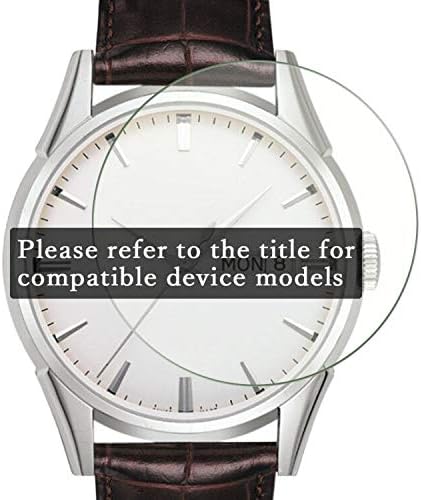
Figure 1: Proper alignment of the screen protector on a smartwatch face.
Step 4: Apply and Smooth
Once aligned, gently lay the screen protector onto the screen. Use a squeegee card (if provided) or a soft cloth to push out any air bubbles from the center towards the edges. Small bubbles may disappear over 24-48 hours.Step 5: Final Touches
Carefully peel off the top protective film (usually marked with a '2' tab). Wipe the installed screen protector with the dry cleaning cloth to remove any smudges.
Operating Instructions
Once installed, the Synvy Screen Protector operates passively, providing continuous protection without affecting the functionality of your smartwatch. The protector is designed for:
- TrueTouch Sensitivity: Maintains the original touch responsiveness of your smartwatch screen.
- Ultra Clear Visibility: Preserves the original screen brightness and definition for an optimal viewing experience.
No special operating procedures are required after installation. Simply use your smartwatch as normal.
Maintenance and Care
To ensure the longevity and clarity of your Synvy Screen Protector, follow these maintenance guidelines:
- Cleaning: Wipe the screen protector regularly with a soft, lint-free cloth. For stubborn smudges, slightly dampen the cloth with water or a screen-safe cleaner. Avoid harsh chemicals or abrasive materials.
- Protection: While the protector is scratch-resistant, avoid direct contact with sharp objects like knives or keys to prevent damage to the protector itself.
- Replacement: If the screen protector becomes heavily scratched, damaged, or starts to peel, it is recommended to replace it with a new one from the pack to maintain optimal screen protection and clarity.
Troubleshooting
| Problem | Possible Cause | Solution |
|---|---|---|
| Bubbles under the protector | Dust particles or improper application. | Gently lift the nearest edge of the protector and re-apply, pushing bubbles out with a squeegee or soft cloth. For small bubbles, wait 24-48 hours for them to dissipate naturally. Ensure screen is dust-free before application. |
| Protector not adhering properly | Oily residue or dust on the screen; protector edge lifted. | Ensure the screen is thoroughly cleaned and dry before application. If an edge is lifting, gently press it down. If the issue persists, consider replacing with a new protector from the pack. |
| Reduced touch sensitivity | Rare, but could be due to improper installation or a faulty protector. | Re-install the protector carefully, ensuring no air gaps. If the problem continues, contact customer support or try a new protector. |
Product Specifications
- Product Name: Synvy Screen Protector
- Compatibility: SWISS MILITARY Time line ML 352 Smartwatch
- Material: TPU Soft Film (Not Tempered Glass)
- Hardness: 4H
- Features: Scratch Resistant, Bubble-Free Adhesives, Ultra Clear, High Sensitivity
- Package Quantity: 3 Pack
- Manufacturer: Synvy film works with SWISS MILITARY Time line ML 352
- ASIN: B084FJ234S
- First Available Date: May 9, 2021
Warranty and Support
For any questions, concerns, or support regarding your Synvy Screen Protector, please contact the manufacturer directly through their official channels or the retailer from whom the product was purchased.
Please refer to your purchase documentation for specific warranty information, as warranty terms may vary by region and retailer.
Ask a question about this manual
Ask about setup, troubleshooting, compatibility, parts, safety, or missing instructions. Manuals+ will review the question and use this page’s manual context to help answer it.