Important Safety Information
Please read all instructions carefully before using your Salter Compact Analyser Bathroom Scale. Keep this manual for future reference.
- Do not use this scale if you have a pacemaker or other internal medical device.
- This scale is not intended for use by pregnant women.
- The scale is designed for domestic use only and should not be used for medical diagnosis or treatment.
- Always place the scale on a firm, flat surface. Avoid carpets or uneven floors, as this can affect accuracy.
- Keep the scale dry. Do not immerse in water or use abrasive cleaning agents.
- Avoid extreme temperatures. Store the scale in a cool, dry place.
- Do not jump on the scale. Step on and off gently.
Product Overview
The Salter 9113 SV3R Compact Analyser Bathroom Scale is an electronic digital scale designed to measure bodyweight, body fat, body water, and Body Mass Index (BMI). It features a compact design, an easy-to-read LCD display, and provides instant weight readings. The scale has a maximum capacity of 150 kg (23 st 8 lbs) and includes an 8-user memory function for tracking individual progress.
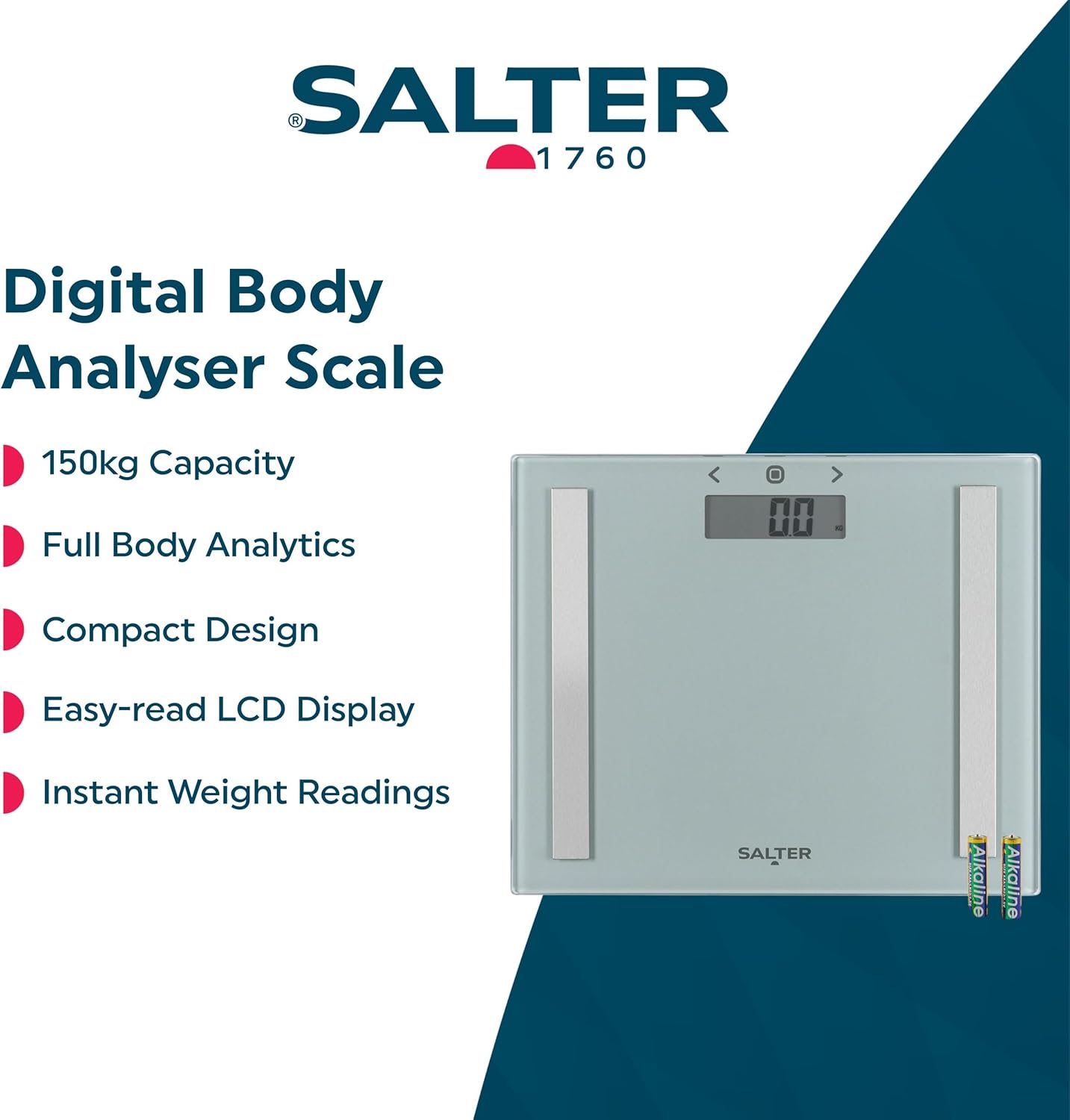
Image: The Salter Digital Body Analyser Scale, showcasing its key features including 150kg capacity, full body analytics, compact design, easy-read LCD display, and instant weight readings.
What's in the Box
- 1 x Electronic Analyser Bathroom Scale
- 2 x AAA Batteries
Setup
Battery Installation
Locate the battery compartment on the underside of the scale. Open the compartment cover and insert the two AAA batteries provided, ensuring correct polarity (+/-). Close the battery compartment cover securely.
Initial Setup and User Profile Configuration
The scale allows for personal profile configuration (gender, age, height) for accurate analyser readings. To set up a user profile:
- Locate the three buttons positioned under the front edge of the scale.
- Press the middle button to activate the scale.
- Use the side buttons (left and right arrows) to navigate and adjust settings for your personal profile, including user number, gender, age, and height.
- Confirm each setting by pressing the middle button.
Note: The symbols on the top of the display are for indication only; actual configuration is done via the buttons underneath the scale.

Image: A close-up view of the Salter scale's LCD display, indicating the current measurement unit and ready state.
Placing the Scale
For accurate readings, place the scale on a hard, flat, and level surface. If using on carpet, attach the included carpet feet to the underside of the scale for improved stability and accuracy.

Image: The Salter Compact Analyser Bathroom Scale positioned on a tiled bathroom floor, demonstrating its compact size and readiness for use.
Operating Instructions
Taking a Weight Measurement
The scale features instant step-on technology. Simply step onto the scale with bare feet (for analyser functions) or with shoes (for weight only). Your weight will be displayed on the LCD screen.
Using Analyser Functions (Body Fat, Body Water, BMI)
To utilize the full body analytics features, ensure your user profile is set up. Step onto the scale with bare feet. The scale will automatically detect your user profile (if previously set up) and display your body fat percentage, body water percentage, and BMI in sequence after your weight. The scale also includes an athlete mode for individuals with higher activity levels, which can be set during user profile configuration for more accurate readings.
Recalling User Memory
The scale stores data for up to 8 users. To recall previous readings for a specific user, use the navigation buttons (under the front edge) to select the desired user number. The scale will then display the stored measurements for that profile.
Maintenance and Care
Cleaning
Clean the scale with a damp cloth and mild detergent. Do not use abrasive cleaners or immerse the scale in water. Ensure the scale is completely dry before storage or next use.
Storage
Store the scale in a flat, dry place away from direct sunlight and extreme temperatures. Its compact design allows for easy storage in most bathrooms or cabinets.

Image: The Salter Compact Analyser Bathroom Scale neatly stored vertically within a white bathroom cabinet, highlighting its slim profile and ease of storage.
Battery Replacement
When the display shows a low battery indicator, replace both AAA batteries with new ones to ensure continued accurate operation.
Troubleshooting
- Inaccurate Readings: Ensure the scale is placed on a hard, flat, and level surface. Avoid carpets unless carpet feet are used. Step on and off the scale to re-calibrate it if readings seem inconsistent. Ensure bare feet are used for analyser functions.
- Display Not Working/Blank: Check that the batteries are correctly installed and are not depleted. Replace batteries if necessary.
- Difficulty with Setup/Configuration: Remember that the user profile configuration buttons are located underneath the front edge of the scale, not on the display surface. Use the middle button to confirm selections and the side buttons to navigate.
- Error Messages: Refer to the specific error code displayed on the screen. Common errors may indicate overload (step off the scale) or unstable surface (reposition the scale).
Specifications
| Feature | Detail |
|---|---|
| Product Name | Salter Compact Glass Analyser Scale - Silver |
| Model Number | 9113 SV3R |
| Brand | Salter |
| Weight | 1.72 Kilograms (Product: 1.36 kg) |
| Units | 1.0 count |
| Product Dimensions | 35 x 5 x 30 cm |
| Colour | Silver |
| Recommended Uses | Adults |
| Special Features | Large Screen, Body Fat Analysis, Muscle Mass, BMI, Accurate Measurement, Easy to Use, Compact Design |
| Display Type | LCD |
| Batteries | 2 AAA batteries (included) |
| Manufacturer | Ultimate Products Ltd. |
| Country of Origin | China |
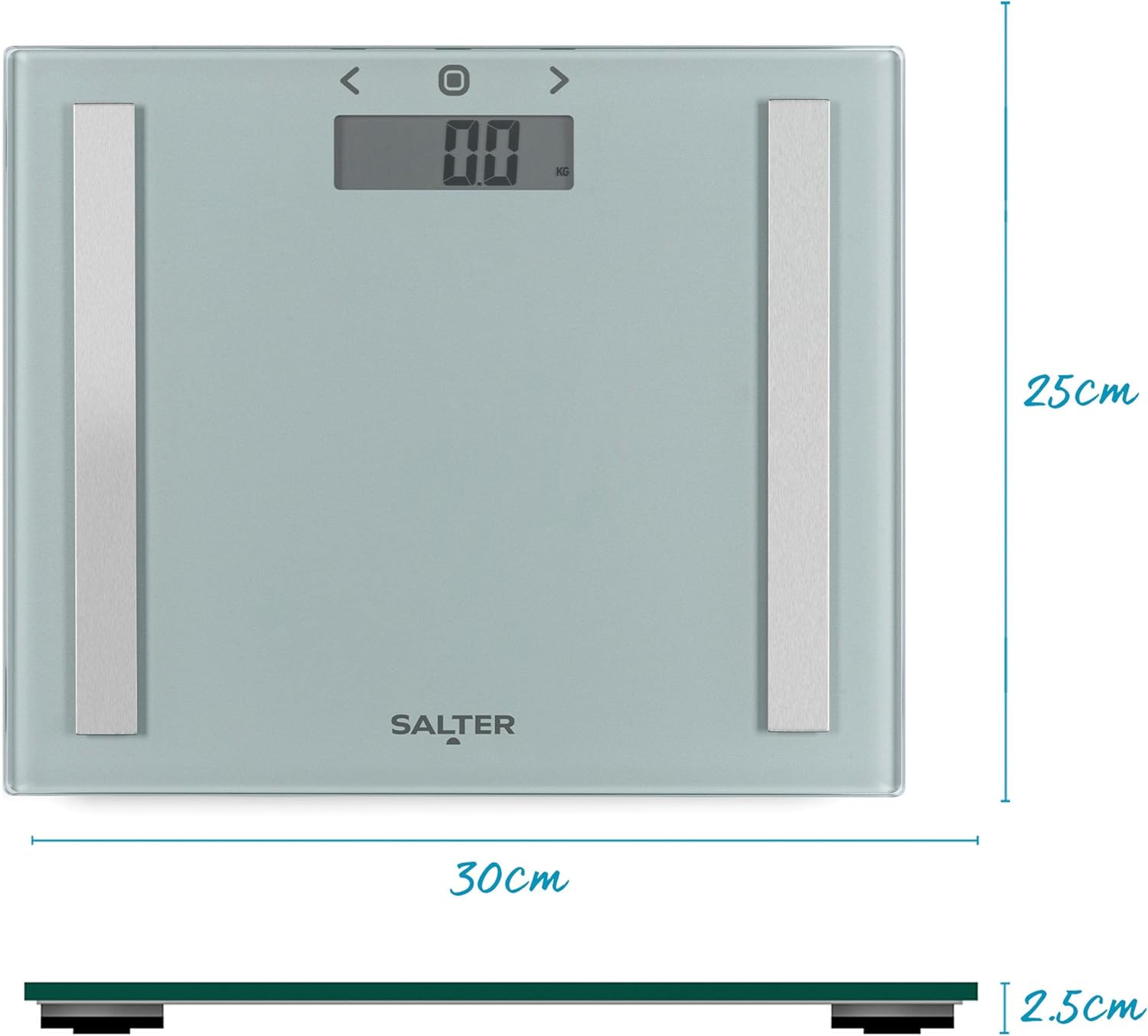
Image: A diagram illustrating the physical dimensions of the Salter Compact Analyser Bathroom Scale, showing its width, depth, and slim height.
Warranty and Support
The Salter 9113 SV3R Compact Analyser Bathroom Scale comes with a 15-year guarantee, reflecting the manufacturer's confidence in its quality and durability.
For any support inquiries, troubleshooting assistance beyond this manual, or to claim your warranty, please refer to the contact information provided on the product packaging or visit the official Salter website.