
Pyle PPHP1243B
Pyle Portable Bluetooth Speaker System
Model: PPHP1243B
Brand: Pyle
Introduction
This manual provides essential information for the safe and effective operation of your Pyle PPHP1243B Portable Bluetooth Speaker System. Please read this manual thoroughly before using the product and retain it for future reference. This speaker system is designed for versatile audio playback, offering Bluetooth connectivity, USB/SD card support, AUX input, FM radio, and microphone/guitar inputs, making it suitable for various indoor and outdoor events.
Safety Information
- Power Source: Use only the provided power adapter for charging. Ensure the voltage matches the product's requirements.
- Water and Moisture: Do not expose the speaker to rain, moisture, or immerse it in water. This product is not waterproof.
- Ventilation: Do not block any ventilation openings. Ensure adequate airflow around the unit.
- Heat: Keep the speaker away from heat sources such as radiators, heat registers, stoves, or other apparatus (including amplifiers) that produce heat.
- Cleaning: Unplug the unit from the power source before cleaning. Use a dry cloth only.
- Servicing: Do not attempt to service this product yourself. Refer all servicing to qualified service personnel.
- Battery: The speaker contains a rechargeable battery. Do not expose the battery to excessive heat or dispose of it in fire. Follow local regulations for battery disposal.
Package Contents
Upon opening the package, please verify that all items listed below are present and in good condition:
- Pyle PPHP1243B Portable Bluetooth Speaker System
- Remote Control
- Power Adapter

Image: The Pyle PPHP1243B speaker shown with its included remote control and power adapter, illustrating the complete package contents.
Product Features and Controls
Familiarize yourself with the various features and control panel of your speaker system.
Back Panel Control Panel
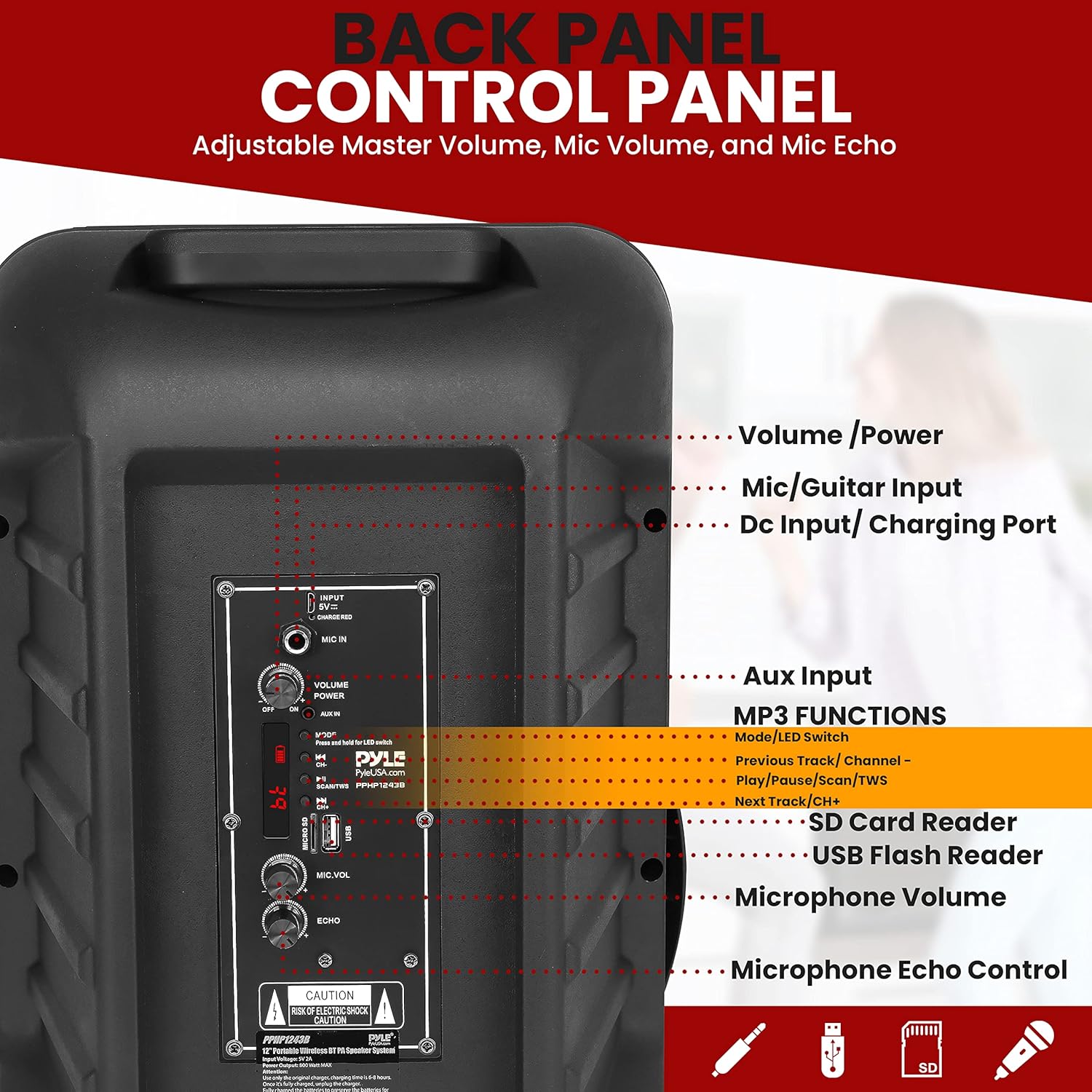
Image: A detailed view of the speaker's back panel, highlighting the Volume/Power knob, Mic/Guitar Input, DC Input/Charging Port, Aux Input, MP3 Functions (Previous Track/Channel, Play/Pause/Scan/TWS, Next Track/CH+), SD Card Reader, USB Flash Reader, Microphone Volume, and Microphone Echo Control.
- Volume/Power: Master volume control and power ON/OFF switch.
- Mic/Guitar Input: 1/4-inch input for connecting a microphone or guitar.
- DC Input/Charging Port: Connect the power adapter here for charging and continuous power.
- Aux Input: 3.5mm input for connecting external audio devices.
- MP3 Functions: Controls for media playback (Previous/Next Track, Play/Pause, Scan for FM, TWS pairing).
- SD Card Reader: Slot for playing audio files from an SD memory card.
- USB Flash Reader: Port for playing audio files from a USB flash drive.
- Microphone Volume: Adjusts the volume level of the connected microphone.
- Microphone Echo Control: Adjusts the echo effect for the microphone input.
Audio Performance

Image: An exploded view diagram of the speaker's internal components, highlighting the 12-inch subwoofer and 1-inch tweeter, emphasizing its 800-watt power output and 4 Ohms impedance for room-filling sound and strong bass.
Connectivity Options
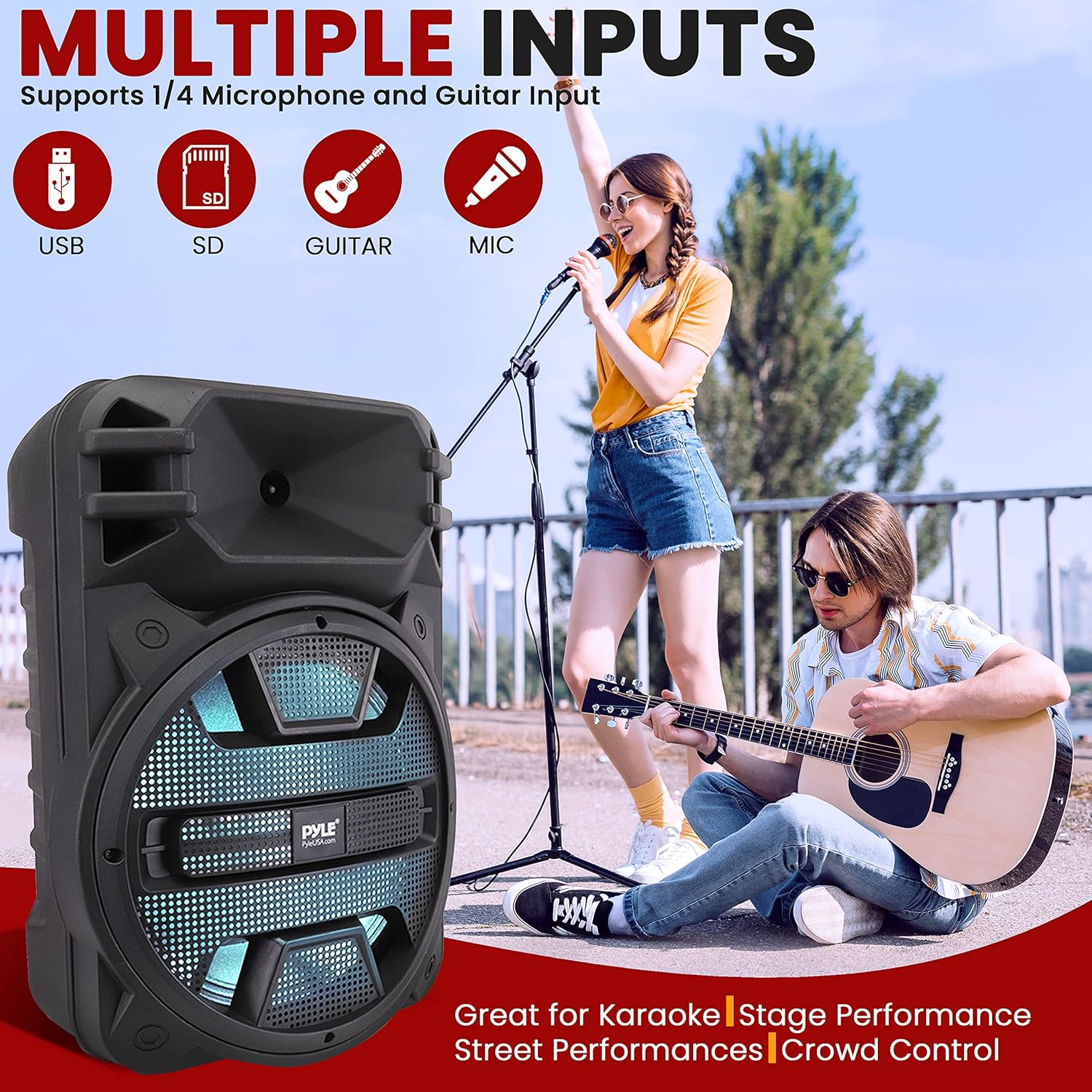
Image: The speaker is shown with graphical representations of its multiple input options: USB, SD card, Guitar, and Microphone, indicating its versatility for various audio sources and performances.
Bluetooth Connectivity
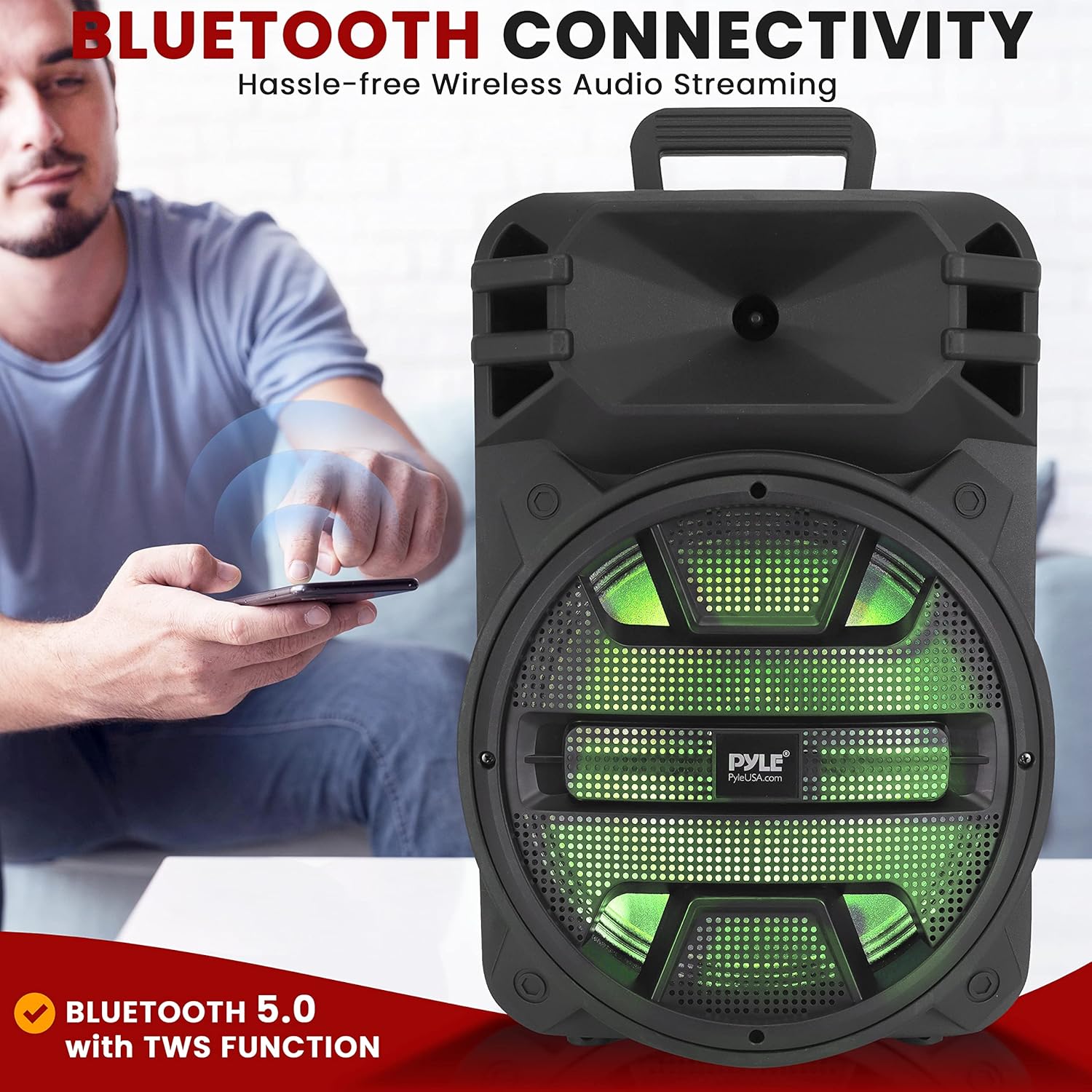
Image: A man is shown wirelessly streaming audio from his smartphone to the Pyle speaker, demonstrating the hassle-free Bluetooth connectivity feature (Bluetooth 5.0 with TWS function).
True Wireless Stereo (TWS) Function

Image: Two Pyle speakers are depicted wirelessly linked, illustrating the True Wireless Stereo (TWS) function which allows connecting two speakers for a combined 1600 watts of full-range sound.
Additional Product Features
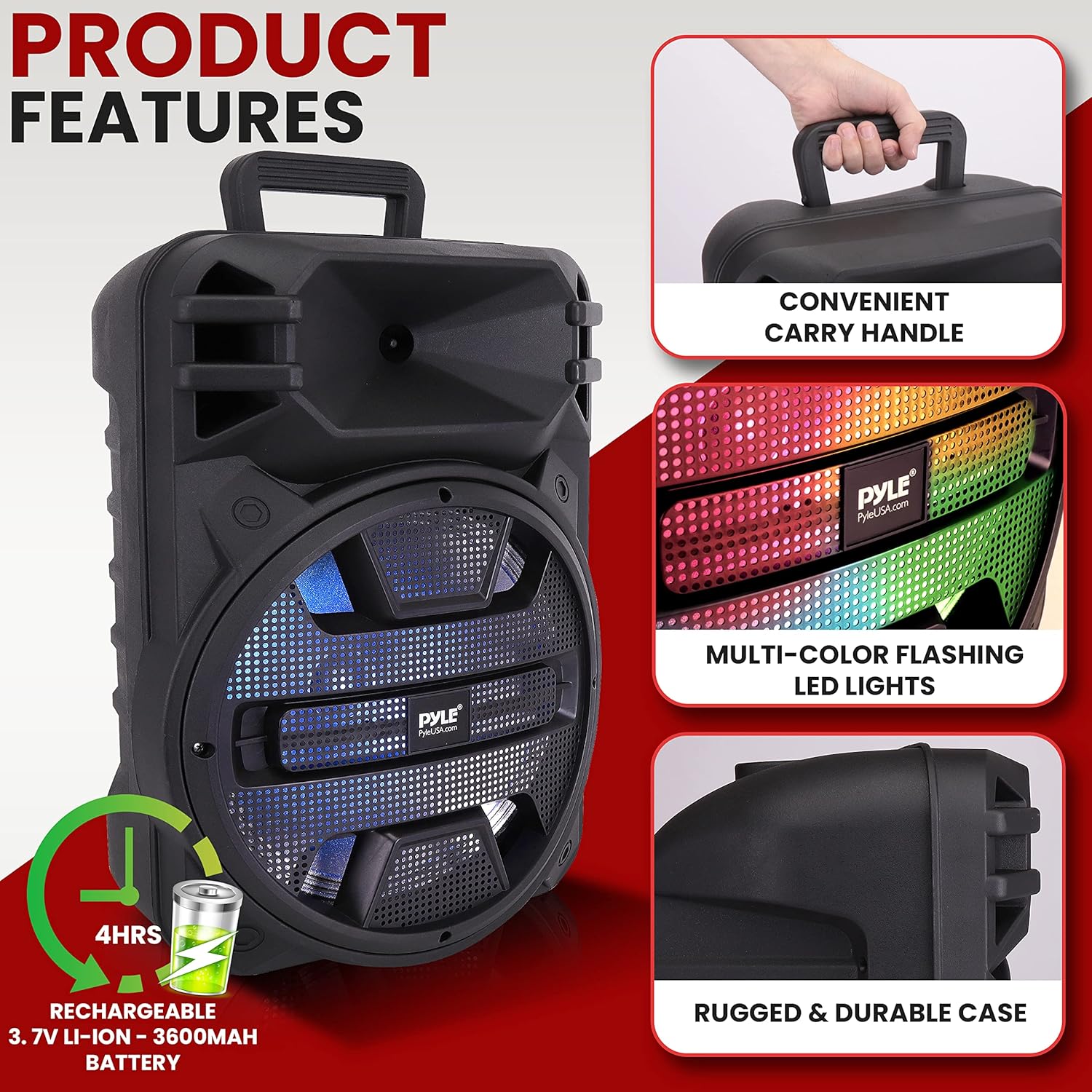
Image: A composite image showcasing key physical features: a convenient carry handle for portability, multi-color flashing LED lights for visual effects, and a rugged & durable case for protection. It also indicates a 4-hour rechargeable 3.7V Li-Ion 3600mAh battery life.
Product Dimensions

Image: A technical drawing of the speaker displaying its dimensions: 19.1 inches in height, 10.4 inches in depth, and 13.2 inches in width. The remote and power adapter are also shown for scale.
Setup
- Unpacking: Carefully remove the speaker and all accessories from the packaging.
- Initial Charge: Before first use, fully charge the speaker's built-in battery. Connect the provided power adapter to the DC Input/Charging Port on the back panel and plug it into a power outlet. The charging indicator light will show the charging status. A full charge typically takes several hours.
- Power On: Turn the Volume/Power knob clockwise to power on the speaker.
- Placement: Place the speaker on a stable, flat surface. For optimal sound projection, position it in an open area, away from walls or corners that might muffle the sound.
Operating Instructions
Bluetooth Pairing
- Power on the speaker.
- Press the 'MODE' button on the speaker or remote control to select Bluetooth mode. The display will show 'BLUE' and the speaker will emit a pairing tone, indicating it's ready to pair.
- Enable Bluetooth on your mobile device (smartphone, tablet, etc.).
- Search for available Bluetooth devices and select 'PYLE PPHP1243B' from the list.
- Once connected, the speaker will emit a confirmation tone. You can now stream audio wirelessly from your device.
USB/SD Card Playback
- Insert a USB flash drive or SD card (with MP3 audio files) into the respective port on the back panel.
- The speaker will automatically switch to USB/SD mode and begin playing the audio files. If not, press the 'MODE' button to select 'USB' or 'SD'.
- Use the 'Play/Pause', 'Previous', and 'Next' buttons on the speaker or remote control to manage playback.
AUX Input
- Connect an external audio device (e.g., MP3 player, laptop) to the 3.5mm AUX Input port using an audio cable (not included).
- Press the 'MODE' button to select 'AUX' mode.
- Control playback and volume from your connected device.
FM Radio Operation
- Press the 'MODE' button to select 'FM' mode.
- Press the 'Play/Pause' button once to automatically scan and save available FM radio stations.
- Use the 'Previous' and 'Next' buttons to navigate through the saved stations.
Microphone and Guitar Input
- Connect a 1/4-inch microphone or guitar cable to the 'Mic/Guitar Input' port.
- Adjust the 'MIC. VOL' knob to control the microphone/guitar volume.
- Use the 'ECHO' knob to add or remove an echo effect to the microphone input.
LED Lights Control
The speaker features multi-color flashing LED lights. These lights typically activate automatically when the speaker is powered on. Refer to the remote control for specific buttons to change light modes or turn them off/on if available.
True Wireless Stereo (TWS) Function
To connect two PPHP1243B speakers for a stereo experience:
- Ensure both speakers are powered on and in Bluetooth mode, but not yet connected to any device.
- On one of the speakers (this will be the master speaker), press and hold the 'TWS' button (often combined with Play/Pause or Mode button, refer to specific button label on your unit).
- The speakers will attempt to pair with each other. Once successfully paired, you will hear a confirmation tone.
- Now, connect your mobile device to the master speaker via Bluetooth as described in the 'Bluetooth Pairing' section. Audio will play through both speakers in stereo.
Maintenance
- Cleaning: Use a soft, dry cloth to clean the exterior of the speaker. Do not use liquid cleaners or aerosol sprays.
- Storage: When not in use for extended periods, store the speaker in a cool, dry place, away from direct sunlight and extreme temperatures.
- Battery Care: To prolong battery life, avoid fully discharging the battery frequently. Recharge the battery regularly, even if the speaker is not in use. If storing for a long time, charge the battery to about 50% every few months.
- Avoid Obstructions: Ensure the speaker's vents are clear of dust and debris to prevent overheating.
Troubleshooting
| Problem | Possible Cause | Solution |
|---|---|---|
| No power | Battery is depleted; Power adapter not connected or faulty; Power switch is OFF. | Charge the battery; Ensure power adapter is securely connected and working; Turn the power switch ON. |
| No sound | Volume is too low; Incorrect input mode selected; Device not connected properly (Bluetooth/AUX); USB/SD card issues. | Increase master volume; Select correct input mode (BT, USB, AUX, FM); Re-pair Bluetooth or re-connect AUX cable; Ensure USB/SD card has valid audio files and is inserted correctly. |
| Bluetooth not connecting | Speaker not in pairing mode; Device Bluetooth is off; Speaker is already connected to another device; Interference. | Ensure speaker is in Bluetooth pairing mode; Turn on Bluetooth on your device; Disconnect from other devices; Move closer to the speaker, away from other electronic devices. |
| Microphone not working | Microphone not connected; Mic volume is low; Microphone is faulty. | Ensure microphone is securely plugged into the Mic/Guitar Input; Increase 'MIC. VOL' knob; Test with another microphone if possible. |
| TWS pairing failed | Speakers not in Bluetooth mode; TWS button not pressed correctly; Too far apart. | Ensure both speakers are in Bluetooth mode and not connected to a device; Press and hold the TWS button on one speaker until paired; Keep speakers within close range during pairing. |
Specifications
| Feature | Specification |
|---|---|
| Model Number | PPHP1243B |
| Output Power | 800 Watts (Peak) |
| Speaker Size | 12-inch Subwoofer, 1-inch Tweeter |
| Impedance | 2.6 Ohms |
| Frequency Response | 20 KHz |
| Connectivity | Bluetooth, USB, SD, AUX (3.5mm), 1/4-inch Mic/Guitar Input |
| Bluetooth Version | Bluetooth 5.0 (with TWS function) |
| Battery Type | Rechargeable Li-Ion (3.7V, 3600mAh) |
| Battery Life | Approx. 4 hours (depending on usage) |
| Product Dimensions (L x W x H) | 32.4 x 53.3 x 36.8 cm (12.75 x 21 x 14.5 inches) |
| Product Weight | 2.27 kg (5 lbs) |
| Recommended Use | Home, Indoor, Outdoor, Parties, Night Gatherings |
Warranty and Support
For warranty information and customer support, please refer to the warranty card included with your product or visit the official Pyle website. Keep your purchase receipt as proof of purchase for any warranty claims.
If you encounter any issues not covered in this manual, please contact Pyle customer service for assistance.
Related documentsPPHP1243B


Ask a question about this manual
Ask about setup, troubleshooting, compatibility, parts, safety, or missing instructions. Manuals+ will review the question and use this page’s manual context to help answer it.