
Introduction
The Shark VACMOP Cordless Hard Floor Cleaner VM252 is designed to provide a comprehensive cleaning solution for all sealed hard floors. This innovative system combines powerful vacuum suction with on-demand spray mopping, utilizing disposable pads to capture and lock away debris and wet messes. Its cordless design offers convenience and ease of use for efficient floor maintenance.
What's Included
Upon unboxing, ensure all components are present:
- 1x Shark VACMOP Cordless Cleaner (VM252)
- 4x Disposable VACMOP Pads
- 1x 12oz VACMOP Multi-Surface Cleaning Solution
- 1x Charger
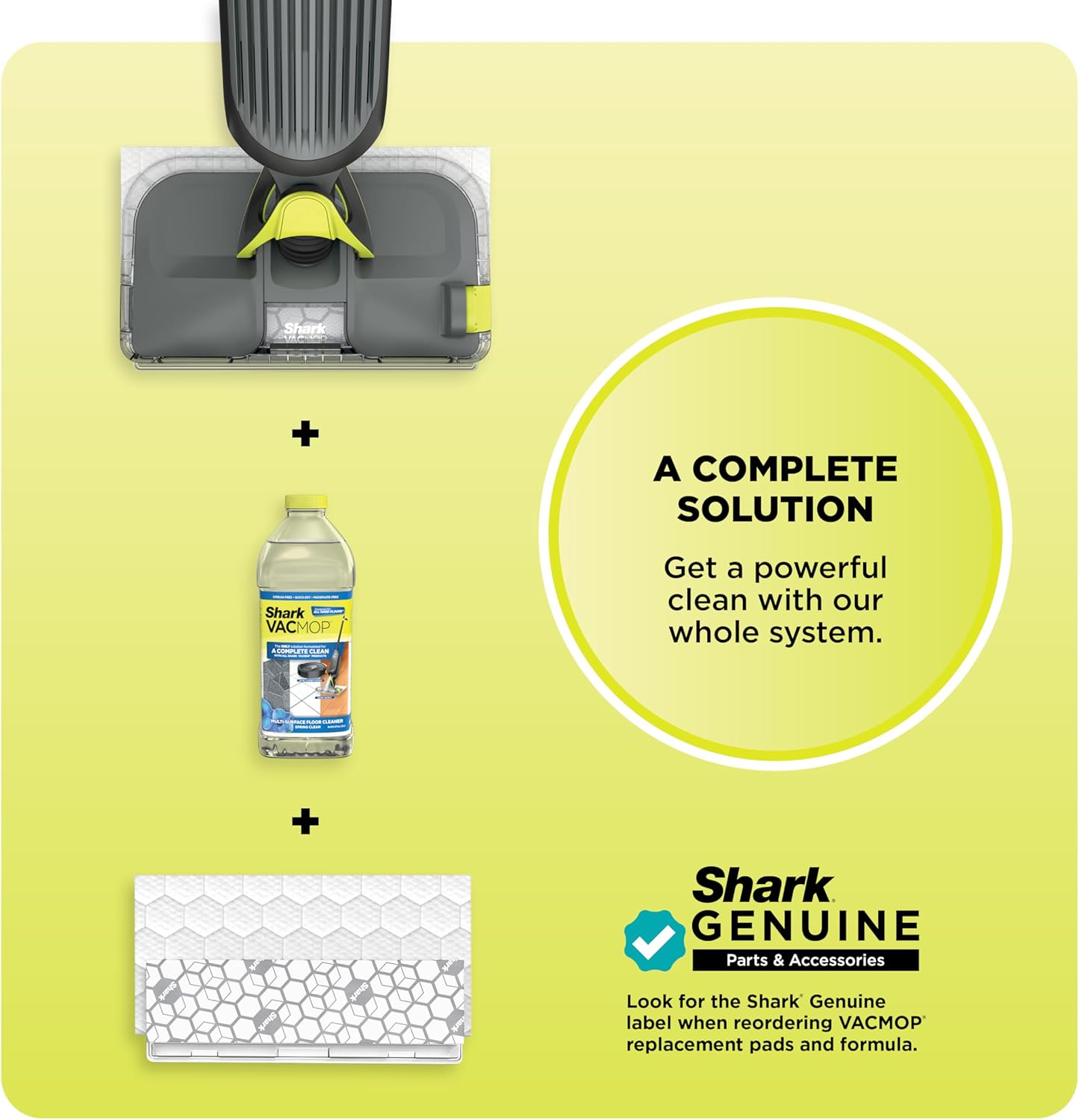
Image: The Shark VACMOP cleaner, along with a package of four disposable pads and a bottle of multi-surface cleaning solution, representing the complete starter kit.
Setup
1. Assembly
- Connect the Handle: Insert the handle into the main body of the VACMOP until it clicks securely into place.
- Attach a Disposable Pad: Align the disposable VACMOP pad with the bottom of the VACMOP head. Press the VACMOP head firmly onto the pad until it adheres securely.
2. Charging the Battery
Before first use, fully charge the VACMOP. The unit uses a Lithium-Ion battery.
- Plug the charger into a wall outlet.
- Connect the charger's plug to the charging port on the VACMOP.
- Allow approximately 210 minutes for a full charge. The indicator lights will show charging status.
3. Filling the Solution Tank
- Locate the solution tank cap on the top of the VACMOP head.
- Open the cap and carefully pour the Shark VACMOP Multi-Surface Cleaning Solution into the tank. Do not overfill.
- Securely close the cap.
Operating Instructions
1. Power On/Off
Press the power button located on the handle to turn the VACMOP on or off.
2. Vacuuming Dry Debris
To vacuum, simply push the VACMOP forward over dry debris. The powerful suction will draw dirt and particles into the disposable pad's built-in dirt chamber.

Image: The Shark VACMOP effectively vacuuming dry debris, such as coffee grounds, from a hard floor surface.
3. Spray Mopping Wet Messes
For wet messes or mopping, press the spray button on the handle to dispense cleaning solution. Move the VACMOP over the wet area to clean and absorb the mess with the disposable pad.

Image: A close-up view of the Shark VACMOP's disposable pad absorbing a wet spill on a hard floor, demonstrating its mopping capability.
4. LED Headlights
The integrated LED headlights illuminate the cleaning path, helping to reveal hidden dirt and debris in dimly lit areas, under furniture, and in corners.

Image: The Shark VACMOP's LED headlights brightly illuminating the floor beneath a piece of furniture, highlighting its ability to reveal hidden dirt.
5. Floor Surface Compatibility
The Shark VACMOP is safe and effective for use on all sealed hard floor surfaces, including:
- Hardwood
- Laminate
- Tile
- Stone
- Marble
- Vinyl

Image: A collage showcasing different types of sealed hard floors, such as hardwood, tile, and marble, indicating the VACMOP's versatility.
Maintenance
1. Disposing of Used Pads
The disposable VACMOP pads are designed for no-touch disposal:
- Position the VACMOP over a waste bin.
- Press the pad release button (usually located near the base of the handle or on the head) to detach the dirty pad directly into the bin without touching it.
- Attach a new pad for the next cleaning session.

Image: A hand pressing the release button on the Shark VACMOP to drop a used, dirty pad into a waste bin, demonstrating the no-touch disposal feature.
2. Cleaning the Unit
Wipe down the exterior of the VACMOP with a damp cloth as needed. Do not immerse the unit in water.
3. Filter Maintenance
The VACMOP uses a foam filter. Regularly check the filter for debris buildup. Clean or replace the filter as necessary to maintain optimal suction performance. Refer to the full user guide for detailed filter cleaning instructions.
Troubleshooting
If you encounter issues with your Shark VACMOP, refer to the following common solutions:
- No Power: Ensure the battery is fully charged. Check that the charger is properly connected to both the unit and the power outlet.
- Reduced Suction: Check if the disposable pad is full of debris and needs to be replaced. Ensure the foam filter is clean and properly installed.
- No Spray: Verify that the solution tank is filled with cleaning solution. Check for any blockages in the spray nozzle.
- Streaking on Floors: Ensure you are using genuine Shark VACMOP cleaning solution. Replace the disposable pad if it is excessively dirty.
- Unit Not Picking Up Wet Messes: Ensure the disposable pad is correctly attached and not saturated. Replace the pad if necessary.
For more detailed troubleshooting, please consult the official Shark support resources.
Specifications
| Feature | Detail |
|---|---|
| Brand | Shark |
| Model Name | Shark VACMOP Pro Cordless Hard Floor Mop |
| Model Number | VM252 |
| Special Features | Headlight, Lightweight, Wet/Dry |
| Filter Type | Foam |
| Cordless | Yes |
| Capacity (Solution Tank) | 0.1 Quarts |
| Wattage | 85 watts |
| Charging Time | 210 minutes |
| Battery Type | Lithium-Ion |
| Item Weight | 3.34 pounds |
| Product Dimensions | 5.3"L x 9.5"W x 47.87"H |
| Noise Level | 80 dB |
| UPC | 622356562041 |
Warranty Information
The Shark VACMOP Cordless Hard Floor Cleaner VM252 comes with a 1-year limited warranty. This warranty covers defects in material and workmanship under normal household use from the date of purchase. For specific terms, conditions, and to register your product, please refer to the warranty card included with your product or visit the official Shark website.
Customer Support
For further assistance, replacement parts, or to access additional resources, please visit the official Shark website or contact their customer service department. You can often find FAQs, troubleshooting guides, and contact information on their support pages.
Visit the Shark Store for more information and products.
Important Safety Information
Always read and follow all safety instructions provided in the full user manual before operating this appliance. Keep the manual for future reference.
Video Resources
No official product videos from the seller meeting the specified criteria were found in the provided data to embed directly into this manual.