
1. Introduction
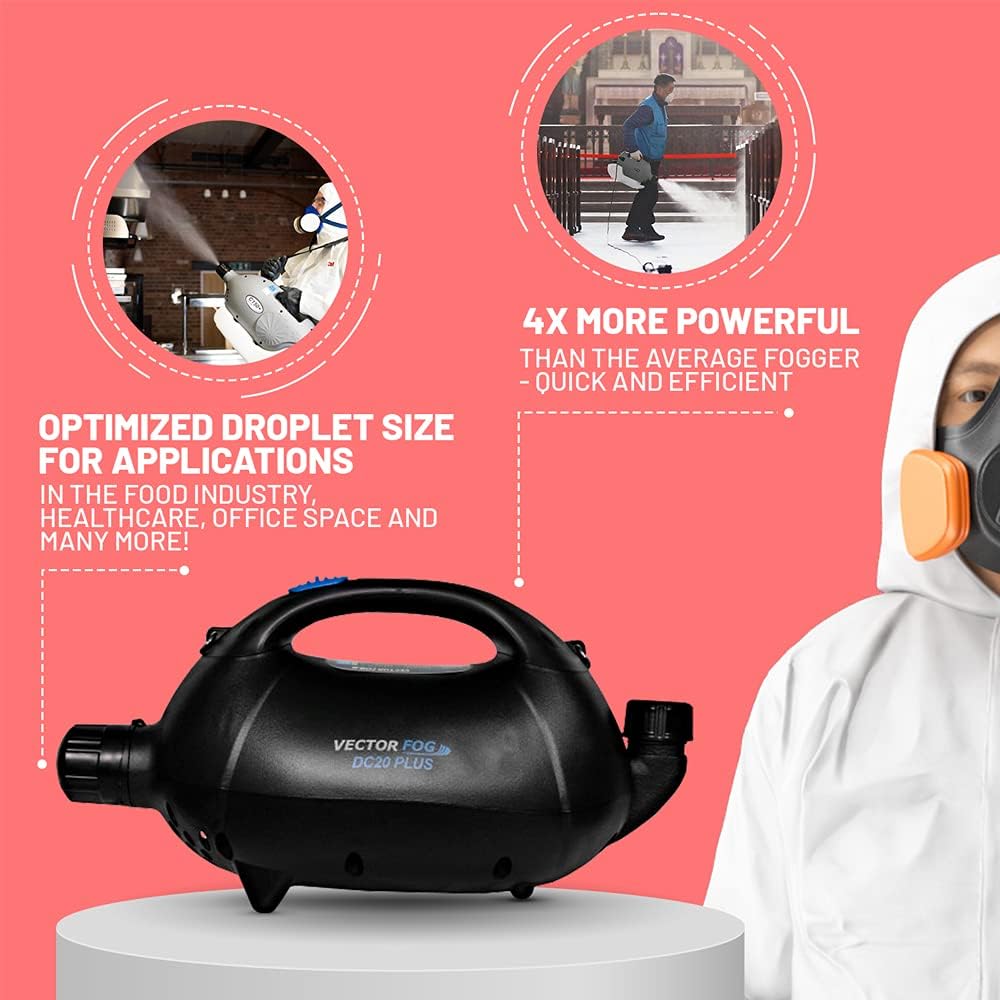
The Vectorfog DC20+ ULV Electric Cold Fogger is designed for efficient application of disinfectants, biocides, and insecticides. This high-performance unit utilizes Ultra Low Volume (ULV) technology to produce a fine cold mist, ensuring thorough coverage for various applications.
Its portable design and powerful motor make it suitable for both indoor and outdoor use, providing effective solutions for pest control, disinfection, and mold remediation.
2. Safety Information
Always read and understand all instructions before operating the device. Failure to follow safety guidelines may result in injury or damage to the product.
General Safety Precautions:
- Wear appropriate Personal Protective Equipment (PPE) including gloves, eye protection, and a respirator when handling chemicals and operating the fogger.
- Ensure the area is well-ventilated during operation.
- Do not point the fogger directly at people, animals, or electrical equipment.
- Keep out of reach of children and pets.
- Use only recommended and compatible chemicals with the ULV fogger. Refer to chemical manufacturer's instructions for proper dilution and application rates.
- Do not operate the fogger near open flames or ignition sources.
- Unplug the device before filling, cleaning, or performing any maintenance.
3. Product Components
The Vectorfog DC20+ ULV Electric Cold Fogger consists of the following main components:
- Fogger Unit with Motor
- Solution Tank
- Adjustable Nozzle
- Power Cord
- Shoulder Strap (included)

4. Setup
4.1 Attaching the Shoulder Strap
- Locate the attachment points on the fogger unit.
- Securely attach each end of the shoulder strap to the designated points. Ensure the strap is firmly fastened before use.

4.2 Filling the Solution Tank
- Unscrew the cap of the solution tank.
- Carefully pour the desired chemical solution into the tank. Do not overfill.
- Securely screw the cap back onto the tank to prevent leaks.

5. Operating Instructions
5.1 Powering On/Off
- Connect the power cord to a suitable electrical outlet.
- Locate the power switch on the unit.
- Flip the switch to the "ON" position to start the fogger.
- To turn off, flip the switch to the "OFF" position and unplug the device.
5.2 Adjusting Spray Distance and Droplet Size
The DC20+ features an adjustable nozzle to control the spray distance and droplet size. This allows for precise application depending on the target area and chemical requirements.
- Rotate the nozzle clockwise for a finer mist and shorter spray distance.
- Rotate the nozzle counter-clockwise for a coarser mist and longer spray distance (up to 26 feet).
5.3 Application Areas
The DC20+ is versatile for various environments:
- Pest Control: Effectively targets mosquitoes, flies, and other insects in outdoor areas like gardens, yards, and farms.
- Disinfection: Ideal for sanitizing indoor spaces such as schools, hotels, hospitals, and offices, reaching hard-to-access areas.
- Mold Remediation: The fine mist can penetrate surfaces to address mold issues where scrubbing might miss.

5.4 Official Product Video
6. Maintenance
Proper maintenance ensures the longevity and optimal performance of your Vectorfog DC20+ fogger.
6.1 After Each Use
- Empty any remaining chemical solution from the tank.
- Rinse the tank thoroughly with clean water.
- Operate the fogger with clean water for a few minutes to flush out any chemical residue from the internal components and nozzle.
- Wipe down the exterior of the unit with a damp cloth.
6.2 Storage
- Store the fogger in a cool, dry place away from direct sunlight and extreme temperatures.
- Ensure the tank is empty and clean before storage.
7. Troubleshooting
If you encounter issues with your DC20+ fogger, refer to the following common problems and solutions:
| Problem | Possible Cause | Solution |
|---|---|---|
| Fogger does not turn on | No power supply; Power switch off; Faulty power cord | Check power connection; Ensure switch is ON; Inspect power cord for damage and replace if necessary. |
| No mist or weak mist | Empty solution tank; Clogged nozzle; Incorrect nozzle adjustment | Refill tank; Clean nozzle thoroughly; Adjust nozzle for desired mist. |
| Leaking from tank or connections | Loose tank cap; Damaged seals/gaskets | Tighten tank cap; Inspect and replace seals/gaskets if damaged. |
8. Specifications
| Feature | Detail |
|---|---|
| Model | DC20+ |
| Brand | Vectorfog |
| Motor Power | 1250W Samsung motor |
| Power Source | 12V Battery (included) |
| Spray Distance | Up to 8 meters (26 feet) |
| Particle Size | 5-50 microns (ULV) |
| Product Dimensions | 19.69 x 8.27 x 10.24 inches |
| Item Weight | 6.8 pounds |
9. Warranty and Support
For warranty information, technical support, or to purchase replacement parts, please contact Vectorfog customer service or visit the official Vectorfog website.
Refer to your purchase documentation for specific warranty terms and conditions.


