
1. Introduction
This manual provides detailed instructions for the setup, operation, and maintenance of your Explore Scientific WSX-1001 Professional WiFi 5-in-1 Weather Station. This advanced weather station is designed to provide accurate and detailed local weather data, including outdoor temperature, humidity, wind speed, wind direction, and rainfall. It features a vibrant color LCD display and WiFi connectivity for uploading data to online weather services like Weather Underground and Weathercloud.

Figure 1: Explore Scientific WSX-1001 Weather Station, showing the main display unit and the integrated 5-in-1 outdoor sensor array.
2. Package Contents
Please ensure all components are present before proceeding with installation:
- Base Station (Display Unit)
- 5-in-1 Multi-Sensor Array (for outdoor measurements)
- Mounting Material (for sensor array)
- Power Supply (AC adapter)
- User Manual (this document)
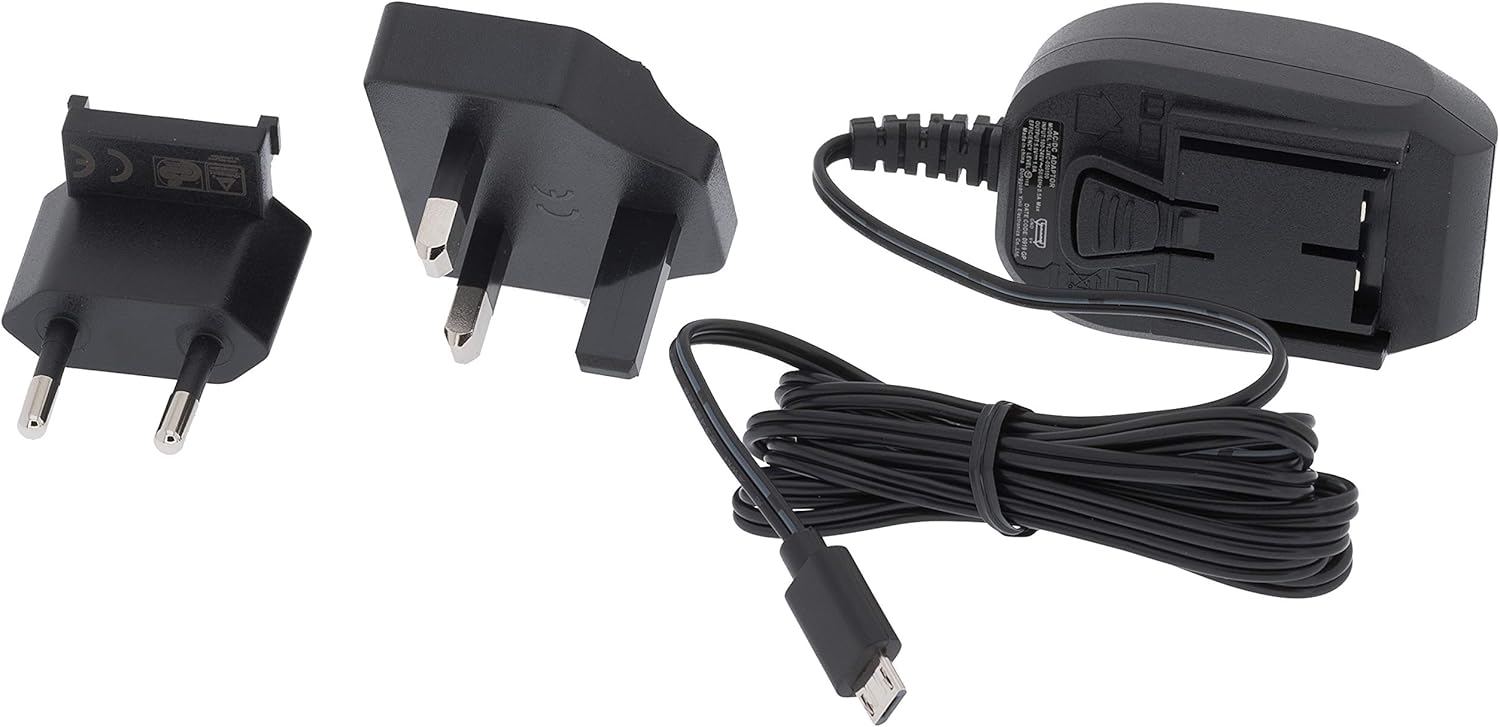
Figure 2: Included power supply and cable for the base station.
3. Safety Information
Please read and understand the following safety precautions before using the device:
- Do not expose the base station to extreme temperatures, direct sunlight, or high humidity.
- Ensure the outdoor sensor array is mounted securely to prevent damage from wind or falling.
- Use only the specified power adapter for the base station.
- Keep batteries out of reach of children. Dispose of used batteries responsibly.
- Do not attempt to repair or modify the device yourself. Contact customer support for assistance.
4. Setup
4.1. Installing the 5-in-1 Multi-Sensor Array
The 5-in-1 multi-sensor array measures wind speed, wind direction, rainfall, outdoor temperature, and humidity. For accurate readings, select an open location free from obstructions.
- Choose a Location: Select an elevated, open area, such as a rooftop or a pole in your yard, where wind, rain, and sunlight are not obstructed.
- Assemble the Sensor: Attach the wind cups, wind vane, and mounting pole to the sensor body as per the diagrams in the quick start guide.
- Install Batteries: Open the battery compartment on the sensor array and insert 3 AAA batteries (not included). Ensure correct polarity.
- Mount the Sensor: Use the provided mounting bracket and screws to securely attach the sensor array to a pole or flat surface. Ensure it is level for accurate rain measurements.

Figure 3: The 5-in-1 outdoor sensor array installed on a rooftop for optimal exposure.
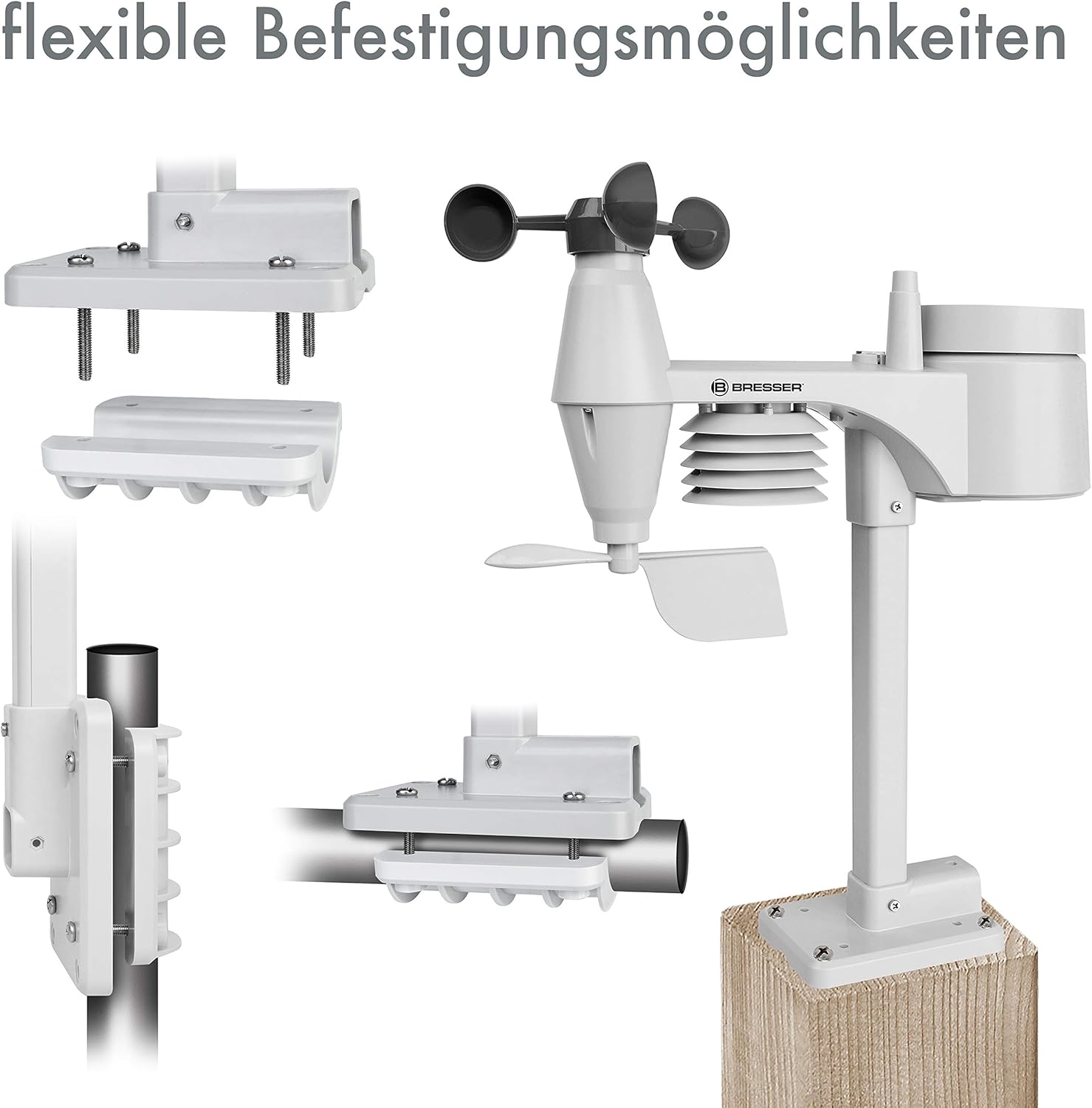
Figure 4: Examples of flexible mounting options for the outdoor sensor array.
4.2. Base Station Setup
- Power On: Connect the provided AC adapter to the base station and plug it into a power outlet. The display will light up.
- Optional Backup Batteries: For power outage backup, insert 3 AAA batteries into the battery compartment on the back of the base station.
- Sensor Connection: The base station will automatically search for and connect to the 5-in-1 multi-sensor array. This may take a few minutes. Ensure the sensor is within range.
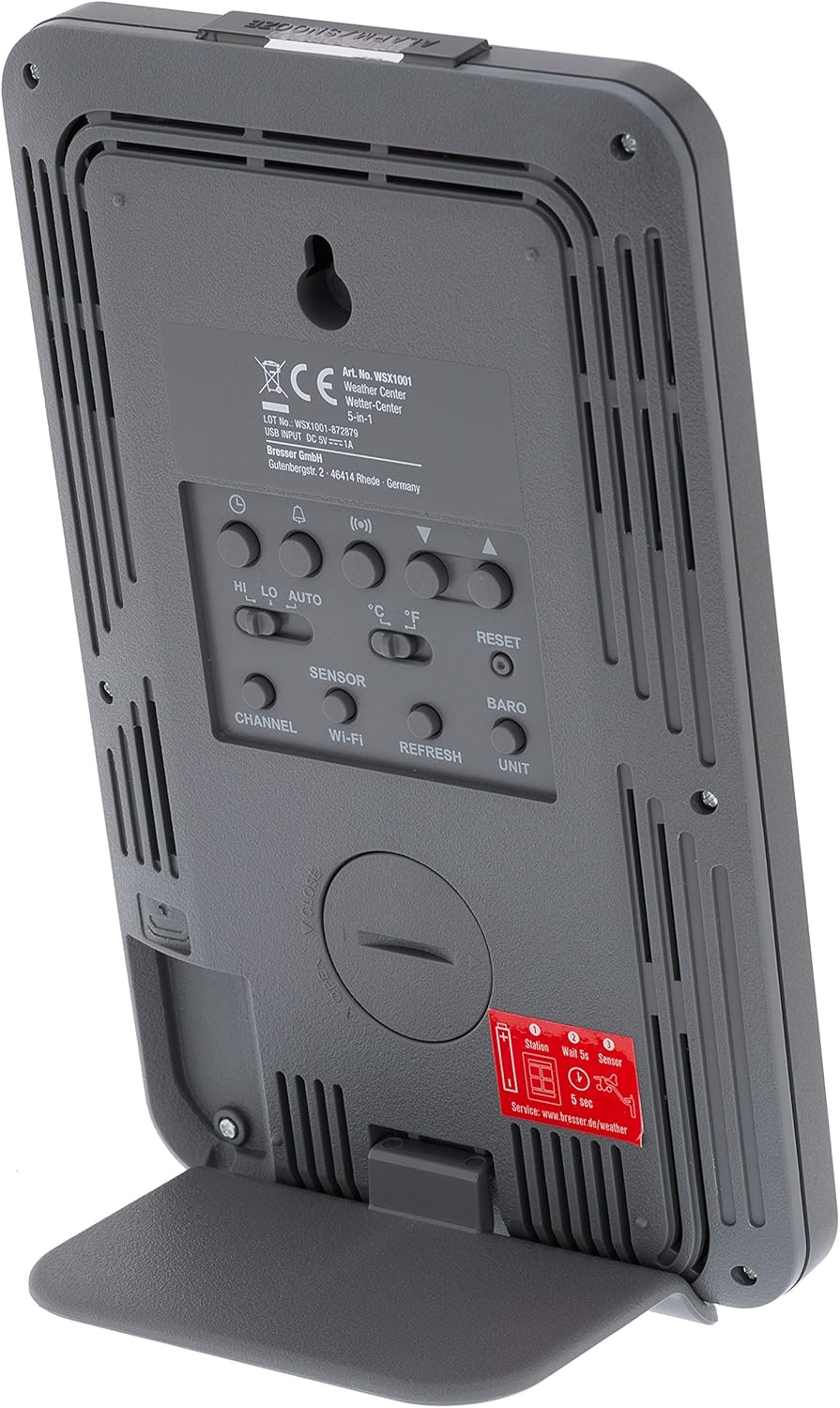
Figure 5: Rear view of the base station, highlighting the battery compartment and control buttons.
4.3. WiFi Connection and Online Services
The WSX-1001 allows you to upload your weather data to online platforms like Weather Underground and Weathercloud.
- Access Setup Mode: Refer to the detailed instructions in the quick start guide for entering WiFi setup mode on your base station.
- Connect to Network: Use a smartphone or computer to connect to the weather station's temporary WiFi network and configure it to join your home WiFi network.
- Register Online: Create an account on Weather Underground (www.wunderground.com) or Weathercloud (www.weathercloud.net) and register your weather station. You will need your station ID and key.
- Upload Data: Once configured, your weather station will automatically upload data to the chosen online service, allowing you to view your data remotely via their websites or mobile applications.
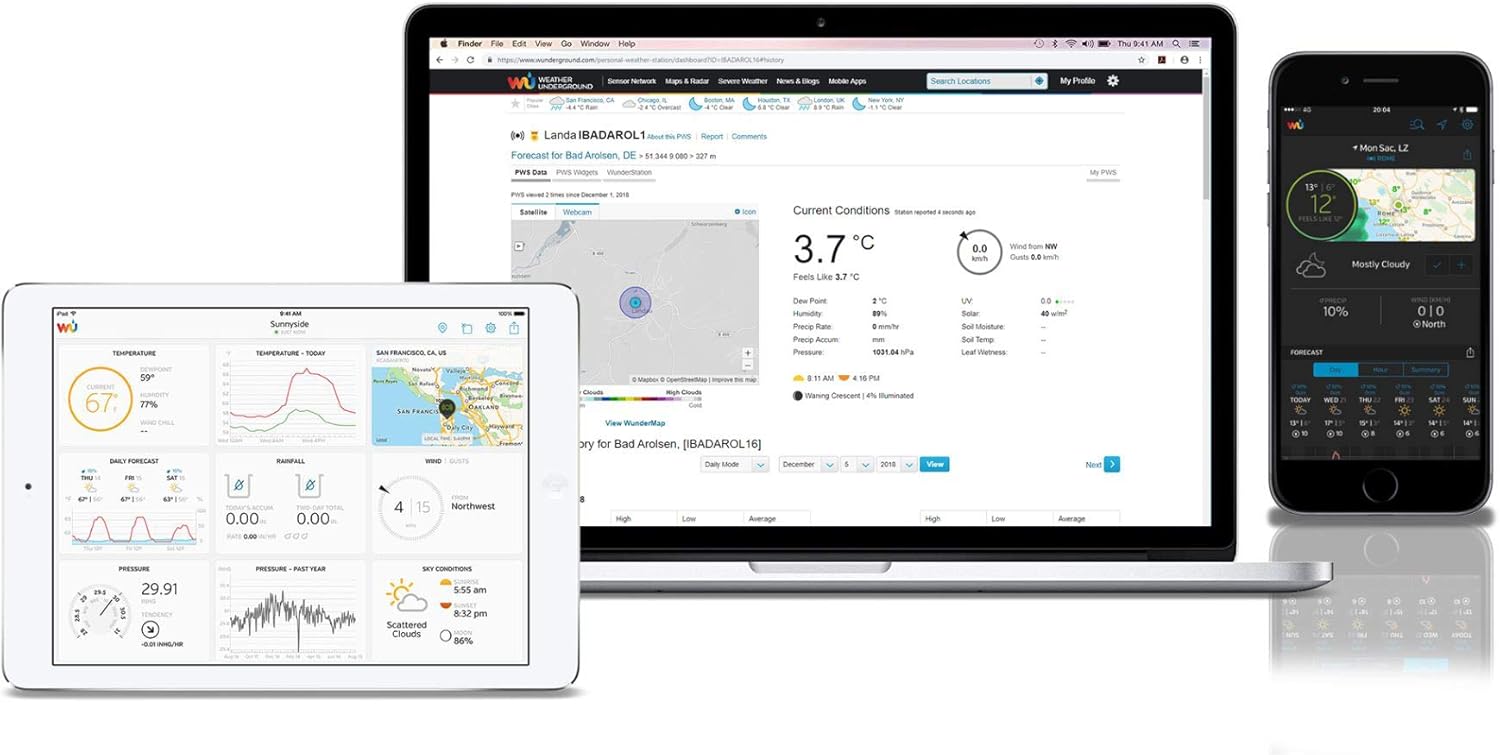
Figure 6: Example of the Weather Underground interface on different devices, displaying weather data.
5. Operating the Weather Station
5.1. Display Overview
The color LCD display provides a comprehensive overview of current weather conditions. Key areas include:
- Outdoor Readings: Temperature, humidity, and signal strength from the 5-in-1 sensor.
- Indoor Readings: Temperature and humidity measured by the base station.
- Barometric Pressure: Current atmospheric pressure with historical trend.
- Weather Forecast: Graphical representation of upcoming weather conditions.
- Wind Data: Wind speed (average and gust), wind direction (compass rose).
- Rainfall: Daily, weekly, monthly, and total rainfall measurements.
- Time & Date: Synchronized via WiFi.

Figure 7: Detailed view of the color LCD display, showing outdoor/indoor temperature, humidity, pressure, wind, and rainfall data.
5.2. Data Interpretation and Features
- High/Low Records: The display shows daily high and low records for temperature and humidity.
- Alarms: Set customizable alarms for various weather parameters (e.g., high wind speed, low temperature).
- Calibration: The station supports calibration for certain measurements to fine-tune accuracy. Refer to the full manual for calibration procedures.
- Moon Phase & Sunrise/Sunset: Displays current moon phase and calculated sunrise/sunset times.
6. Maintenance
6.1. Battery Replacement
The outdoor sensor array requires 3 AAA batteries. It is recommended to replace these annually to ensure continuous operation, especially before winter. The base station uses 3 AAA batteries for backup power, which should also be checked periodically.
6.2. Sensor Cleaning
Periodically inspect the outdoor sensor array for dirt, debris, or insect nests that could affect accuracy. Gently clean the rain collector funnel, wind cups, and wind vane with a soft, damp cloth. Ensure the solar panel (if present) is clean for optimal charging.
7. Troubleshooting
- No Display/Power: Check the AC adapter connection to the base station and the power outlet. If using backup batteries, ensure they are correctly inserted and charged.
- No Outdoor Sensor Data: Ensure the outdoor sensor has fresh batteries and is within range of the base station. Try resetting both units.
- Inaccurate Readings: Verify the outdoor sensor is mounted correctly and free from obstructions. Calibrate sensors if necessary (refer to the full manual).
- WiFi Connectivity Issues: Ensure your home WiFi network is operational and the password is correct. Try restarting your router and the weather station.
- Data Not Uploading to Online Services: Check your internet connection. Verify your station ID and key are correctly entered in the weather station's settings and on the online service's website.
8. Specifications
| Feature | Specification |
|---|---|
| Model Number | WSX-1001 (WSX1001CM3LC2) |
| Brand | Explore Scientific |
| Connectivity Technology | Wi-Fi |
| Power Source (Base Station) | AC Adapter, 3 AAA Batteries (backup) |
| Power Source (Multi-Sensor) | 3 AAA Batteries |
| Product Dimensions | 16.8 x 14.3 x 2.4 cm (Base Station) |
| Weight | 100 g (Base Station) |
| Special Function | Alarm |
| Temperature Accuracy | Less than 1 °C |
| Recommended Use | Home |
9. Warranty and Support
For warranty information and technical support, please refer to the warranty card included with your product or visit the official Explore Scientific website. Keep your purchase receipt as proof of purchase.


