
Fujifilm XC35mmF2
Fujifilm XC35mmF2 User Manual
Your comprehensive guide to operating and maintaining your Fujifilm XC35mmF2 lens.
1. Introduction
Thank you for purchasing the Fujifilm XC35mmF2 lens. This manual provides detailed instructions on how to use, maintain, and troubleshoot your new lens. Please read this manual thoroughly before using the product to ensure correct and safe operation.
The Fujifilm XC35mmF2 is a compact and lightweight prime lens designed for Fujifilm X-series cameras, offering a versatile 35mm focal length (52.5mm equivalent in 35mm format) and a fast F2 aperture.
2. Key Features
- High Resolution Performance: Edge-to-edge sharpness from the center to the corners of the frame is achieved by the precise arrangement of nine lens elements in six groups. This lens also includes two aspherical elements, which serve to suppress the image degrading effects of chromatic aberration and field curvature imperfection.
- Compact and Lightweight: Weighing just 4.59 oz (130g) and measuring 1.83in (46.5mm) in length, this new prime lens is a great companion for any X Series Body and is also a great option for beginning photographers looking to step away from their kit lenses to make their first prime lens purchase.
- Fast and Quiet Autofocus: The inner focusing AF system uses a stepping motor to move focusing elements into place through precise electrical pulses. This helps the lens achieve focus quickly and accurately with near-silent operation.
3. Package Contents
Please ensure all the following items are included in your package:
- Fujifilm XC35mmF2 Lens
- Front Lens Cap
- Rear Lens Cap
- Lens Hood (if included with specific models/kits)
- Warranty Card
- This User Manual
4. Setup and Installation
4.1 Attaching the Lens to Your Camera
- Ensure your camera is turned off.
- Remove the rear lens cap from the XC35mmF2 lens and the body cap from your camera. Avoid touching the lens elements or the camera's sensor.
- Align the white mounting mark on the lens barrel with the corresponding white mounting mark on your camera body.
- Insert the lens into the camera mount and rotate it clockwise until it clicks into place. Do not force the lens.
- Replace the front lens cap if you are not immediately using the camera.
4.2 Detaching the Lens from Your Camera
- Ensure your camera is turned off.
- While pressing the lens release button on the camera body, rotate the lens counter-clockwise until it stops.
- Carefully remove the lens from the camera body.
- Immediately attach the rear lens cap to the lens and the body cap to the camera to protect the sensor and lens elements from dust.
5. Operating the Lens
5.1 Autofocus Operation
The XC35mmF2 features a fast and quiet autofocus system. Once attached to a compatible Fujifilm X-series camera, the lens will automatically focus when the camera's autofocus mode is engaged. Refer to your camera's manual for specific autofocus settings and modes.
5.2 Manual Focus Operation
To use manual focus, set your camera's focus mode to MF (Manual Focus). Rotate the focus ring on the lens barrel to adjust the focus. Your camera's focus assist features (e.g., focus peaking, digital split image) can aid in achieving precise manual focus.

Image: Front view of the Fujifilm XC35mmF2 lens, showing the front element and focus ring. This image illustrates the compact design and the markings on the lens barrel.
5.3 Aperture Control
The XC35mmF2 lens does not have an external aperture ring. Aperture control is managed electronically through your camera body. Refer to your camera's manual for instructions on how to adjust the aperture (f-stop) settings.
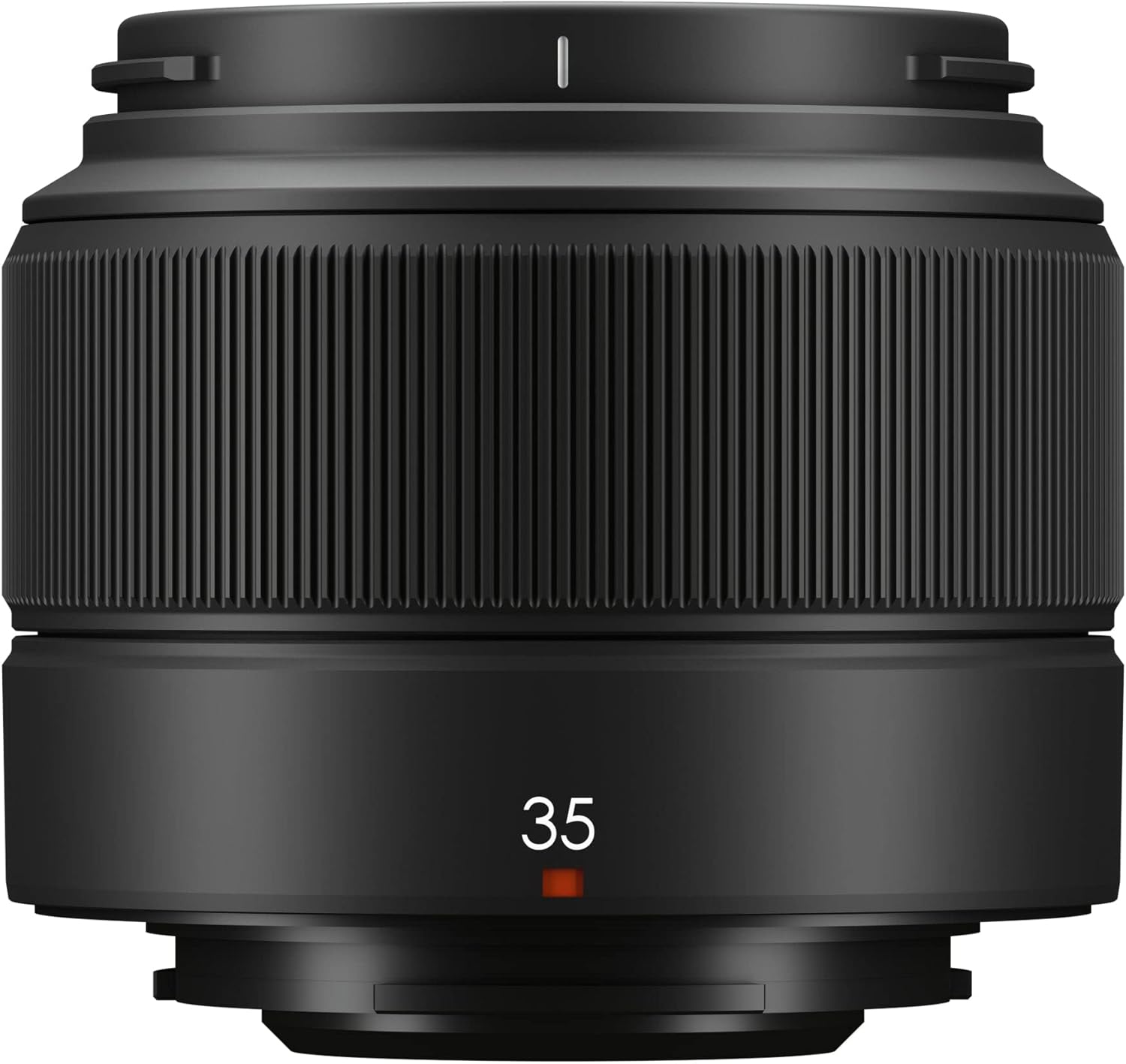
Image: Side view of the Fujifilm XC35mmF2 lens, highlighting its sleek profile and the '35' focal length marking. This view emphasizes the lens's lightweight and compact form factor.
6. Care and Maintenance
- Cleaning the Lens: Use a soft, lint-free cloth specifically designed for optical surfaces to clean the lens elements. For stubborn smudges, use a small amount of lens cleaning fluid applied to the cloth, not directly to the lens. Use a blower brush to remove dust before wiping.
- Storage: When not in use, always attach the front and rear lens caps. Store the lens in a cool, dry place, away from direct sunlight and extreme temperatures. Consider using a desiccant packet in your camera bag to prevent mold and fungus growth, especially in humid environments.
- Handling: Avoid dropping or subjecting the lens to strong impacts. Do not attempt to disassemble the lens, as this will void the warranty and may cause irreparable damage.
7. Troubleshooting
| Problem | Possible Cause | Solution |
|---|---|---|
| Lens not recognized by camera. | Improperly mounted lens; dirty electrical contacts. | Ensure lens is securely attached. Clean lens and camera contacts with a dry, lint-free cloth. Restart camera. |
| Autofocus is slow or not working. | Low light conditions; camera AF mode incorrect; dirty lens elements. | Ensure sufficient light. Check camera's AF mode settings. Clean front lens element. Update camera firmware if available. |
| Images are blurry. | Incorrect focus; camera shake; dirty lens. | Verify focus. Use a faster shutter speed or tripod. Clean lens elements. Check camera's image stabilization settings. |
If the problem persists after trying these solutions, please contact Fujifilm customer support or an authorized service center.
8. Specifications
| Feature | Detail |
|---|---|
| Brand | Fujifilm |
| Model Name | XC35mmF2 |
| Focal Length | 35mm (52.5mm in 35mm format equivalent) |
| Maximum Aperture | F2 |
| Minimum Aperture | F16 |
| Lens Construction | 9 elements in 6 groups (including 2 aspherical elements) |
| Compatible Mountings | Fujifilm X Mount |
| Filter Size | 43mm |
| Weight | Approx. 130g (4.59 oz) |
| Dimensions (Diameter x Length) | Approx. 58.4mm x 46.5mm (1.83in x 2.3in) |
9. Warranty and Support
This Fujifilm XC35mmF2 lens comes with a limited warranty. Please refer to the warranty card included in your package for specific terms and conditions, including the warranty period and coverage details. Keep your proof of purchase for warranty claims.
For technical support, service, or warranty inquiries, please contact Fujifilm customer support through their official website or the contact information provided on your warranty card.
Fujifilm Official Website: www.fujifilm.com
Related documentsXC35mmF2


Ask a question about this manual
Ask about setup, troubleshooting, compatibility, parts, safety, or missing instructions. Manuals+ will review the question and use this page’s manual context to help answer it.