
Introduction
The tonies Creative-Tonie Music Conductor is an interactive audio character designed for children. It allows you to record and play up to 90 minutes of custom audio content, fostering imagination and supporting routines. This hand-painted, magnetic Tonie requires a Toniebox (sold separately) to function.
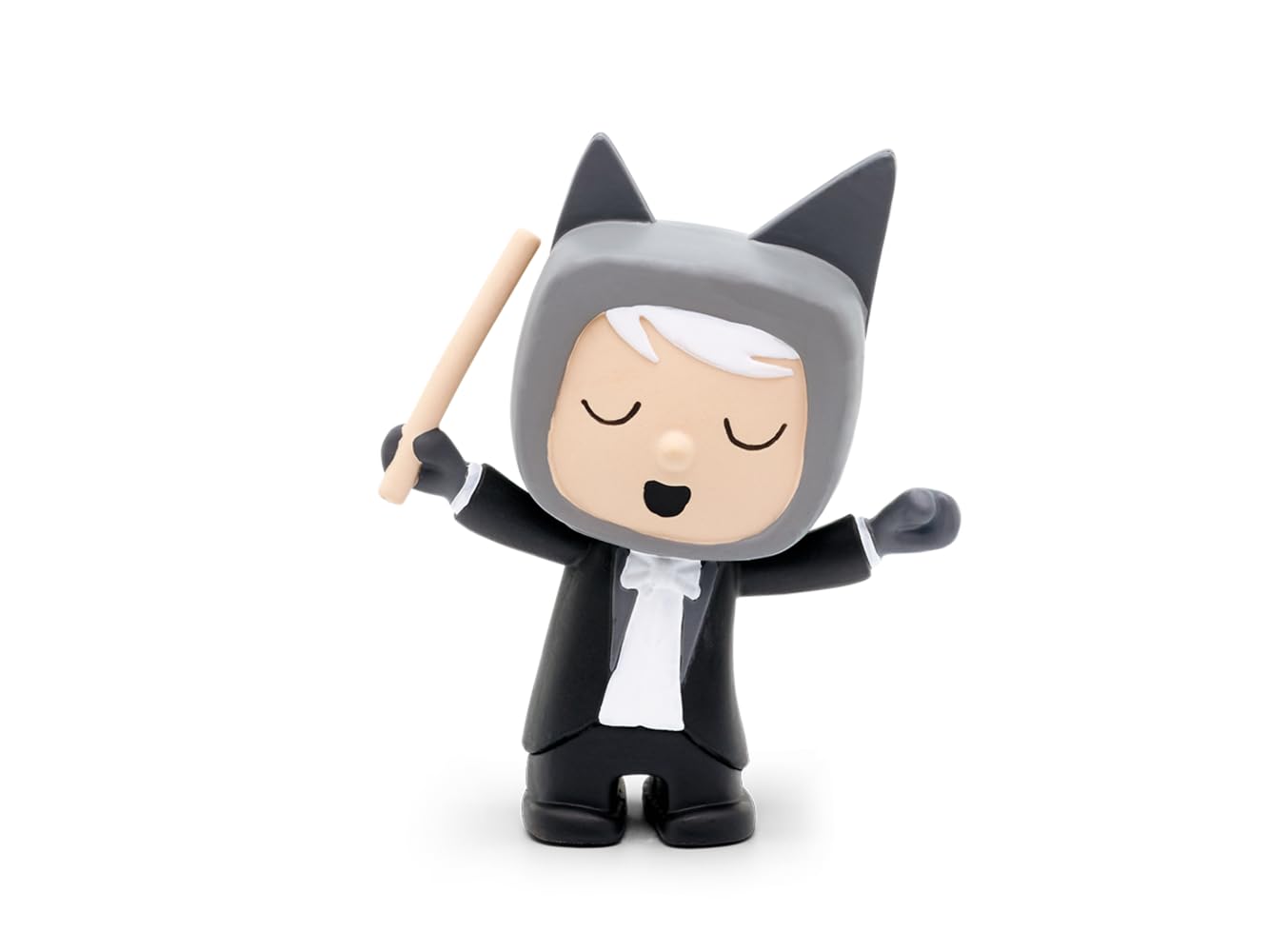
Image: The tonies Creative-Tonie Music Conductor character, a small hand-painted figurine of a conductor with a baton, designed for use with the Toniebox audio system.
Package Contents
- 1 x tonies Creative-Tonie Music Conductor Audio Character
Setup
- Toniebox Requirement: Ensure you have a Toniebox audio player. The Creative-Tonie functions exclusively with a Toniebox (sold separately).
- Initial Setup: Place the Creative-Tonie on your Toniebox. The Toniebox will recognize the new Tonie and begin the synchronization process.
- Tonie-App Connection: Download and install the official Tonie-App on your computer, tablet, or smartphone.
- Account Creation/Login: Create a Toniecloud account or log in to your existing account via the app or my.tonies.com.
- Assign Content: In the Tonie-App, assign audio content to your Creative-Tonie. You can upload your own recordings, stories, or music, up to 90 minutes.
- Synchronize: Place the Creative-Tonie on the Toniebox again to download the assigned content. The Toniebox will indicate when the content is fully synchronized. Ensure your Toniebox is connected to Wi-Fi.
Operating Instructions
- Playing Content: Place the Creative-Tonie on the Toniebox. The Toniebox will automatically start playing the assigned audio content.
- Pausing/Stopping: Remove the Creative-Tonie from the Toniebox to pause or stop playback.
- Volume Control: Adjust the volume directly on the Toniebox by squeezing its ears.
- Skipping Tracks: Tap the side of the Toniebox to skip forward or backward through tracks (if multiple tracks are assigned).
- Recording Custom Audio: Use the Tonie-App to record new audio directly or upload existing audio files.
- Updating Content: After assigning new content via the app, place the Creative-Tonie on the Toniebox to update its content. Ensure your Toniebox is connected to Wi-Fi for updates.
Maintenance
- Cleaning: Wipe the Tonie character with a soft, dry cloth. Do not use abrasive cleaners or immerse in water.
- Storage: Store the Tonie in a dry place away from direct sunlight and extreme temperatures.
- Durability: The Tonie is designed to be robust for children's use. Avoid dropping it from significant heights or applying excessive force.
Troubleshooting
- Tonie not playing content:
- Ensure the Toniebox is turned on and charged.
- Verify the Toniebox is connected to Wi-Fi for initial setup and content updates.
- Check the Tonie-App to confirm content has been assigned to the Creative-Tonie.
- Place the Tonie firmly on the Toniebox.
- Cannot upload or assign content:
- Ensure your device has a stable internet connection.
- Log in to the correct Toniecloud account associated with your Toniebox.
- Check the Tonie-App for any error messages or updates.
- Audio quality issues:
- Ensure the original audio file quality is good before uploading.
- Check the Toniebox for any physical damage.
Specifications
| Feature | Detail |
|---|---|
| Model Number | 10000205 |
| Brand | tonies |
| Content Capacity | Up to 90 minutes |
| Material | Plastic |
| Dimensions (L x W x H) | 11.5 x 3.5 x 20 cm |
| Weight | 50 g |
| Recommended Age | 3 years and up |
| Batteries Required | No (Toniebox requires batteries, sold separately) |
| Operating Mode | Manual |
| Indoor/Outdoor Use | Indoor |
| Assembly Required | No |
Warranty and Support
For warranty information and customer support, please visit the official tonies website or contact their customer service directly. Keep your proof of purchase for warranty claims.
Official Website: tonies.com


