
Introduction
The Ultimate Ears WONDERBOOM 2 is a highly portable wireless speaker designed to deliver surprisingly big sound in any environment. It features enhanced audio for outdoor listening, extended battery life, and robust waterproofing and dustproofing, making it suitable for various activities. This manual provides essential information for setting up, operating, maintaining, and troubleshooting your WONDERBOOM 2 speaker.

Figure 1: Ultimate Ears WONDERBOOM 2 Wireless Speaker, Bermuda Blue.
Product Overview
Familiarize yourself with the physical components and key features of your WONDERBOOM 2 speaker.
- 360-Degree Sound: Delivers immersive audio in all directions.
- Outdoor Boost: A dedicated mode for louder, crisper sound optimized for outdoor environments.
- Extended Battery Life: Up to 13 hours of playback on a single charge.
- Waterproof & Dustproof (IP67): Can be submerged in water up to 1 meter for 30 minutes and is protected against dust ingress. It also floats.
- Stereo Pairing: Wirelessly connect two WONDERBOOM 2 speakers for true stereo sound.
- Durable Design: Features a convenient hang loop, dirt-resistant fabric, and drop-proof construction.
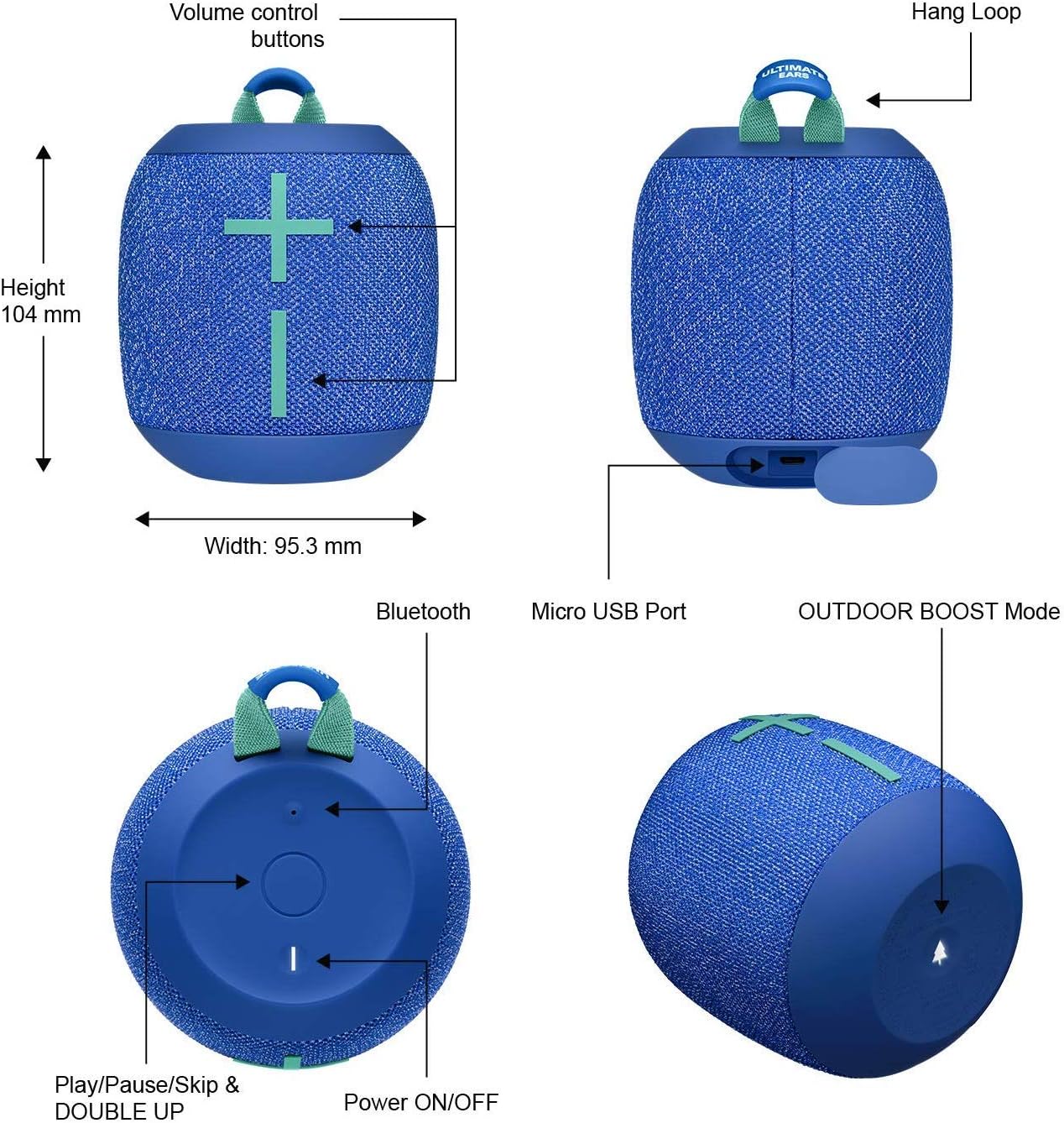
Figure 2: Key features and controls of the WONDERBOOM 2 speaker.
Setup
1. Charging Your Speaker
Before first use, fully charge your WONDERBOOM 2. The speaker comes with a charging cable.
- Locate the Micro USB port on the speaker (refer to Figure 2).
- Connect the provided charging cable to the speaker and a USB power source (e.g., wall adapter, computer USB port).
- The LED indicator will show charging status. A full charge provides up to 13 hours of battery life.
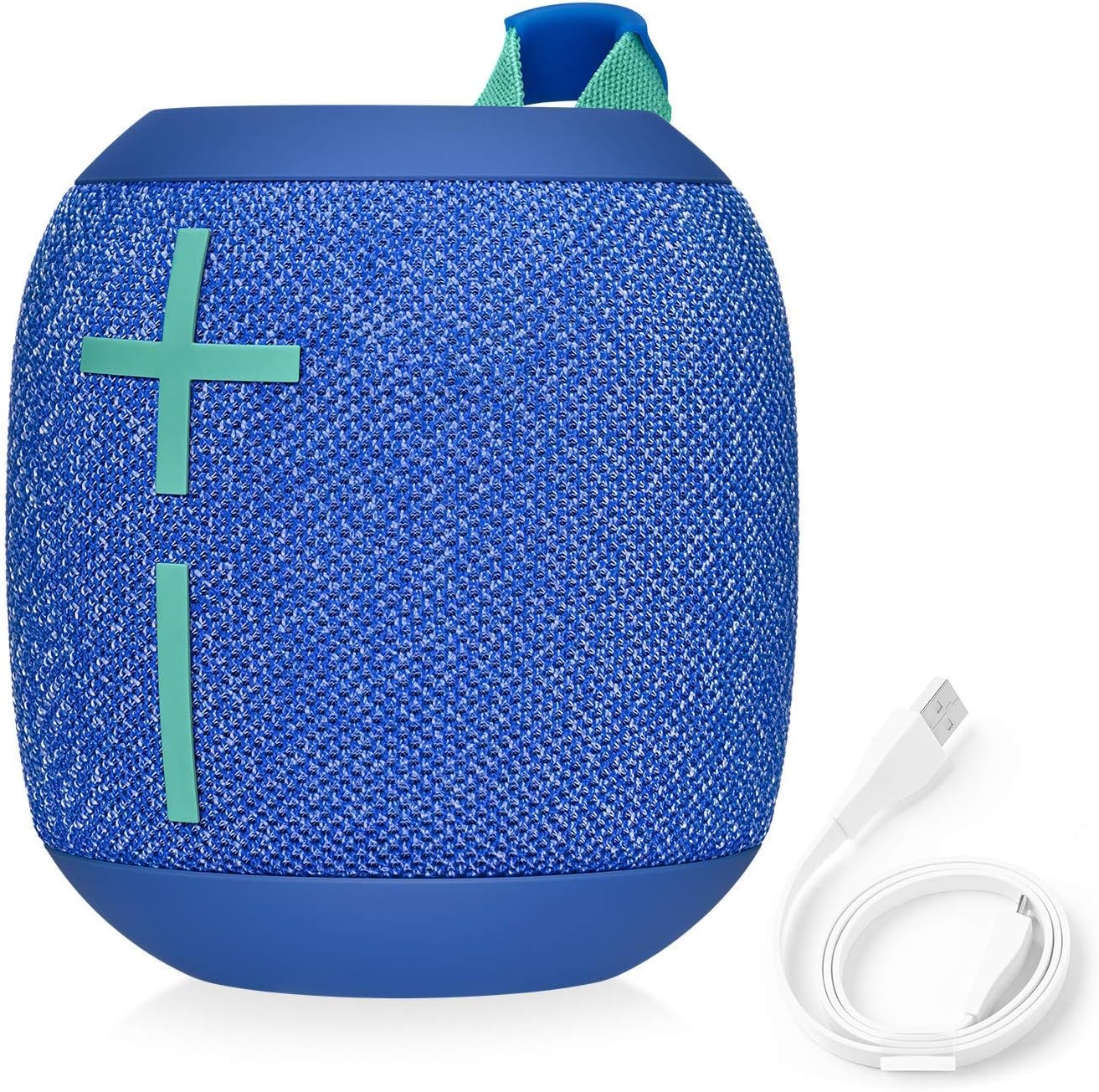
Figure 3: WONDERBOOM 2 with its charging cable.
2. Bluetooth Pairing
Pair your WONDERBOOM 2 with your Bluetooth-enabled device (smartphone, tablet, laptop, MP3 player).
- Turn on your WONDERBOOM 2 by pressing the Power ON/OFF button (refer to Figure 2).
- Press and hold the Bluetooth button on the speaker until you hear a tone and the LED flashes rapidly. This indicates pairing mode.
- On your device, go to Bluetooth settings and select "WONDERBOOM 2" from the list of available devices.
- Once connected, you will hear a confirmation tone, and the LED will turn solid.
Operating Instructions
Basic Controls
- Power ON/OFF: Press the button on the top of the speaker.
- Volume Control: Use the large '+' and '-' buttons on the front of the speaker.
- Play/Pause: Press the Ultimate Ears logo button on the top once.
- Skip Track: Press the Ultimate Ears logo button twice quickly to skip to the next track.
Outdoor Boost Mode
Activate Outdoor Boost for optimized sound when listening outdoors. This mode increases loudness and clarity.
- Locate the Outdoor Boost button on the bottom of the speaker (refer to Figure 2).
- Press the button once to toggle Outdoor Boost ON or OFF. You will hear an audible cue.

Figure 4: Enjoying enhanced sound with Outdoor Boost.
Double Up (Stereo Pairing)
Connect two WONDERBOOM 2 speakers for a more expansive stereo sound experience.
- Ensure both WONDERBOOM 2 speakers are powered on.
- On the first speaker, press and hold the Ultimate Ears logo button for 3 seconds until you hear a tone.
- Repeat the same action on the second speaker.
- Both speakers will connect automatically, providing true left and right stereo audio.

Figure 5: Stereo pairing with two WONDERBOOM 2 speakers.
Battery Life
The WONDERBOOM 2 offers up to 13 hours of battery life, allowing for extended listening sessions.

Figure 6: Enjoying music with the long-lasting battery.
Maintenance
Waterproof and Dustproof Features
The WONDERBOOM 2 has an IP67 rating, meaning it is highly resistant to water and dust. It can be submerged in water up to 1 meter for 30 minutes and is completely protected against dust. The speaker also floats, making it ideal for use around pools or at the beach.

Figure 7: WONDERBOOM 2 is waterproof and dustproof.
Cleaning
To clean your speaker, use a soft, damp cloth. Avoid using harsh chemicals or abrasive cleaners, as these may damage the speaker's finish or fabric. Ensure the charging port is dry before charging after exposure to water.
Troubleshooting
- No Sound:
- Ensure the speaker is powered on and charged.
- Check the volume levels on both the speaker and your connected device.
- Verify that the speaker is properly paired via Bluetooth. Try unpairing and re-pairing if necessary.
- Bluetooth Connectivity Issues:
- Make sure the speaker is within the Bluetooth range (up to 10 meters).
- Turn off and on the Bluetooth on your device.
- Restart both the speaker and your device.
- Clear previous Bluetooth connections on your device and try pairing again.
- Speaker Not Charging:
- Ensure the charging cable is securely connected to both the speaker and the power source.
- Try a different USB port or wall adapter.
- Check the charging cable for any damage.
- Sound Distortion:
- Reduce the volume on both the speaker and your device.
- Ensure there are no obstructions between the speaker and your device.
- Move the speaker away from other electronic devices that might cause interference.
Specifications
| Feature | Detail |
|---|---|
| Brand | Ultimate Ears |
| Model Name | Ultimate Ears WONDERBOOM 2-S00174 |
| Item Model Number | UEWNDRBMGOB |
| Connectivity Technology | Bluetooth |
| Wireless Communication Technology | Bluetooth |
| Bluetooth Range | 10 Meters |
| Speaker Type | Portable Speaker |
| Audio Output Mode | Omnidirectional (360-degree sound) |
| Battery Life | 13 Hours |
| Power Source | Battery Powered |
| Waterproof Rating | IP67 (Waterproof & Dustproof) |
| Material | Silicone & Nylon |
| Product Dimensions | 3"D x 4"W x 3"H |
| Item Weight | 1.32 pounds |
| Included Components | Charging cable |
Warranty and Support
The Ultimate Ears WONDERBOOM 2 comes with a Limited Warranty. For specific details regarding your warranty coverage, please refer to the documentation included with your purchase or visit the official Ultimate Ears support website.
For technical support, troubleshooting assistance, or warranty claims, please contact Ultimate Ears customer service through their official channels. Keep your proof of purchase handy when seeking support.
Return Policy: This product may be subject to a 90-day refund/replacement return policy, depending on the seller and purchase conditions.


