
LEKATO 7209
Contents
LEKATO Guitar Looper Effect Pedal User Manual
Model: 7209
1. Introduction
Thank you for choosing the LEKATO Guitar Looper Effect Pedal. This compact and versatile looper pedal is designed for guitar and bass players, offering extensive looping capabilities, a built-in tuner, and easy PC connectivity. With its high-quality audio processing and intuitive single-footswitch operation, it's an ideal tool for practice, composition, and live performance.
2. Key Features
- Extensive Looping Capacity: Features 9 independent loops, each capable of recording up to 10 minutes, for a total recording time of 40 minutes.
- High-Fidelity Audio: Utilizes 48K/24bit sampling rate, ensuring lossless, uncompressed, and professional tone quality.
- Integrated Tuner: Built-in high-sensitivity tuning function for accurate instrument tuning.
- Seamless Operation: Continuous switching between loops without discordant interruptions.
- Intuitive Control: Single-knob operation for setting loop playback volume.
- PC Connectivity: Easy import/export of music to/from PC via USB for uploading/downloading WAV loop files. No special drivers required.
- Unlimited Overdubbing: Allows for clear looping with an unlimited number of overdubs.
- Simplified Foot Commands: Record, Undo/Redo, Stop, and Erase functions are all accessed via different foot commands using a single button.
3. Package Contents
Please check the package carefully to ensure all items are present:
- 1 x LEKATO Guitar Looper Effect Pedal
- 1 x USB Cable
- 1 x User Manual

Image: Contents of the LEKATO Looper Pedal package, showing the pedal, USB cable, and user manual.
Note: A DC 9V power adapter (central negative) is required and is not included in the package.
4. Product Overview
The LEKATO Looper Pedal features a compact design with intuitive controls and clear LED indicators.

Image: Top-down view of the LEKATO Guitar Looper Effect Pedal, showing the footswitch, level knob, tuner buttons, and LED indicators.
4.1. Components and Controls
- Footswitch: The primary control for recording, playing, stopping, undoing/redoing, and erasing loops.
- LEVEL Knob: Adjusts the playback volume of the loop.
- Tuner Buttons (Left & Right): Used to activate the tuner function and navigate loop slots.
- LED Indicators: Display loop status (recording, playing, overdubbing) and tuner information.
- IN Jack: 1/4" input for connecting your instrument (guitar, bass, etc.).
- OUT Jack: 1/4" output for connecting to an amplifier or other audio equipment.
- DC 9V Input: Power input for a 9V DC center-negative power adapter.
- USB Port: For connecting to a computer to import/export loop files.
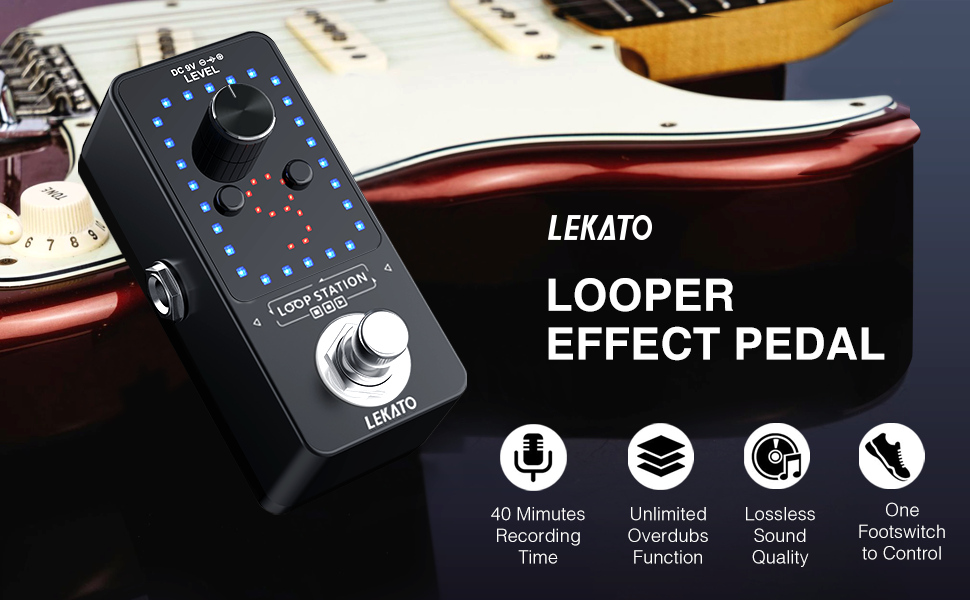
Image: Diagram illustrating the input, output, charging port, and USB port of the LEKATO Looper Pedal, along with potential connections to headphones, amplifiers, music players, and computers.
5. Setup
- Power Connection: Connect a DC 9V center-negative power adapter (not included) to the DC 9V input jack on the pedal.
- Instrument Connection: Connect your guitar or bass to the "IN" jack of the looper pedal using a standard 1/4" instrument cable.
- Amplifier Connection: Connect the "OUT" jack of the looper pedal to your amplifier or audio interface using another 1/4" instrument cable.
- Power On: Ensure all connections are secure. The pedal will power on automatically when connected to power.
6. Operating Instructions
The LEKATO Looper Pedal is designed for intuitive operation using its single footswitch and two tuner/navigation buttons.
6.1. Basic Looping Functions (Footswitch Control)
- Record: Press the footswitch once to start recording. The red LEDs will illuminate, indicating recording is active.
- Play/Overdub: Press the footswitch once again to stop recording and immediately start playback. The blue LEDs will illuminate. To overdub, press the footswitch once during playback; the red LEDs will light up again, indicating overdubbing. Press again to stop overdubbing and return to playback.
- Stop: Double-press the footswitch quickly during playback or overdubbing to stop the loop. The LEDs will turn off or show a static pattern.
- Undo/Redo: Press and hold the footswitch for 2 seconds during playback to undo the last recorded layer. Hold again for 2 seconds to redo the undone layer.
- Erase Current Loop: While the loop is stopped, press and hold the footswitch for 2 seconds. The LEDs will flash rapidly. Release and press the footswitch again quickly to confirm deletion.
- Erase All Loops: While the loop is stopped, press and hold the footswitch for 5 seconds. The LEDs will flash rapidly. Release and press the footswitch again quickly to confirm deletion of all loops.

Image: A foot pressing the footswitch of the LEKATO Looper Pedal, demonstrating its single-button control for various functions.
6.2. Loop Slot Navigation
The pedal supports 9 loop slots. Use the small left and right buttons (often labeled with arrows or associated with the tuner) to navigate between these slots when the pedal is stopped.

Image: Close-up of the LEKATO Looper Pedal's display, showing the number '9' illuminated by red LEDs, indicating the current loop slot.
6.3. Tuner Function
The pedal includes a hidden tuner function for convenience.
- Activate Tuner: Press both small left and right buttons simultaneously to activate the tuner. The display will change to show tuning information.
- Tuning: Play a single note on your instrument. The LEDs will indicate whether the note is flat, sharp, or in tune.
- Exit Tuner: Press the footswitch once to exit the tuner mode and return to looper operation.

Image: A close-up of the LEKATO Looper Pedal showing two fingers pressing the small tuner buttons, indicating how to activate the hidden tuning function.
6.4. PC Connectivity (Import/Export Loops)
You can easily manage your loop files by connecting the pedal to a computer.
- Connect to PC: Use the provided USB cable to connect the pedal's USB port to your computer.
- Access Files: The pedal will appear as a removable storage device (like a USB drive) on your computer.
- Manage Loops: You can drag and drop WAV audio files to and from the pedal's storage. Ensure files are in WAV format (48K/24bit recommended for optimal performance).
- Disconnect Safely: Always safely eject the device from your computer before disconnecting the USB cable to prevent data corruption.

Image: The LEKATO Looper Pedal connected to a desktop computer via a USB cable, illustrating the process of uploading or downloading loop files.
7. Maintenance
- Keep the pedal clean by wiping it with a soft, dry cloth.
- Avoid exposing the pedal to extreme temperatures, humidity, or direct sunlight.
- Do not attempt to disassemble or repair the unit yourself, as this will void the warranty.
- Use only the specified 9V DC center-negative power adapter.
8. Troubleshooting
| Problem | Possible Cause | Solution |
|---|---|---|
| No power/LEDs off | Incorrect power adapter; loose connection; no power from outlet. | Ensure a 9V DC center-negative adapter is used. Check all power connections and try a different power outlet. |
| No sound output | Incorrect cable connection; volume knob too low; amplifier off. | Verify instrument and amplifier connections. Increase the LEVEL knob on the pedal. Check amplifier power and volume. |
| Loop sounds distorted or noisy | Input signal too hot; poor quality cables; power supply noise. | Reduce the input volume from your instrument. Use high-quality shielded cables. Consider a dedicated power supply for the pedal if using a daisy chain. |
| Cannot record or overdub | Incorrect footswitch timing; memory full. | Review the footswitch commands for recording/overdubbing. Check available memory slots. |
| PC does not recognize pedal | Faulty USB cable; USB port issue; pedal not in correct mode. | Try a different USB cable or USB port on your computer. Ensure the pedal is powered on when connecting to PC. |
9. Specifications
| Feature | Detail |
|---|---|
| Model Number | 7209 |
| Recording Time | Total 40 minutes (9 loops, max 10 minutes per single loop) |
| Sampling Rate | 48K/24bit |
| Overdubbing | Unlimited |
| Power Requirement | DC 9V (center negative) |
| Dimensions (L x W x H) | 4.33" x 2.6" x 2.56" (110mm x 66mm x 65mm) |
| Item Weight | 10.8 ounces (0.31 kg) |
| Hardware Interface | USB |
| Signal Format | Analog |

Image: Diagram showing the dimensions of the LEKATO Looper Pedal: 40mm width and 90mm length.
10. Warranty and Support
LEKATO products are manufactured to the highest quality standards. For information regarding warranty coverage, technical support, or service inquiries, please refer to the warranty card included with your product or visit the official LEKATO website. Please retain your proof of purchase for any warranty claims.
For further assistance, you may contact LEKATO customer support through their official channels.
Documents and downloads
Ask a question about this manual
Ask about setup, troubleshooting, compatibility, parts, safety, or missing instructions. Manuals+ will review the question and use this page’s manual context to help answer it.